gcriaco
-
Posts
230 -
Joined
-
Last visited
gcriaco's Achievements

Polymath (5/7)
3
Reputation
-
 SenfoMix reacted to a post in a topic:
RDP Automation
SenfoMix reacted to a post in a topic:
RDP Automation
-
 caramen reacted to a post in a topic:
RDP Automation
caramen reacted to a post in a topic:
RDP Automation
-
It works fine. Many thanks and compliments!
-
FrancescoDiMuro reacted to a post in a topic:
RDP Automation
-
Found the solution (described here: stackoverflow) I need to add the following step to ptrex old topic: $oRDP.AdvancedSettings8.EnableCredSspSupport = true Script example: #include <GUIConstantsEx.au3> #include <WinAPI.au3> #include <WindowsConstants.au3> $host = "IP Address" ;<<<<<<< enter here the host name or ip address ;Remote Desktop ActiveX Control Interfaces -> http://msdn.microsoft.com/en-us/library/aa383022(v=VS.85).aspx $hGUI = GUICreate("RDP Embedded Sessions", 952, 675, -1, -1, $WS_OVERLAPPEDWINDOW + $WS_CLIPSIBLINGS + $WS_CLIPCHILDREN) $oRDP = ObjCreate("MsTscAx.MsTscAx") ;http://msdn.microsoft.com/en-us/library/aa381344(v=VS.85).aspx $oRDP_Ctrl = GUICtrlCreateObj($oRDP, 64, 44, 800, 600) GUICtrlSetResizing(-1, $GUI_DOCKALL) GUICtrlSetStyle($oRDP_Ctrl , $WS_VISIBLE) $oRDP.DesktopWidth = 1366 $oRDP.DesktopHeight = 768 $oRDP.Fullscreen = 768 $oRDP.ColorDepth = 32 $oRDP.AdvancedSettings2.RedirectDrives = True ; Sollen die Laufwerke mitgenommen werden $oRDP.AdvancedSettings2.RedirectPrinters = False ; Sollen die Drucker mitgenommen werden $oRDP.AdvancedSettings2.RedirectPorts = False ; Ports wie LPT1 etc $oRDP.AdvancedSettings2.RedirectSmartCards = False ; SmartCards für Authentifizierung $oRDP.AdvancedSettings2.EnableAutoReconnect = False $oRDP.AdvancedSettings2.allowBackgroundInput = False $oRDP.AdvancedSettings2.ConnectionBarShowRestoreButton = False $oRDP.AdvancedSettings3.SmartSizing = True $oRDP.AdvancedSettings5.AudioRedirectionMode = 0 $oRDP.AdvancedSettings2.ClearTextPassword = "Password" ; <<<<<<< enter here the user password $oRDP.AdvancedSettings8.EnableCredSspSupport = true $oRDP.Server = $host $oRDP.UserName = "Username" ;<<<<<<< enter here the user name $oRDP.Domain = "domain" ;<<<<<<< enter here the domain name $oRDP.ConnectingText = "Connecting to " & $host $oRDP.DisconnectedText = "Disconnected from " & $host $oRDP.StartConnected = True $oRDP.Connect() GUISetState(@SW_SHOW, $hGUI) ;~ ConsoleWrite($oRDP.GetErrorDescription() & @CRLF) While 1 $nMsg = GUIGetMsg() Switch $nMsg Case $GUI_EVENT_CLOSE $oRDP.Disconnect() Exit EndSwitch WEnd Hope this post is useful to someone else. regards Peppe
-
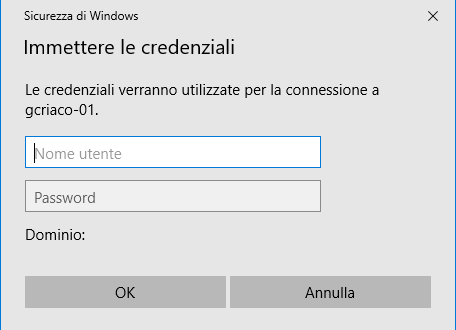
Yes, of course. You have to substitute IP, User and Password with your data. Moreover, "Sicurezza di Windows" is the RDP Window Title (italian Windows O.S. version): You have to sustitute "Sicurezza di Windows" with the correct title of the window. As I already said, it's just a workaround, but unfortunately I'm not able to use the RDP ActiveX objects to connect to PCs (just IIS servers)
-
This "quick and dirty" workaround works: local $iPid = run("mstsc.exe /v:IP /public", "", @SW_HIDE) WinWaitActive("Sicurezza di Windows", "", 3) Sleep(1000) Send("User") Sleep(500) send("{TAB}") Sleep(500) send("Password") Sleep(500) send("{ENTER}") Exit If somebody knows how to connect to Win10 PCs via ActiveX please let me know. Otherwise, maybe this code could be useful to someone. Regards Peppe
-
Correct MS link: https://docs.microsoft.com/it-it/windows/win32/termserv/imsrdpclient-interface?redirectedfrom=MSDN This is an old thread related to ActiveX RDP:
-
I am looking for a Script with which i can automate the RDP to a Windows10 PC. The examples based on RDP Embedded Sessions ("MsTscAx.MsTscAx.x / MsRDP.MsRDP.x" - http://msdn.microsoft.com/en-us/library/aa381344(v=VS.85).aspx) from several posts are working just in case the target machine is running IIS. I'm wondering if it's possible to use these ActiveX or other features for PCs without IIS too. Any help? Thanks Peppe
-
The previous example works fine for me if I connect to a IIS server. It doesn't work if I connect to a PC/Server without IIS installed. If it's a normal feature of the RDP control, is there any way to connect via RDP to PCs/Servers without IIS? Thanks Peppe
-
 The Options menu item is available right clicking on the tray bar icon of the tool
 -
gcriaco reacted to a post in a topic:
osquery snippets
-
Customizable Splash Screen GUI with progress bar
gcriaco replied to BrewManNH's topic in AutoIt Example Scripts
Thanks. -
Customizable Splash Screen GUI with progress bar
gcriaco replied to BrewManNH's topic in AutoIt Example Scripts
I'm sorry I was not clear. I can't download the script _ProgressGUI.au3 (link ttps://www.autoitscript.com/forum/files/file/450-_progressguiau3/) due to the following error message: Sorry, there is a problem The page you are trying to access is not available for your account. Error code: 2C171/1 Maybe it's wanted. So, any other way to get your script? Many thanks for help and happy new 2019 -
Customizable Splash Screen GUI with progress bar
gcriaco replied to BrewManNH's topic in AutoIt Example Scripts
-
gcriaco reacted to a post in a topic:
CryptoDragon Obfuscator v1.4.0.1
-
gcriaco reacted to a file:
AD - Active Directory UDF
-
ISN AutoIt Studio - debug ---------------------------------- - SYSTEM - ---------------- OS: WIN_7 Service Pack 1 (X64) RAM: 7902.23 MB WinAPI version: 6.1 Run on monitor: 1 (Detected: 2) Run from drive: D:\ |-> compressed: No - ISN AUTOIT STUDIO GENERAL - ---------------- Studio version: Version 1.07 27.02.2018 (20180227) Executable path: D:\SW_NoInst\ISN AutoIt Studio\Autoit_Studio.exe (PID 26188) Startups: 6 Mode: Portable ISN AutoIt version: 3.3.14.2 Current Skin: #none# ISN DPI scale: 1 Languagefile: Italiano.lng Run mode: Compiled version Run ISN as admin: No - AUTOIT PATHS - ---------------- Autoit3.exe: OK (C:\Program Files (x86)\AutoIt3\Beta\AutoIt3.exe) Aut2exe.exe: OK (C:\Program Files (x86)\AutoIt3\Beta\Aut2Exe\Aut2exe.exe) AutoIt3Help.exe: OK (C:\Program Files (x86)\AutoIt3\Beta\AutoIt3Help.exe) Au3Check.exe: OK (C:\Program Files (x86)\AutoIt3\Beta\Au3Check.exe) Au3Info.exe: OK (C:\Program Files (x86)\AutoIt3\Beta\Au3Info.exe) AU3Stripper.exe: OK (C:\Program Files (x86)\AutoIt3\SciTE\au3Stripper\AU3Stripper.exe) Tidy.exe: OK (C:\Program Files (x86)\AutoIt3\SciTE\Tidy\Tidy.exe) - ISN AUTOIT STUDIO PATHS - ---------------- %myisndatadir%: D:\SW_NoInst\ISN AutoIt Studio Working dir: D:\SW_NoInst\ISN AutoIt Studio Script dir: D:\SW_NoInst\ISN AutoIt Studio Project dir: D:\SW_NoInst\ISN AutoIt Studio\Projects Templates dir: D:\SW_NoInst\ISN AutoIt Studio\Templates Release dir: D:\SW_NoInst\ISN AutoIt Studio\Release Backup dir: D:\SW_NoInst\ISN AutoIt Studio\Backups Skins dir: D:\SW_NoInst\ISN AutoIt Studio\Data\Skins Cache dir: D:\SW_NoInst\ISN AutoIt Studio\data\cache Plugins dir: D:\SW_NoInst\ISN AutoIt Studio\Data\Plugins config.ini path: D:\SW_NoInst\ISN AutoIt Studio\data\config.ini Config writable: Yes ISN dir writable: Yes - ISN AUTOIT STUDIO PLUGINS - ---------------- Loaded Plugins: 2 Loaded filetypes: jpg|jpeg|bmp|ico|dll|wav|wave|mp3|ogg|isf|
-
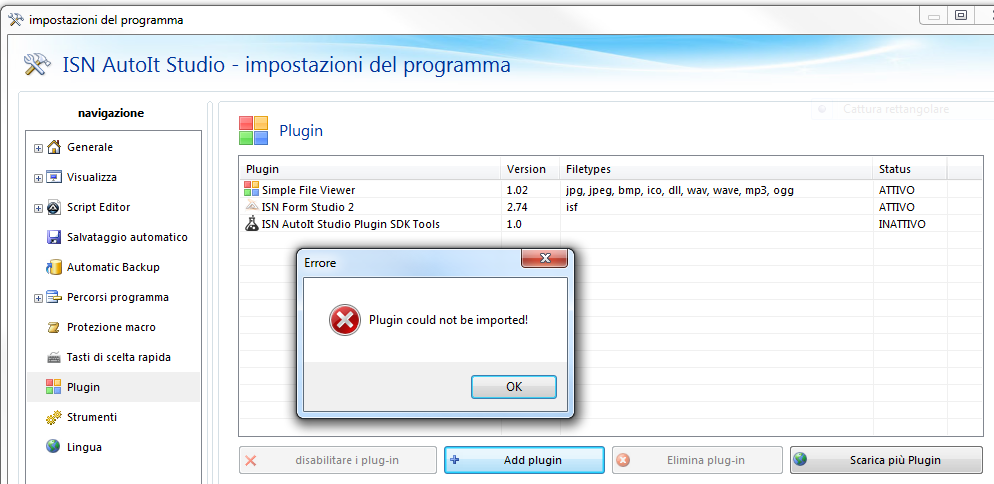
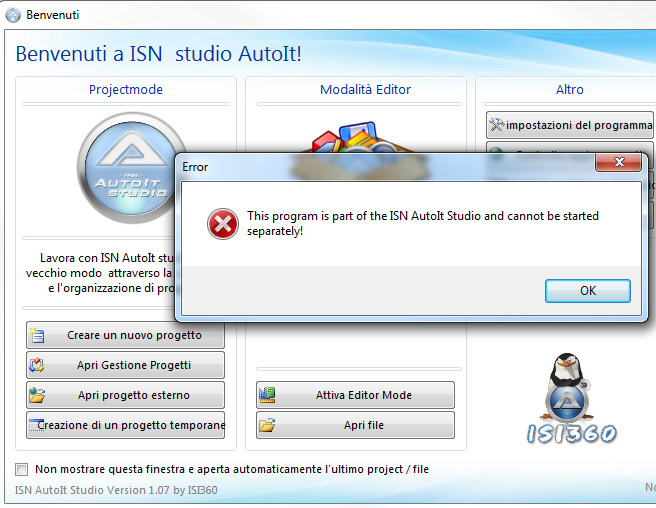
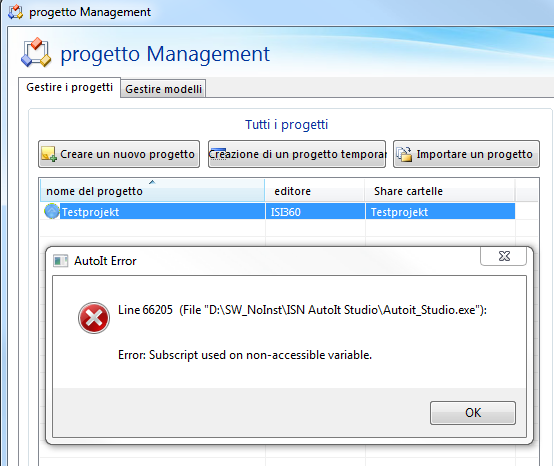
I have 3 issues with the last portable version: 1.no possibility to import plugins previously downloaded from the ISN site 2. executing Autoit_Studio.exe I Always get the error shown in the screenshot below 3. error opening the test project BTW, thanks for sharing ISN and many compliments! Regards Peppe
-
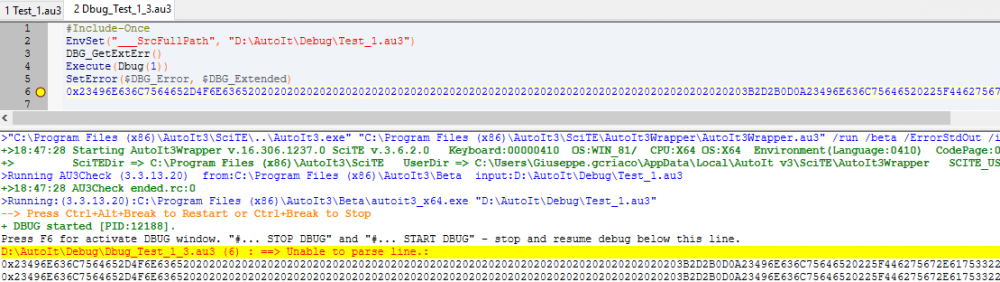
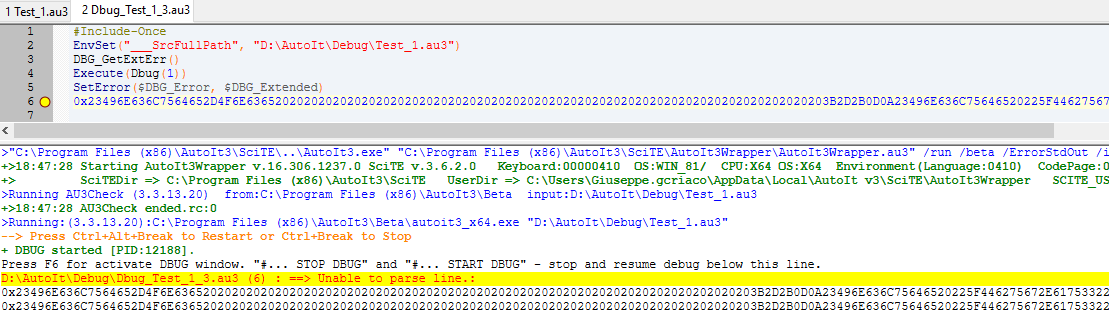
You're right. With the 3.3.15 beta the debugger works fine. Many Thanks Peppe
-
With the latest AutoIt Beta version I get the error shown in the attached screenshot. No problem with the AutoIt production release. Best regards Peppe