newbie210
-
Posts
15 -
Joined
-
Last visited
newbie210's Achievements

Seeker (1/7)
0
Reputation
-
Get or Read Pixel from Memory UDF - PixelGetColor .au3
newbie210 replied to jvanegmond's topic in AutoIt Example Scripts
First thanks for the great script, however there is a small error: In the Speedtest.au3 and also the example.au3 the _PixelGetColor_CaptureRegion($vDC, 0,0,$xmax,$ymax,$hDll) function is missing the $fCursor argument in your code. It should be _PixelGetColor_CaptureRegion($vDC, 0,0,$xmax,$ymax,FALSE,$hDll) Thanks Greg Func CaptureUDF($xmax, $ymax) $vRegion = _PixelGetColor_CaptureRegion($vDC, 0,0,$xmax,$ymax,FALSE,$hDll) For $x = 0 to $xmax For $y = 0 to $ymax _PixelGetColor_GetPixelRaw($vDC, $x, $y, $hDll) Next Next _PixelGetColor_ReleaseRegion($vRegion) EndFunc -
Connecting to postgres problem
newbie210 replied to newbie210's topic in AutoIt General Help and Support
Silly me, I needed to use the 64 bit version of autoit... problem solved -
I have two computers, one running win7 home, the other running win7 pro 64bit. I have sucessfully connected to a postgres database from auto it using the win 7 home machine, but can not do so from the win 7 pro 64 bit machine. The only difference is when installing the ODBC data source, I had to install a 64 bit version and I assume that now the connection string must be different, but I'm not sure. The code I'm using is as follows: $oConn = ObjCreate("ADODB.Connection") $strConn = "DSN=PostgreSQL;DATABASE=mydb;SERVER=localhost;Port=5432;Uid=postgres;Pwd=dbpass" $oConn.Open($strConn) On the third line I get an error messsage saying: From the Control Panel --> Admin Tools --> Data Sources (ODBC) I have created a user DSN which when I test gives a successful message. As I said, this code works fine on the Win7 home computer, is there something simple I am missing? Thanks
-
I spent a lot of time mucking around, reading the forums, but finally managed to connect to a PostgreSQL database from Autoit. I wrote this post to help others, however there are still some things I's like some help with. From this a found out the following: Then reading I learnt about making the database connection. Finally I learnt about reading data from a SQL SELECT statement from My code for reading the database: $oConn = ObjCreate("ADODB.Connection") $oRS = ObjCreate("ADODB.Recordset") $strConn = "DSN=PostgreSQL;DATABASE=databasename;SERVER=localhost;Port=5432;Uid=databaseusername;Pwd=dbpassword" $oConn.Open($strConn) If @error Then MsgBox(0,"","Error Opening Connection") $strReturn="" $sql="SELECT * FROM table WHERE column = 'value'" $oRS.open($sql,$oConn,1,3) If @error Then MsgBox(0,"","Error Executing SQL") $oRS.MoveFirst MsgBox(0,"","RecordCount: "&$oRS.RecordCount) For $iIndex = 1 To $oRS.RecordCount $strReturn = $oRS.Fields("column").value $oRS.MoveNext Next $oConn.Close msgbox(0,"",$strReturn) My question is with the line: $oRS.open($sql,$oConn,1,3) What are the 3rd and 4th function parameters? I found them in somebody's code, and noticed that my code wouldn't work with out them, but don't know what they are for. Secondly is there a help topic somewhere which lists the various ADODB contention and ADODB recordset functions?
-
I'm trying to read the color of a pixel in a program window, to start with I used the 'AutoIt Window Info': With 'magnify' selected I used the 'finder tool' and pointed the cursor over the window where I was trying to find the color. However the magnification was reading though the window and showing the color of the desktop directly below the window as if the window was not there. I can't work out why this would happen, it doesn't happen for any other programs, and doesn't happen on my second computer. My guess is it is something to do with autoit not having the same privileges as the program it is trying to read the pixel color from, however both programs are running as admin. If anybody knows why this would happen I would appreciate some help. Thanks
-
mouseClick not working on windows 7
newbie210 replied to newbie210's topic in AutoIt General Help and Support
I did find one solution to my problem... I found that auto-it was unable to automate some programs, this was because it did not have the correct privileges to do so. Clicking "Run as administrator..." when running the script fixed this issue. I believe "clicks" were not being sent to programs that auto-it did not have the correct privileges to automate, simple as that. The easiest way to ensure that the script is running as an administrator is: 1) compile your script to exe 2) in the properties window on the exe file, go on the compatibility tab, and check "Run this program as an administrator" -
mouseClick not working on windows 7
newbie210 replied to newbie210's topic in AutoIt General Help and Support
And every thing is working fine again..... I don't know why, maybe the lastest windows update changed something????? Sorry and thanks -
mouseClick not working on windows 7
newbie210 replied to newbie210's topic in AutoIt General Help and Support
Well it was fixed... but only for 5 minutes. I don't think the "hot stop" is the problem, but the fact no "click" is being sent at all. Or the sent click is getting lost. I don't know enough about how auto-it, or windows 7 works to know why. Thanks for your help if you have any. Could it be I used a 'free upgrade from vista to win7' that came with my computer. Rather than purchasing win 7? Could it be some other windows settings? I'm using 2560x1600 and 1920x1200 dual monitor, if that makes a difference? -
I have scripts that worked on Windows XP no longer work on Windows7. Scripts may work inadvertently, like one time in 10. The functions that seem be be effected include: MouseClick MouseClickDrag MouseDown _WinAPI_Mouse_Event For example, the following code resizes a windows, by clicking and dragging the bottom corner : Opt("MustDeclareVars",1) dim $testTitle="some window title" dim $winPos = WinGetPos($testTitle) dim $newWidth = 710 MouseClickDrag ( "left",$winpos[0]+$winPos[2]-5,$winpos[1]+$winPos[3]-5, _ $winpos[0]+$newWidth-5,$winpos[1]+$winPos[3]-5) This works fine on my Win XP computer, but not on my Windows 7 computer. On the windows 7 computer you see the mouse move, but no 'clicking' is taking place. I have tried several things but am at a lost to know why. Is there some way I can work around this problem?
-
I have scripts that worked on Windows XP no longer work on Windows7. Scripts may work one time in 10. I functions that seem be be effected include: MouseClick MouseClickDrag MouseDown _WinAPI_Mouse_Event For example, the following code resizes a windows, by clicking and dragging the bottom corner : Opt("MustDeclareVars",1) dim $testTitle="some window title" dim $winPos = WinGetPos($testTitle) dim $newWidth = 710 MouseClickDrag ( "left",$winpos[0]+$winPos[2]-5,$winpos[1]+$winPos[3]-5, _ $winpos[0]+$newWidth-5,$winpos[1]+$winPos[3]-5) This works fine on my Win XP computer, but not on my Windows 7 computer. On the windows 7 computer you see the mouse move, but no 'clicking' is taking place. Is there some way I can work around this problem?
-
Help with calling a c++ dll with auto-it
newbie210 replied to newbie210's topic in AutoIt General Help and Support
Thanks Heaps.. I used LipDump (http://www.freedownloadscenter.com/Programming/Misc__Programming_Tools/LibDump_Download.html) to get a list of the exported function names. I found myFunction was called _myFunction@0 so using $theReturnValue=DllCall("C:\Documents and Settings\User\My Documents\Visual Studio 2008\Projects\test\Debug\test.dll","int", "_myFunction@0") msgbox(0,"",$theReturnValue[0]) Worked!!! Thanks again... I'll keep playing.... -
Help with calling a c++ dll with auto-it
newbie210 replied to newbie210's topic in AutoIt General Help and Support
My c++ dll now reads // Dll Function definition extern "C" __declspec(dllexport) int __stdcall myFunction (void) { return 7; } extern "C" __declspec(dllexport) int __stdcall mySum (int x , int y) { return x + y; } However the @error is still set to 3, I even tried changing to a .c file instead of a .cpp file. Hmmm I still can't seem to work out what is wrong. I dont have dumpbin to check the exported function names, how else can you do it? Thanks Again -
Help with calling a c++ dll with auto-it
newbie210 posted a topic in AutoIt General Help and Support
I have written a simple c++ dll, using Visual C++ Studio 2008 Express Edition. The test.cpp file is as follows: // Dll Function definition __declspec(dllexport) int __stdcall myFunction(void) { return 7; } __declspec(dllexport) int __stdcall mySum(int x , int y) { return x + y; } I created the file using the File Menu --> New --> Project, Click Win32 --> Win32 Project (calling it test) Then clicked Application Settings --> DLL and Empty Project The project complies without any problems. I then try to use that dll in Auto-it with the following code: Dim $theReturnValue $theReturnValue=DllCall("C:\Documents and Settings\User\My Documents\Visual Studio 2008\Projects\test\Debug\test.dll", "int", "myFunction") However @error is set to 3 ("function" not found in the DLL file) and there is no return value. I have been working on this for many hours, I'm sure I have over looked some very simple, can somebody please help me. Thanks -
Wait isn't this waiting?
newbie210 replied to StumpedTechy's topic in AutoIt General Help and Support
Maybe your code is getting the pixel color a split second before the message box arrives? Try waiting for the box to arrive, before waiting for it to disappear? Maybe put this after the Send("4") if PixelGetColor(836,733) <> 0x110E11 then while PixelGetColor(836,733) <> 0x110E11 Sleep(100) WEnd endif -
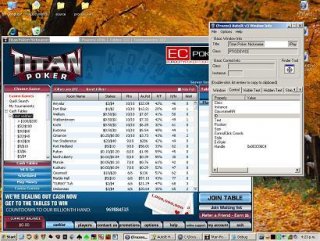
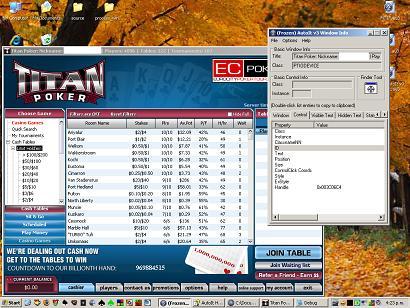
I am trying to automate Titan Poker (an ipoker client), I basicly want AutoIt to open a table for me. There seems to be a TreeView Control, a ListView Control and some buttons, notably the "Sit n Go" and "Join Table", however no details come up in the 'AutoIt Window Info' viewer when I try to identify them. (This is not my first project and I have managed to get this info in the past.) I used WinGetClassList and managed to get the following information about some of the controls on the Titan window: ClassNameNN:Internet Explorer_Server1 IsVisible:0 x=0,y=0,w=800,h=600 ClassNameNN:Internet Explorer_Server2 IsVisible:1 x=520,y=6,w=273,h=103 ClassNameNN:Internet Explorer_Server3 IsVisible:1 x=3,y=476,w=623,h=71 ClassNameNN:Internet Explorer_Server4 IsVisible:0 x=630,y=177,w=166,h=295 ClassNameNN:PTIODEVICE1 IsVisible:0 x=0,y=0,w=800,h=600 ClassNameNN:PTIODEVICE2 IsVisible:0 x=157,y=16,w=469,h=141 ClassNameNN:PTIODEVICE3 IsVisible:0 x=2,y=458,w=142,h=92 ClassNameNN:PTIODEVICE4 IsVisible:0 x=2,y=458,w=142,h=92 ClassNameNN:Shell DocObject View1 IsVisible:0 x=0,y=0,w=800,h=600 ClassNameNN:Shell DocObject View2 IsVisible:1 x=520,y=6,w=273,h=103 ClassNameNN:Shell DocObject View3 IsVisible:1 x=3,y=476,w=623,h=71 ClassNameNN:Shell DocObject View4 IsVisible:0 x=630,y=177,w=166,h=295 ClassNameNN:Shell Embedding1 IsVisible:0 x=0,y=0,w=800,h=600 ClassNameNN:Shell Embedding2 IsVisible:1 x=520,y=6,w=273,h=103 ClassNameNN:Shell Embedding3 IsVisible:1 x=3,y=476,w=623,h=71 ClassNameNN:Shell Embedding4 IsVisible:0 x=630,y=177,w=166,h=295 <b>Can somebody help me get the className, handle etc of the buttons, TreeView and ListView controls?</b> my code for those who are interested: <i> #include <Array.au3> #include <Debug.au3> #Include <WinAPI.au3> _DebugSetup ( "Debug" ) Opt("MustDeclareVars", 1) Dim $i, $j, $str, $ctrlPOS, $winclass, $hnd, $ctrlID ;Dim $winName = "Victor Chandler:" Dim $winName = "Titan Poker: Nickname:" WinActivate($winName) $winclass = StringSplit(WinGetClassList($winName), @LF) _ArraySort($winclass,0,1,$winclass[0]-1) Dim $nextClass="", $count = 0 for $i = 1 to $winclass[0] - 1 if ($winclass[$i] & $count) = $nextClass Then $count = $count +1 Else $count = 1 EndIf $nextClass = $winClass[$i] & $count $winClass[$i] = $winClass[$i] & $count $ctrlID = "[CLASSNN:"&$winClass[$i]&"]" $hnd = ControlGetHandle ($winName, "", $ctrlID) $str="" ; $str=$str&"Index:"&$i $str=$str&" ClassNameNN:"&$winClass[$i] ; $str=$str&" Handle:"&$hnd $str=$str&" IsVisible:"&ControlCommand($winName,"",$ctrlID,"IsVisible") ; $str=$str&" ClassName:"&_WinAPI_GetClassName($hnd) $ctrlPOS=ControlGetPos($winName, "", $ctrlID ) $str=$str&" x="&$ctrlPOS[0]&",y="&$ctrlPOS[1]&",w="&$ctrlPOS[2]&",h="&$ctrlPOS[3] _DebugOut($str) Next ;MsgBox(0,"", WinGetClassList($winName)) </i>