VelvetElvis
-
Posts
135 -
Joined
-
Last visited
VelvetElvis's Achievements

Adventurer (3/7)
2
Reputation
-
 kcvinu reacted to a post in a topic:
ImageSearch Usage Explanation
kcvinu reacted to a post in a topic:
ImageSearch Usage Explanation
-
kcvinu reacted to a post in a topic:
ImageSearch Usage Explanation
-
VelvetElvis reacted to a post in a topic:
Server Outage - 24th-26th Feb
-
VelvetElvis reacted to a post in a topic:
Includes Helper
-
VelvetElvis reacted to a post in a topic:
File Locking with Cooperative Semaphores
-
Expand SciTE Recently Opened List
VelvetElvis replied to VelvetElvis's topic in AutoIt General Help and Support
Thanks folks. That's why I couldn't find it. -
I've looked all around, and can't seem to find a setting to increase the number of entries on SciTE's "recently opened" list. I've checked all the config files from the Options menu, and didn't see anything relevant. Can someone give me a nudge? Thanks!
-
VelvetElvis reacted to a post in a topic:
Is AutoIT perfect?
-
Problem with InetGet()
VelvetElvis replied to VelvetElvis's topic in AutoIt General Help and Support
No filename in the header is what I'm now thinking. Thank you (and everyone else) for enlightenment on this. -
Problem with InetGet()
VelvetElvis replied to VelvetElvis's topic in AutoIt General Help and Support
It would be like "ExportData_15-Apr-2013.xls" It always generates a filedate 3 days prior to the current date, so I can still provide InetGet() with a filename. I was just trying to see if there was a way to determining the .asp filename first. We're switching soon from XP/IE8 to Win 7/IE9, and automating a file download with IECreate() and clicking "Save" is not an option any longer. The IE9 "View and track your downloads" dialog is a PITA, so now I'm learning InetGet(). -
Problem with InetGet()
VelvetElvis replied to VelvetElvis's topic in AutoIt General Help and Support
Yes, I have access to the server, but the ASP code is what generates the file (an Excel workbook.) and pops up a File Download dialog. -
Problem with InetGet()
VelvetElvis replied to VelvetElvis's topic in AutoIt General Help and Support
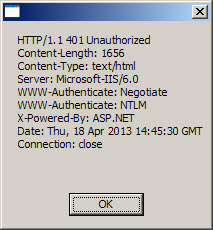
Hi Guinness, FireFox: Thanks again for your help. The URL is an Intranet link to one of our web servers, and not accessible from the outside. Attached is a copy of the result of your code, Guinness. So in summary, Am I correct in assuming that if the filename doesn't appear here, then it's not available? As it turns out, I have a workaround, but this is valuable info for the future.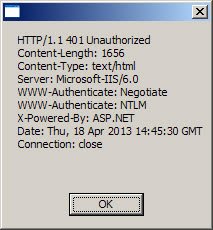
-
Problem with InetGet()
VelvetElvis replied to VelvetElvis's topic in AutoIt General Help and Support
I'm sorry, but I can't find the code you're referring to, or I don't understand what I did find. This thread is all I see around that time that's close: but while it displays some info, it doesn't give me a filename. I also tried FireFox's suggestion to search to look for "file name page header tcp request", but found nothing that I could understand or relate to this issue. Forgive me, but TCP is most definitely not my strong suit. Can you give me a bit more to work with? -
I'm rewriting an application that downloaded a file by calling an ASP page with this line: $oIE = _IECreate("http://myurl/page.asp", 0, 0, 0) The URL brings up the IE File Download dialog, where the app clicked "Save". The filename is already created by the .ASP page. I need to convert this to an InetGet() statement, however this line doesn't work (triggers @error): $hDownload = InetGet("http://myurl/page.asp") This line does work though: $hDownload = InetGet("http://myurl/page.asp", "myfilename.xls") The problem is, I would like to have it save with the filename that the ASP page generates (which changes every day), and which worked fine with the IECreate() line above. Can someone give me a hint here? Thanks!
-
Turn off TimerInit() ?
VelvetElvis replied to VelvetElvis's topic in AutoIt General Help and Support
Thanks M23. That's what I needed. -
Turn off TimerInit() ?
VelvetElvis replied to VelvetElvis's topic in AutoIt General Help and Support
While 1 $target = _ImageSearch(@ScriptDir & "\Clips\test.gif", 1, $x1, $y1, 0); Testing only If $target = 1 Then ExitLoop ; Timeout if Java hasn't loaded HOD in 30 seconds If TimerDiff($startTime) > 30000 Then MsgBox(8208, $appname, "Timed out waiting for HOSTS icons to load." & @CRLF & "Please logon manually.") Exit EndIf Sleep(500) WEnd I could've used TimerDiff() instead of the "While 1" too. It's just in the initial stages. -
Turn off TimerInit() ?
VelvetElvis replied to VelvetElvis's topic in AutoIt General Help and Support
Thanks. Yes, that's correct -
Near the beginning of my app, I have $startTime = TimerInit() Then I test it in a loop, taking action if it runs too long, then don't bother with it again. Is there: (1) a way to turn it off? (I'm not using #include <Timers.au3>, just the built-in functions.) or (2) any performance hit having an unneeded timer accumulating time for the rest of the time the app runs? Thanks!
-
Find all words starting with...
VelvetElvis replied to VelvetElvis's topic in AutoIt General Help and Support
Thanks. I have it in my Tools dropdown, but when I call it up, the list says "No jump data found" is all I see. It's either not installed properly, or more likely, I don't know how to use it. It definitely helps to run it with an app that has functions. :-) I don't see how to generate a variables list though. -
Find all words starting with...
VelvetElvis replied to VelvetElvis's topic in AutoIt General Help and Support
I was one version back with SciTE, but have since updated. Here's the output from SciTE >Running Tidy (2.2.2.0) from:C:\Program Files\AutoIt3\SciTE\tidy Documentation file:D:\AutoIt\AutoIt scripts\TOOLS\CountVariables\CountVariables_tidy.txt +>12:53:52 Tidy ended.rc:0 The file created by Tidy shows the output I quoted earlier. The line I don't understand is "#### indicates that this specific variable only occurs one time in the script." In the output, there are variables that do only exist once, but they aren't indicated by "####" Perhaps I don't understand how to tell via the xxxx_tidy.txt which variables occur only once, other than by counting the rows that the vars appear in. -
Find all words starting with...
VelvetElvis replied to VelvetElvis's topic in AutoIt General Help and Support
Yes, a quick test seems to indicate that's what I need. Thanks!!