Fantastic
-
Posts
46 -
Joined
-
Last visited
Fantastic's Achievements

Seeker (1/7)
0
Reputation
-
Suggestions: Moving whole caliper around the screen for better accuracy : Ctrl + arrow keys += 1 px Ctrl + Shift + arrows += 10 px Moving right caliper for better accuracy : Arrow keys += 1 px Shift + arrows += 10 px Make it measure larger than it'is now (my screen resolution is 1920 * 1080) Very good idea.
-
WinAPIEx_UDF Help _WinAPI_GetFileSizeOnDisk Success: The allocation size, in bytes. This value is a multiple of the sector or cluster size of the nderlying physical device.
-
After installing it on Win7 x32 inside from SciTE it won't open help file. Error while launching: "C:\Program Files (x86)\AutoIt3\Autoit3Help.exe" I don't know if there are any other errors. Fix on au3.properties: autoit3dir=C:\Program Files\AutoIt3
-
Change this line and the slider won't hide again. $wSlide = GUICreate("HH", 60, 45, 22.5, $SH - 147.5, $WS_POPUP, Default, $MGUI)
-
Yashied could you show an example of _WinAPI_UpdateResource changing version info? The example for changing icons is great.
-
CanYouRunIt v1.0.0.8 Update of 2012 04 15
Fantastic replied to wakillon's topic in AutoIt Example Scripts
I can't run it Error: C:\Program Files\AutoIt3\Include\IE.au3 (2439) Ooops sorry probably of IE9. I'll test it again. -
Try this excelent UDF, it might solve your problem. Windows Services UDF from engine I'm using it on a small launcher and it works great.
-
NotePad++ with AutoIt User CallTips ...
Fantastic replied to jaberwacky's topic in AutoIt Example Scripts
I get an error from the posted code. (169,49) : ERROR: syntax error (illegal character) Local $replace[8] = ["&", """, " < ", " > ", " ' ~~~~~~~~~~~~~~~~~~~~~~~~~~~~~~~~~~~~~~~~~~~~~~~^Change this : Local $replace[8] = ["&", """, " < ", " > ", " '", " [,", "&#A;", "&#D;"] ; and replace them with theseto this ( ["&", ' " ', " < ", " > ", " '", " [,", "&#A;", "&#D;"]) : Local $replace[8] = ["&", '"', " < ", " > ", " '", " [,", "&#A;", "&#D;"] ; and replace them with theseDo the calltips work ? I can't get it working. -
Very nice example.
-
Thanks spudw2k. It works great on Windows Vista/7 but not on XP. As per help file information this should work on XP _GUICtrlListView_SetGroupInfo Remarks Minimum OS - Windows XP.
-
[Solved] Listview controls
Fantastic replied to Fantastic's topic in AutoIt General Help and Support
Solved here Thanks all. -
Auto sign your script after compiling. Add this line AutoIt3Wrapper_GUI directive with first parameter your compiled script name and second parameter your certificate name. #AutoIt3Wrapper_Run_After=SignMe.exe /"Your compiled script name here" /"Your certificate name here" Save this as SignMe.au3 and compile it. It must be at same dir as the compiled exe to be signed. If $cmdline[0] = 2 Then For $i = 1 To $cmdline[0] Switch $cmdline[$i] Case $cmdline[1] $ScripName = StringTrimLeft($cmdline[1], 1) ;~ MsgBox(0, '', $ScripName) ConsoleWrite($ScripName & @CRLF) If StringRight($ScripName, 4) <> '.exe' Then $ScripName = $ScripName & '.exe' ;~ If FileExists($ScripName) Then ;~ MsgBox(0, '', $ScripName) ;~ ConsoleWrite($ScripName & @CRLF) ;~ Else If Not FileExists($ScripName) Then MsgBox(0, '', $ScripName & ' does not exist.') Exit 2 EndIf Case $cmdline[2] $CertName = StringTrimLeft($cmdline[2], 1) ;~ MsgBox(0, '', $CertName) ConsoleWrite($CertName & @CRLF) EndSwitch Next Else MsgBox(0, '', '2 Params are needed') Exit 1 EndIf ; Initialize error handler $oMyError = ObjEvent("AutoIt.Error", "MyErrFunc") $Script = @ScriptDir & "\" & $ScripName ; --------------------------------- Sign it ---------------------------------- $oSigner = ObjCreate("Scripting.Signer") $oSigner.SignFile($Script, $CertName) $oSigner = "" ; Use a valid certificat ; you can do this by going to a server that has a certificate service running. ; And than export a certificate that is OK for Signing Code. ; Then import this on the client. ;This is custom error handler Func MyErrFunc() $HexNumber = Hex($oMyError.number, 8) MsgBox(0, "AutoItCOM Test", "We intercepted a COM Error !" & @CRLF & @CRLF & _ "err.description is: " & @TAB & $oMyError.description & @CRLF & _ "err.windescription:" & @TAB & $oMyError.windescription & @CRLF & _ "err.number is: " & @TAB & $HexNumber & @CRLF & _ "err.lastdllerror is: " & @TAB & $oMyError.lastdllerror & @CRLF & _ "err.scriptline is: " & @TAB & $oMyError.scriptline & @CRLF & _ "err.source is: " & @TAB & $oMyError.source & @CRLF & _ "err.helpfile is: " & @TAB & $oMyError.helpfile & @CRLF & _ "err.helpcontext is: " & @TAB & $oMyError.helpcontext _ ) SetError(1) EndFunc ;==>MyErrFunc
-
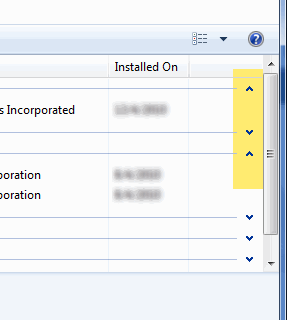
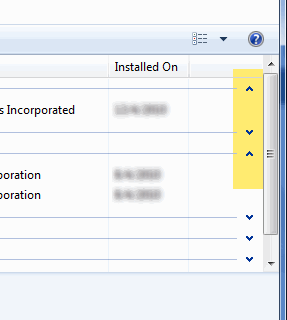
Can we have the style as shown on the picture below with AutoIt? The arrows which hide/show the grouped items. An example here: #include <GuiConstantsEx.au3> #include <GuiListView.au3> $Form2 = GUICreate("Example 2", 800, 600, -1, -1) $hListView = GUICtrlCreateListView("", 12, 12, 500, 500) ; Add columns _GUICtrlListView_InsertColumn($hListView, 0, "Column 1", 200) _GUICtrlListView_InsertColumn($hListView, 1, "Column 2", 100) _GUICtrlListView_EnableGroupView($hListView) For $i = 1 To 10 _GUICtrlListView_InsertGroup($hListView, -1, $i, $i) For $ii = 1 To 10 $idx = _GUICtrlListView_AddItem($hListView, $i) _GUICtrlListView_AddSubItem($hListView, $idx, $ii, 1) _GUICtrlListView_SetItemGroupID($hListView, $idx, $i) ConsoleWrite($i & @TAB & $ii & @CRLF) Next Next GUISetState(@SW_SHOW) While 1 Switch GUIGetMsg() Case $GUI_EVENT_CLOSE Exit EndSwitch Sleep(10) WEnd I had a topic for it in General Help and Support but I think it's more a GUI problem.
-
how to remove the GUI title bar in windows ?
Fantastic replied to Merchants's topic in AutoIt GUI Help and Support
Which solution did you use ? -
how to remove the GUI title bar in windows ?
Fantastic replied to Merchants's topic in AutoIt GUI Help and Support
Use $WS_EX_TOOLWINDOW as extended style if it fits your needs. #include <GUIConstantsEx.au3> #include <WindowsConstants.au3> #Region ### START Koda GUI section ### Form= $Form1 = GUICreate("Form1", 625, 443, 192, 124, -1, BitOR($WS_EX_TOOLWINDOW,$WS_EX_WINDOWEDGE)) GUISetState(@SW_SHOW) #EndRegion ### END Koda GUI section ### While 1 $nMsg = GUIGetMsg() Switch $nMsg Case $GUI_EVENT_CLOSE Exit EndSwitch WEnd