FlyInSky
-
Posts
11 -
Joined
-
Last visited
FlyInSky's Achievements

Seeker (1/7)
0
Reputation
-
how can i get right Collection from no English site?
FlyInSky replied to FlyInSky's topic in AutoIt General Help and Support
Who can i help me? -
how can i get right Collection from no English site?
FlyInSky replied to FlyInSky's topic in AutoIt General Help and Support
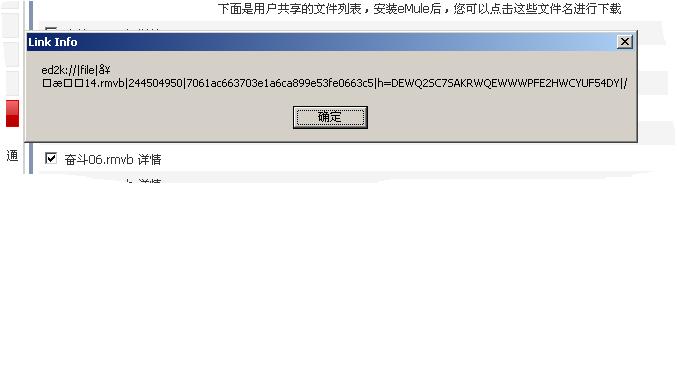
My got Ps:My OS is the Chinese
-
I wrote a script used to check whether the updated website, if updated on the website to check whether there are any new link. Why I got the link address is gibberish? What can i do? For example: #include <IE.au3> $oIE = _IECreate ("lib.verycd.com/2007/05/04/0000148697.html", 1, 1, 0) _IELoadWait ($oIE) $oLinks = _IELinkGetCollection ($oIE) $iNumLinks = @extended MsgBox(0, "Link Info", $iNumLinks & " links found",1) For $oLink In $oLinks If StringLeft($oLink.href,StringLen("ed2k"))="ed2k" Then MsgBox(0, "Link Info", $oLink.href,1) EndIf Next
-
Yes.I want to get all files in the directory .
-
I have another script about it,it's work,why my script don't work? Func _filelist($searchdir) $search = FileFindFirstFile($searchdir & "\*.*") If $search = -1 Then return -1 While 1 $file = FileFindNextFile($search) If @error Then FileClose($search) return Elseif $file = "." or $file = ".." Then ContinueLoop ElseIf stringinstr(FileGetAttrib($searchdir & "\" & $file),"D") then _filelist($searchdir & "\" & $file) EndIf ConsoleWrite( $searchdir & "\" & $file & @crlf ) WEnd EndFunc
-
Thank you But it's not i need.I need a function of all subdirectoryies files.
-
What is another way to do it?
-
This is my code.Why it's only get the first every subdirectory? Global $List[1]=[0] Func FileListToArray($Dir) Dim $FilePath,$FilesList,$Files,$i $FilesList=_FileListToArray($Dir) If (Not IsArray($FilesList)) and (@Error=1) Then MsgBox (0,"","No Files\Folders Found.") Return EndIf $Files=_FileListToArray($Dir,"*",1) If IsArray($Files) Then For $i=1 To $Files[0] $FilePath=$Dir&"\"&$Files[$i] ReDim $List[UBound($List)+1] $List[0]=$List[0]+1 $List[UBound($List)-1]=$FilePath Next EndIf $SubDir=_FileListToArray($Dir,"*",2) If IsArray($SubDir) Then For $i=1 To $SubDir[0] $FullPath=$Dir&"\"&$SubDir[$i] $tempList=FileListToArray($FullPath) For $i=1 To $tempList[0] ReDim $List[UBound($List)+1] $List[0]=$List[0]+1 $List[UBound($List)-1]=$tempList[$i] Next Next EndIf Return $List EndFunc
-
First,I thank you.But I have some question about the code.Why not to use $WS_CHILD of GUI Control Styles Appendix ?How to hide the menu bar of the child in your code? Where have a handbook of "user32.dll"? Thank you!
-
I means the child form is inside of parent form.What can i do?thanks
-
I want to create a Form,but It is need include a Child Form.I don't know how to do it. Its like MDI in VB . Who can Help me?