Lesler
-
Posts
30 -
Joined
-
Last visited
Lesler's Achievements

Seeker (1/7)
0
Reputation
-
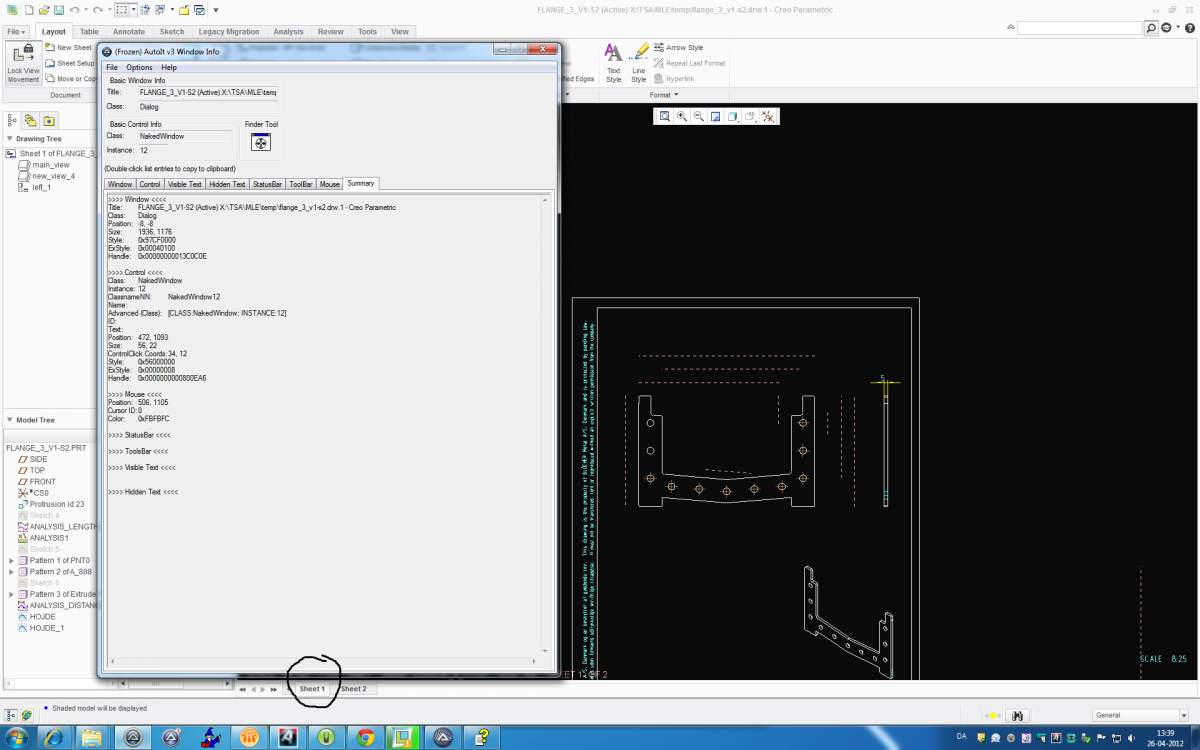
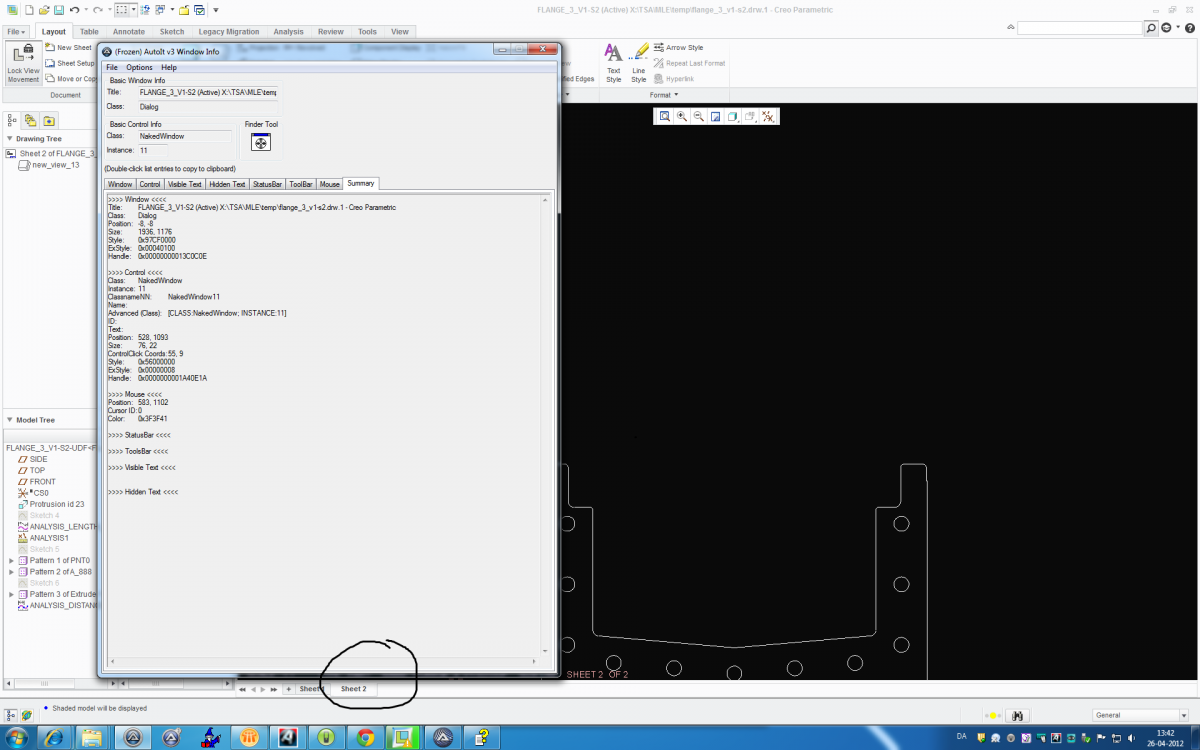
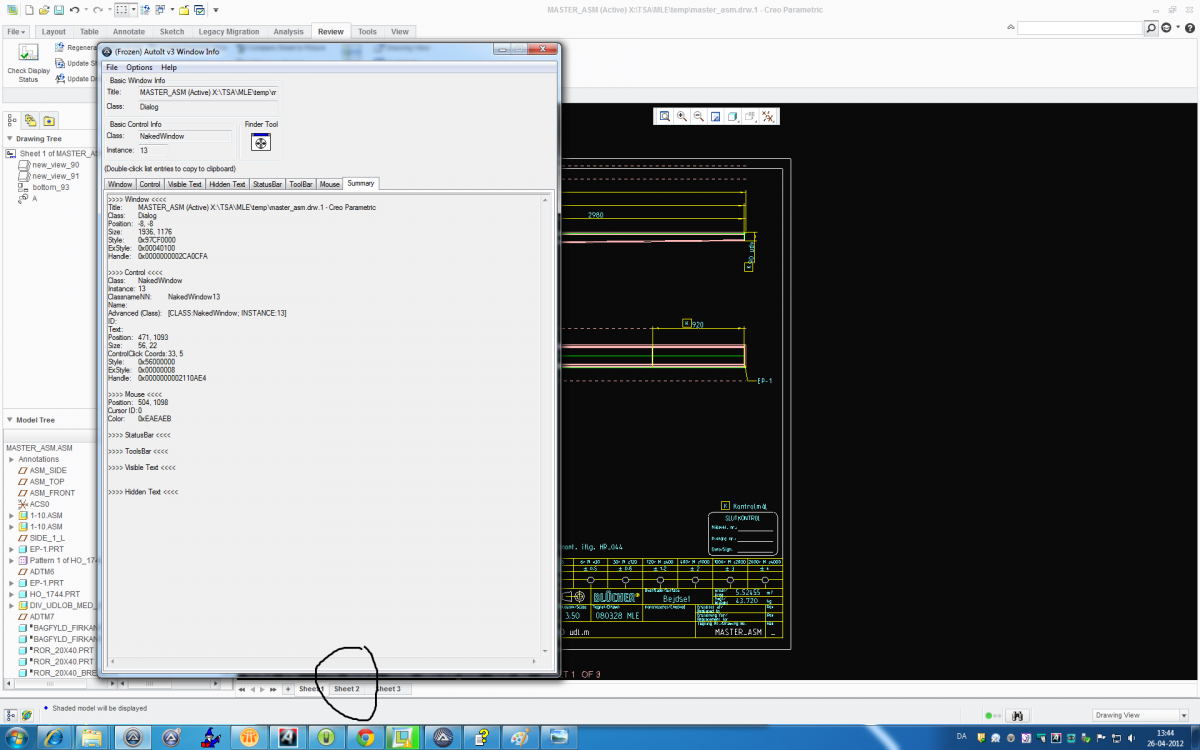
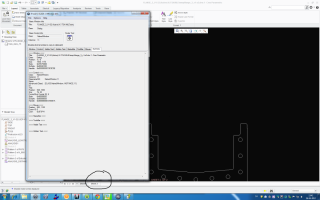
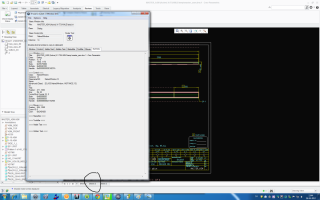
Hello I work in Pro / E that has an error. I try to go sheel1-sheet2 etc. My problem is that the buttons are not always the same place or have the same control names in different drawings. It enste I can see they have a kind is the button name is Sheet1 sheet2 etc. Have any of you who have an idea for how I can make a program that works on multiple drawings. I attach 4 picture in which I show the data, is there anyone of you here an idea hvorda I will forward it to get switched to the correct pages. Thank you in advance
-
Find file with * and get the correct filename.
Lesler replied to Lesler's topic in AutoIt General Help and Support
Tanks -
Hello First excuse my English, it is the best google translate can :-) Are there any of you know how I can. I have some files in different vertioner example. 670.pdf 670-A.pdf 670-B.pdf I would like to search for them with 670 and get it accurate, current filename shown in a Msgbox Here is the program part I have written to search, it is only an extract the program itself. If FileExists ($path & $name &("*. pdf ")) Then ..... In fact thanks Martin
-
Lige præcis. Mange tak for hjælpen
-
Thanks for your prompt response. Will you help me get the answer. I can not figure out how to get the reply S:\finnpower\1.5mm\12389\12389-02-01.cp To fx example, a MsgBox Thanks in advance
-
Hello I have a big text file in which I must find a path. Fx S:\finnpower\1.5mm\12273\12273-10-02.cp S:\finnpower\1.5mm\12304\12304-02-03.cp S:\finnpower\1.5mm\12389\12389-01-01.cp S:\finnpower\1.5mm\12389\12389-01-02.cp S:\finnpower\1.5mm\12389\12389-01-03.cp S:\finnpower\1.5mm\12389\12389-02-01.cp S:\finnpower\1.5mm\12389\12389-02-02.cp S:\finnpower\1.5mm\12389\12389-02-03.cp If I am so looking for 12389-02-01 I want my program to Return S:\finnpower\1.5mm\12389\12389-02-01.cp Do any of you who have an idea of how it can be done. Excuse my bad english, google translate is not better. Thanks in advance Martin
-
Read the two first the letters / numbers to a variable
Lesler replied to Lesler's topic in AutoIt General Help and Support
It was just what was needed. Thanks for your help -
Hello I try to read the two (eg 670-123456-01) numbers / letter in a input box and store them in a variable. So that in this here case shall it save 67 Does anyone have an idea for how I do it? Thanks in advance
-
Thanks for your help It was just what was needed
-
Thank that yuo try to help me my CMD command looks like lise type X:\TSA\Special\ Programs\find_glemte_ver_i_pdf\pdf_liste_kun_vare_nr.txt | find /i "12345" > X:\TSA\Special\Programs\find_glemte_ver_i_pdf\a\temp_liste.txt where "12345" most be $line But the ComSpec will not accept the "" around $line
-
Hello Thank you for your prompt response. My problem is that I need it to insert the variable $ line and to my dos commando demands that are placed "around and Autoit will not accept that there are more" than those who surrounding the line
-
$temp=" " $slet_liste=FileOpen("X:\TSA\Special\programmer\find_glemte_ver_i_pdf\a\a_0.txt", 2) FileWriteLine($slet_liste,"" & $temp) FileClose($slet_liste) Sleep(100) Global $i_l $file = FileOpen("X:\TSA\Special\programmer\find_glemte_ver_i_pdf\a_liste_UDEN_REV.txt", 0) run ("cmd.Exe") While 1 $line = FileReadLine($file) If @error = -1 Then ExitLoop WinActivate ("cmd.exe") Sleep(500) send("type X:\TSA\Special\programmer\find_glemte_ver_i_pdf\pdf_liste_kun_vare_nr.txt | find /i ") Send("{ASC 034}") send($line) send(".") Send("{ASC 034}") send(" > X:\TSA\Special\programmer\find_glemte_ver_i_pdf\a\temp_liste.txt") send("{ENTER}") Sleep(100) $temp_liste=FileOpen("X:\TSA\Special\programmer\find_glemte_ver_i_pdf\a\temp_liste.txt", 0) $temp2 = FileReadLine($temp_liste, 1) FileClose($temp_liste) $i_h=FileOpen("X:\TSA\Special\programmer\find_glemte_ver_i_pdf\a\a_0.txt", 1) If $i_h = -1 Then MsgBox(0, "Error", "Unable to open file.") Exit EndIf FileWriteLine($i_h,"" & $temp2) FileClose($i_h) Sleep(100) $h_l=FileOpen("X:\TSA\Special\programmer\find_glemte_ver_i_pdf\samlet_liste.txt", 1) If $h_l = -1 Then MsgBox(0, "Error", "Unable to open file.") Exit EndIf FileWriteLine($h_l,"" & $temp2) FileClose($h_l) Sleep(100) WEnd FileDelete("X:\TSA\Special\programmer\find_glemte_ver_i_pdf\a\temp_liste.txt") send("exit") send("{ENTER}") FileClose($file) I hope that I have written this post twice. Excuse my English it is translated using the Goggels Hello I must have done a cmd commando I have tried that programs me outwards with the following WinActivate ( "cmd.exe") Sleep (500) send ( "type X: \ TSA \ Special \ Programs \ find_glemte_ver_i_pdf \ pdf_liste_kun_vare_nr.txt | find / i") Send ( "(ASC 034)") send ($ line) Send (".") Send ( "(ASC 034)") send ( "> X: \ TSA \ Special \ Programs \ find_glemte_ver_i_pdf \ a \ temp_liste.txt") send ( "(ENTER)") Sleep (100) It also works, but I want it written in an internal command in Autoit I have tried myself with RunWait (@ ComSpec But unfortunately I can not get it to work. Is there one of you will help me? Thanks in advance
-
Hello I must have done a cmd commando I have tried that programs me outwards with the following WinActivate ( "cmd.exe") Sleep (500) send ( "type X: \ TSA \ Special \ Programs \ find_glemte_ver_i_pdf \ pdf_liste_kun_vare_nr.txt | find / i") Send ( "(ASC 034)") send ($ line) Send (".") Send ( "(ASC 034)") send ( "> X: \ TSA \ Special \ Programs \ find_glemte_ver_i_pdf \ a \ temp_liste.txt") send ( "(ENTER)") Sleep (100) It also works, but I want it written in an internal command in Autoit I have tried myself with RunWait (@ ComSpec But unfortunately I can not get it to work. Is there one of you will help me? Thanks in advance Her is my ful program I have trayt to ad is at Autoit program, but i dont have the booten $temp=" " $slet_liste=FileOpen("X:\TSA\Special\programmer\find_glemte_ver_i_pdf\a\a_0.txt", 2) FileWriteLine($slet_liste,"" & $temp) FileClose($slet_liste) Sleep(100) Global $i_l $file = FileOpen("X:\TSA\Special\programmer\find_glemte_ver_i_pdf\a_liste_UDEN_REV.txt", 0) run ("cmd.Exe") While 1 $line = FileReadLine($file) If @error = -1 Then ExitLoop WinActivate ("cmd.exe") Sleep(500) send("type X:\TSA\Special\programmer\find_glemte_ver_i_pdf\pdf_liste_kun_vare_nr.txt | find /i ") Send("{ASC 034}") send($line) send(".") Send("{ASC 034}") send(" > X:\TSA\Special\programmer\find_glemte_ver_i_pdf\a\temp_liste.txt") send("{ENTER}") Sleep(100) $temp_liste=FileOpen("X:\TSA\Special\programmer\find_glemte_ver_i_pdf\a\temp_liste.txt", 0) $temp2 = FileReadLine($temp_liste, 1) FileClose($temp_liste) $i_h=FileOpen("X:\TSA\Special\programmer\find_glemte_ver_i_pdf\a\a_0.txt", 1) If $i_h = -1 Then MsgBox(0, "Error", "Unable to open file.") Exit EndIf FileWriteLine($i_h,"" & $temp2) FileClose($i_h) Sleep(100) $h_l=FileOpen("X:\TSA\Special\programmer\find_glemte_ver_i_pdf\samlet_liste.txt", 1) If $h_l = -1 Then MsgBox(0, "Error", "Unable to open file.") Exit EndIf FileWriteLine($h_l,"" & $temp2) FileClose($h_l) Sleep(100) WEnd FileDelete("X:\TSA\Special\programmer\find_glemte_ver_i_pdf\a\temp_liste.txt") send("exit") send("{ENTER}") FileClose($file
-
Many thanks for your help. I've got it to work now
-
Hello Yes I use help in moments. It's great that so many here who will help But is there a way to open the text file and delete the dobblede lines?