marc0v
-
Posts
26 -
Joined
-
Last visited
marc0v's Achievements

Seeker (1/7)
3
Reputation
-
 genius257 reacted to a post in a topic:
Mouse cursor changing when using Run() function
genius257 reacted to a post in a topic:
Mouse cursor changing when using Run() function
-
Hi, here is a array 2D sorting function, using multiple subitems as sorting criteria (for example : to sort the lines of a 2D array from the content of the columns 1, 5 and 3 with this order of priority) -> This is the function ARRAY_2D_SORT_MULTISUBITEMS($arr, $i_start, $i_end, $arr_sorting, $i_sorted_dim), which returns the sorted array ONCE a 2D array range ($i_start to $i_end) is sorted with a given set of criteria, it can be BINARY searched with the SAME criteria (however the criteria can be cut : with the previous example you could search all items with "blob" in column 1 and "test" on column 5) -> This is the function ARRAY_2D_BINARY_FINDALL_MULTISUBITEMS($arr, $i_start, $i_end, $arr_searching, $i_searched_dim), which returns all matching items indexes As an example on how to use them, these 2 main functions are included in a working script. (it's quite difficult to explain with words what is a 2D sorting/searching with multiple criteria, so the example script gives a good visual explanation of these operations) Usage Note : * Each dimension, 1 or 2, can be sorted, the other dimension (that I call the sorting dimension) being used to perform the sort * Each sort/search criterion in the sorting dimension has its own [ascending/descending] and [case sensitive/not case sensitive] options * All the criteria are passed via the 2D arrays $arr_sorting, and $arr_searching, which basically are the same, except that : -> the $arr_sorting does not need the [searching value] & [disable flag] columns, which are only used for searching, if these columns exist they are IGNORED when SORTING (especially the [disable flag]) -> the $arr_searching can have some of the last criteria removed by setting a [disable flag] to True on an index, which will also disable the following ones * Sorting/binary searching does NOT like to have a mix of numbers and strings in the same sorting line/column (I don't know the result for such an array, but you could have [30, "6", 9] when sorted ascendingly !) Technical note : * The sorting function uses the InsertSort and QuickSort methods found in the Array udf. * But the sorting function also uses a VIRTUAL SORTING method (more efficient if the array has a lot of subitems, i.e. a large sorting dimension), 'virtual' meaning that the items in the sorted array are not swapped until the sorting has completed, instead their original indexes are redirected via the $arr_storedin array. * The sorting function has a STABLE SORT option, which means that items that do not need to be swapped can have their order preserved stable sort increases processing time by about 15-20% Code for 2D arrays : AutoItSetOption("MustDeclareVars", 1) MAIN() Func MAIN() Local $b_isnum, $i_searched_size, $i_searched_dim, $i_speed_size, $b_stablesort $i_searched_size = $i_searched_size $i_searched_dim = $i_searched_dim $i_speed_size = $i_speed_size $b_stablesort = True $b_stablesort = False $b_isnum = True $b_isnum = False $i_searched_size = 25 $i_searched_dim = 1 TEST_SORT_BINFIND($i_searched_size, $b_isnum, $i_searched_dim, $b_stablesort) ; for 1000 items items (and 3 columns) : ; 0.36s for numbers (0.40s with stable sort), 0.41s for strings (0.46s with stable sort), on my old computer $i_speed_size = 1000 TEST_SORT_SPEED($i_speed_size, $b_isnum, $b_stablesort) EndFunc Func TEST_SORT_BINFIND($i_searched_size, $b_isnum, $i_searched_dim, $b_stablesort) Local $i_msg, $s_res, $b_newarr, $b_ressort, $i_maxindex_sorting_dim, $s_i, $i Local $arr, $arr_bak, $arr_searching, $arr_found, $arr_acc Local Const $h_gui = GUICreate("ARRAY_2D SORT & BINARY FIND", 800, 700, Default, Default, BitOR(0x00040000, 0x00020000)) Local Const $id_edit = GUICtrlCreateEdit("", 5, 5, 790, 645, BitOR(0x800, 0x00100000, 0x00200000)) GUICtrlSetResizing(Default, 102) GUICtrlSetFont(Default, 9, 400, 0, "courier new") Local Const $id_button_newarr = GUICtrlCreateButton("&New Array (F5)", 5, 655, 120, 20, 0x1) GUICtrlSetResizing(Default, 66 + 768) Local Const $id_button_swap = GUICtrlCreateButton("&Swap Dim", 140, 655, 120, 20) GUICtrlSetResizing(Default, 66 + 768) Local Const $id_button_resort = GUICtrlCreateButton("&Re-Sort Array (F6)", 670, 655, 120, 20) GUICtrlSetResizing(Default, 68 + 768) GUICtrlSetTip(Default, _ "Basic Quicksort is not 'stable' by itself," & @CR & _ "so identical (according to the criterion(s)) items" & @CR & _ "can be swapped after a re-sort action" & @CR & _ @CR & _ "But if $b_stablesort is set to True" & @CR & _ "original order between identical items is preserved" & @CR & _ "(increases processing time by ~10-20%)") Dim $arr_acc[2][2] = [ _ ["{F5}", $id_button_newarr], _ ["{F6}", $id_button_resort] _ ] GUISetAccelerators($arr_acc, $h_gui) GUISetState(@SW_SHOW, $h_gui) ; test code for sort & search dim 1 or 2 $b_newarr = True While True If $b_newarr Then ; random array create $i_maxindex_sorting_dim = 3 If $i_searched_dim = 1 Then Dim $arr[$i_searched_size][$i_maxindex_sorting_dim] For $i = 0 To UBound($arr, $i_searched_dim) - 1 If $b_isnum Then $arr[$i][0] = Random(-1, 1, 1) $arr[$i][1] = Random(-9, 9, 1) $arr[$i][2] = Random(-1, 1, 1) Else $arr[$i][0] = MAKE_STRING("a", "c", 1) $arr[$i][1] = Random(-9, 9, 1) $arr[$i][2] = MAKE_STRING("a", "c", 1) EndIf Next Else Dim $arr[$i_maxindex_sorting_dim][$i_searched_size] For $i = 0 To UBound($arr, $i_searched_dim) - 1 If $b_isnum Then $arr[0][$i] = Random(-1, 1, 1) $arr[1][$i] = Random(-9, 9, 1) $arr[2][$i] = Random(-1, 1, 1) Else $arr[0][$i] = MAKE_STRING("a", "c", 1) $arr[1][$i] = Random(-9, 9, 1) $arr[2][$i] = MAKE_STRING("a", "c", 1) EndIf Next EndIf $arr_bak = $arr EndIf ; $arr_sorting and $arr_searching must be the same array (but sorting only would not require value searched & disable_flag columns) ; sort/search criterion : [sorting index, ascending, case sensitive, value searched, disabled flag] If $b_isnum Then Dim $arr_searching[2][5] = [[2, False, False, 1, False], [0, True, False, 0, False]] Else Dim $arr_searching[2][5] = [[2, False, False, "c", False], [0, True, False, "B", False]] EndIf ; $i_searched_dim must be the same for sort & search, searched range ($i_start to $i_end) must be sorted before searching $b_ressort = ARRAY_2D_SORT_MULTISUBITEMS($arr, 0, UBound($arr, $i_searched_dim) - 1, $arr_searching, $i_searched_dim, $b_stablesort) $arr_found = ARRAY_2D_BINARY_FINDALL_MULTISUBITEMS($arr, 0, UBound($arr, $i_searched_dim) - 1, $arr_searching, $i_searched_dim) $s_res = "" If $i_searched_dim = 1 Then For $i = 0 To UBound($arr, 1) - 1 $s_i = $i If $i < 10 Then $s_i = "0" & $i $s_res = $s_res & $s_i & " :" & @TAB For $j = 0 To UBound($arr_bak, 2) - 1 If StringLen($arr_bak[$i][$j]) < 2 Then $s_res = $s_res & " " $s_res = $s_res & $arr_bak[$i][$j] & "|" Next $s_res = $s_res & @TAB For $j = 0 To UBound($arr, 2) - 1 If StringLen($arr[$i][$j]) < 2 Then $s_res = $s_res & " " $s_res = $s_res & $arr[$i][$j] & "|" Next For $j = 1 To UBound($arr_found) - 1 If $arr_found[$j] = $i Then $s_res = $s_res & "+" ExitLoop EndIf Next $s_res = $s_res & @CRLF Next $s_res = $s_res & "sorted" & @TAB & " original" & @TAB & " array found(+)" & @CRLF $s_res = $s_res & "indexes" & @TAB & " array" & @TAB & @TAB & " sorted" & @CRLF Else For $i = 0 To UBound($arr, 2) - 1 $s_i = $i If $i < 10 Then $s_i = "0" & $i $s_res = $s_res & $s_i & "|" Next $s_res = $s_res & " -> sorted indexes" & @CRLF & @CRLF For $i = 0 To UBound($arr_bak, 1) - 1 For $j = 0 To UBound($arr_bak, 2) - 1 If StringLen($arr_bak[$i][$j]) < 2 Then $s_res = $s_res & " " $s_res = $s_res & $arr_bak[$i][$j] & "|" Next If $i = 0 Then $s_res = $s_res & " -> original array" $s_res = $s_res & @CRLF Next $s_res = $s_res & @CRLF & @CRLF For $i = 0 To UBound($arr, 1) - 1 For $j = 0 To UBound($arr, 2) - 1 If StringLen($arr[$i][$j]) < 2 Then $s_res = $s_res & " " $s_res = $s_res & $arr[$i][$j] & "|" Next If $i = 0 Then $s_res = $s_res & " -> array sorted" $s_res = $s_res & @CRLF Next For $i = 0 To UBound($arr, 2) - 1 For $j = 1 To UBound($arr_found) - 1 If $arr_found[$j] = $i Then $s_res = $s_res & " +|" ExitLoop EndIf Next If $j = UBound($arr_found) Then $s_res = $s_res & " |" Next $s_res = $s_res & " -> found(+)" & @CRLF EndIf $s_res = $s_res & @CRLF $s_res = $s_res & "Array is displayed as arr[line][column] (so Dim 1 is showed as lines, and Dim 2 as columns)" & @CRLF & @CRLF $s_res = $s_res & "Array sorted : " & $b_ressort & ", Stable sort : " & $b_stablesort & @CRLF $s_res = $s_res & "Sorted & searched Dim : " & $i_searched_dim & " (displayed as " If $i_searched_dim = 1 Then $s_res = $s_res & "lines), searching indexes are on the other Dim" & @CRLF & @CRLF Else $s_res = $s_res & "columns), searching indexes are on the other Dim" & @CRLF & @CRLF EndIf $s_res = $s_res & "Sorting & searching array criterion(s) (V highest to lowest priority V) :" & @CRLF For $i = 0 To UBound($arr_searching, 1) - 1 $s_res = $s_res & _ "Num:" & $i & " | " & _ "Searching index:" & $arr_searching[$i][0] & " | " & _ "Ascending:" & $arr_searching[$i][1] & " | " & _ "Casesens:" & $arr_searching[$i][2] & " | " & _ "Searching value:" & $arr_searching[$i][3] & " | " & _ "Disabled flag:" & $arr_searching[$i][4] $s_res = $s_res & @CRLF Next $s_res = $s_res & @CRLF $s_res = $s_res & $arr_found[0] & " searched indexes found : " For $i = 1 To UBound($arr_found) - 1 $s_res = $s_res & $arr_found[$i] If $i < UBound($arr_found) - 1 Then $s_res = $s_res & " | " Next $s_res = $s_res & @CRLF GUICtrlSetData($id_edit, $s_res) While True $i_msg = GUIGetMsg() If $i_msg = -3 Then GUISetState(@SW_HIDE, $h_gui) Return EndIf If $i_msg = $id_button_newarr Then $b_newarr = True ExitLoop EndIf If $i_msg = $id_button_resort Then $b_newarr = False ExitLoop EndIf If $i_msg = $id_button_swap Then $b_newarr = True If $i_searched_dim = 1 Then $i_searched_dim = 2 Else $i_searched_dim = 1 EndIf ExitLoop EndIf WEnd WEnd EndFunc Func TEST_SORT_SPEED($i_speed_size, $b_isnum, $b_stablesort) Local $d_timer, $i_ms_timerdiff, $b_ressort, $s_text, $i_maxindex_sorting_dim Local $arr, $arr_sorting $i_maxindex_sorting_dim = 3 Dim $arr[$i_speed_size][$i_maxindex_sorting_dim] Do ToolTip(@CR & " Speed test... " & @CR) For $i = 0 To UBound($arr, 1) - 1 If $b_isnum Then $arr[$i][0] = Random(0, 0x7FFFFFFF, 1) $arr[$i][1] = Random(-9, 9, 1) $arr[$i][2] = Random(0, 0x7FFFFFFF, 1) Else $arr[$i][0] = Hex(Random(0, 0x7FFFFFFF, 1)) $arr[$i][1] = Random(-9, 9, 1) $arr[$i][2] = Hex(Random(0, 0x7FFFFFFF, 1)) EndIf Next ; change this array to change the sort Dim $arr_sorting[2][3] = [[2, False, False], [0, True, False]] $d_timer = TimerInit() $b_ressort = ARRAY_2D_SORT_MULTISUBITEMS($arr, 0, UBound($arr, 1) - 1, $arr_sorting, 1, $b_stablesort) $i_ms_timerdiff = TimerDiff($d_timer) $s_text = ($i_ms_timerdiff / 1000) & " s for " & $i_speed_size & " sorted lines and " & $i_maxindex_sorting_dim & " columns" & @CRLF If $b_isnum Then $s_text = $s_text & "with numbers" Else $s_text = $s_text & "with strings" EndIf $s_text = $s_text & ", Stable sort : " & $b_stablesort & @CRLF & @CRLF $s_text = $s_text & "Sorting array criterion(s) (V highest to lowest priority V) :" & @CRLF For $i = 0 To UBound($arr_sorting, 1) - 1 $s_text = $s_text & _ "Num:" & $i & " | " & _ "Sorting index:" & $arr_sorting[$i][0] & " | " & _ "Ascending:" & $arr_sorting[$i][1] & " | " & _ "Casesens:" & $arr_sorting[$i][2] $s_text = $s_text & @CRLF Next ToolTip("") Until MsgBox(5 + 64 + 4096, "Sorted : " & $b_ressort, $s_text) <> 4 EndFunc Func MAKE_STRING($s_char_1, $s_char_2, $i_len) Local $s_res, $i_char_1, $i_char_2 $i_char_1 = Asc(StringLower($s_char_1)) $i_char_2 = Asc(StringLower($s_char_2)) $s_res = "" For $i = 1 To $i_len If Random(0, 1, 1) = 0 Then $s_res = $s_res & StringUpper(Chr(Random($i_char_1, $i_char_2, 1))) Else $s_res = $s_res & Chr(Random($i_char_1, $i_char_2, 1)) EndIf Next Return $s_res EndFunc ; ************************************************************************************************** ; End of example script, beginning of reusable functions ******************************************* ; ************************************************************************************************** ; Arrays 2D **************************************************************************************** ; function always returns a 1D array, on success containing the indexes of the found item(s) ; if n items found : [n, index_1, ... index_n] (n+1 slots array, the first slot gives the number of items found) ; if no item found (possibly $i_end < $i_start) : [0] (one slot array), on input error : [-1] (one slot array) ; ; $i_searched_dim : dimension (can be 1 or 2) that will be i_searched_dim in the 2D array $arr ; $arr_searching[0..(n-1)][0] : n indexes (on the other dim, the $i_searching_dim) used to search $i_searched_dim ; $arr_searching[0..(n-1)][1] : ascending (True) or descending (False), for each index ; $arr_searching[0..(n-1)][2] : case sensitive (True) or NOT case-sensitive (False), for each index ; $arr_searching[0..(n-1)][3] : searching value, for each index ; $arr_searching[0..(n-1)][4] : disable flag (True = disabled index, False = enabled index) ; the same index can not be used twice ; if an index is DISABLED all FOLLOWING indexes will also be DISABLED ; if the FIRST index is DISABLED then ALL $i_searched_dim indexes in $arr are returned ; ; array's searching indexes MUST BE SORTED BEFORE binary searching ; (in the direction defined by $arr_searching[0..(n-1)][1], and with the case defined by $arr_searching[0..(n-1)][2]) ; or function may return less matching items (possibly none) than there are ! ; ; the var TYPE (number or string) of $arr_searching[0..(n-1)][3] sets the type of comparison (as numbers or strings) done for this index Func ARRAY_2D_BINARY_FINDALL_MULTISUBITEMS(ByRef $arr, $i_start, $i_end, $arr_searching, $i_searched_dim) Local $i_searching_index, $i_maxindex_searching_arr, $i_searching_dim, $i, $j Local $b_dim_1_searched, $b_hasdisabled, $s_indexes_found, $i_respos, $i_mid Local $arr_err, $arr_none Local Const $i_stringcomp_casesens = 1 Local Const $i_stringcomp_not_casesens = 2 ; searching index = 0; ascending = 1; casesens to casecomp = 2; searching value = 3; disable = 4 Dim $arr_err[1] = [-1] Dim $arr_none[1] = [0] If Not(IsArray($arr)) Then Return $arr_err If Not(IsArray($arr_searching)) Then Return $arr_err Switch $i_searched_dim Case 1 $i_searching_dim = 2 $b_dim_1_searched = True Case 2 $i_searching_dim = 1 $b_dim_1_searched = False Case Else Return $arr_err EndSwitch If UBound($arr, 0) <> 2 Then Return $arr_err If UBound($arr_searching, 0) <> 2 Then Return $arr_err If UBound($arr_searching, 1) > UBound($arr, $i_searching_dim) Then Return $arr_err If UBound($arr_searching, 2) < 5 Then Return $arr_err $b_hasdisabled = False For $i = 0 To (UBound($arr_searching, 1) - 1) $i_searching_index = $arr_searching[$i][0] If $i_searching_index < 0 Or $i_searching_index > (UBound($arr, $i_searching_dim) - 1) Then Return $arr_err For $j = 0 To ($i - 1) If $arr_searching[$j][0] = $i_searching_index Then Return $arr_err Next If $arr_searching[$i][2] Then $arr_searching[$i][2] = $i_stringcomp_casesens Else $arr_searching[$i][2] = $i_stringcomp_not_casesens EndIf If $b_hasdisabled Then $arr_searching[$i][4] = True ElseIf $arr_searching[$i][4] Then $b_hasdisabled = True EndIf Next If $i_start < 0 Then $i_start = 0 If $i_end > (UBound($arr, $i_searched_dim) - 1) Then $i_end = UBound($arr, $i_searched_dim) - 1 If $i_end < $i_start Then Return $arr_none $i_maxindex_searching_arr = UBound($arr_searching, 1) - 1 ; off-limits test $i_respos = ARRAY_2D_BINARY_FINDALL_MULTISUBITEMS_POS($arr, $arr_searching, $i_maxindex_searching_arr, $b_dim_1_searched, $i_start) If $i_respos > 0 Then Return $arr_none $i_respos = ARRAY_2D_BINARY_FINDALL_MULTISUBITEMS_POS($arr, $arr_searching, $i_maxindex_searching_arr, $b_dim_1_searched, $i_end) If $i_respos < 0 Then Return $arr_none Do ; mid test $i_mid = Int(($i_start + $i_end) / 2) $i_respos = ARRAY_2D_BINARY_FINDALL_MULTISUBITEMS_POS($arr, $arr_searching, $i_maxindex_searching_arr, $b_dim_1_searched, $i_mid) ; 1 item found, find others If $i_respos = 0 Then $s_indexes_found = $i_mid For $i = ($i_mid - 1) To $i_start Step -1 $i_respos = ARRAY_2D_BINARY_FINDALL_MULTISUBITEMS_POS($arr, $arr_searching, $i_maxindex_searching_arr, $b_dim_1_searched, $i) If $i_respos <> 0 Then ExitLoop $s_indexes_found = $i & "," & $s_indexes_found Next For $i = ($i_mid + 1) To $i_end $i_respos = ARRAY_2D_BINARY_FINDALL_MULTISUBITEMS_POS($arr, $arr_searching, $i_maxindex_searching_arr, $b_dim_1_searched, $i) If $i_respos <> 0 Then ExitLoop $s_indexes_found = $s_indexes_found & "," & $i Next Return StringSplit($s_indexes_found, ",") EndIf ; change borders If $i_respos > 0 Then $i_end = $i_mid - 1 Else $i_start = $i_mid + 1 EndIf Until $i_start > $i_end Return $arr_none EndFunc ; Internal sub without error checking ! ; function returns 0, 1, or -1 : 1 if $i_tested_index is after searching item, -1 if before, 0 if equal Func ARRAY_2D_BINARY_FINDALL_MULTISUBITEMS_POS(ByRef $arr, ByRef $arr_searching, _ $i_maxindex_searching_arr, $b_dim_1_searched, $i_tested_index) Local $i_searching_index, $b_ascending, $i_casecomp, $v_searching, $v_tested, $i_rescomp, $i_sortnum ; searching index = 0; ascending = 1; casecomp = 2; searching value = 3; disable = 4 For $i_sortnum = 0 To $i_maxindex_searching_arr If $arr_searching[$i_sortnum][4] Then ExitLoop $i_searching_index = $arr_searching[$i_sortnum][0] $b_ascending = $arr_searching[$i_sortnum][1] $i_casecomp = $arr_searching[$i_sortnum][2] $v_searching = $arr_searching[$i_sortnum][3] If $b_dim_1_searched Then $v_tested = $arr[$i_tested_index][$i_searching_index] Else $v_tested = $arr[$i_searching_index][$i_tested_index] EndIf If IsNumber($v_searching) Then If (($b_ascending And $v_tested > $v_searching) Or (Not($b_ascending) And $v_tested < $v_searching)) Then Return 1 If (($b_ascending And $v_tested < $v_searching) Or (Not($b_ascending) And $v_tested > $v_searching)) Then Return -1 Else $i_rescomp = StringCompare($v_tested, $v_searching, $i_casecomp) If (($b_ascending And $i_rescomp > 0) Or (Not($b_ascending) And $i_rescomp < 0)) Then Return 1 If (($b_ascending And $i_rescomp < 0) Or (Not($b_ascending) And $i_rescomp > 0)) Then Return -1 EndIf Next Return 0 EndFunc ; function returns True (possibly $i_end <= $i_start), or False on input error ; $i_sorted_dim : dimension (can be 1 or 2) that will be sorted in the 2D array $arr ; $arr_sorting[0..(n-1)][0] : n indexes (on the other dim, the $i_sorting_dim) used to sort $i_sorted_dim ; $arr_sorting[0..(n-1)][1] : ascending (True) or descending (False), for each index ; $arr_sorting[0..(n-1)][2] : case sensitive (True) or NOT case-sensitive (False), for each index ; $arr_sorting[0..(n-1)][3] : not needed, not used (only for ARRAY_2D_BINARY_FINDALL_MULTISUBITEMS searching value) ; $arr_sorting[0..(n-1)][4] : not needed, not used (only for ARRAY_2D_BINARY_FINDALL_MULTISUBITEMS disable flag) ; the same index can not be used twice ; $b_stablesort : if True, with some time cost, preserve order of identical (according to the sorting criterion(s)) items Func ARRAY_2D_SORT_MULTISUBITEMS(ByRef $arr, $i_start, $i_end, $arr_sorting, $i_sorted_dim, $b_stablesort) Local $i_sorting_index, $i_sorting_dim, $b_dim_1_sorted, $i_sortnum, $i, $j Local $v_first, $v_tested, $i_maxindex_sorting_arr Local $arr_tmp, $arr_storedin Local Const $i_stringcomp_casesens = 1 Local Const $i_stringcomp_not_casesens = 2 ; sorting index = 0; ascending = 1; casesens to casecomp = 2 If Not(IsArray($arr)) Then Return False If Not(IsArray($arr_sorting)) Then Return False Switch $i_sorted_dim Case 1 $i_sorting_dim = 2 $b_dim_1_sorted = True Case 2 $i_sorting_dim = 1 $b_dim_1_sorted = False Case Else Return False EndSwitch If UBound($arr, 0) <> 2 Then Return False If UBound($arr_sorting, 0) <> 2 Then Return False If UBound($arr_sorting, 1) > UBound($arr, $i_sorting_dim) Then Return False If UBound($arr_sorting, 2) < 3 Then Return False For $i = 0 To (UBound($arr_sorting, 1) - 1) $i_sorting_index = $arr_sorting[$i][0] If $i_sorting_index < 0 Or $i_sorting_index > (UBound($arr, $i_sorting_dim) - 1) Then Return False For $j = 0 To ($i - 1) If $arr_sorting[$j][0] = $i_sorting_index Then Return False Next If $arr_sorting[$i][2] Then $arr_sorting[$i][2] = $i_stringcomp_casesens Else $arr_sorting[$i][2] = $i_stringcomp_not_casesens EndIf Next If $i_start < 0 Then $i_start = 0 If $i_end > (UBound($arr, $i_sorted_dim) - 1) Then $i_end = UBound($arr, $i_sorted_dim) - 1 If $i_end <= $i_start Then Return True ; init virtual sort : $arr_storedin[$i] gives the index in $arr where the item $i is currently stored Dim $arr_storedin[UBound($arr, $i_sorted_dim)] For $i = $i_start To $i_end $arr_storedin[$i] = $i Next $i_maxindex_sorting_arr = UBound($arr_sorting, 1) - 1 If $i_sorted_dim = 1 Then ARRAY_2D_SORT_MULTISUBITEMS_DOSORT($arr, $arr_sorting, $arr_storedin, _ $i_start, $i_end, $i_maxindex_sorting_arr, True) Else ARRAY_2D_SORT_MULTISUBITEMS_DOSORT($arr, $arr_sorting, $arr_storedin, _ $i_start, $i_end, $i_maxindex_sorting_arr, False) EndIf ; stable sort option : re-order ascendingly $arr_storedin indexes pointing to ; identical (according to the sorting criterion(s)) items If $b_stablesort Then $i = $i_start While $i < $i_end $j = $i + 1 While $j <= $i_end For $i_sortnum = 0 To $i_maxindex_sorting_arr $i_sorting_index = $arr_sorting[$i_sortnum][0] If $b_dim_1_sorted Then $v_first = $arr[$arr_storedin[$i]][$i_sorting_index] $v_tested = $arr[$arr_storedin[$j]][$i_sorting_index] Else $v_first = $arr[$i_sorting_index][$arr_storedin[$i]] $v_tested = $arr[$i_sorting_index][$arr_storedin[$j]] EndIf If (IsNumber($v_first) And IsNumber($v_tested)) Then If $v_first <> $v_tested Then ExitLoop(2) Else If StringCompare($v_first, $v_tested, $arr_sorting[$i_sortnum][2]) <> 0 Then ExitLoop(2) EndIf Next $j = $j + 1 WEnd ARR_SORT_INDEXES($arr_storedin, $i, $j - 1) $i = $j WEnd EndIf ; apply virtual sort $arr_tmp = $arr If $b_dim_1_sorted Then For $i = $i_start To $i_end For $j = 0 To (UBound($arr, $i_sorting_dim) - 1) $arr[$i][$j] = $arr_tmp[$arr_storedin[$i]][$j] Next Next Else For $i = $i_start To $i_end For $j = 0 To (UBound($arr, $i_sorting_dim) - 1) $arr[$j][$i] = $arr_tmp[$j][$arr_storedin[$i]] Next Next EndIf Return True EndFunc ; Internal sub without error checking ! ; If $b_dim_1_sorted : dimension 1 is sorted (w. dimension 2 as criterion(s)), else dimension 2 is sorted (w. dimension 1 as criterion(s)) ; virtual sorting is done : items in $arr are not swapped, instead indexes are swapped in $arr_storedin Func ARRAY_2D_SORT_MULTISUBITEMS_DOSORT(ByRef $arr, ByRef $arr_sorting, ByRef $arr_storedin, _ $i_start, $i_end, $i_maxindex_sorting_arr, $b_dim_1_sorted) Local $i_left, $i_right, $i_rescomp, $v_pivot, $v_tested, $i_pivot, $i_swap, $i_sortnum, $i, $j Local $i_sorting_index, $b_ascending, $i_casecomp Local Const $i_ins_sort_2d = 10 ; sorting index = 0; ascending = 1; casecomp = 2 If $i_end <= $i_start Then Return ; InsertionSort (faster for smaller segments) If ($i_end - $i_start) <= $i_ins_sort_2d Then For $i = ($i_start + 1) To $i_end $i_pivot = $arr_storedin[$i] For $j = ($i - 1) To $i_start Step -1 For $i_sortnum = 0 To $i_maxindex_sorting_arr $i_sorting_index = $arr_sorting[$i_sortnum][0] $b_ascending = $arr_sorting[$i_sortnum][1] $i_casecomp = $arr_sorting[$i_sortnum][2] If $b_dim_1_sorted Then $v_pivot = $arr[$i_pivot][$i_sorting_index] $v_tested = $arr[$arr_storedin[$j]][$i_sorting_index] Else $v_pivot = $arr[$i_sorting_index][$i_pivot] $v_tested = $arr[$i_sorting_index][$arr_storedin[$j]] EndIf If (IsNumber($v_pivot) And IsNumber($v_tested)) Then If (($b_ascending And $v_pivot > $v_tested) Or (Not($b_ascending) And $v_pivot < $v_tested)) Then ExitLoop(2) If (($b_ascending And $v_pivot < $v_tested) Or (Not($b_ascending) And $v_pivot > $v_tested)) Then ExitLoop Else $i_rescomp = StringCompare($v_pivot, $v_tested, $i_casecomp) If (($b_ascending And $i_rescomp > 0) Or (Not($b_ascending) And $i_rescomp < 0)) Then ExitLoop(2) If (($b_ascending And $i_rescomp < 0) Or (Not($b_ascending) And $i_rescomp > 0)) Then ExitLoop EndIf If $i_sortnum >= $i_maxindex_sorting_arr Then ExitLoop(2) Next $arr_storedin[$j + 1] = $arr_storedin[$j] Next $arr_storedin[$j + 1] = $i_pivot Next Return EndIf ; QuickSort $i_left = $i_start $i_right = $i_end $i_pivot = $arr_storedin[Int(($i_start + $i_end) / 2)] Do While True For $i_sortnum = 0 To $i_maxindex_sorting_arr $i_sorting_index = $arr_sorting[$i_sortnum][0] $b_ascending = $arr_sorting[$i_sortnum][1] $i_casecomp = $arr_sorting[$i_sortnum][2] If $b_dim_1_sorted Then $v_pivot = $arr[$i_pivot][$i_sorting_index] $v_tested = $arr[$arr_storedin[$i_left]][$i_sorting_index] Else $v_pivot = $arr[$i_sorting_index][$i_pivot] $v_tested = $arr[$i_sorting_index][$arr_storedin[$i_left]] EndIf If (IsNumber($v_pivot) And IsNumber($v_tested)) Then If (($b_ascending And $v_tested > $v_pivot) Or (Not($b_ascending) And $v_tested < $v_pivot)) Then ExitLoop(2) If (($b_ascending And $v_tested < $v_pivot) Or (Not($b_ascending) And $v_tested > $v_pivot)) Then $i_left = $i_left + 1 ExitLoop EndIf Else $i_rescomp = StringCompare($v_tested, $v_pivot, $i_casecomp) If (($b_ascending And $i_rescomp > 0) Or (Not($b_ascending) And $i_rescomp < 0)) Then ExitLoop(2) If (($b_ascending And $i_rescomp < 0) Or (Not($b_ascending) And $i_rescomp > 0)) Then $i_left = $i_left + 1 ExitLoop EndIf EndIf If $i_sortnum >= $i_maxindex_sorting_arr Then ExitLoop(2) Next WEnd While True For $i_sortnum = 0 To $i_maxindex_sorting_arr $i_sorting_index = $arr_sorting[$i_sortnum][0] $b_ascending = $arr_sorting[$i_sortnum][1] $i_casecomp = $arr_sorting[$i_sortnum][2] If $b_dim_1_sorted Then $v_pivot = $arr[$i_pivot][$i_sorting_index] $v_tested = $arr[$arr_storedin[$i_right]][$i_sorting_index] Else $v_pivot = $arr[$i_sorting_index][$i_pivot] $v_tested = $arr[$i_sorting_index][$arr_storedin[$i_right]] EndIf If (IsNumber($v_pivot) And IsNumber($v_tested)) Then If (($b_ascending And $v_tested < $v_pivot) Or (Not($b_ascending) And $v_tested > $v_pivot)) Then ExitLoop(2) If (($b_ascending And $v_tested > $v_pivot) Or (Not($b_ascending) And $v_tested < $v_pivot)) Then $i_right = $i_right - 1 ExitLoop EndIf Else $i_rescomp = StringCompare($v_tested, $v_pivot, $i_casecomp) If (($b_ascending And $i_rescomp < 0) Or (Not($b_ascending) And $i_rescomp > 0)) Then ExitLoop(2) If (($b_ascending And $i_rescomp > 0) Or (Not($b_ascending) And $i_rescomp < 0)) Then $i_right = $i_right - 1 ExitLoop EndIf EndIf If $i_sortnum >= $i_maxindex_sorting_arr Then ExitLoop(2) Next WEnd ; Swap If $i_left <= $i_right Then $i_swap = $arr_storedin[$i_left] $arr_storedin[$i_left] = $arr_storedin[$i_right] $arr_storedin[$i_right] = $i_swap $i_left = $i_left + 1 $i_right = $i_right - 1 EndIf Until $i_left > $i_right ARRAY_2D_SORT_MULTISUBITEMS_DOSORT($arr, $arr_sorting, $arr_storedin, _ $i_start, $i_right, $i_maxindex_sorting_arr, $b_dim_1_sorted) ARRAY_2D_SORT_MULTISUBITEMS_DOSORT($arr, $arr_sorting, $arr_storedin, _ $i_left, $i_end, $i_maxindex_sorting_arr, $b_dim_1_sorted) EndFunc ; Internal sub without error checking ! Func ARR_SORT_INDEXES(ByRef $arr, $i_start, $i_end) Local $i_left, $i_right, $v_pivot, $v_swap, $i, $j Local Const $i_ins_sort_1d = 20 If $i_end <= $i_start Then Return ; InsertionSort (faster for smaller segments) If ($i_end - $i_start) <= $i_ins_sort_1d Then For $i = ($i_start + 1) To $i_end $v_pivot = $arr[$i] For $j = ($i - 1) To $i_start Step -1 If $v_pivot >= $arr[$j] Then ExitLoop $arr[$j + 1] = $arr[$j] Next $arr[$j + 1] = $v_pivot Next Return EndIf ; QuickSort $i_left = $i_start $i_right = $i_end $v_pivot = $arr[Int(($i_start + $i_end) / 2)] Do While $arr[$i_left] < $v_pivot $i_left = $i_left + 1 WEnd While $arr[$i_right] > $v_pivot $i_right = $i_right - 1 WEnd ; Swap If $i_left <= $i_right Then $v_swap = $arr[$i_left] $arr[$i_left] = $arr[$i_right] $arr[$i_right] = $v_swap $i_left = $i_left + 1 $i_right = $i_right - 1 EndIf Until $i_left > $i_right ARR_SORT_INDEXES($arr, $i_start, $i_right) ARR_SORT_INDEXES($arr, $i_left, $i_end) EndFunc ************************************************************************************************************************************************ For completeness I also give the same functions (sorting & binary searching) for 1D arrays, in a example script. Code for 1D arrays : AutoItSetOption("MustDeclareVars", 1) MAIN() Func MAIN() Local $b_isnum, $i_searched_size, $i_speed_size, $b_stablesort $i_searched_size = $i_searched_size $i_speed_size = $i_speed_size $b_stablesort = True $b_stablesort = False $b_isnum = True $b_isnum = False $i_searched_size = 30 TEST_SORT_BINFIND($i_searched_size, $b_isnum, $b_stablesort) ; for 5000 items : ; 0.90s for numbers (1.08s with stable sort), 1.15s for strings (1.34s with stable sort), on my old computer $i_speed_size = 5000 TEST_SORT_SPEED($i_speed_size, $b_isnum, $b_stablesort) EndFunc Func TEST_SORT_BINFIND($i_searched_size, $b_isnum, $b_stablesort) Local $i_msg, $v_searched, $s_res, $b_newarr, $b_ressort, $s_i, $i Local $arr, $arr_bak, $arr_searching, $arr_found, $arr_acc Local Const $h_gui = GUICreate("ARRAY_1D SORT & BINARY FIND", 800, 700, Default, Default, BitOR(0x00040000, 0x00020000)) Local Const $id_edit = GUICtrlCreateEdit("", 5, 5, 790, 645, BitOR(0x800, 0x00100000, 0x00200000)) GUICtrlSetResizing(Default, 102) GUICtrlSetFont(Default, 9, 400, 0, "courier new") Local Const $id_button_newarr = GUICtrlCreateButton("&New Array (F5)", 5, 655, 120, 20, 0x1) GUICtrlSetResizing(Default, 66 + 768) Local Const $id_button_resort = GUICtrlCreateButton("&Re-Sort Array (F6)", 670, 655, 120, 20) GUICtrlSetResizing(Default, 68 + 768) GUICtrlSetTip(Default, _ "Basic Quicksort is not 'stable' by itself," & @CR & _ "so identical (according to the criterion(s)) items" & @CR & _ "can be swapped after a re-sort action" & @CR & _ @CR & _ "But if $b_stablesort is set to True" & @CR & _ "original order between identical items is preserved" & @CR & _ "(increases processing time by ~10-20%)") Dim $arr_acc[2][2] = [ _ ["{F5}", $id_button_newarr], _ ["{F6}", $id_button_resort] _ ] GUISetAccelerators($arr_acc, $h_gui) GUISetState(@SW_SHOW, $h_gui) ; test code for sort & search $b_newarr = True While True If $b_newarr Then Dim $arr[$i_searched_size] For $i = 0 To UBound($arr) - 1 If $b_isnum Then $arr[$i] = Random(-4, 4, 1) Else $arr[$i] = MAKE_STRING("a", "c", 2) EndIf Next $arr_bak = $arr EndIf If $b_isnum Then $v_searched = 1 Else $v_searched = "ba" EndIf ; sort/search criterion : [ascending, case sensitive, value searched], must be the same for sorting & searching Dim $arr_searching[3] = [True, False, $v_searched] $b_ressort = ARRAY_1D_SORT($arr, 0, UBound($arr) - 1, $arr_searching[0], $arr_searching[1], $b_stablesort) $arr_found = ARRAY_1D_BINARY_FINDALL($arr, 0, UBound($arr) - 1, $arr_searching[0], $arr_searching[1], $arr_searching[2]) $s_res = "" For $i = 0 To UBound($arr) - 1 $s_i = $i If $i < 10 Then $s_i = "0" & $i $s_res = $s_res & $s_i & "|" Next $s_res = $s_res & " -> sorted indexes" & @CRLF & @CRLF For $i = 0 To UBound($arr_bak) - 1 If StringLen($arr_bak[$i]) < 2 Then $s_res = $s_res & " " $s_res = $s_res & $arr_bak[$i] & "|" Next $s_res = $s_res & " -> original array" & @CRLF & @CRLF For $i = 0 To UBound($arr) - 1 If StringLen($arr[$i]) < 2 Then $s_res = $s_res & " " $s_res = $s_res & $arr[$i] & "|" Next $s_res = $s_res & " -> array sorted" & @CRLF For $i = 0 To UBound($arr) - 1 For $j = 1 To UBound($arr_found) - 1 If $arr_found[$j] = $i Then $s_res = $s_res & " +|" ExitLoop EndIf Next If $j = UBound($arr_found) Then $s_res = $s_res & " |" Next $s_res = $s_res & " -> found(+)" & @CRLF & @CRLF $s_res = $s_res & "Array sorted : " & $b_ressort If $b_stablesort Then $s_res = $s_res & ", Stable sort : True" & @CRLF & @CRLF Else $s_res = $s_res & ", Stable sort : False" & @CRLF & @CRLF EndIf $s_res = $s_res & "Sorting & searching array criterion :" & @CRLF $s_res = $s_res & _ "Ascending:" & $arr_searching[0] & " | " & _ "Casesens:" & $arr_searching[1] & " | " & _ "Searching value:" & $arr_searching[2] & @CRLF & @CRLF $s_res = $s_res & $arr_found[0] & " searched indexes found : " For $i = 1 To UBound($arr_found) - 1 $s_res = $s_res & $arr_found[$i] If $i < UBound($arr_found) - 1 Then $s_res = $s_res & " | " Next $s_res = $s_res & @CRLF GUICtrlSetData($id_edit, $s_res) While True $i_msg = GUIGetMsg() If $i_msg = -3 Then GUISetState(@SW_HIDE, $h_gui) Return EndIf If $i_msg = $id_button_newarr Then $b_newarr = True ExitLoop EndIf If $i_msg = $id_button_resort Then $b_newarr = False ExitLoop EndIf WEnd WEnd EndFunc Func TEST_SORT_SPEED($i_speed_size, $b_isnum, $b_stablesort) Local $d_timer, $i_ms_timerdiff, $b_ressort, $s_text Local $arr, $arr_sorting Dim $arr[$i_speed_size] Do ToolTip(@CR & " Speed test... " & @CR) For $i = 0 To UBound($arr) - 1 If $b_isnum Then $arr[$i] = Random(0, 0x7FFFFFFF, 1) Else $arr[$i] = Hex(Random(0, 0x7FFFFFFF, 1)) EndIf Next ; change this array to change the sort : ascending, casesens Dim $arr_sorting[2] = [True, False] $d_timer = TimerInit() $b_ressort = ARRAY_1D_SORT($arr, 0, UBound($arr) - 1, $arr_sorting[0], $arr_sorting[1], $b_stablesort) $i_ms_timerdiff = TimerDiff($d_timer) $s_text = ($i_ms_timerdiff / 1000) & " s for " & $i_speed_size & " sorted lines" & @CRLF If $b_isnum Then $s_text = $s_text & "with numbers" Else $s_text = $s_text & "with strings" EndIf $s_text = $s_text & ", Stable sort : " & $b_stablesort & @CRLF & @CRLF ToolTip("") Until MsgBox(5 + 64 + 4096, "Sorted : " & $b_ressort, $s_text) <> 4 EndFunc Func MAKE_STRING($s_char_1, $s_char_2, $i_len) Local $s_res, $i_char_1, $i_char_2 $i_char_1 = Asc(StringLower($s_char_1)) $i_char_2 = Asc(StringLower($s_char_2)) $s_res = "" For $i = 1 To $i_len If Random(0, 1, 1) = 0 Then $s_res = $s_res & StringUpper(Chr(Random($i_char_1, $i_char_2, 1))) Else $s_res = $s_res & Chr(Random($i_char_1, $i_char_2, 1)) EndIf Next Return $s_res EndFunc ; ************************************************************************************************** ; End of example script, beginning of reusable functions ******************************************* ; ************************************************************************************************** ; Arrays 1D **************************************************************************************** ; function always returns a 1D array, on success containing the indexes of the found item(s) ; if n items found : [n, index_1, ... index_n] (n+1 slots array, the first slot gives the number of items found) ; if no item found (possibly $i_end < $i_start) : [0] (one slot array), on input error : [-1] (one slot array) ; ; array MUST BE SORTED between $i_start and $i_end BEFORE binary searching this range ; (in the direction defined by $b_ascending, and with the case defined by $b_casesensitive) ; or function may return less matching items (possibly none) than there are ! ; ; the var TYPE (number or string) of $v_searching sets the type of comparison (as numbers or strings) done in the array Func ARRAY_1D_BINARY_FINDALL(ByRef $arr, $i_start, $i_end, $b_ascending, $b_casesensitive, $v_searching) Local $s_indexes_found, $i_casecomp, $b_isnum, $i_respos, $i_mid, $i Local $arr_err, $arr_none Local Const $i_stringcomp_casesens = 1 Local Const $i_stringcomp_not_casesens = 2 Dim $arr_err[1] = [-1] Dim $arr_none[1] = [0] If Not(IsArray($arr)) Then Return $arr_err If UBound($arr, 0) <> 1 Then Return $arr_err If $i_start < 0 Then $i_start = 0 If $i_end > (UBound($arr) - 1) Then $i_end = UBound($arr) - 1 If $i_end < $i_start Then Return $arr_none If $b_casesensitive Then $i_casecomp = $i_stringcomp_casesens Else $i_casecomp = $i_stringcomp_not_casesens EndIf $b_isnum = IsNumber($v_searching) ; off-limits test $i_respos = ARRAY_1D_BINARY_FINDALL_POS($v_searching, $b_ascending, $i_casecomp, $b_isnum, $arr[$i_start]) If $i_respos > 0 Then Return $arr_none $i_respos = ARRAY_1D_BINARY_FINDALL_POS($v_searching, $b_ascending, $i_casecomp, $b_isnum, $arr[$i_end]) If $i_respos < 0 Then Return $arr_none Do ; mid test $i_mid = Int(($i_start + $i_end) / 2) $i_respos = ARRAY_1D_BINARY_FINDALL_POS($v_searching, $b_ascending, $i_casecomp, $b_isnum, $arr[$i_mid]) ; 1 item found, find others If $i_respos = 0 Then $s_indexes_found = $i_mid For $i = ($i_mid - 1) To $i_start Step -1 If $b_isnum Then If $arr[$i] <> $v_searching Then ExitLoop Else If StringCompare($arr[$i], $v_searching, $i_casecomp) <> 0 Then ExitLoop EndIf $s_indexes_found = $i & "," & $s_indexes_found Next For $i = ($i_mid + 1) To $i_end If $b_isnum Then If $arr[$i] <> $v_searching Then ExitLoop Else If StringCompare($arr[$i], $v_searching, $i_casecomp) <> 0 Then ExitLoop EndIf $s_indexes_found = $s_indexes_found & "," & $i Next Return StringSplit($s_indexes_found, ",") EndIf ; change borders If $i_respos > 0 Then $i_end = $i_mid - 1 Else $i_start = $i_mid + 1 EndIf Until $i_start > $i_end Return $arr_none EndFunc ; Internal sub without error checking ! ; function returns 0, 1, or -1 : 1 if $v_tested is after $v_searching, -1 if before, 0 if equal Func ARRAY_1D_BINARY_FINDALL_POS($v_searching, $b_ascending, $i_casecomp, $b_isnum, $v_tested) Local $i_rescomp If $b_isnum Then If (($b_ascending And $v_tested > $v_searching) Or (Not($b_ascending) And $v_tested < $v_searching)) Then Return 1 If (($b_ascending And $v_tested < $v_searching) Or (Not($b_ascending) And $v_tested > $v_searching)) Then Return -1 Else $i_rescomp = StringCompare($v_tested, $v_searching, $i_casecomp) If (($b_ascending And $i_rescomp > 0) Or (Not($b_ascending) And $i_rescomp < 0)) Then Return 1 If (($b_ascending And $i_rescomp < 0) Or (Not($b_ascending) And $i_rescomp > 0)) Then Return -1 EndIf Return 0 EndFunc ; function returns True (possibly $i_end <= $i_start), or False on input error ; $b_stablesort : if True, with some time cost, preserve order of identical (according to the sorting criterion(s)) items Func ARRAY_1D_SORT(ByRef $arr, $i_start, $i_end, $b_ascending, $b_casesensitive, $b_stablesort) Local $v_first, $v_tested, $i_casecomp, $i, $j Local $arr_tmp, $arr_storedin Local Const $i_stringcomp_casesens = 1 Local Const $i_stringcomp_not_casesens = 2 If Not(IsArray($arr)) Then Return False If UBound($arr, 0) <> 1 Then Return False If $i_start < 0 Then $i_start = 0 If $i_end > (UBound($arr) - 1) Then $i_end = UBound($arr) - 1 If $i_end <= $i_start Then Return True If $b_casesensitive Then $i_casecomp = $i_stringcomp_casesens Else $i_casecomp = $i_stringcomp_not_casesens EndIf ; init virtual sort : $arr_storedin[$i] gives the index in $arr where the item $i is currently stored Dim $arr_storedin[UBound($arr)] For $i = $i_start To $i_end $arr_storedin[$i] = $i Next ARRAY_1D_SORT_DOSORT($arr, $arr_storedin, $i_start, $i_end, $b_ascending, $i_casecomp) ; stable sort option : re-order ascendingly $arr_storedin indexes pointing to ; identical (according to the sorting criterion) items If $b_stablesort Then $i = $i_start While $i < $i_end $j = $i + 1 While $j <= $i_end $v_first = $arr[$arr_storedin[$i]] $v_tested = $arr[$arr_storedin[$j]] If (IsNumber($v_first) And IsNumber($v_tested)) Then If $v_first <> $v_tested Then ExitLoop Else If StringCompare($v_first, $v_tested, $i_casecomp) <> 0 Then ExitLoop EndIf $j = $j + 1 WEnd ARR_SORT_INDEXES($arr_storedin, $i, $j - 1) $i = $j WEnd EndIf ; apply virtual sort $arr_tmp = $arr For $i = $i_start To $i_end $arr[$i] = $arr_tmp[$arr_storedin[$i]] Next Return True EndFunc ; Internal sub without error checking ! ; virtual sorting is done : items in $arr are not swapped, instead indexes are swapped in $arr_storedin Func ARRAY_1D_SORT_DOSORT(ByRef $arr, ByRef $arr_storedin, $i_start, $i_end, $b_ascending, $i_casecomp) Local $i_left, $i_right, $b_isnum, $i_rescomp, $v_pivot, $v_tested, $i_pivot, $i_swap, $i, $j Local Const $i_ins_sort_1d = 20 If $i_end <= $i_start Then Return ; InsertionSort (faster for smaller segments) If ($i_end - $i_start) <= $i_ins_sort_1d Then For $i = ($i_start + 1) To $i_end $i_pivot = $arr_storedin[$i] $v_pivot = $arr[$i_pivot] $b_isnum = IsNumber($v_pivot) For $j = ($i - 1) To $i_start Step -1 $v_tested = $arr[$arr_storedin[$j]] If ($b_isnum And IsNumber($v_tested)) Then If (($b_ascending And $v_pivot >= $v_tested) Or (Not($b_ascending) And $v_pivot <= $v_tested)) Then ExitLoop Else $i_rescomp = StringCompare($v_pivot, $v_tested, $i_casecomp) If (($b_ascending And $i_rescomp >= 0) Or (Not($b_ascending) And $i_rescomp <= 0)) Then ExitLoop EndIf $arr_storedin[$j + 1] = $arr_storedin[$j] Next $arr_storedin[$j + 1] = $i_pivot Next Return EndIf ; QuickSort $i_left = $i_start $i_right = $i_end $v_pivot = $arr[$arr_storedin[Int(($i_start + $i_end) / 2)]] $b_isnum = IsNumber($v_pivot) Do While True $v_tested = $arr[$arr_storedin[$i_left]] If ($b_isnum And IsNumber($v_tested)) Then If (($b_ascending And $v_tested >= $v_pivot) Or (Not($b_ascending) And $v_tested <= $v_pivot)) Then ExitLoop $i_left = $i_left + 1 Else $i_rescomp = StringCompare($v_tested, $v_pivot, $i_casecomp) If (($b_ascending And $i_rescomp >= 0) Or (Not($b_ascending) And $i_rescomp <= 0)) Then ExitLoop $i_left = $i_left + 1 EndIf WEnd While True $v_tested = $arr[$arr_storedin[$i_right]] If ($b_isnum And IsNumber($v_tested)) Then If (($b_ascending And $v_tested <= $v_pivot) Or (Not($b_ascending) And $v_tested >= $v_pivot)) Then ExitLoop $i_right = $i_right - 1 Else $i_rescomp = StringCompare($v_tested, $v_pivot, $i_casecomp) If (($b_ascending And $i_rescomp <= 0) Or (Not($b_ascending) And $i_rescomp >= 0)) Then ExitLoop $i_right = $i_right - 1 EndIf WEnd ; Swap If $i_left <= $i_right Then $i_swap = $arr_storedin[$i_left] $arr_storedin[$i_left] = $arr_storedin[$i_right] $arr_storedin[$i_right] = $i_swap $i_left = $i_left + 1 $i_right = $i_right - 1 EndIf Until $i_left > $i_right ARRAY_1D_SORT_DOSORT($arr, $arr_storedin, $i_start, $i_right, $b_ascending, $i_casecomp) ARRAY_1D_SORT_DOSORT($arr, $arr_storedin, $i_left, $i_end, $b_ascending, $i_casecomp) EndFunc ; Internal sub without error checking ! Func ARR_SORT_INDEXES(ByRef $arr, $i_start, $i_end) Local $i_left, $i_right, $v_pivot, $v_swap, $i, $j Local Const $i_ins_sort_1d = 20 If $i_end <= $i_start Then Return ; InsertionSort (faster for smaller segments) If ($i_end - $i_start) <= $i_ins_sort_1d Then For $i = ($i_start + 1) To $i_end $v_pivot = $arr[$i] For $j = ($i - 1) To $i_start Step -1 If $v_pivot >= $arr[$j] Then ExitLoop $arr[$j + 1] = $arr[$j] Next $arr[$j + 1] = $v_pivot Next Return EndIf ; QuickSort $i_left = $i_start $i_right = $i_end $v_pivot = $arr[Int(($i_start + $i_end) / 2)] Do While $arr[$i_left] < $v_pivot $i_left = $i_left + 1 WEnd While $arr[$i_right] > $v_pivot $i_right = $i_right - 1 WEnd ; Swap If $i_left <= $i_right Then $v_swap = $arr[$i_left] $arr[$i_left] = $arr[$i_right] $arr[$i_right] = $v_swap $i_left = $i_left + 1 $i_right = $i_right - 1 EndIf Until $i_left > $i_right ARR_SORT_INDEXES($arr, $i_start, $i_right) ARR_SORT_INDEXES($arr, $i_left, $i_end) EndFunc ************************************************************************************************************************************************ This 2D sorting on multiple subitems may have already been done, however it was enough fun to do it by myself. (I needed it to perform a multi-sort inside a listview) I would be glad if someone was to test it (for bugs, performance improvements, etc...) This code is free to use, modify, and if someone is willing to make it compliant with UDFs rules he can include any part of it in its own UDF.
-
iFFgen reacted to a post in a topic:
A TreeView GUI with some functionalities
-
Bump for significant update. * Mostly solved the memory leak on tree reload, by deleting (GUICtrlDelete) the treeview control and re-creating it after (remains a ~8 kb memory leak on tree reload). * Improved speed on tree creation and tree operations. * Minor bug fixes and improvements. * More help in the TEST_TREE() function to customize the treeview (in ReadDatas.au3) : customization includes individual coloring, bolding, expanding, sorting of tree items. * More help in the 'Infos.ReadMe' file.
-
Thanks for all these compliments but we only get better by 'borrowing' some knowledge from the others to UEZ, I write AutoIt scripts inside a PSPad project (the PSPad editor has some good features despite a few bugs) PSPad (for syntax highlighting), and the Windows Explorer (for file opening), can be made to recognize .auc;.aul as AutoIt Files So it's simply a way of structuring my project more clearly. .AUC = AutoIt constants : PSPad highlight the content as an AutoIt script but does not allow to run or compile it .AUL = AutoIt function libraries : same as previous .UDF = UDF adapted function libraries : same as previous If you have some problem reading the code in Scite you can just rename .auc, .aul, .udf files to .au3 and correct the 6 include lines at the very beginning of the TreeViewGUI.au3 file. (next time I'll upload with .au3 extensions only)
-
UEZ reacted to a post in a topic:
A TreeView GUI with some functionalities
-
To Water I get a similar behavior : when I single click on the +/- box (or slightly on the left, or on the right of it), the item always get expanded/collapsed when I single click far enough on the left of the +/- box, nothing happens, but if I double-click at the same spot the item is expanded/collapsed and if I go a little further on the left, the parent item gets collapsed This behavior also occurs in the Windows Explorer folders tree, so it must be something external to my script and even AutoIt... You could check in a Windows Explorer window (with the folders tree) if you get the same left-right offset. Well, your cursor icon (the mouse arrow) has a special 'hot-spot', a single pixel that defines where you've clicked if the 'hot-spot' is misplaced in your cursor icon, you'll get the impression that you are clicking on some place while you are in fact clicking a few pixels away.
-
For the memory leak you're right, I must create the treeview items with _GUICtrlTreeView_Add instead of GUICtrlCreateTreeViewItem This way there's no memory leak, but I'll have to rewrite some parts of the code because : * items created with _GUICtrlTreeView_Add won't respond to GUICtrlRead($id_treeview) (to know which treeview item is currently selected) * I will get a handle instead of a CtrlID to work with these treeview items * _GUICtrlTreeView_Add will allow me to directly set the images for created treeview items (which may solve the "TVINormSel.ico" not appearing) Edit : now I've a problem, _GUICtrlTreeView_Add (and other UDF functions for items created this way) do not allow to set the text and background colors of each treeview item, which is a feature I really need. So, unless I get a way of coloring differently each treeview item, I will keep GUICtrlCreateTreeViewItem and GUICtrlSet(Bk)Color, with the memory leak... BTW (in 64bits mode), does clicking 'Clear Marks in Full Tree' makes the pink arrow appear? Or does un-commenting the following two lines 60&61 in 'ReadDatas.au3' solve this problem? ;DllStructSetData($t_tvitem_norm, "hItem", $h_sub_tvitem) ;_GUICtrlTreeView_SetItem($h_treeview, $t_tvitem_norm)
-
Thanks lorenkinzel, did you ran the script with AutoIt3.exe or AutoIt3_x64.exe, or both? (if you don't know, you can look in the Task Manager, when the script is running, to see which process is running : AutoIt3.exe or AutoIt3_x64.exe)
-
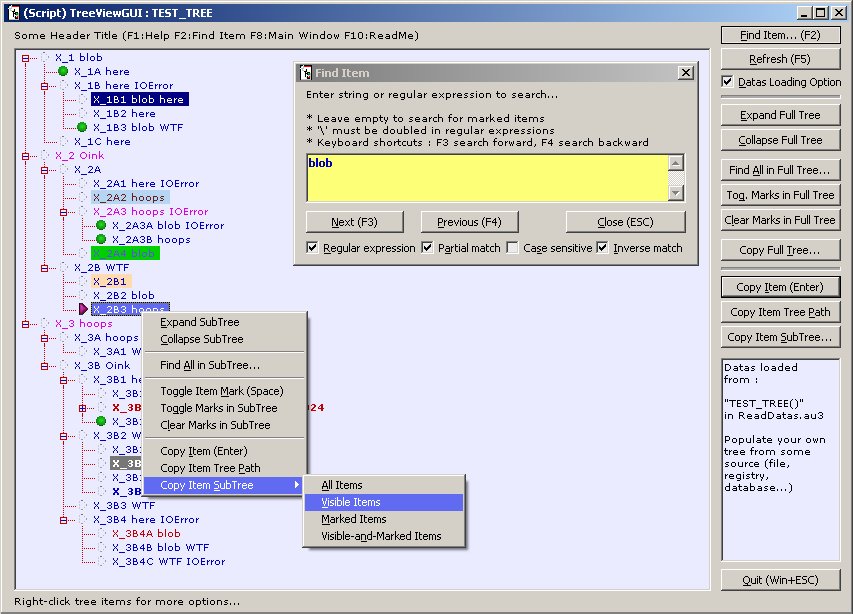
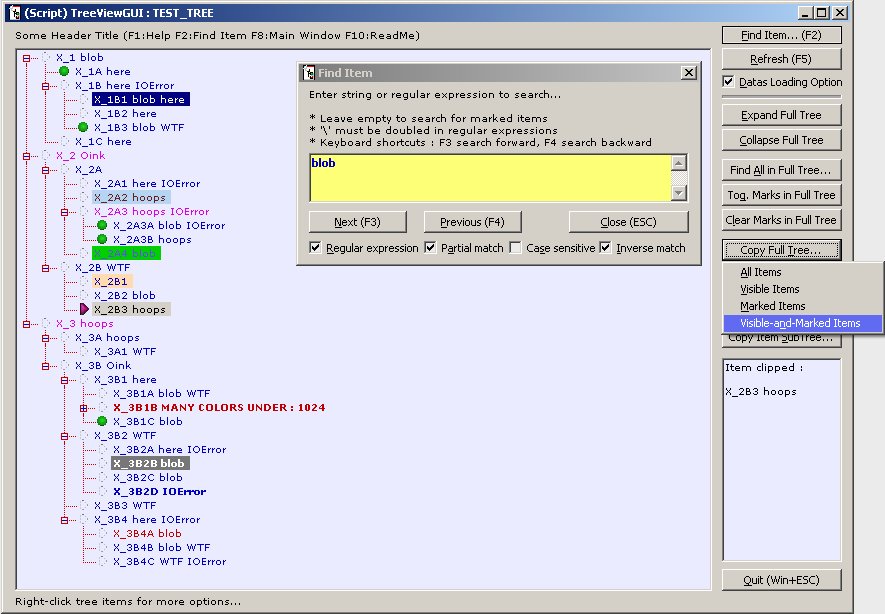
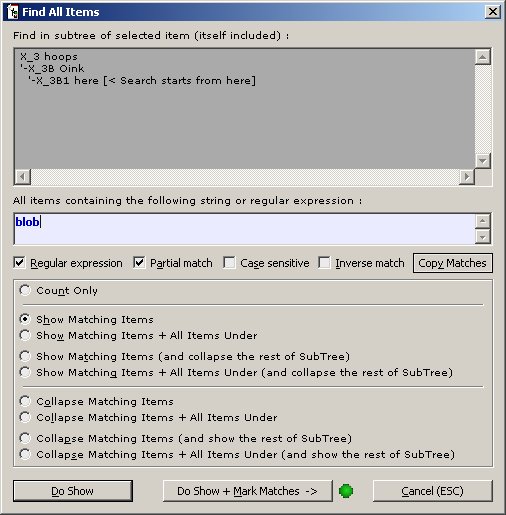
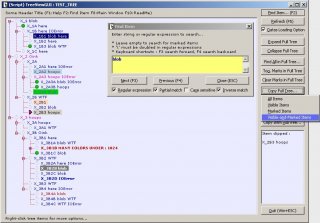
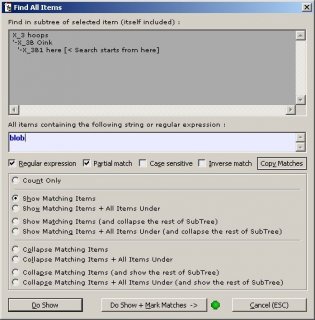
Hi, Here is a TreeView GUI with some functionalities (search, export to clipboard, change state of the tree...). Personally I use it to display some datas from the registry. Tested with : AutoIt 3.3.0.0, WinXP SP3 32 Bits, single monitor, 'Windows classic' (as Windows 95/98/2000) desktop theme I would be grateful if someone would be willing to test it in different environments than mine to see how it behaves. Things that could make the script not to work properly : * using an AutoIt script engine > 3.3.0.0 (However, I tried to make my script compatible with newer AutoIt versions) * running on another OS than WinXP * running on a 64 Bits OS (DllStruct or DllCall possible issues with 64 bits pointers/handles) * GUI problems with desktop themes (I only use the 'Windows classic' theme) * multiple monitors (for windows positionning, treeview items hit_test and rectangle) * things I did not think of... * and bugs of course... Known bugs : * memory usage increase by a few hundreds Kbytes everytime the treeview is reloaded (some memory leak...), as a workaround, after a hundred treeview reload, the program will restart itself to release the lost memory * small memory leak (~8 kb) on each tree reload * using a theme for the blinds with large fonts makes the bottom of the main GUI to disappear The code is free to reuse/improve/adapt as you want. (This script, as I release it, does not write anything to the registry or the file system) Thanks for any testing or advice. Updated, 02 April 2013 : TreeViewGUI.zip : MD5 : DF0802EE21D458AA00DA839B235370BB SHA-1 : 3FF545F440E728B86D1688C56CF7FB3060DEB4EA SHA-256 : 0D24C6D24808BE34EB8BC2A92218D6EB7B8209DF1B0AED6CB78943633814E320 TreeViewGUI.zip screenshots :
-
All my tests done on WinXP SP3, AutoItX v3.3.0.0 My AutoItX is not up-to-date, however the changelog does not record any change regarding this problem. The issue is known : * each call to o_AutoItX3Obj.WinList can consumme up to 4ko (in my tests), which are not released even when exiting a sub or setting the o_AutoItX3Obj object to Nothing -> this is a problem, for example, for ever-runnning scripts that do repetitive call to WinList * a work-around : enumerate windows instead of using WinList VBS Code Option Explicit MAIN() Sub MAIN() Dim s_win_id, arr Dim o_AutoItX3Obj Set o_AutoItX3Obj = CreateObject("AutoItX3.Control") ' s_win_id : the advanced filter parameter that would have been used in the WinList function ' s_win_id : must not contain the INSTANCE parameter (it seems it just would be ignored) ' WinTitleMatchMode : the title match mode that would have been used with the WinList function ' WinSearchChildren : the child windows mode that would have been used with the WinList function ' *** EXAMPLE 1 *** ' s_win_id = "TITLE:a", with WinTitleMatchMode substring (=2), No WinSearchChildren (=0) ' there should be some of theses s_win_id = "TITLE:a" o_AutoItX3Obj.AutoItSetOption "WinTitleMatchMode", 2 o_AutoItX3Obj.AutoItSetOption "WinSearchChildren", 0 ' call the pseudo WinList function (ENUM_WIN) arr = ENUM_WIN(o_AutoItX3Obj, s_win_id) ' look for results SHOW_RESULTS o_AutoItX3Obj, s_win_id, arr ' *** EXAMPLE 2 *** ' s_win_id = "TITLE:a; REGEXPCLASS:a", with WinTitleMatchMode substring (=2), No WinSearchChildren (=0) ' there should be at least the 'Program Manager' [Class:Progman], which is the Windows desktop s_win_id = "TITLE:a; REGEXPCLASS:a" o_AutoItX3Obj.AutoItSetOption "WinTitleMatchMode", 2 o_AutoItX3Obj.AutoItSetOption "WinSearchChildren", 0 ' call the pseudo WinList function (ENUM_WIN) arr = ENUM_WIN(o_AutoItX3Obj, s_win_id) ' look for results SHOW_RESULTS o_AutoItX3Obj, s_win_id, arr End Sub Sub SHOW_RESULTS(ByVal o_AutoItX3Obj, ByVal s_win_id, ByVal arr) Dim s_res, i s_res = "Number of windows matching [" & s_win_id & "] : " & arr(0, 0) & vbCr s_res = s_res & "WinTitleMatchMode : " & o_AutoItX3Obj.AutoItSetOption("WinTitleMatchMode", 0) & ", " s_res = s_res & "WinSearchChildren : " & o_AutoItX3Obj.AutoItSetOption("WinSearchChildren", 0) & vbCr s_res = s_res & "(message boxes can cut long text)" & vbCr & vbCr s_res = s_res & "Num Handle" & vbTab & "Title" & vbCr & vbCr For i = 1 To UBound(arr, 2) s_res = s_res & i & ". " & arr(1, i) & vbTab & "[" & arr(0, i) & "]" & vbCr Next MsgBox s_res, vbInformation, WScript.ScriptName End Sub ' Re-usable code begins here (could be optimized if hundreds of matching windows are expected) ' ENUM_WIN returns an 2-Dim array, same formatting as by WinList function Function ENUM_WIN(ByVal o_AutoItX3Obj, ByVal s_win_id) Dim s_win_handle, s_win_title, arr, i ReDim arr(1, 0) arr(0, 0) = 0 ' will hold the number of found windows, like the WinList function arr(1, 0) = 0 ' will not be used i = 1 ' because Instances are 1-based Do s_win_handle = o_AutoItX3Obj.WinGetHandle("[" & s_win_id & "; INSTANCE:" & i & "]") If s_win_handle = "" Then Exit Do ' enumeration finished s_win_title = o_AutoItX3Obj.WinGetTitle("[HANDLE:" & s_win_handle & "]") ReDim Preserve arr(1, i) arr(0, i) = s_win_title ' title can be an empty string arr(1, i) = s_win_handle ' handle should always be a valid hex string number (32/64 bits ?) i = i + 1 Loop arr(0, 0) = i - 1 ' record the number of found windows ENUM_WIN = arr End Function * note 1 : enumerating windows could have timing issues if some windows matching the criteria are appearing/disappearing while doing the enumeration... (I didn't test that) * note 2 : if it impossible to avoid memory leak in COM components returning arrays, then WinList could return a simple string with titles/handles separated by Chr(0), (assuming there are no Chr(0) inside window titles ?) then the user would use the Split function to get an 1-Dim array : [title1, handle1, title2, handle2, title3, handle3] etc... This string-type return could be an optional parameter given to the WinList function : arr = o_AutoItX3Obj.Winlist("title" [, "text" [, return type]])
-
WinExplorer is a very useful tool to get informations about windows/controls for further automation with AutoIt (like AU3Info but with a different display of datas, a kind of global snapshot of all windows/controls) WinExplorer is a freeware tool from http://www.nirsoft.net/utils/winexp.html (I share no interest with them and the program is free) Unhappily it has a non-resizeable window (too small) and a long treeview So this starter vbs script resizes the window, and moves and resizes the controls inside it to make it more usable This is a simple script, and could be applied to many dwarf-sized windows with long listview/treeview inside them Most of the vbs code could then be reused just by changing : Const winexp_class = "#32770" Const winexp_title = "WinExplorer" And the content of the SET_WINEXP_CONTROLS Sub (where the window controls are moved/resized) This script has a lot of autoitx commands inside it, that's why it comes in this forum as an example... Feel free to use it/change it/improve it. Download link of the full zip with a help file and a pre-made shortcut http://dl.free.fr/vtrq6QzXj If the download link doesn't work any more, here is just the vbs code without the help file (not really needed anyway) The script takes at least one (at most three) parameters : the full path to WinExplorer executable with double quotes around, the width_ratio (defaults to 0.5), the height_ratio (defaults to 1) Ratios are float numbers between 0 and 1, representing the size the WinExplorer window should be relatively to the desktop And a typical command line to run it (folders could be different on your system !) "C:\Windows\System32\WScript.exe" "C:\Program Files\WinExp\WinExpStarter.vbs" "C:\Program Files\WinExp\WinExp.exe" 0.5 0.75 Option Explicit Public CURVBS CURVBS = WScript.ScriptName MAIN() Sub MAIN() Dim arg_num, arg_list, cmdlinegeneric, cmdlinesample, syntax Dim arrwin, haserror, waitstart, mswaited, i Dim winexp_exefull, win_handle, winexp_procpid, winexp_winpid Dim win_ini_pos_x, win_ini_pos_y, win_ini_width, win_ini_height Dim win_set_width, win_set_height, width_ratio, height_ratio Dim winstate, minbit, maxbit, desktop_width, desktop_height Dim AutoItX3Obj Const noautoitx3 = "AutoItX3 activeX (AutoItX3.dll) does not seem to be registered on your system" Const mustinstall = "Please download from http://www.autoitscript.com/autoit3/ and install AutoIt3" Const syntaxerror = "Syntax error !" Const pathneeded = "Path to the WinExplorer program (WinExp.exe) is required as the first parameter (enclosed by double quotes)" Const toomanyparams = "Too many parameters have been passed to the script (maybe double quotes around WinExplorer path are missing and the arguments messed up)" Const maxparams = "Maximum number of parameters is 3 : a full path will double quotes, and 2 float numbers (between 0 and 1)" Const notnumericratio = "Not numeric ratio(s) have been passed to the script (maybe double quotes around WinExplorer path are missing and the arguments messed up)" Const yourarguments = "Your arguments :" Const procerror = "Unable to start process (provided path to WinExplorer program may be wrong)" Const winerror = "Unable to find the program window" Const desktoperror = "Unable to get desktop resolution" Const winrestoreerror = "Unable to restore the program window" Const winpossizeerror = "Unable to check the initial size or position of the program window" Const winexp_class = "#32770" Const winexp_title = "WinExplorer" Const opt_wintitlematchmode_left = 1 Const opt_wintitlematchmode_exact = 3 Const winminimized = 16 Const winmaximized = 32 Const stimeoutstart = 30 Const mswaitloop = 500 width_ratio = "0.5" height_ratio = "1" Set AutoItX3Obj = WS_CREATE_OBJ("AutoItX3.Control", False, False, False) If IS_NOTHING(AutoItX3Obj) Then MsgBox noautoitx3 & vbCr & mustinstall, vbCritical, CURVBS Exit Sub End If AutoItX3Obj.AutoItSetOption "WinWaitDelay", 0 cmdlinegeneric = _ Chr(34) & "{SystemDir}\WScript.exe" & Chr(34) & " " & _ Chr(34) & "{PathToWinExpStarter}\WinExpStarter.vbs" & Chr(34) & " " & _ Chr(34) & "{PathToWinExp}\WinExp.exe" & Chr(34) & " " & _ "[DesktopWidthRatio] [DesktopHeightRatio]" cmdlinesample = _ Chr(34) & "C:\Windows\System32\WScript.exe" & Chr(34) & " " & _ Chr(34) & "C:\Program Files\WinExp\WinExpStarter.vbs" & Chr(34) & " " & _ Chr(34) & "C:\Program Files\WinExp\WinExp.exe" & Chr(34) & " " & _ CDbl(0.5) & " " & CDbl(0.75) syntax = "Full command line syntax :" & vbCr & cmdlinegeneric & vbCr & vbCr & _ "eg : (this example will be COPIED TO YOUR CLIPBOARD when you close this dialog)" & vbCr & cmdlinesample & vbCr & vbCr & _ "* " & Chr(34) & "{PathToWinExp}\WinExp.exe" & Chr(34) & _ " is a MANDATORY parameter and is a fully qualified path to WinExplorer program (WinExp.exe)" & vbCr & _ "eg : " & Chr(34) & "C:\Program Files\WinExp\WinExp.exe" & Chr(34) & vbCr & vbCr & _ "* DesktopWidthRatio and DesktopHeightRatio are numbers between 0 and 1 : like 0.75" & vbCr & _ "They are OPTIONAL and defaults to : [DesktopWidthRatio = " & width_ratio & "] [DesktopHeightRatio = " & height_ratio & "]" arg_num = WScript.Arguments.Count If arg_num < 1 Then MsgBox syntaxerror & vbCr & vbCr & pathneeded & vbCr & vbCr & syntax, vbCritical, CURVBS AutoItX3Obj.ClipPut cmdlinesample WScript.Quit End If arg_list = "" For i = 0 To (arg_num - 1) arg_list = arg_list & Chr(34) & WScript.Arguments.Item(i) & Chr(34) & " " Next If arg_num > 3 Then MsgBox syntaxerror & vbCr & vbCr & toomanyparams & vbCr & maxparams & vbCr & vbCr & syntax & vbCr & vbCr & yourarguments & vbCr & arg_list, _ vbCritical, CURVBS AutoItX3Obj.ClipPut cmdlinesample WScript.Quit End If winexp_exefull = WScript.Arguments.Item(0) If arg_num > 1 Then width_ratio = WScript.Arguments.Item(1) If arg_num > 2 Then height_ratio = WScript.Arguments.Item(2) End If End If If (Not(IsNumeric(width_ratio)) Or Not(IsNumeric(height_ratio))) Then width_ratio = Replace(width_ratio, ",", ".") height_ratio = Replace(height_ratio, ",", ".") End If If (Not(IsNumeric(width_ratio)) Or Not(IsNumeric(height_ratio))) Then width_ratio = Replace(width_ratio, ".", ",") height_ratio = Replace(height_ratio, ".", ",") End If If (Not(IsNumeric(width_ratio)) Or Not(IsNumeric(height_ratio))) Then MsgBox syntaxerror & vbCr & vbCr & notnumericratio & vbCr & vbCr & syntax & vbCr & vbCr & yourarguments & vbCr & arg_list, _ vbCritical, CURVBS AutoItX3Obj.ClipPut cmdlinesample WScript.Quit End If width_ratio = CDbl(width_ratio) If width_ratio < 0 Then width_ratio = 0 ElseIf width_ratio > 1 Then width_ratio = 1 End If height_ratio = CDbl(height_ratio) If height_ratio < 0 Then height_ratio = 0 ElseIf height_ratio > 1 Then height_ratio = 1 End If winexp_procpid = AutoItX3Obj.Run(winexp_exefull, "", AutoItX3Obj.SW_MINIMIZE) If (AutoItX3Obj.error <> 0 Or winexp_procpid <= 0) Then MsgBox procerror & vbCr & winexp_exefull, vbCritical, CURVBS Exit Sub End If winexp_procpid = CStr(winexp_procpid) AutoItX3Obj.AutoItSetOption "WinTitleMatchMode", opt_wintitlematchmode_exact waitstart = Now AutoItX3Obj.WinWait WINID_BY_TITLE_CLASS(winexp_title, winexp_class), "", stimeoutstart mswaited = DateDiff("s", waitstart, Now) * 1000 winexp_winpid = "-1" Do While (winexp_winpid <> winexp_procpid And mswaited <= (stimeoutstart * 1000)) arrwin = AutoItX3Obj.WinList(WINID_BY_TITLE_CLASS(winexp_title, winexp_class)) For i = 1 To UBound(arrwin, 2) win_handle = arrwin(1, i) winexp_winpid = AutoItX3Obj.WinGetProcess(WINID_BY_HANDLE(win_handle)) If winexp_winpid = "" Then winexp_winpid = "-1" If winexp_winpid = winexp_procpid Then Exit For Next WScript.Sleep mswaitloop mswaited = mswaited + mswaitloop Loop AutoItX3Obj.AutoItSetOption "WinTitleMatchMode", opt_wintitlematchmode_left If winexp_winpid <> winexp_procpid Then MsgBox winerror & vbCr & winexp_title, vbCritical, CURVBS Exit Sub End If GET_DESKTOP_SIZE desktop_width, desktop_height, AutoItX3Obj If (desktop_width <= 0 Or desktop_height <= 0) Then MsgBox desktoperror, vbCritical, CURVBS Exit Sub End If winstate = AutoItX3Obj.WinGetState(WINID_BY_HANDLE(win_handle)) minbit = (winstate And winminimized) / winminimized If minbit = 1 Then AutoItX3Obj.WinSetState WINID_BY_HANDLE(win_handle), "", AutoItX3Obj.SW_RESTORE End If winstate = AutoItX3Obj.WinGetState(WINID_BY_HANDLE(win_handle)) maxbit = (winstate And winmaximized) / winmaximized If maxbit = 1 Then AutoItX3Obj.WinSetState WINID_BY_HANDLE(win_handle), "", AutoItX3Obj.SW_RESTORE End If haserror = False winstate = AutoItX3Obj.WinGetState(WINID_BY_HANDLE(win_handle)) If AutoItX3Obj.error <> 0 Then haserror = True Else minbit = (winstate And winminimized) / winminimized maxbit = (winstate And winmaximized) / winmaximized If (minbit = 1 Or maxbit = 1) Then haserror = True End If If haserror Then MsgBox winrestoreerror & vbCr & winexp_title, vbCritical, CURVBS Exit Sub End If haserror = False win_ini_pos_x = AutoItX3Obj.WinGetPosX(WINID_BY_HANDLE(win_handle)) If AutoItX3Obj.error <> 0 Then haserror = True win_ini_pos_y = AutoItX3Obj.WinGetPosY(WINID_BY_HANDLE(win_handle)) If AutoItX3Obj.error <> 0 Then haserror = True win_ini_width = AutoItX3Obj.WinGetPosWidth(WINID_BY_HANDLE(win_handle)) If AutoItX3Obj.error <> 0 Then haserror = True win_ini_height = AutoItX3Obj.WinGetPosHeight(WINID_BY_HANDLE(win_handle)) If AutoItX3Obj.error <> 0 Then haserror = True If (win_ini_width <= 0 Or win_ini_height <= 0) Then haserror = True If haserror Then MsgBox winpossizeerror & vbCr & winexp_title, vbCritical, CURVBS Exit Sub End If win_set_width = MAXOF(win_ini_width, Int(desktop_width * width_ratio)) win_set_height = MAXOF(win_ini_height, Int(desktop_height * height_ratio)) SET_WINEXP_WINDOW AutoItX3Obj, win_handle, win_ini_width, win_ini_height, _ win_ini_pos_x, win_ini_pos_y, win_set_width, win_set_height End Sub Function MAXOF(ByVal num1, ByVal num2) If num1 > num2 Then MAXOF = num1 Else MAXOF = num2 End If End Function ' Resize/Move ************************************************************************************** Sub SET_WINEXP_WINDOW(ByVal AutoItX3Obj, ByVal win_handle, ByVal win_last_width, ByVal win_last_height, _ ByVal win_set_pos_x, ByVal win_set_pos_y, ByVal win_set_width, ByVal win_set_height) Dim x_diff, y_diff x_diff = win_set_width - win_last_width y_diff = win_set_height - win_last_height SET_WINEXP_CONTROLS win_handle, x_diff, y_diff, AutoItX3Obj AutoItX3Obj.WinMove WINID_BY_HANDLE(win_handle), "", win_set_pos_x, win_set_pos_y, win_set_width, win_set_height End Sub Sub SET_WINEXP_CONTROLS(ByVal win_handle, ByVal x_diff, ByVal y_diff, ByVal AutoItX3Obj) Const tree_controlnn = "SysTreeView321" Const tab_controlnn = "SysTabControl321" Const close_controlnn = "Button1" Const refresh_controlnn = "Button2" Const options_controlnn = "Button78" Const find_controlnn = "Button79" Const about_controlnn = "Button80" CONTROL_REL_SIZE win_handle, tree_controlnn , x_diff , y_diff , AutoItX3Obj ' DOCK LEFT + RIGHT + TOP + BOTTOM CONTROL_REL_SIZE win_handle, tab_controlnn , x_diff , 0 , AutoItX3Obj ' DOCK LEFT + RIGHT + BOTTOM CONTROL_REL_MOVE win_handle, tab_controlnn , 0 , y_diff , AutoItX3Obj CONTROL_REL_MOVE win_handle, close_controlnn , x_diff , 0 , AutoItX3Obj ' DOCK RIGHT + TOP CONTROL_REL_MOVE win_handle, refresh_controlnn , x_diff , 0 , AutoItX3Obj ' DOCK RIGHT + TOP CONTROL_REL_MOVE win_handle, options_controlnn , x_diff , 0 , AutoItX3Obj ' DOCK RIGHT + TOP CONTROL_REL_MOVE win_handle, find_controlnn , x_diff , 0 , AutoItX3Obj ' DOCK RIGHT + TOP CONTROL_REL_MOVE win_handle, about_controlnn , x_diff , 0 , AutoItX3Obj ' DOCK RIGHT + TOP AutoItX3Obj.ControlHide WINID_BY_HANDLE(win_handle), "", close_controlnn ' small display bug workaround AutoItX3Obj.ControlShow WINID_BY_HANDLE(win_handle), "", close_controlnn AutoItX3Obj.ControlFocus WINID_BY_HANDLE(win_handle), "", tree_controlnn AutoItX3Obj.ControlSend WINID_BY_HANDLE(win_handle), "", tree_controlnn, "{END}" 'focus window list and get to end End Sub Sub CONTROL_REL_SIZE(ByVal win_handle, ByVal id_controlnn, ByVal x_diff, ByVal y_diff, ByVal AutoItX3Obj) Dim ctrl_pos_x, ctrl_pos_y, ctrl_width, ctrl_height, mswaited, haserror Const mswaitcontrol = 5000 Const mswaitloop = 10 mswaited = 0 Do haserror = False ctrl_pos_x = AutoItX3Obj.ControlGetPosX(WINID_BY_HANDLE(win_handle), "", id_controlnn) If AutoItX3Obj.error <> 0 Then haserror = True ctrl_pos_y = AutoItX3Obj.ControlGetPosY(WINID_BY_HANDLE(win_handle), "", id_controlnn) If AutoItX3Obj.error <> 0 Then haserror = True ctrl_width = AutoItX3Obj.ControlGetPosWidth(WINID_BY_HANDLE(win_handle), "", id_controlnn) If AutoItX3Obj.error <> 0 Then haserror = True ctrl_height = AutoItX3Obj.ControlGetPosHeight(WINID_BY_HANDLE(win_handle), "", id_controlnn) If AutoItX3Obj.error <> 0 Then haserror = True If (ctrl_width <= 0 Or ctrl_height <= 0) Then haserror = True WScript.Sleep mswaitloop mswaited = mswaited + mswaitloop Loop Until (Not(haserror) Or mswaited > mswaitcontrol) If haserror Then Exit Sub AutoItX3Obj.ControlMove WINID_BY_HANDLE(win_handle), "", id_controlnn, ctrl_pos_x, ctrl_pos_y, ctrl_width + x_diff, ctrl_height + y_diff End Sub Sub CONTROL_REL_MOVE(ByVal win_handle, ByVal id_controlnn, ByVal x_diff, ByVal y_diff, ByVal AutoItX3Obj) Dim ctrl_pos_x, ctrl_pos_y, mswaited, haserror Const mswaitcontrol = 5000 Const mswaitloop = 10 mswaited = 0 Do haserror = False ctrl_pos_x = AutoItX3Obj.ControlGetPosX(WINID_BY_HANDLE(win_handle), "", id_controlnn) If AutoItX3Obj.error <> 0 Then haserror = True ctrl_pos_y = AutoItX3Obj.ControlGetPosY(WINID_BY_HANDLE(win_handle), "", id_controlnn) If AutoItX3Obj.error <> 0 Then haserror = True WScript.Sleep mswaitloop mswaited = mswaited + mswaitloop Loop Until (Not(haserror) Or mswaited > mswaitcontrol) If haserror Then Exit Sub AutoItX3Obj.ControlMove WINID_BY_HANDLE(win_handle), "", id_controlnn, ctrl_pos_x + x_diff, ctrl_pos_y + y_diff End Sub ' Get Sizes/Position ******************************************************************************* Sub GET_DESKTOP_SIZE(ByRef desktop_width, ByRef desktop_height, ByVal AutoItX3Obj) Dim explorer_short_u_proc, explorer_procpid, explorer_winpid, progman_handle, win_width, win_height Const progman_class = "Progman" explorer_short_u_proc = "EXPLORER.EXE" desktop_width = 0 desktop_height = 0 If IS_NOTHING(AutoItX3Obj) Then Exit Sub progman_handle = AutoItX3Obj.WinGetHandle(WINID_BY_CLASS(progman_class)) If progman_handle = "" Then Exit Sub explorer_procpid = CStr(AutoItX3Obj.ProcessExists(explorer_short_u_proc)) explorer_winpid = AutoItX3Obj.WinGetProcess(WINID_BY_HANDLE(progman_handle)) If (explorer_winpid = "") Then explorer_winpid = "-1" If explorer_winpid <> explorer_procpid Then Exit Sub win_width = AutoItX3Obj.WinGetPosWidth(WINID_BY_HANDLE(progman_handle)) If AutoItX3Obj.error <> 0 Then Exit Sub win_height = AutoItX3Obj.WinGetPosHeight(WINID_BY_HANDLE(progman_handle)) If AutoItX3Obj.error <> 0 Then Exit Sub If (win_width <= 0 Or win_height <= 0) Then Exit Sub desktop_width = win_width desktop_height = win_height End Sub ' AutoIt ******************************************************************************************* Function WINID_BY_HANDLE(ByVal win_handle) WINID_BY_HANDLE = "[HANDLE:" & Replace(win_handle, ";", ";;") & "]" End Function Function WINID_BY_CLASS(ByVal win_class) WINID_BY_CLASS = "[CLASS:" & Replace(win_class, ";", ";;") & "]" End Function Function WINID_BY_TITLE_CLASS(ByVal win_title, ByVal win_class) WINID_BY_TITLE_CLASS = "[TITLE:" & Replace(win_title, ";", ";;") & "; CLASS:" & Replace(win_class, ";", ";;") & "]" End Function ' Standard ***************************************************************************************** Function IS_NOTHING(ByVal anobject) If TypeName(anobject) = TypeName(Nothing) Then IS_NOTHING = True Else IS_NOTHING = False End If End Function Function WS_CREATE_OBJ(ByVal strprogid, ByVal isquiet, ByVal isfatal, ByVal sysmodalerror) Dim msgtext, dlgico, msgtype, errnum, errdes Const fatalerrcreateobj = "FATAL error 'CreateObject' with" Const scriptclose = "The script will be CLOSED" Const errcreateobj = "Error 'CreateObject' with" Const unknownerr = "Unknown error" On Error Resume Next Set WS_CREATE_OBJ = WScript.CreateObject(strprogid) errnum = Err.Number errdes = Err.Description On Error GoTo 0 If errnum <> 0 Then If errdes = "" Then errdes = unknownerr If Not(isquiet) Then msgtext = "[" & strprogid & "]" & vbCr & vbCr & errdes If isfatal Then msgtext = fatalerrcreateobj & vbCr & msgtext & vbCr & vbCr & scriptclose dlgico = vbCritical Else msgtext = errcreateobj & vbCr & msgtext dlgico = vbExclamation End If If sysmodalerror Then msgtype = vbSystemModal Else msgtype = 0 MsgBox msgtext, dlgico + msgtype, CURVBS End If Set WS_CREATE_OBJ = Nothing If isfatal Then WScript.Quit End If End Function
-
If an autoit script tries to do WinGetTitle, WinSetState, WinActivate, WinSetOnTop... on a suspended or hanged window the script will freeze until the target window (process or thread) un-freeze or disappear. A workaround, if you suspect a window to get sometimes hanged, is to do asynchronous calls or time-outed calls. Asynchronous/time-outed calls can fail if the target window is hanged, but your script won't be frozen. So you get a chance to take further action. It is noticeable that WinGetState works on suspended/hanged window (seemingly), so you can make a loop after an asynchronous call to check if your action succeded or failed in changing the state of the window. This is related to 'Bug' or 'Not a Bug' (this isn't yet decided) http://www.autoitscript.com/trac/autoit/ticket/1294 Here are 3 examples 1. time-outed call to get the window title (changing the window title could also be done with WM_SETTEXT in place of WM_GETTEXT) http://msdn.microsoft.com/en-us/library/ms644952(VS.85).aspx 2. asynchronous call to change the window state : minimize, maximize, restore, show, hide, activate http://msdn.microsoft.com/en-us/library/ms633549(VS.85).aspx 3. asynchronous call to change the window position : show, hide, window pos, window size, zorder, topmost attibute http://msdn.microsoft.com/en-us/library/ms633545(VS.85).aspx In each example you need to provide a valid window title (or an advanced window identifier) in the "$wintitle" variable. 1 : get the window title with a time-out ; Messages Global Const $WM_GETTEXTLENGTH = 0x000E Global Const $WM_GETTEXT = 0x000D ; Abort get title operation if target window is not responding, a time-out (ms) must be provided Global Const $SMTO_ABORTIFHUNG = 0x0002 $wintitle = "provide_valid_window_title_here" $infourl = "http://msdn.microsoft.com/en-us/library/ms644952(VS.85).aspx" $ms_gettitle_timeout = 250 ; if time-out is really short (just a few ms), the window might not have the time to return its title even if it is not hanged ; in such case an empty string is returned, and error is 'hung window' (5) ; ; on the other hand, an un-responding window can however returns its title in some cases... ; with something like [ (not responding)] appended at the end of the title (langage-dependant suffix) ; in such case no error is returned (so it is not a reliable test to check if a process/thread is hanged) $gottitle = WINGETTITLE_TIMEOUT($wintitle, $ms_gettitle_timeout) $err = @error $exterr = @extended ClipPut($infourl) msgbox(0,"Finished", _ "Done with:" & $wintitle & @CR & _ "handle:" & WinGetHandle($wintitle) & @CR & _ @CR & _ "got title:[" & StringReplace($gottitle, Chr(0), "{NULL}") & "]" & @CR & _ "error:" & $err & @CR & _ "extended error:" & $exterr & @CR & _ @CR & _ "more infos at:" & $infourl & @CR & _ "this URL has been copied to your clipboard to be easily pasted in your Internet Browser") ; same syntax as WinGetTitle plus a time-out Func WINGETTITLE_TIMEOUT( _ $id_window, _ $mstimeout = 500) Local $hwnd, $arrdll, $ilen, $vout, $sfulltitle Local Const $inowinexterror = 4 ; no window Local Const $ihungwinexterror = 5 ; hung window $hwnd = WinGetHandle($id_window) If $hwnd = "" Then Return SetError($inowinexterror, 0, "") $arrdll = SENDMESSAGE_TIMEOUT($ilen, $hwnd, $WM_GETTEXTLENGTH, 0, 0, $SMTO_ABORTIFHUNG, $mstimeout, - 1, "int", "int") If @error Then Return SetError(@error, @extended, "") If $arrdll[1] = 0 Then Return SetError($inowinexterror, 0, "") If $arrdll[0] = 0 Then Return SetError($ihungwinexterror, 0, "") $arrdll = SENDMESSAGE_TIMEOUT($vout, $hwnd, $WM_GETTEXT, $ilen + 1, "", $SMTO_ABORTIFHUNG, $mstimeout, - 1, "int", "str") If @error Then Return SetError(@error, @extended, "") If $arrdll[1] = 0 Then Return SetError($inowinexterror, 0, "") If $arrdll[0] = 0 Then Return SetError($ihungwinexterror, 0, "") Return $arrdll[4] EndFunc ; used by WINGETTITLE_TIMEOUT, can be used to send other kind of messages with a time-out Func SENDMESSAGE_TIMEOUT( _ ByRef $vout, _ $hwnd, _ $imsg, _ $wparam, _ $lparam, _ $nflags, _ $mstimeout, _ $r = 0, _ $t1 = "int", _ $t2 = "int") Local $arrdll, $dllerror, $dllexterror $arrdll = DllCall("user32.dll", "long", "SendMessageTimeout", "hwnd", $hwnd, "int", $imsg, _ $t1, $wparam, $t2, $lparam, "int", $nflags, "int", $mstimeout, "int*", "") $dllerror = @error $dllexterror = @extended If $dllerror <> 0 Then $vout = 0 Return SetError($dllerror, $dllexterror, 0) EndIf $vout = $arrdll[7] If $r >= 0 And $r <= 4 Then Return $arrdll[$r] Return $arrdll EndFunc 2 : asynchronously change the window state : minimize, maximize, restore, show, hide, activate $wintitle = "provide_valid_window_title_here" $infourl = "http://msdn.microsoft.com/en-us/library/ms633549(VS.85).aspx" ; this will un-minimize and activate a window, workarounded a bit since there is no SW_ACTIVATE state ; the window will retain its maximized state if it was maximized ; this will also show the window if hidden (?) WINSETSTATE_ASYNC($wintitle, @SW_MINIMIZE) WINSETSTATE_ASYNC($wintitle, @SW_RESTORE) Sleep(2000) ; this will hide the window WINSETSTATE_ASYNC($wintitle, @SW_HIDE) Sleep(1000) ; this will minimize the window, works on hidden windows WINSETSTATE_ASYNC($wintitle, @SW_MINIMIZE) Sleep(500) ; this will just show the window (but not restore it or activate it if minimized) WINSETSTATE_ASYNC($wintitle, @SW_SHOW) Sleep(1000) ClipPut($infourl) msgbox(0,"Finished", _ "Done with:" & $wintitle & @CR & _ "handle:" & WinGetHandle($wintitle) & @CR & _ @CR & _ "more infos at:" & $infourl & @CR & _ "this URL has been copied to your clipboard to be easily pasted in your Internet Browser") ; same syntax as WinSetState less the "text" parameter Func WINSETSTATE_ASYNC( _ $id_window, _ $winstate) Local $aRet, $hwnd Local Const $inowinexterror = 4 $hwnd = WinGetHandle($id_window) If $hwnd = "" Then Return SetError($inowinexterror, 0, 0) $aRet = DllCall("user32.dll", "int", "ShowWindowAsync", "hwnd", $hwnd, "int", $winstate) If @error Then Return SetError(@error, @extended, 0) Return $aRet[0] EndFunc 3 : asynchronously change the window position : show, hide, window pos, window size, zorder, topmost attibute ; =============================================================================================================================== ; SetWindowPos Constants, SetWindowPos does not seem fitted to activate a window (look at ASynchronous WinSetState instead) ; =============================================================================================================================== Global Const $SWP_NOSIZE = 0x0001 Global Const $SWP_NOMOVE = 0x0002 Global Const $SWP_NOZORDER = 0x0004 Global Const $SWP_NOREDRAW = 0x0008 ; seems to avoid activating the last active control inside the window rather than the window itself (?) ; this may avoid to have the cursor appearing inside an edit control within a non-active window Global Const $SWP_NOACTIVATE = 0x0010 Global Const $SWP_FRAMECHANGED = 0x0020 Global Const $SWP_DRAWFRAME = 0x0020 ; if the SWP_SHOWWINDOW or SWP_HIDEWINDOW flag is set, the window cannot be moved or sized Global Const $SWP_SHOWWINDOW = 0x0040 Global Const $SWP_HIDEWINDOW = 0x0080 Global Const $SWP_NOCOPYBITS = 0x0100 Global Const $SWP_NOOWNERZORDER = 0x0200 Global Const $SWP_NOREPOSITION = 0x0200 Global Const $SWP_NOSENDCHANGING = 0x0400 Global Const $SWP_DEFERERASE = 0x2000 ; the most important flag to target possibly hanged/suspended processes ; if the targeted process is hanged/suspended nothing will happen, but your script won't be frozen ; check the result of your action with WinGetState (which works on hanged/suspended processes) Global Const $SWP_ASYNCWINDOWPOS = 0x4000 ; =============================================================================================================================== ; End of SetWindowPos Constants ; =============================================================================================================================== ; =============================================================================================================================== ; Z order Constants, Z order is the order in which windows are piled on the desktop ; =============================================================================================================================== Global Const $HWND_BOTTOM = 1 ; Places the window at the bottom of the Z order (seems buggy, see workaround in example) Global Const $HWND_NOTOPMOST = -2 ; Places the window above all non-topmost windows Global Const $HWND_TOP = 0 ; Places the window at the top of the Z order (seems buggy, see workaround in example) Global Const $HWND_TOPMOST = -1 ; Places the window above all non-topmost windows ; =============================================================================================================================== ; End of Z order Constants ; =============================================================================================================================== $wintitle = "provide_valid_window_title_here" $infourl = "http://msdn.microsoft.com/en-us/library/ms633545(VS.85).aspx" ; example 1 ; place a visible window at the bottom of $zorder (under all windows) ; workarounded since $HWND_BOTTOM does not always seem to work WINDOWSTATE($wintitle, $HWND_BOTTOM, 0, 0, 0, 0, $SWP_ASYNCWINDOWPOS + $SWP_NOSIZE + $SWP_NOMOVE + $SWP_HIDEWINDOW + $SWP_NOACTIVATE) WINDOWSTATE($wintitle, $HWND_BOTTOM, 0, 0, 0, 0, $SWP_ASYNCWINDOWPOS + $SWP_NOSIZE + $SWP_NOMOVE + $SWP_SHOWWINDOW + $SWP_NOACTIVATE) Sleep(2000) ; example 2 ; place a visible window at the top of $zorder (above all not 'always on top' windows, this does not activate the window) ; workarounded since $HWND_TOP does not seem to work WINDOWSTATE($wintitle, $HWND_TOPMOST, 0, 0, 0, 0, $SWP_ASYNCWINDOWPOS + $SWP_NOSIZE + $SWP_NOMOVE + $SWP_SHOWWINDOW + $SWP_NOACTIVATE) WINDOWSTATE($wintitle, $HWND_NOTOPMOST, 0, 0, 0, 0, $SWP_ASYNCWINDOWPOS + $SWP_NOSIZE + $SWP_NOMOVE + $SWP_SHOWWINDOW + $SWP_NOACTIVATE) Sleep(2000) ; example 3 ; move a window (visible or not, does not work if window is minimized : window must be restored before being moved) WINDOWSTATE($wintitle, $HWND_TOP, 40, 40, 0, 0, $SWP_ASYNCWINDOWPOS + $SWP_NOSIZE + $SWP_NOACTIVATE) Sleep(1000) WINDOWSTATE($wintitle, $HWND_TOP, 20, 20, 0, 0, $SWP_ASYNCWINDOWPOS + $SWP_NOSIZE + $SWP_NOACTIVATE) Sleep(1000) ClipPut($infourl) msgbox(0,"Finished", _ "Done with:" & $wintitle & @CR & _ "handle:" & WinGetHandle($wintitle) & @CR & _ @CR & _ "more infos at:" & $infourl & @CR & _ "this URL has been copied to your clipboard to be easily pasted in your Internet Browser") Func WINDOWSTATE( _ $id_window, _ $zorder, _ $left, _ $top, _ $width, _ $height, _ $flag) Local $aRet, $hwnd Local Const $inowinexterror = 4 $hwnd = WinGetHandle($id_window) If $hwnd = "" Then Return SetError($inowinexterror, 0, 0) $aRet = DllCall("user32.dll", "int", "SetWindowPos", "hwnd", $hwnd, "hwnd", $zorder, _ "int", $left, "int", $top, "int", $width, "int", $height, "uint", $flag) If @error Then Return SetError(@error, @extended, 0) Return $aRet[0] EndFunc
-
You probably got confused between ControlFocus, to focus a control, and ControlGetFocus to get the name of the currently focused control But you don't need to use ControlFocus or ControlGetFocus. Anyway, you first need to get the handle of the logon window with the logon window TITLE : "my_logon_window_title" = "syngo Dynamics Workplace" ? and/or the logon window CLASS : "my_logon_window_class" = "Win32WorkstationWindow" ? Const $logon_window_title = "syngo Dynamics Workplace" Const $logon_window_class = "Win32WorkstationWindow" Const $edit_field_class = "WindowsForms10.EDIT.app.0.d3a00f" Const $username_edit_instance = 1 Const $password_edit_instance = 2 Const $ok_button_classnn = "Button1" ; might be Button2 or 3... Const $ms_timeout = 30000 Run("C:\Program Files\syngoDynamics\bin\KinetDxLauncher.exe /a rsntmain.exe") $ms_waited = 0 Do $hwin = WinGetHandle("[TITLE:" & $logon_window_title & "; CLASS:" & $logon_window_class & "]") Sleep(250) $ms_waited = $ms_waited + 250 Until $hwin <> "" Or $ms_waited > $ms_timeout If $hwin = "" Then MsgBox(0, "Error", "Logon window not found") Exit EndIf MsgBox(0, "Success", "Logon window handle : " & $hwin) ControlSetText($hwin, "", "[CLASS:" & $edit_field_class & "; INSTANCE:" & $username_edit_instance & "]", "username here", 1) ControlSetText($hwin, "", "[CLASS:" & $edit_field_class & "; INSTANCE:" & $password_edit_instance & "]", "password here", 1) ControlClick($hwin, "", $ok_button_classnn, "primary", 1)Once you got a valid $hwin, you can proceed with ControlClick and ControlSetText... ControlClick("syngo Dynamics Workplace", "left", ", 20 , 40") => obviously an error with misplaced quotes => "primary" is better than "left" because mouse button can be swapped => syntax : ControlClick($hwin, "", CLASSNN of control, "primary", 1) * $hwin is the handle of the window we got before * look at documentation for parameters order and meaning => you need the CLASSNN (like Edit1, or Edit2) of the control you want to click or an expression like : "[CLASS:WindowsForms10.EDIT.app.0.d3a00f; INSTANCE:1]" if "WindowsForms10.EDIT.app.0.d3a00f" is the CLASS of the control To set text, better than than ControlSend (which requires a ControlFocus before each sending) is ControlSetText => syntax : ControlSetText($hwin, "", CLASSNN of control, "username or password you want", 0 or 1 to force a window redraw) * $hwin is the handle of the window we got before * look at documentation for parameters order and meaning => same as controlclick, you need the CLASSNN (like Edit1, or Edit2) of the control you want to set the text or an expression like : "[CLASS:WindowsForms10.EDIT.app.0.d3a00f; INSTANCE:1]" if "WindowsForms10.EDIT.app.0.d3a00f" is the CLASS of the control => better than sending {ENTER} when the text has been set, is to ControlClick the "OK" button... Use the autoit info tool (Au3Info.exe) to get the CLASS and INSTANCE of all needed controls within the logon window (CLASSNN is the concatenation of CLASS + INSTANCE) The "text" parameter in ControlClick and ControlSetText is optionnal and should be left empty : ""
-
Script pauses unless I mouse over it
marc0v replied to CircusMusic's topic in AutoIt General Help and Support
In your script 'ContinueLoop' goes back to the 'While 1' statement if no tray message is received ($msg = 0), and checkForQuestion() is therefore not executed if no tray message is received (there are some MOUSEOVER/MOUSECLICK messages, with negative values, that triggers your checkForQuestion()) ContinueLoop means in fact Go_To_Loop_Testing_Line (The 'While 1' line) main loop should be (with a sleep, possibly, to reduce CPU/Network usage) : While 1 $msg = TrayGetMsg() Select Case $msg = $turnon turnon() Case $msg = $turnoff turnoff() Case $msg = $exititem ExitLoop EndSelect Sleep(250) checkForQuestion() WEnd -
I guess what you want to do is to update the text displayed in a label You should update it only when needed, not on each main loop... update the label only if the text has to be changed and, maybe, only once every so many milliseconds (100 ms in this example) AutoItSetOption("MustDeclareVars", 1) #include <GUIConstantsEx.au3> Example() Func Example() Local $id_label, $myvar, $msg, $timer, $nowdiff, $lastupdatediff Const $ms_update_interval = 100 GUICreate("My GUI") $id_label = GUICtrlCreateLabel("text", 10, 10, 100, 20) GUISetState() $timer = TimerInit() $lastupdatediff = 0 While 1 $msg = GUIGetMsg() If $msg = $GUI_EVENT_CLOSE Then ExitLoop $nowdiff = TimerDiff($timer) $myvar = Int($nowdiff / 1000) & "s" If ($nowdiff - $lastupdatediff >= $ms_update_interval) Then If Not(GUICtrlRead($id_label) == $myvar) Then GUICtrlSetData($id_label, $myvar) $lastupdatediff = $nowdiff EndIf WEnd EndFunc
-
A significant update to v1.0.0.3 (link in the first post) - improved/fixed a few problems with UI focus/activation - improved CPU impact (other app should be less affected by the program) - updated the install.readme and help.readme - added user logins inside URLs (insert 'username:password@' in URL for simple login on some server) - added some resize buttons for the main UI, and snap to screen borders or taskbar border - added 'rotate' buttons for the pile list (rotating selected URLs up or down within the selection) - added automatic standby/hibernate action, when all downloads are finished - added running incomplete downloads (only makes sense for videos and text files probably) - added some warnings and file informations when running executables downloaded from the internet /!\ currently URLs more than 127 char long cannot be sent from Internet Explorer because of an AutoItX activeX limitation (v3.3.0.0), this should be fixed in later versions of AutoItX. A newer version of AutoItX can be installed without changing the program (just need a re-register of the new version of the activeX, or updating AutoIt itself).
-
WinSetTitle sets a title to blank if new title STRING LENGTH > 127 127 char limitation with AutoIt ActiveX ver 3.3.0.0 or limitation in VBScript ver 5.7.0.16599 (WinXP SP3) ? As I could not find a bug report/thread for that, I ask if someone can reproduce the problem any testing or workaround solution welcomed... This affect strings in WINDOWS TITLE, like WinSetTitle (and also bugs for CONTROLS, I think, with ControlSetText setting random characters in control) For examples to show something you must set 'wintitle' to a visible window title (case sensitive, can be only a left part of the title) This bugs : VBScript (save in a .vbs file and run) wintitle = "provide_here_a_valid_window_title" newtitle_127 = "1234567890123456789012345678901234567890123456789012345678901234567890123456789012345678901234567890123456789012345678901234567" newtitle_128 = "12345678901234567890123456789012345678901234567890123456789012345678901234567890123456789012345678901234567890123456789012345678" Set autoitx3obj = WScript.CreateObject("AutoItX3.Control") autoitx3obj.WinSetTitle wintitle, "", newtitle_127 MsgBox "Title is set to newtitle_127" autoitx3obj.WinSetTitle newtitle_127, "", newtitle_128 MsgBox "Title is set to blank" This works : AU3Script (save in a .au3 file and run) $wintitle = "provide_here_a_valid_window_title" $newtitle_127 = "1234567890123456789012345678901234567890123456789012345678901234567890123456789012345678901234567890123456789012345678901234567" $newtitle_128 = "12345678901234567890123456789012345678901234567890123456789012345678901234567890123456789012345678901234567890123456789012345678" WinSetTitle($wintitle, "", $newtitle_127) MsgBox(0, "", "Title is set to newtitle_127") WinSetTitle($newtitle_127, "", $newtitle_128) MsgBox(0, "", "Title is set to newtitle_128")