jmon
-
Posts
105 -
Joined
-
Last visited
jmon's Achievements

Adventurer (3/7)
11
Reputation
-
 p4sCh reacted to a post in a topic:
Example : Avoid RichEdit stealing focus from other controls
p4sCh reacted to a post in a topic:
Example : Avoid RichEdit stealing focus from other controls
-
 ShakibHasan reacted to a post in a topic:
File Sequence UDF
ShakibHasan reacted to a post in a topic:
File Sequence UDF
-
p4sCh reacted to a post in a topic:
[SOLVED] Change Z-ordering of controls
-
mLipok reacted to a post in a topic:
SciLexer UDF
-
wolflake reacted to a post in a topic:
AutoIt Snippets
-
DickG reacted to a post in a topic:
[SOLVED] Change Z-ordering of controls
-
BBs19 reacted to a post in a topic:
Calendar UDF (WIP)
-
coffeeturtle reacted to a post in a topic:
Calendar UDF (WIP)
-
mLipok reacted to a post in a topic:
Calendar UDF (WIP)
-
jmon reacted to a post in a topic:
AutoIt v3.3.9.22 Beta
-
Thanks a lot Melba, this is exactly what I need. Now I'll be able to do my tasklist!
-
jmon reacted to a post in a topic:
.DotNet FlowLayoutPanel or similar?
-
jmon reacted to a post in a topic:
SciLexer UDF
-
Hello, Is there a way to do something similar to a .DotNet FlowLayoutPanel (http://www.dotnetperls.com/flowlayoutpanel) or something similar to it ? (like the ScrollView from Android (http://examples.javacodegeeks.com/android/core/ui/scrollview/android-scrollview-example/ at the bottom of the page)). I need to do a list of controls, and I need to have a srollbar if the controls are going lower than the window's height. Thanks Jmon
-

ChooseFileFolder - Interim Version 11 Mar 21
jmon replied to Melba23's topic in AutoIt Example Scripts
Very nice and very fast! I think it's missing something compared to the fileopendialog, which is the ability to start with a file already selected or to start in a folder. It would be very nice to have this feature! -
Looks like you made a typo in your example (You wrote '32 to group digits' instead of '2').
-
jmon reacted to a post in a topic:
How to make Toast - New version 2 Aug 18
-
@kiboost It's very useful with programs like Nuke and PDplayer, because they both require file numbering in format #### or regexp %0xd. In PDPlayer you can use the filesequence UDF to auto convert your sequences in Quicktime for example. I also use it to backup 3dsmax files, which I usually save incrementally. So you can create a small program that scans for 3dsmax files sequences, and then backup them to a zip file. I think this UDF can be used for so many purposes. I use it everyday.
-
Digisoul reacted to a post in a topic:
Form Builder beta
-
[HELP] Problem with control Layering and WM_COMMAND
jmon replied to jmon's topic in AutoIt General Help and Support
Thanks UEZ. This workaround works. Still I find the behavior of WM_COMMAND weird... I don't understand why my example doesn't work. I'll use your trick in the meantime. I don't want to disable them, I just want to receive the notification when I click on the labels. Actually the reason I am asking this, is because I need it in my I want to receive the notification when I click on the event, but I always receive the notification of the day, not the event... -
Hello, How come in this example, when I click on label 2, I get the notification for Label 1? I have 2 controls overlapping, and I cannot disable them. #include <WindowsConstants.au3> #include <GUIConstantsEx.au3> Global $GUI, $LABEL1, $LABEL2 $GUI = GUICreate("Test", 800, 600) $LABEL1 = GUICtrlCreateLabel("Label 1", 40, 40, 700, 520) GUICtrlSetBkColor(-1, 0xFF0000) $LABEL2 = GUICtrlCreateLabel("Label 2", 100, 100, 600, 400) GUICtrlSetBkColor(-1, 0x00FF00) GUISetState() GUIRegisterMsg($WM_COMMAND, "WM_COMMAND") While 1 Switch GUIGetMsg() Case $GUI_EVENT_CLOSE Exit EndSwitch Sleep(50) WEnd Func WM_COMMAND($hWnd, $iMsg, $iwParam, $ilParam) #forceref $hWnd, $iMsg Local $hWndFrom, $iIDFrom, $iCode $hWndFrom = $ilParam $iIDFrom = BitAND($iwParam, 0xFFFF) ; Low Word $iCode = BitShift($iwParam, 16) ; Hi Word Switch $hWndFrom Case GUICtrlGetHandle($LABEL1) MsgBox(0, "Click received", "Label 1 was clicked") Case GUICtrlGetHandle($LABEL2) MsgBox(0, "Click received", "Label 2 was clicked") EndSwitch Return $GUI_RUNDEFMSG EndFunc ;==>WM_COMMAND Thanks in advance for your help.
-
Thanks, I fixed the first post. [edit] Actually this is one of the issues I'm working on, I want to be more flexible on the date, and "2013/01/11" would be equal to "2013/1/11"
-
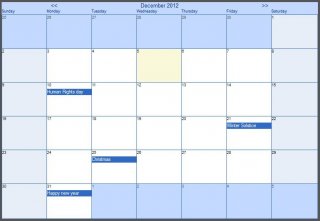
Hello everyone, I started working on this calendar control for my company. It's still a work in progress, and there are some bugs and some features missing, but I still wanted to share it with you guys, to get some comments and ideas for future development. My question would be: "Would you have done it this way?", meaning, would you have built it with labels as I did, or would it be better using GDI+ or other methods? Screenshot: Here is an example (Try double-clicking on a date): #include <GUIConstantsEx.au3> #include "_CalendarUDF.au3" Opt("GUIOnEventMode", 1) Global $GUI, $fStartMonday = False, $iGridSize = 1, $sTheme = "Blue" _Main() Func _Main() Local $GUI = GUICreate("Calendar example", 800, 600, -1, -1, BitOR($WS_SYSMENU, $WS_SIZEBOX)) GUISetOnEvent($GUI_EVENT_CLOSE, "_Exit") GUISetState() GUICtrlCreateButton("Toggle grid", 20, 10, 150, 20) GUICtrlSetOnEvent(-1, "Btn_ToggleGrid") GUICtrlCreateButton("Toggle Start Mon/Sun", 170, 10, 150, 20) GUICtrlSetOnEvent(-1, "Btn_ToggleMondaySunday") GUICtrlCreateButton("Go to Date", 320, 10, 150, 20) GUICtrlSetOnEvent(-1, "Btn_GoToDate") GUICtrlCreateButton("Add Event", 470, 10, 150, 20) GUICtrlSetOnEvent(-1, "Btn_AddEvent") GUICtrlCreateButton("Switch theme", 620, 10, 150, 20) GUICtrlSetOnEvent(-1, "Btn_SwitchTheme") ;Create the calendar control: _GuiCtrlCal_Create("My Calendar", 20, 40, 760, 520, @MON, @YEAR, 30, $fStartMonday, $iGridSize) ;Register my function, called when I double click a date: _GuiCtrlCal_OnDateDblClickRegister("_MyFunction") ;Add some Events: _GuiCtrlCal_EventAdd("2012/12/01", "World AIDS Day") _GuiCtrlCal_EventAdd("2012/12/25", "Christmas") _GuiCtrlCal_EventAdd("2012/12/21", "Winter Solstice") _GuiCtrlCal_EventAdd("2012/12/10", "Human Rights day") _GuiCtrlCal_EventAdd("2012/12/31", "Happy new year") _GuiCtrlCal_EventAdd("2013/01/11", "Human Trafficking Awareness") _GuiCtrlCal_EventAdd("2013/01/26", "Australia Day") ;Loop: While 1 Sleep(50) WEnd EndFunc ;This function will now be called when I doubleclick on a date. ;This function has to have one parameter that will contain ;the selected date: Func _MyFunction($sDate) ;The selected date is $sDate ConsoleWrite("Selected date is: " & $sDate & @CRLF) ;Create a small gui to input a text for the event: Local $mousePos = MouseGetPos() Local $GUIAddEvent = GUICreate("Add Event", 250, 50, $mousePos[0] - 125, $mousePos[1] - 15, $WS_POPUP, $WS_EX_TOPMOST, $GUI) GUISetState(@SW_SHOW, $GUIAddEvent) Local $Info = GUICtrlCreateLabel("Enter a text and press enter to add the event", 0, 0, 250, 15) Local $GUIAddEvent_Input = GUICtrlCreateInput("", 0, 15, 250, 35) GUICtrlSetState($GUIAddEvent_Input, $GUI_FOCUS) ;Wait for the user to press enter: While 1 If _IsPressed("0D") Then Do Sleep(10) Until Not _IsPressed("0D") ExitLoop EndIf Sleep(50) WEnd ;Read the text: Local $sText = GUICtrlRead($GUIAddEvent_Input) If $sText = "" Then Return GUIDelete($GUIAddEvent) ;Add the event: _GuiCtrlCal_EventAdd($sDate, $sText) EndFunc Func _Exit() _GuiCtrlCal_Destroy() Exit EndFunc Func Btn_ToggleGrid() If $iGridSize = 0 Then $iGridSize = 1 Else $iGridSize = 0 EndIf _GuiCtrlCal_SetGridSize($iGridSize) _GuiCtrlCal_Refresh() EndFunc Func Btn_ToggleMondaySunday() $fStartMonday = Not $fStartMonday _GuiCtrlCal_SetStartMonday($fStartMonday) _GuiCtrlCal_Refresh() EndFunc Func Btn_GoToDate() Local $sDate = InputBox("Go to Date", "Input the year, month and day : YYYY/MM/DD", @YEAR & "/" & @MON & "/" & @MDAY) If $sDate <> "" Then Local $aDate = StringSplit($sDate, "/") If Not @error Then _GuiCtrlCal_GoToMonth($aDate[1], $aDate[2]) _GuiCtrlCal_SetSelectedDate($sDate) EndIf EndIf EndFunc Func Btn_AddEvent() Local $sDateEvent = InputBox("Event Date", "Input the year, month and day (YYYY/MM/DD) for your event", @YEAR & "/" & @MON & "/" & @MDAY) If $sDateEvent = "" Then Return Local $sText = InputBox("Event Text", "Input the Text for your event", "My Event") If $sText = "" Then Return _GuiCtrlCal_EventAdd($sDateEvent, $sText) EndFunc Func Btn_SwitchTheme() Switch $sTheme Case "Blue" $sTheme = "Dark" _GuiCtrlCal_SetThemeDark() Case "Dark" $sTheme = "Blue" _GuiCtrlCal_SetThemeBlue() EndSwitch EndFunc And here is the UDF: _CalendarUDF.au3
-
Excellent work! There are so many features I prefer over Koda! - I like the control states to be shown as constants - I like the way to add styles, By the way, in Koda, you cannot set the constant $BS_ICON on a button without adding a picture, and here it's possible. - So easy to copy paste the code - Resizing icons are so intuitive Features I think should be added: - Auto declare Global / Local variables. Either like this: Global $hGUI = GUICreate( "New Window", 410, 292, -1, -1) Global $Button1 = GUICtrlCreateButton( "Button", 140, 220, 100, 30) Global $Edit2 = GUICtrlCreateEdit( "Edit", 90, 30, 220, 180) or in one line : Global $hGUI, $Button1, $Edit2 $hGUI = GUICreate( "New Window", 410, 292, -1, -1) $Button1 = GUICtrlCreateButton( "Button", 140, 220, 100, 30) $Edit2 = GUICtrlCreateEdit( "Edit", 90, 30, 220, 180) - maybe a slider to change the transparency of the the grid - under the button "Copy script" and "save script", you could maybe add buttons like: "copy constants", "copy Controls", in order to copy without the while / wend. - missing an input on the GUI to set the parent GUI (8th param of GuiCreate). - If I create 2 tabs, using the button to create a tab, I have 2 Tab items. Then after it's difficult or impossible to delete them. Also sometimes, If I manage to delete one tab and then the other, One tab stays written in the code. Thanks
-
Are you compiling your script in 32 bits? I have similar problems when I don't force-compile in 32. also maybe you could try using Local $val = ControlListView("IRM Client Preferences","","SysListView321", "GetText", $i, 0)
-
Could you post a screenshot of the interface of the software? It's quite hard to guess without seeing the GUI. Maybe it should be ControlSend ("[TITLE:PSRemote (trial version) - Connected to Canon PowerShot S60]", "", "[ID:1017]", $zmienna)
-
_GUICtrlListView__SetBGColor($hWnd, $Item_index, $Color_RGB)
jmon replied to mLipok's topic in AutoIt Example Scripts
Excellent, I didn't know that _GUICtrlListView_GetItemParam was returning the control id! Thanks! -
The difference is that in a For .. To loop, you go through the index and in a For .. In loop you go through the data contained in the array. Check out this example, you will understand: Global $aArray[5] = ["Value 1", _ "Value 2", _ "Another Value", _ "And another", _ "Last one"] ;For .. in For $TheValue In $aArray ConsoleWrite($TheValue & @CRLF) Next ;For $i = ... to For $i = 0 To UBound($aArray) -1 ConsoleWrite($aArray[$i] & @CRLF) Next You can see that in the For .. In loop, $TheValue is automatically assigned to the actual value of the array. It loops incrementally until the end of the array. I hope it's clear enough.
-
[SOLVED] Change Z-ordering of controls
jmon replied to jmon's topic in AutoIt General Help and Support
Ok, Done