Parsix
-
Posts
141 -
Joined
-
Last visited
Recent Profile Visitors




Parsix's Achievements

-
 Parsix reacted to a post in a topic:
Pic control resize issue
Parsix reacted to a post in a topic:
Pic control resize issue
-
Parsix reacted to a post in a topic:
Pic control resize issue
-
Parsix reacted to a post in a topic:
Testing fullscreen video capturing @ 60 FPS
-
Parsix reacted to a post in a topic:
Pic control resize issue
-
Parsix reacted to a post in a topic:
Enable/Disable Network connection
-
Parsix reacted to a post in a topic:
[Solved] TCP with Redirection
-
Parsix reacted to a post in a topic:
Zip your project nicely
-
Parsix reacted to a post in a topic:
FF.au3 (v0.6.0.1b-15) [End of life]
-
Parsix reacted to a post in a topic:
WinCred UDF - Windows Credential Management API
-
 Parsix reacted to a post in a topic:
Low-Polygon Maker v0.71 build 2026-02-20
Parsix reacted to a post in a topic:
Low-Polygon Maker v0.71 build 2026-02-20
-
Hi Sorry I'm new to this UDF I opened the Edge browser Preferences file and made the necessary edits but now I want to save it How to save changes to a file ?
-

WebDriver UDF (W3C compliant version) - 2025/09/01
Parsix replied to Danp2's topic in AutoIt Example Scripts
problem -
After exiting the loop, a function is responsible for restoring the settings, but when the program crashes, that function is not executed. What is that function? How can I execute that function once to fix the problem in that area before rerunning the program?
-
Get Home DiskDrive SerialNumber
Parsix replied to r2du-soft's topic in AutoIt General Help and Support
nice, must be we look for it in wmi classes -
 argumentum reacted to a post in a topic:
Get Home DiskDrive SerialNumber
argumentum reacted to a post in a topic:
Get Home DiskDrive SerialNumber
-
Get Home DiskDrive SerialNumber
Parsix replied to r2du-soft's topic in AutoIt General Help and Support
Our magical friend must be here UEZ -
this func recover it ? GUIRegisterMsg($CALLBACK, AppBarProc)
-
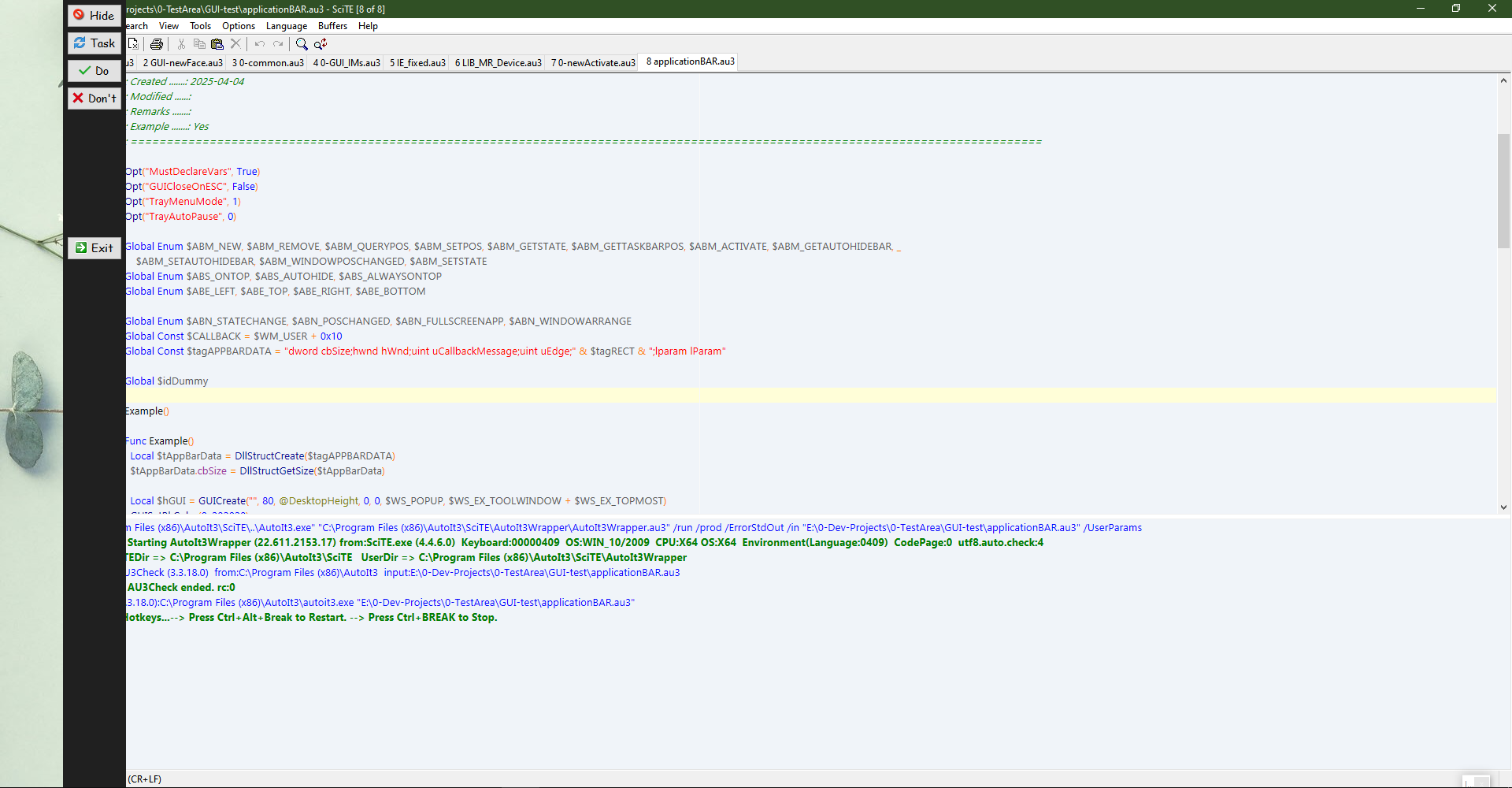
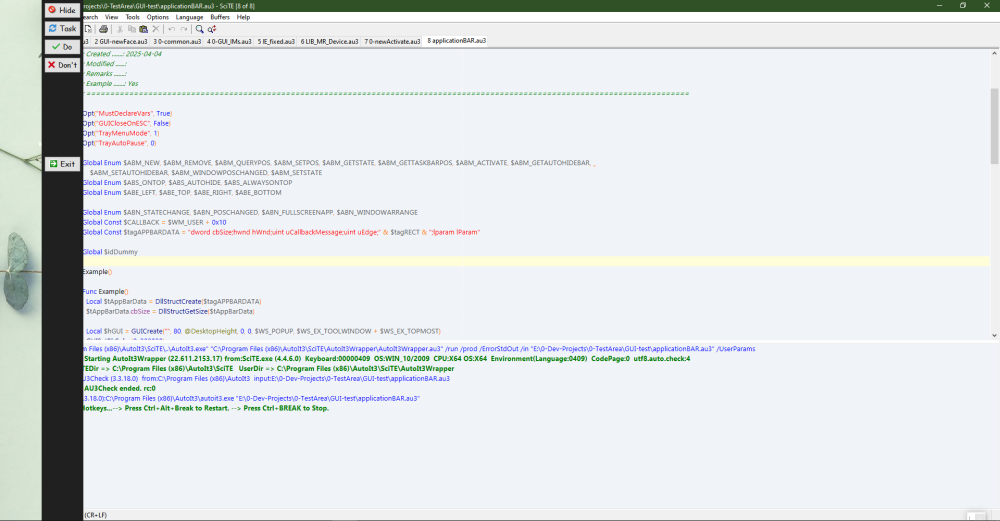
not work "SHAppBarMessage" It has been closed abruptly before and there is no window with the above name. As shown in the image, when the program is run again, the form will appear after the cropped bar because x=0 is the previous cropped area for it. A solution must be found to recover the partitioned area, especially when the program closes due to an unknown error without properly executing the exit commands. for test : I compiled the program and then ran it, so far everything is fine To test the program, I ended the task from the Windows task manager, when I run the program again, the program behaves like the picture in the previous post
-
If the program crashes for any reason, the separated empty section will remain. Then, when the program is run again, the program code will ignore the separated section and display the program bar on the remaining section. ?!!!!!
-
Get Home DiskDrive SerialNumber
Parsix replied to r2du-soft's topic in AutoIt General Help and Support
argumentum 🫶 Is there a solution to get the serial number of NVMe disks correctly in autoit without using secondary programs? -
Get Home DiskDrive SerialNumber
Parsix replied to r2du-soft's topic in AutoIt General Help and Support
How to fix this? -
Avoid "AutoIt Error" message box in unknown errors
Parsix replied to EKY32's topic in AutoIt General Help and Support
Crashed, no show any error -
Avoid "AutoIt Error" message box in unknown errors
Parsix replied to EKY32's topic in AutoIt General Help and Support
Crashed, no show any error -
Avoid "AutoIt Error" message box in unknown errors
Parsix replied to EKY32's topic in AutoIt General Help and Support
I posted this bug which is related to the first post. This is the issue The problem here is that when an unhandled error occurs in Autoit, the end user receives the appropriate message from the program. The goal is to control the error displayed to the end user. We have no control over the final output of the error. Sometimes these errors need to be translated for security reasons or to be understandable to the user. The original text of the error should be available to the project programmer -
Avoid "AutoIt Error" message box in unknown errors
Parsix replied to EKY32's topic in AutoIt General Help and Support
#Region #AutoIt3Wrapper_UseUpx=Y #AutoIt3Wrapper_Compression=4 #AutoIt3Wrapper_Run_Au3Stripper=y #AutoIt3Wrapper_Au3Check_Parameters=-d -w 1 -w 2 -w 6 -w 7 #AutoIt3Wrapper_Au3Stripper_OnError=f #Au3Stripper_Parameters=/so /pe #EndRegion #include <WinApi.au3> AddHookApi("user32.dll", "MessageBoxW", "Intercept_MessageBoxW", "int", "hwnd;wstr;wstr;uint") MsgBox(0, 'Test', 'Some text') DllStructCreate("byte[123456789097]") Func Intercept_MessageBoxW($hWnd, $sText, $sTitle, $iType) Local $aCall = DllCall("user32.dll", "int", "MessageBoxW", _ "hwnd", $hWnd, _ "wstr", $sText, _ "wstr", StringReplace($sTitle, "AutoIt", @ScriptName), _ "uint", $iType) If @error Or Not $aCall[0] Then Return 0 Return $aCall[0] EndFunc ; The magic is down below Func AddHookApi($sModuleName, $vFunctionName, $vNewFunction, $sRet = "", $sParams = "") Local Static $pImportDirectory, $hInstance Local Const $IMAGE_DIRECTORY_ENTRY_IMPORT = 1 If Not $pImportDirectory Then $hInstance = _WinAPI_GetModuleHandle(0) $pImportDirectory = ImageDirectoryEntryToData($hInstance, $IMAGE_DIRECTORY_ENTRY_IMPORT) If @error Then Return SetError(1, 0, 0) EndIf Local $iIsInt = IsInt($vFunctionName) Local $iRestore = Not IsString($vNewFunction) Local $tIMAGE_IMPORT_MODULE_DIRECTORY Local $pDirectoryOffset = $pImportDirectory Local $tModuleName Local $iInitialOffset, $iInitialOffset2 Local $iOffset2 Local $tBufferOffset2, $iBufferOffset2 Local $tBuffer, $tFunctionOffset, $pOld, $fMatch, $pModuleName, $pFuncName Local Const $PAGE_READWRITE = 0x04 While 1 $tIMAGE_IMPORT_MODULE_DIRECTORY = DllStructCreate("dword RVAOriginalFirstThunk;" & _ "dword TimeDateStamp;" & _ "dword ForwarderChain;" & _ "dword RVAModuleName;" & _ "dword RVAFirstThunk", _ $pDirectoryOffset) If Not DllStructGetData($tIMAGE_IMPORT_MODULE_DIRECTORY, "RVAFirstThunk") Then ExitLoop $pModuleName = $hInstance + DllStructGetData($tIMAGE_IMPORT_MODULE_DIRECTORY, "RVAModuleName") $tModuleName = DllStructCreate("char Name[" & _WinAPI_StringLenA($pModuleName) & "]", $pModuleName) If DllStructGetData($tModuleName, "Name") = $sModuleName Then ; function from this module $iInitialOffset = $hInstance + DllStructGetData($tIMAGE_IMPORT_MODULE_DIRECTORY, "RVAFirstThunk") $iInitialOffset2 = $hInstance + DllStructGetData($tIMAGE_IMPORT_MODULE_DIRECTORY, "RVAOriginalFirstThunk") If $iInitialOffset2 = $hInstance Then $iInitialOffset2 = $iInitialOffset $iOffset2 = 0 While 1 $tBufferOffset2 = DllStructCreate("dword_ptr", $iInitialOffset2 + $iOffset2) $iBufferOffset2 = DllStructGetData($tBufferOffset2, 1) If Not $iBufferOffset2 Then ExitLoop If $iIsInt Then If BitAND($iBufferOffset2, 0xFFFFFF) = $vFunctionName Then $fMatch = True; wanted function Else $pFuncName = $hInstance + $iBufferOffset2 + 2 ; 2 is size od "word", see line below... $tBuffer = DllStructCreate("word Ordinal; char Name[" & _WinAPI_StringLenA($pFuncName) & "]", $hInstance + $iBufferOffset2) If DllStructGetData($tBuffer, "Name") == $vFunctionName Then $fMatch = True; wanted function EndIf If $fMatch Then $tFunctionOffset = DllStructCreate("ptr", $iInitialOffset + $iOffset2) VirtualProtect(DllStructGetPtr($tFunctionOffset), DllStructGetSize($tFunctionOffset), $PAGE_READWRITE) If @error Then Return SetError(3, 0, 0) $pOld = DllStructGetData($tFunctionOffset, 1) If $iRestore Then DllStructSetData($tFunctionOffset, 1, $vNewFunction) Else DllStructSetData($tFunctionOffset, 1, DllCallbackGetPtr(DllCallbackRegister($vNewFunction, $sRet, $sParams))) EndIf Return $pOld EndIf $iOffset2 += DllStructGetSize($tBufferOffset2) WEnd ExitLoop EndIf $pDirectoryOffset += 20 ; size of $tIMAGE_IMPORT_MODULE_DIRECTORY WEnd Return SetError(4, 0, 0) EndFunc ;==>AddHookApi Func VirtualProtect($pAddress, $iSize, $iProtection) Local $aCall = DllCall("kernel32.dll", "bool", "VirtualProtect", "ptr", $pAddress, "dword_ptr", $iSize, "dword", $iProtection, "dword*", 0) If @error Or Not $aCall[0] Then Return SetError(1, 0, 0) Return 1 EndFunc ;==>VirtualProtect Func ImageDirectoryEntryToData($hInstance, $iDirectoryEntry) ; Get pointer to data Local $pPointer = $hInstance ; Start processing passed binary data. 'Reading' PE format follows. Local $tIMAGE_DOS_HEADER = DllStructCreate("char Magic[2];" & _ "word BytesOnLastPage;" & _ "word Pages;" & _ "word Relocations;" & _ "word SizeofHeader;" & _ "word MinimumExtra;" & _ "word MaximumExtra;" & _ "word SS;" & _ "word SP;" & _ "word Checksum;" & _ "word IP;" & _ "word CS;" & _ "word Relocation;" & _ "word Overlay;" & _ "char Reserved[8];" & _ "word OEMIdentifier;" & _ "word OEMInformation;" & _ "char Reserved2[20];" & _ "dword AddressOfNewExeHeader", _ $pPointer) Local $sMagic = DllStructGetData($tIMAGE_DOS_HEADER, "Magic") ; Check if it's valid format If Not ($sMagic == "MZ") Then Return SetError(1, 0, 0) ; MS-DOS header missing. Btw 'MZ' are the initials of Mark Zbikowski in case you didn't know. ; Move pointer $pPointer += DllStructGetData($tIMAGE_DOS_HEADER, "AddressOfNewExeHeader") ; move to PE file header ; In place of IMAGE_NT_SIGNATURE structure Local $tIMAGE_NT_SIGNATURE = DllStructCreate("dword Signature", $pPointer) ; Check signature If DllStructGetData($tIMAGE_NT_SIGNATURE, "Signature") <> 17744 Then ; IMAGE_NT_SIGNATURE Return SetError(2, 0, 0) ; wrong signature. For PE image should be "PE\0\0" or 17744 dword. EndIf ; Move pointer $pPointer += 4 ; size of $tIMAGE_NT_SIGNATURE structure ; In place of IMAGE_FILE_HEADER structure ; Move pointer $pPointer += 20 ; size of $tIMAGE_FILE_HEADER structure ; Determine the type Local $tMagic = DllStructCreate("word Magic;", $pPointer) Local $iMagic = DllStructGetData($tMagic, 1) Local $tIMAGE_OPTIONAL_HEADER If $iMagic = 267 Then ; x86 version ; Move pointer $pPointer += 96 ; size of $tIMAGE_OPTIONAL_HEADER ElseIf $iMagic = 523 Then ; x64 version ; Move pointer $pPointer += 112 ; size of $tIMAGE_OPTIONAL_HEADER Else Return SetError(3, 0, 0) ; unsupported module type EndIf ; Validate input by checking available number of structures that are in the module Local Const $IMAGE_NUMBEROF_DIRECTORY_ENTRIES = 16 ; predefined value that PE modules always use (AutoIt certainly) If $iDirectoryEntry > $IMAGE_NUMBEROF_DIRECTORY_ENTRIES - 1 Then Return SetError(4, 0, 0) ; invalid input ; Calculate the offset to wanted entry (every entry is 8 bytes) $pPointer += 8 * $iDirectoryEntry ; At place of correst directory entry Local $tIMAGE_DIRECTORY_ENTRY = DllStructCreate("dword VirtualAddress; dword Size", $pPointer) ; Collect data Local $pAddress = DllStructGetData($tIMAGE_DIRECTORY_ENTRY, "VirtualAddress") If $pAddress = 0 Then Return SetError(5, 0, 0) ; invalid input ; $pAddress is RVA, add it to base address Return $hInstance + $pAddress EndFunc ;==>ImageDirectoryEntryToData The compiled program does not work with the above settings. How to Fix ? -
Avoid "AutoIt Error" message box in unknown errors
Parsix replied to EKY32's topic in AutoIt General Help and Support
#Region #AutoIt3Wrapper_UseUpx=Y #AutoIt3Wrapper_Compression=4 #AutoIt3Wrapper_Run_Au3Stripper=y #AutoIt3Wrapper_Au3Check_Parameters=-d -w 1 -w 2 -w 6 -w 7 #AutoIt3Wrapper_Au3Stripper_OnError=f #Au3Stripper_Parameters=/so /pe #EndRegion The compiled program does not work with the above settings. How to Fix ?