Raffav
-
Posts
60 -
Joined
-
Last visited
Raffav's Achievements

Wayfarer (2/7)
0
Reputation
-
OutlookEX UDF - Help & Support (III)
Raffav replied to water's topic in AutoIt General Help and Support
@water i will give a try, but i still trying to find why on different PC i cant make to work. my last resort is outlook version that is the only difference or some outlook setting, since i dont getting the security alert -
OutlookEX UDF - Help & Support (III)
Raffav replied to water's topic in AutoIt General Help and Support
I know, but this is a step over, first I need to find why I can't run on another pc, if I run the on of the create example I get some type error -
OutlookEX UDF - Help & Support (III)
Raffav replied to water's topic in AutoIt General Help and Support
@water The 1 problem i figure out i need to create a contact with my name is a way to bypass this? 2 problem now, the HTML is not being edited on my work pc it works , but my both home pc dont. on home pc i am not getting the outlook security alert to permit or deny the access, any suggestion ? -
OutlookEX UDF - Help & Support (III)
Raffav replied to water's topic in AutoIt General Help and Support
@water And about your command I get my name Raffaello Vaselli
-
OutlookEX UDF - Help & Support (III)
Raffav replied to water's topic in AutoIt General Help and Support
@water yes, you have made some change, to remember go to my quote and read from there. just a min I will post your request -
OutlookEX UDF - Help & Support (III)
Raffav replied to water's topic in AutoIt General Help and Support
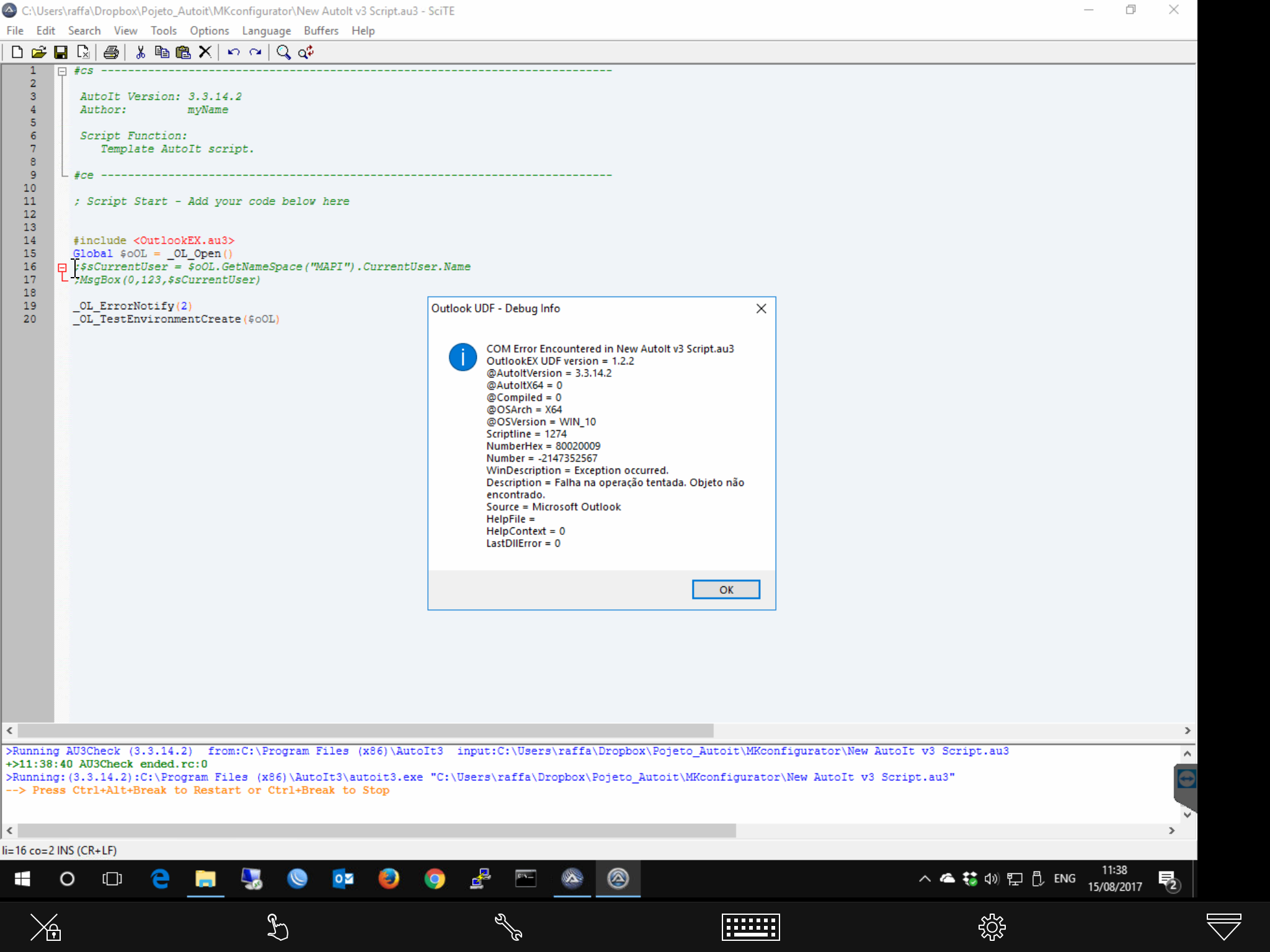
@water Good day I need one more help from you i qouted one of our talk so you can remembering the case, i was getting some problems with the udf and after some debug you find the fix, now I am getting the same error error 501 / extended 400 on a different pc, I run the step to get some Com debug and one messanger is different i will post it a soon I get to my pc, i even copy the same version outlookEx/constants from working pc. No success.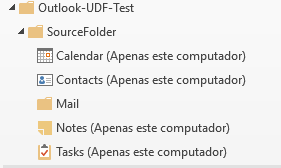
-
OutlookEX UDF - Help & Support (III)
Raffav replied to water's topic in AutoIt General Help and Support
@water thanks now works, but this way the assinature is removed, but for now it ok, i i can add manually -
OutlookEX UDF - Help & Support (III)
Raffav replied to water's topic in AutoIt General Help and Support
sorry is not working -
OutlookEX UDF - Help & Support (III)
Raffav replied to water's topic in AutoIt General Help and Support
HTML i was able to add a new text on the bottom #include <OutlookEX.au3> Global $oItem Global $oOutlook = _OL_Open() If @error <> 0 Then Exit MsgBox(16, "OutlookEX UDF", "Error creating a connection to Outlook. @error = " & @error & ", @extended = " & @extended) Global $Result = _OL_TestEnvironmentCreate($oOutlook) If @error <> 0 Then Exit MsgBox(16, "OutlookEX UDF - Manage Test Environment", "Error creating the test environment. @error = " & @error & ", @extended = " & @extended) $oItem = _OL_ItemCreate($oOutlook, $olMailItem, "*\Outlook-UDF-Test\TargetFolder\Mail", @ScriptDir & "\ENC_AWBB--(AWBBxxxx).oft") If @error <> 0 Then Exit MsgBox(16, "OutlookEX UDF: _OL_ItemCreate Example Script", "Error creating a mail in folder 'Outlook-UDF-Test\TargetFolder\Mail'. @error = " & @error & ", @extended = " & @extended) $asBody = _OL_ItemGet($oOutlook, $oItem, Default, "HTMLBody") $asBody[1][1] = "teste --> okok" _OL_ItemModify($oOutlook, $oItem, Default, "HTMLBody=" & $asBody[1][1]) ;~ $asBody = _OL_ItemGet($oOutlook, $oItem, Default, "BodyFormat") ;~ _ArrayDisplay($asBody) $oitem.Display _OL_Close($oOutlook) -
OutlookEX UDF - Help & Support (III)
Raffav replied to water's topic in AutoIt General Help and Support
1- i could not find where "Could you try "$oOL.Session.Accounts.Item(1).SMTPaddress" instead?" 2- i stated using the ex 5 but i cant get so far i get the ex tamplete on target folder,but i cant figured how to edit/modify it i will do some search on the photo is my template, and the body text in red it the part of the text that i want to change.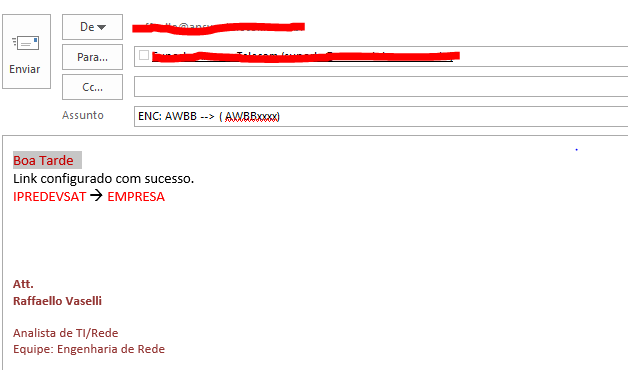
-
OutlookEX UDF - Help & Support (III)
Raffav replied to water's topic in AutoIt General Help and Support
Where, and how? @water maybe is better and easy to tell what i what i want o open a Template email, edit some variable(text) on body -
OutlookEX UDF - Help & Support (III)
Raffav replied to water's topic in AutoIt General Help and Support
@water thanks you, but now i got some error on some exemple scripts _OL_ItemCreate it stop on 1 one i also change the : $oItem = _OL_ItemCreate($oOutlook, $olAppointmentItem, "*\Outlook-UDF-Test\TargetFolder\Calendar", "", "Subject=TestSubject", "Start=" & _NowCalc(), "End=" & _DateAdd("h", 3, _NowCalc()), _ "Location=Building A, Room 10", "RequiredAttendees=" & $oOutlook.GetNameSpace("MAPI" ).CurrentUser) If @error <> 0 Then Exit MsgBox(16, "OutlookEX UDF: _OL_ItemCreate Example Script", "Error creating an appointment in folder 'Outlook-UDF-Test\TargetFolder\Calendar'. @error = " & @error & ", @extended = " & @extended) i get the error 1 | ext 4 -
OutlookEX UDF - Help & Support (III)
Raffav replied to water's topic in AutoIt General Help and Support
Worked -
OutlookEX UDF - Help & Support (III)
Raffav replied to water's topic in AutoIt General Help and Support
yes -
OutlookEX UDF - Help & Support (III)
Raffav replied to water's topic in AutoIt General Help and Support
i get a msg with "1" but had add my contact with my name on addressbook