
Opened on Sep 18, 2013 at 11:58:10 AM
Closed on Jan 1, 2014 at 9:54:43 PM
#2481 closed Feature Request (Completed)
FileSelectFolder - Windows 7 and later new window type
| Reported by: | Owned by: | Jon | |
|---|---|---|---|
| Milestone: | 3.3.11.0 | Component: | AutoIt |
| Version: | Severity: | None | |
| Keywords: | Cc: |
Description
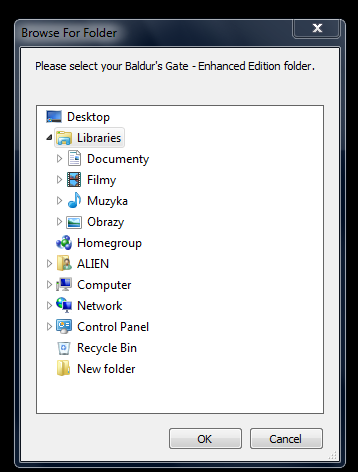
When one of the tool that I use ask me to select specific directory, it popups "Browse For Folder" window, which looks like this:
http://img191.imageshack.us/img191/2896/gm69.png
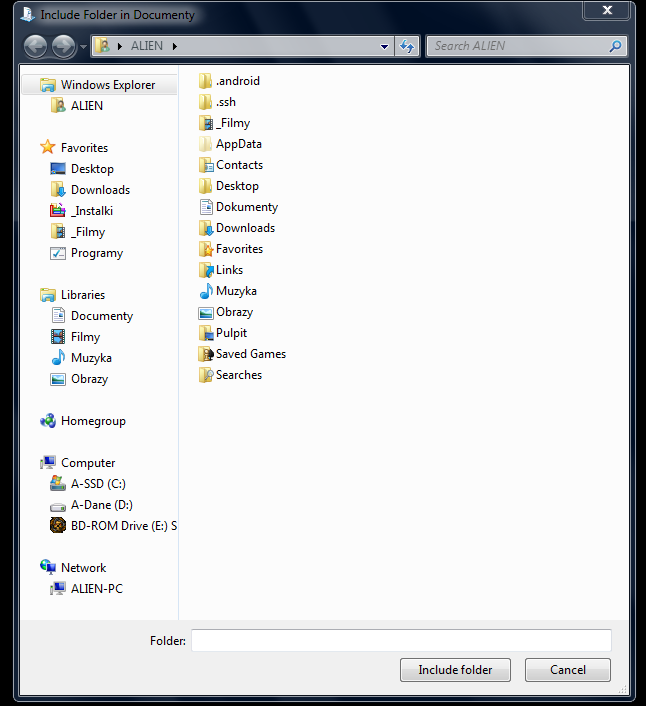
but in Windows 7 there is another window type, which looks like this:
http://img19.imageshack.us/img19/1278/pjcf.png
Is there any way to use this new window type instead of old one?
Attachments (4)
Change History (9)
comment:1 by , on Sep 18, 2013 at 8:52:44 PM
Very good question. I think this may be better off in the forum rather than on trac though.
There is a C# solution here: http://www.lyquidity.com/blog/?p=136
In terms of doing it from AutoIt: MS changed superseded all the old api call dialogs with objects, so now the file open/save dialogs both inherit from IFileDialog. My guess is that the new folder select dialog is the same.
I'll have a look later tonight hopefully and get you an AutoIt example.
comment:2 by , on Sep 18, 2013 at 10:29:01 PM
Hello,
I already asked about this: http://www.autoitscript.com/forum/topic/154698-fileselectfolder-windows-7-and-later-new-window-type/
Many thanks for you reply, the example for AutoIt would be great!
comment:3 by , on Nov 26, 2013 at 9:26:43 AM
| Type: | Bug → Feature Request |
|---|
comment:5 by , on Jan 1, 2014 at 9:54:43 PM
| Milestone: | → 3.3.11.0 |
|---|---|
| Owner: | set to |
| Resolution: | → Completed |
| Status: | new → closed |
Added by revision [9434] in version: 3.3.11.0
by , on Mar 19, 2015 at 2:24:07 PM
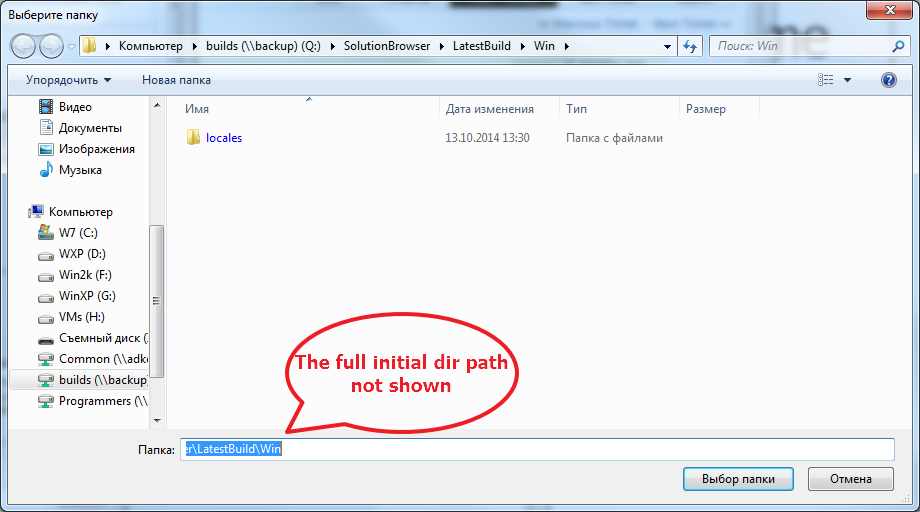
| Attachment: | Image 028.png added |
|---|
Don't seen initial dir path in the dialog.
by , on Aug 26, 2025 at 5:26:50 PM
| Attachment: | WhatsApp Image 2025-08-26 at 8.38.22 AM.jpeg added |
|---|







Old