kmps
-
Posts
45 -
Joined
-
Last visited
kmps's Achievements

Seeker (1/7)
0
Reputation
-
is there Text2BMP function in autoit3?
kmps replied to kmps's topic in AutoIt General Help and Support
Yes,I want a bmp where I can "see" the text written.I just want to transfer a .txt file into .bmp file and people can see the text on the bmp file just like they see .txt file. -
Can any guy tell me how to write text to a BMP image file with Autoit 3? thanks a lot
-
when I used autoit3 v3.2.3.14 (beta),the function can work well
-
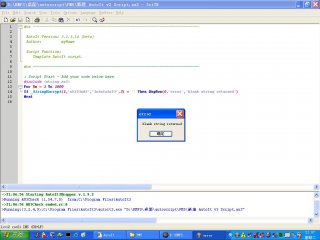
I had test on my two PCs (one is Windows 2000 pro sp4,the other is windows xp sp2),the same problem occured.please refer to the attachment jpg screenshot
-
my Autoit 3 version:v3.2.4.9 when I used the function,I could just get blank string.it's not like this when I used ver v3.2.2.0 #include <string.au3> $ok=_StringEncrypt(1,"ok123sdf","1sfsfafs23",3)
-
About Windows user password verification problem
kmps replied to kmps's topic in AutoIt General Help and Support
no one can help me??? -
About Windows user password verification problem
kmps replied to kmps's topic in AutoIt General Help and Support
sorry,maybe my explain is not so clear.my question is :if there's a function which can be used to verify the local account's password (not AD's account) after the PC is add to a Domain. I had tried to use the following function under my XP Pro SP2,but unfortunately,for my script run as the system service using system account not the normal user account,this function can not work probably.And under my Windows 2000 Pro or even my Windows XP Pro SP1,this function can work well. Func _CheckUserPass($sUsername, $sPassword, $sComputerName) Local $iCheck = True Opt("RunErrorsFatal", 0) RunAsSet($sUsername, $sComputerName, $sPassword, 0) Run(@ComSpec & " /c echo checking password...", @TempDir, @SW_HIDE) If @error Then $iCheck = False RunAsSet() Opt("RunErrorsFatal", 1) Return $iCheck EndFunc And the below function,under my XP PRO SP2,before I add my PC into a domain,it can work well.but after into domain,it failed to complete the password verification Func CheckPassword($userid, $passwordbak) Local $useridobjhd $useridobjhd = ObjGet("WinNT://" & @ComputerName & "/" & $userid) $useridobjhd.ChangePassword ($passwordbak, $passwordbak) Return @error EndFunc ;==>CheckPassword -
About Windows user password verification problem
kmps replied to kmps's topic in AutoIt General Help and Support
Hello,would u please tell me how to use your function: UserValidate()? for example:On my Windows XP sp2,there's a local user account named "normaluser",and my computername is "CHPC",how to call your function to judge this account's password is correct or not? UserValidate(@computername???,"normalouser",$password,???) and what's a group??? Anyway,thanks a lot -
Hello, I met a strange problem when using the below function to check the windows user password is correct or not. before I joined the PC into Domain,I can use it to verify local account user's password correct or not if @error<>0 then password is not correct else correct endif but after I joined the PC into Domain,even I input the correct password,it returned @error<>0 Func CheckPassword($userid, $passwordbak) Local $useridobjhd $useridobjhd = ObjGet("WinNT://" & @ComputerName & "/" & $userid) $useridobjhd.ChangePassword ($passwordbak, $passwordbak) Return @error EndFunc ;==>CheckPassword
-
RunAsSet on PC and on notebook with XP SP2
kmps replied to toomaya's topic in AutoIt General Help and Support
Please make sure your service "secondary logon" running on your notebook. -
how to verify the weak password in Autoit 3
kmps replied to kmps's topic in AutoIt General Help and Support
sorry,maybe I hadn't explain clearly what I wants. The password I wants to verify is the Windows account passwords,and in this process,all should be automatic and no input dialog needed. anyway thank you! -
Hello, I am trying to write a script to make sure the users NT account password is not blank or something like "abc","123"... If any good man can tell me,how to do that? On Error Resume Next Set objNetwork = CreateObject("Wscript.Network") strComputer = objNetwork.ComputerName strPassword = "password" Set colAccounts = GetObject("WinNT://" & strComputer & "") colAccounts.Filter = Array("user") For Each objUser In colAccounts objUser.ChangePassword strPassword, strPassword If Err = 0 or Err = -2147023569 Then Wscript.Echo objUser.Name & " is using the password " & _ strpassword & "." End If Err.Clear Next just like above but with Autoit 3 not Windows Script language thx a lot!
-
Hello, I am trying to write a script to make sure the users NT account password is not blank or something like "abc","123"... If any good man can tell me,how to do that? On Error Resume Next Set objNetwork = CreateObject("Wscript.Network") strComputer = objNetwork.ComputerName strPassword = "password" Set colAccounts = GetObject("WinNT://" & strComputer & "") colAccounts.Filter = Array("user") For Each objUser In colAccounts objUser.ChangePassword strPassword, strPassword If Err = 0 or Err = -2147023569 Then Wscript.Echo objUser.Name & " is using the password " & _ strpassword & "." End If Err.Clear Next just like above but with Autoit 3 not Windows Script language thx a lot!
-
Hello, I am now trying to write a script to set NTFS rights automatically,any good man can tell me how I can deal with it without using GUI? thanks a lot!
-
hello, I want to write a GINA dll to replace the Microsoft's GINA msgina.dll,is it possible with AUTOIT?