matrixnz
-
Posts
33 -
Joined
-
Last visited
matrixnz's Achievements

Seeker (1/7)
0
Reputation
-
Not sure if this is relevant, are you running the script at midnight? Had a password reminder script that ran once every day at midnight, however when day-light savings kicked in the dates were off by one day, due to the 1 hour difference.
-
User CallTips Manager gives error
matrixnz replied to DickG's topic in AutoIt General Help and Support
Encountered the same issue on a new machine: Windows 8.1 Enterprise x64, AutoIT 3.3.10.2, Scite 3.4.1. Added the Active Directory UDF: '?do=embed' frameborder='0' data-embedContent>> Wanted to incorporate the CallTips using "SciTE User CallTip Manager" using Header Mode, after parsing the file successfully received the error "Array variable has incorrect number of subscripts...". I was able to narrow it down to the following line: ; Syntax.........: _AD_ErrorNotify($iDebug[, $sDebugFile = @ScriptDir & "AD_Debug.txt"]) It was returning: _AD_ErrorNotify($iDebug[, $sDebugFile = @ScriptDir & "AD_Debug Could only assume it was something to do with StringRegExpReplace on that line, just renamed @ScriptDir & "AD_Debug.txt" to "" fixed it, don't know enough about regular expression to fix myself. Now just got figure out why the CallTips aren't appearing in Scite and I'll be sweet 8) Edit: Just found out that there was a newer version of AutoIT Scite Editor, that fixed the CallTips not appearing in Windows 8.1, although the Scite Config still doesn't parse the line above. -
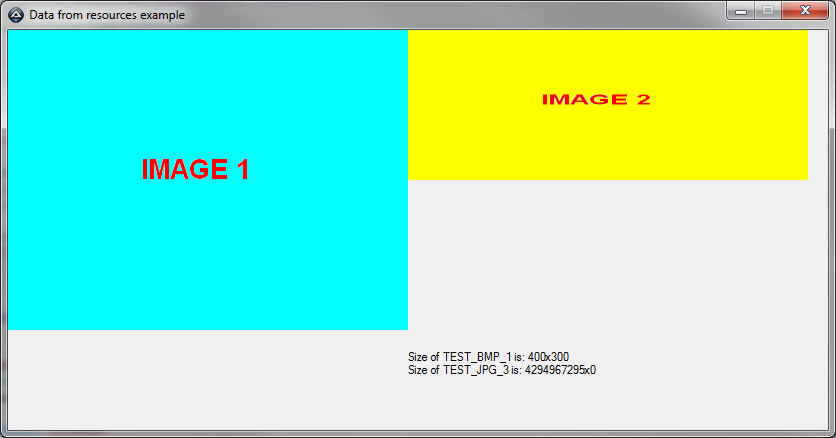
Update: Using Trancexx _ResourceGetAsRaw function appears to work in Windows 7 x64. ... _ResourceGetAsRaw(@AutoItExe, 10, "TEST_JPG_3") ... Also works with PNG with transparency which is really great. here Cheers
-
Hi Zedna, Yashied Tried both methods unfortunately still no change, no errors are reported. Also I should have said previously that _ResourceGet inconjunction with _SetBitmapToCtrl does work fine, it only crashed the script when attempting to use in conjunction with an icon. To set a Bitmap directly to a control _ResourceSetImageToCtrl($Control, "Resource", $RT_BITMAP) still works fine. Cheers
-
Hi Zedna In Windows 7(64bit) the following two functions no longer appear to work for displaying JPG and Gifs: _ResourceGetAsImage _ResourceSetImageToCtrl _SetBitmapToCtrl works fine _ResourceGet as you mentioned in your first post seems to have a memory leak and crashes the script I can confirm that the resources are being embedded correctly. Cheers
-
Elevate Your Script to the SYSTEM Account
matrixnz replied to wraithdu's topic in AutoIt Example Scripts
Sorry in the middle of a merger so been flat out, I have tried the Beta Version with the same results and using your original example. It's quite puzzling as I mentioned previously it does work if I create a scheduled task and as you verified via System Internals PSExec, but not via SCCM. Anyway thankyou for looking at it for me, I'll try look into it further and will post back if I resolve the issue. Thanks again. Cheers -
Elevate Your Script to the SYSTEM Account
matrixnz replied to wraithdu's topic in AutoIt Example Scripts
Forgot to mention I'm using AutoIT Version 3.3.0.0 Cheers -
Elevate Your Script to the SYSTEM Account
matrixnz replied to wraithdu's topic in AutoIt Example Scripts
Sorry for the delay, the entire code below, as I mentioned this is running from SCCM 2007 as the Local System Account, strange thing is if I create a scheduled Task to RunAs System, it does output the correct information in the two text files, but for what ever reason when using SCCM the output is "System" for both txt files. Cheers Global $ghADVAPI32 = DllOpen("advapi32.dll") Global $sLog = @ScriptDir & "\SystemElevateService.log" ; debug log Global $SVC_DEBUG = True ; write debug log _ImpersonateUserStart() $file = FileOpen"C:\Script\LoggedOnUser.txt", 10) FileWriteLine($file, @UserName & @CRLF) FileClose($file) _ImpersonateUserEnd() $file = FileOpen("C:\Script\ScriptExecutor.txt", 10) FileWriteLine($file, @UserName & @CRLF) FileClose($file) Func _ImpersonateUserStart($sProcess = "explorer.exe") Local Const $MAXIMUM_ALLOWED = 0x02000000 Local $ret = 0 Local $dwSession = DllCall("kernel32.dll", "dword", "WTSGetActiveConsoleSessionId") If @error Or $dwSession[0] = 0xFFFFFFFF Then Return 0 $dwSession = $dwSession[0] ; get PID of process in current session Local $aProcs = ProcessList($sProcess), $processPID = -1, $ret For $i = 1 To $aProcs[0][0] $ret = DllCall("kernel32.dll", "int", "ProcessIdToSessionId", "dword", $aProcs[$i][1], "dword*", 0) If Not @error And $ret[0] And ($ret[2] = $dwSession) Then $processPID = $aProcs[$i][1] ExitLoop EndIf Next If $processPID = -1 Then Return 0 ; failed to get PID ; open process Local $hProc = DllCall("kernel32.dll", "ptr", "OpenProcess", "dword", $MAXIMUM_ALLOWED, "int", 0, "dword", $processPID) If @error Or Not $hProc[0] Then Return 0 $hProc = $hProc[0] ; open process token $hToken = DllCall($ghADVAPI32, "int", "OpenProcessToken", "ptr", $hProc, "dword", $MAXIMUM_ALLOWED, "ptr*", 0) If @error Or Not $hToken[0] Then DllCall("kernel32.dll", "int", "CloseHandle", "ptr", $hProc) Return 0 EndIf $hToken = $hToken[3] ; impersonate the logged on user $ret = DllCall($ghADVAPI32, "int", "ImpersonateLoggedOnUser", "ptr", $hToken) If @error Or Not $ret[0] Then _DebugLog("Error impersonating user.") Else _DebugLog("Successfully impersonated user.") $ret = 1 EndIf DllCall("kernel32.dll", "int", "CloseHandle", "ptr", $hToken) DllCall("kernel32.dll", "int", "CloseHandle", "ptr", $hProc) Return $ret EndFunc ;==>_ImpersonateUserStart Func _ImpersonateUserEnd() Local $ret = DllCall($ghADVAPI32, "int", "RevertToSelf") If @error Or Not $ret[0] Then _DebugLog("Error reverting to self.") Return 0 Else _DebugLog("Successfully reverted to self.") Return 1 EndIf EndFunc ;==>_ImpersonateUserEnd() Func _DebugLog($sEvent) If $SVC_DEBUG Then FileWriteLine($sLog, @YEAR & @MON & @MDAY & " " & @HOUR & @MIN & @SEC & " [" & @AutoItPID & "] >> " & $sEvent) EndFunc -
Elevate Your Script to the SYSTEM Account
matrixnz replied to wraithdu's topic in AutoIt Example Scripts
My understanding is that "ImpersonateLoggedOnUser" will run under the logged on user context. The two functions I'd really like to use are _ImpersonateUserStart() and _ImpersonateUserEnd(). If I compile the code below and set it up to runas System Account in SCCM 2007. When I run the script: LoggedOnUser.txt @Username = SYSTEM ScriptExecutor.txt @Username = SYSTEM I believe that it should be: LoggedOnUser.txt @Username = Username ScriptExecutor.txt @Username = SYSTEM Is my understanding incorrect? _ImpersonateUserStart() $file = FileOpen("C:\Script\LoggedOnUser.txt", 10) FileWriteLine($file, @UserName & @CRLF) FileClose($file) _ImpersonateUserEnd() $file = FileOpen("C:\Script\ScriptExecutor.txt", 10) FileWriteLine($file, @UserName & @CRLF) FileClose($file) Functions... -
How to ImpersonateLoggedOnUser?
matrixnz replied to matrixnz's topic in AutoIt General Help and Support
Thanks Authenticity Unfortunately still no go, however by chance I found "http://www.autoitscript.com/forum/index.php?showtopic=104735&st=20&gopid=745505& it doesn't work exactly how I thought it should, I've left a comment with what I've found so far. Cheers -
Elevate Your Script to the SYSTEM Account
matrixnz replied to wraithdu's topic in AutoIt Example Scripts
Arghh, wish I had seen this post before posting my request yesterday http://www.autoitscript.com/forum/index.php?showtopic=105441 It's along the lines of what I've been trying to achieve except, I'm trying to toggle between the System Account and Logged on User Account. Unfortunately it doesn't work exactly the way I thought it would for example: _ImpersonateUserStart() ... Code here still appears to run under the context of the user executioner _ImpersonateUserEnd() _CreateProcessAsUser("notepad.exe", "explorer.exe") ; Works as intended i.e. under the logged on users account. Also found that it only works for applications run from the Local System, if I try to runas another user for example: - C:\>RUNAS /USER:Administrator "C:\Scripts\SystemElevate.exe -run explorer.exe notepad.exe" The example messages all display the Administrator (I thought that after _ImpersonateUserStart() it will display the actual logged on user). If I wanted to use an internal function like _IECreateEmbedded() I assume I'd have to create another script compile it and then use _CreateProcessAsUser("Explorer.exe, "CompiledScript") is that correct? Does anyone know a better way of achieving this? Summary of what I'm trying to achieve: - Using SCCM 2007, run a custom AutoIT Script using the Local System Account. - Within the Script Toggle between the Local System Account and the Logged on User (Allows opening URLs, Documents in the Users Context, which by proxy will allow the user to connect to the intranet, print, save the documents. - Continue the Script as the Local System Account. If anyone could assist with that it'd be great. Cheers -
How to ImpersonateLoggedOnUser?
matrixnz replied to matrixnz's topic in AutoIt General Help and Support
Hi Authenticity Sorry for the delay, had already tried that before posting, (I assume you were referring to $fDebugPriv) same problem unfortunately. Cheers -
How to ImpersonateLoggedOnUser?
matrixnz replied to matrixnz's topic in AutoIt General Help and Support
Hi Authenticity Thanks for the post, all I can say is woah, I can run this as the logged on user without any problems, but running it as a different user (runas) for example the local Administrator, I get the following error: _WinAPI_OpenProcess:Standard: Access is denied. Cheers -
Brief Overview of what I'm trying to achieve I have a program that runs as Local System Account, in the middle of this process I'd like to have the option to run IE, Word, etc.. as the currently logged in user. (The reason being is that, the System Account doesn't have access to the Web, Printers etc..) What I've found while searching is that you can use the WinAPI ImpersonateLoggedOnUser, the problem is I have no idea how to impliment it. Open Process Function http://msdn.microsoft.com/en-us/library/ms684320(VS.85).aspx Open Process Token Function http://msdn.microsoft.com/en-us/library/aa379295(VS.85).aspx Impersonate Logged On User Function http://msdn.microsoft.com/en-us/library/aa378612(VS.85).aspx From what I understand the simplist method is to get a user ProcessID for example Explorer.exe, then Open the Process, then Open the Process Token then use ImpersonateLoggedOnUser from the Process Token. However I can't seem to get it to work, I have no idea when it comes to Windows API so if anyone can assist it would be much appreciated. Here is what I've tried so far: #Include <WinAPI.au3> $ProcessID = ProcessExists("EXPLORER.exe") $ProcessHandle = _WinAPI_OpenProcess(0x0400, True, $ProcessID) $ProcessToken = _WinAPI_OpenProcessToken($ProcessHandle) MsgBox(0,'', $ProcessToken) ; Keeps returning 0, although $ProcessHandle Func _WinAPI_OpenProcessToken($pHandle) Local $hToken, $aResult $aResult = DllCall("Kernel32.dll", "int", "OpenProcessToken", "int", $pHandle, "int", "TOKEN_ALL_ACCESS", "int", $hToken) Return $aResult EndFunc
-
Embedding AVI into the resource. This is probably already common knowledge, and doesn't really having anything to do with Zednas resource script as such but it was along the same lines and I used this method along with Zednas Resource UDF to add the background images etc.. it so thought I'd share it for those that don't know. The Issue: I was hoping to have animation embedded into my gui, although Gifs are great, it appears they cannot be above another image, for example a background image. Hoping to embed several animations into the executable, using Zednas resources UDF I found I had to break the background image into separate sections and rebuild the Gif with a part of the background image for it to work correctly. Although this method worked it was a pain to control the Gif Image for example Hiding and Showing the control. AVI's don't appear to have these issues, although AVIs are larger than Gifs, so the file will be slightly larger, but for my animations it was like 10kb bigger. So using the same context as adding image resources and then calling the avi(s) from the excutable worked like a charm. For example #AutoIt3Wrapper_Run_After=ResHacker.exe -add %out%,%out%,%scriptdir%\Resources\AVI_Ani1.avi,avi,101,0 #AutoIt3Wrapper_Run_After=ResHacker.exe -add %out%,%out%,%scriptdir%\Resources\AVI_Ani2.avi,avi,102,0 ... GUICtrlCreateAvi(@ScriptFullPath,101,20,20,15,15,$ACS_AUTOPLAY+$ACS_TIMER) GUICtrlCreateAvi(@ScriptFullPath,102,40,20,15,15,$ACS_AUTOPLAY+$ACS_TIMER) ... Hope that helps someone. Cheers