botanic
-
Posts
232 -
Joined
-
Last visited

botanic's Achievements

-
Is it possible to use later parameters in a function while using the default values earlier, for example the following code prints "Default" _test(Default, 2) Func _test($sString="Test", $iNum=1) ConsoleWrite($sString & @CRLF) EndFunc I know I can do _test(Default, 2) Func _test($sString="Test", $iNum=1) if $sString = Default then $sString="Test" ConsoleWrite($sString & @CRLF) EndFunc but it makes the code a lot more of a pain when you change values and you have to do this for each function etc, is it possible to have it so that $sString uses the default value without checking for "Default" and resetting it?
-
I have 2 blocks such as 192.168.0.0/24 and 192.168.0.1/24, and I need to combine them into 192.168.0.0/23 Anyone know of any way to do this? or of any scripts for it? for example in Ruby I can use NetAddr.merge thanks
-
I have 2 scripts and i cant figure out why one works and the other doesnt. Working copy $PID = Run(@ComSpec & ' /k "C:\Program Files (x86)\Subrigo\X2Stor\' & $ConsoleCLI & '" ', "") Non Working copy (says "'C:\Program' is not recognized as an internal or external command,") $PID = Run(@ComSpec & ' /k ' & '"C:\Program Files (x86)\Subrigo\X2Stor\' & $ConsoleCLI & '" ', "") I am using latest autoit beta
-
using more memory at "ENDIF" statement?
botanic replied to botanic's topic in AutoIt General Help and Support
what is odd is that this increase never stops, so even if it is not actually using it having a process using 2GB of ram in task manager is not really proper -
using more memory at "ENDIF" statement?
botanic replied to botanic's topic in AutoIt General Help and Support
here is the logprint code, whats odd is logprint doesnt cause the problem anywhere else if it is the problem... as you can see in the log the 70k leak only happens at that one point but there is no leak between 2 and 3 etc I usually post code just im at such a loss as to what to even look at Func logprint($text, $nolog = 0, $line = @ScriptName, $name = @ScriptLineNumber) If $nolog Then MsgBox(0, "MyService", $text, 1) Else If Not FileExists($MainLog) Then FileWriteLine($MainLog, "Log created: " & @YEAR & "/" & @MON & "/" & @MDAY & " " & @HOUR & ":" & @MIN & ":" & @SEC) local $mem = (_getprivbytes(@AutoItPID)/ 1024) & " kb RAM" FileWriteLine($MainLog, @MDAY & "/" & @MON & "/" & @YEAR & " " & @HOUR & ":" & @MIN & ":" & @SEC & " [" & @AutoItPID & ":" & $line & ":" & $name & ":" & $mem & "] >> " & $text) If Not @Compiled Then ConsoleWrite($text & ":" & $name & @CRLF) EndIf Return 0 ;~ ConsoleWrite($text & @CRLF) EndFunc ;==>logprint Func _getprivbytes ($pid) local $wbemFlagReturnImmediately, $wbemFlagForwardOnly, $colItems, $strComputer, $objWMIService, $colItems $wbemFlagReturnImmediately = 0x10 $wbemFlagForwardOnly = 0x20 $colItems = "" $strComputer = "localhost" $objWMIService = ObjGet("winmgmts:\\" & $strComputer & "\root\CIMV2") $colItems = $objWMIService.ExecQuery("SELECT * FROM Win32_PerfFormattedData_PerfProc_Process", "WQL", _ $wbemFlagReturnImmediately + $wbemFlagForwardOnly) If IsObj($colItems) then For $objItem In $colItems If $pid = $objItem.IDProcess Then Return $objItem.PrivateBytes Next Endif Return 0 EndFunc -
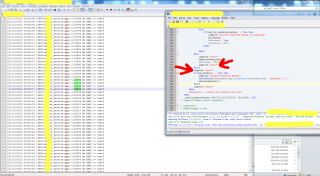
I have been trying to track down where in my script there is an issue with memory and i was able to track it down to between 2 lines, however it is an "endif"? Please see attached image I have no idea what could possibly cause this... As you can see from the log between "test3" and "test4" there is a consistent 70k ram jump, the only thing between "test3" and "test4" however is an endif... if someone can point me in another direction to look I am totally at a loss and this is causing some major memory issues as i have seen the script get over 2gb of ram as this is a pretty short loop
-
nevermind seems i missed something... thats not what is leaking
-
I have the following test code and when i run it the memory used by autoit just keeps going up and up is there something i am doing wrong? ;#NoTrayIcon #RequireAdmin #region ;**** Directives created by AutoIt3Wrapper_GUI **** #AutoIt3Wrapper_Version=Beta #AutoIt3Wrapper_Icon=x2stor.ico #AutoIt3Wrapper_UseUpx=n #endregion ;**** Directives created by AutoIt3Wrapper_GUI **** #include <x2stor_lib.au3> Dim $MainLog = @AppDataCommonDir & "\X2Stor\test.log" While 1 test('http://google.com', "") WEnd Func test($sURL, $sData = "") Local $oHTTP = ObjCreate("WinHttp.WinHttpRequest.5.1") $oHTTP.Open("POST", $sURL, False) If (@error) Then Return SetError(1, 0, 0) $oHTTP.SetRequestHeader("Content-Type", "application/x-www-form-urlencoded") $oHTTP.Send($sData) If (@error) Then Return SetError(2, 0, 0) If ($oHTTP.Status <> $HTTP_STATUS_OK) Then Return $oHTTP.ResponseText Return $oHTTP.ResponseText EndFunc ;
-
run not working with @ScriptDir
botanic replied to botanic's topic in AutoIt General Help and Support
Got it the following code worked! Had to put " " on the path @ComSpec & " /k " & """" & @ScriptDir & "\" & $rsyncpath & """" & $ConsoleCLI & ">" & $logfile -
I have the following code $PID = Run(@ComSpec & " /k " & @ScriptDir & "\" & $ConsoleCLI & ">" & $logfile, "") The @ScriptDir is "C:Program Files (x86)test" however when it tries to run i get the following error If anyone can help with why this isnt working, thanks a ton! I printed the whole string and it comes out to
-
Its specifically an issue with self-signed certs, http works as well as https to a non-self-signed url I have found a few things but nothing that helped
-
I have been working on this for awile and I can get https to work with valid certs but not unsigned ones. Here is my current code, I tried to set Option('WinHttpRequestOption_SslErrorIgnoreFlags' = 0x3300) but it didnt seem to do anything... $file = FileOpen($configfile) $data = FileRead($file) HttpPost("https://" & $systemsettings[_ArraySearch($systemsettings, 'remoteserver')][1] & "/post.php", $data) Func HttpPost($sURL, $sData = "") Local $oHTTP = ObjCreate("WinHttp.WinHttpRequest.5.1") $oHTTP.Open("POST", $sURL, False) If (@error) Then Return SetError(1, 0, 0) $oHTTP.Option('WinHttpRequestOption_SslErrorIgnoreFlags' = 0x3300) $oHTTP.SetRequestHeader("Content-Type", "application/x-www-form-urlencoded") $oHTTP.Send($sData) If (@error) Then Return SetError(2, 0, 0) If ($oHTTP.Status <> $HTTP_STATUS_OK) Then Return SetError(3, 0, 0) Return SetError(0, 0, $oHTTP.ResponseText) EndFunc ;==>HttpPost here is the error im getting
-
was able to make it work by using BinaryToString (InetRead('https://www.autoitscript.com', 2),1)
-
I am trying to use _INetGetSource with https, it works fine with http but when i do #include <Inet.au3> ConsoleWrite(_INetGetSource('https://www.autoitscript.com')) it returns a empty string
-
read ini continousally best pratices
botanic replied to botanic's topic in AutoIt General Help and Support
I have a few scripts that work together and act based on settings in some ini files. So i have script A write to an ini file and i need script B and C to be able to see the update and do stuff based on it.