RvdH
-
Posts
59 -
Joined
-
Last visited
RvdH's Achievements

Wayfarer (2/7)
0
Reputation
-
DISM console progress using StdoutRead
RvdH replied to RvdH's topic in AutoIt General Help and Support
Wow, Mat that's fantastic Just tried to port it to the actual DISM console window, Local $iY = DllStructGetData($tScreenBufferInfo, "CursorPositionY") seems off, it doesn't display the progress. Once changed to '5' it functions correctly. -
DISM console progress using StdoutRead
RvdH replied to RvdH's topic in AutoIt General Help and Support
@Manadar Thx, guess you are right @Mat, To be honest, your suggestion for me is way out of my (AutoIt) programming skills. With other words i have no clue of where to start from. Maybe you could add it to your "TODO" list for your console udf? -
DISM console progress using StdoutRead
RvdH replied to RvdH's topic in AutoIt General Help and Support
@Mat Reading percentage value, how do i accomplish that? Don't i have the exact same issue as above using that technique? -
DISM console progress using StdoutRead
RvdH replied to RvdH's topic in AutoIt General Help and Support
@Manadar Thx for the prompt reply Looks like you are right, progress indicator just hangs. So it seems like you said AutoIt is not reading the dynamic changing values in a line... damn, another way to accomplish that? -
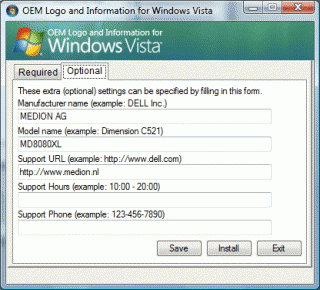
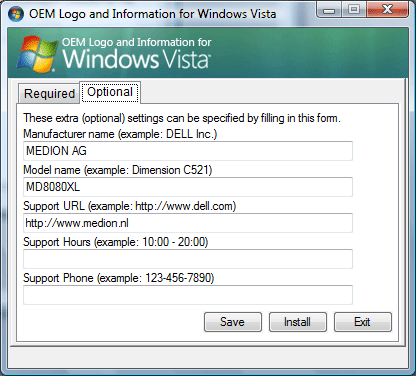
Hello, It has been a while last time i was here, nice to see everything is still up and running like it was in the time i joined here. Anyone can help me out, i like to read DISM StdoutRead and display a custom progress bar using AutoIt I have found some partial scripts here, but none seems to work with DISM In the code below the idea was to read out the increasing '=' signs as shown in the pics above #RequireAdmin Opt("MustDeclareVars", 0) ; Script Start - Add your code below here ; Set the max number of = signs to expect $maxTicks = 52 ;26 = signs both left and right from the percentage indicator ; Run the child process, connecting to its STDOUT pipe $process = Run(@COMSPEC & ' /k dism /mount-wim /wimfile:' & @ScriptDir & '/boot.wim /index:1 /mountDir:C:\Mount', @ScriptDir, @SW_HIDE, 2) ; Show the progress bar ProgressOn("= Count", "Counting...") ; Read from the child's STDOUT While 1 $readTicks = StdoutRead($process) ; if StdoutRead sets @error to -1 we're at EOF, so exit If @error = -1 Then ExitLoop StringReplace($readTicks, "=", "0") ; StringReplace keeps a count of chars it replaces in @extended $totalTicks += @extended ; Adjust the progress bar ProgressSet(($totalTicks / $maxTicks) * 100) WEnd ; Hide the progress bar ProgressOff() MsgBox(0, "Debug", "Done.") ; Finished Anyone got an idea how to make this work? RvdH
-
Awesome, currenly trying to learn what each procedure does but already found out i needed another var "$oItem.Name" to get to the fll path updated script: #include <GuiConstants.au3> Global $avArray[1][3], $objWMIService, $colItems, $oItem, $n Global $hGUI, $ctrlCombo, $ctrlButton, $sData ; Connect to object $objWMIService = ObjGet("winmgmts://" & @ComputerName & "/root/MicrosoftIISv2") If Not IsObj($objWMIService) Then MsgBox(16, "Error", "$objWMIService is not an object.") Exit EndIf ; Query for sites $colItems = $objWMIService.ExecQuery("Select * from IIsWebServerSetting") If $colItems.count > 0 Then ; Build array of sites ReDim $avArray[$colItems.count + 1][3] $avArray[0][0] = $colItems.count $n = 1 For $oItem In $colItems $avArray[$n][0] = $oItem.ServerComment $avArray[$n][1] = $oItem.LogFileDirectory $avArray[$n][2] = $oItem.Name $n += 1 Next ; Build GUI $hGUI = GUICreate("Combo Test", 400, 200) $ctrlCombo = GUICtrlCreateCombo($avArray[1][0], 20, 20, 360, 100) $ctrlLabel_1 = GUICtrlCreateLabel("Selected Name: ", 20, 60, 360, 20) $ctrlLabel_2 = GUICtrlCreateLabel("Selected Path: ", 20, 100, 360, 20) $ctrlButton = GUICtrlCreateButton("READ", 150, 150, 100, 30) If $avArray[0][0] > 1 Then For $n = 2 To $avArray[0][0] GUICtrlSetData($ctrlCombo, $avArray[$n][0]) Next EndIf GUISetState() ; GUI message loop While 1 Switch GUIGetMsg() Case $GUI_EVENT_CLOSE Exit Case $ctrlButton ; Read combo and set labels $sData = GUICtrlRead($ctrlCombo) GUICtrlSetData($ctrlLabel_1, "Selected Name: " & $sData) For $n = 1 To $avArray[0][0] ; Find matching entry in array If $avArray[$n][0] = $sData Then GUICtrlSetData($ctrlLabel_2, "Selected Path: " & $avArray[$n][1] & "\" & StringReplace($avArray[$n][2],"/","") & "\") ExitLoop EndIf Next EndSwitch WEnd Else MsgBox(16, "Error", "Collection contained no objects.") Exit EndIf
-
this is what i have right now, $objWMIService = ObjGet("winmgmts://" & @ComputerName & "/root/MicrosoftIISv2") If Not IsObj($objWMIService) Then MsgBox(16, "Error", "$objWMIService is not an object.") Exit EndIf ;Get IIS Log Directories dim $avArray[1][2] $colItems = $objWMIService.ExecQuery ("Select * from IIsWebServerSetting") If $colItems.count > 0 Then For $colItem In $colItems $avArray[UBound($avArray) - 1][0] = $colItem.ServerComment $avArray[UBound($avArray) - 1][1] = $colItem.LogFileDirectory ReDim $avArray[UBound($avArray) + 1][2] Next ReDim $avArray[UBound($avArray) - 1][2] ;_ArrayDisplay($avArray, "Array with IIS websites") GUICreate("My GUI combo") ; will create a dialog box that when displayed is centered GUISetState(@SW_SHOW) $Combo = GUICtrlCreateCombo ("", 10,10) ; create first item For $i = 0 To Ubound($avArray) - 1 $output = GUICtrlSetData(-1,$avArray[$i][0]) ; add sites Next GUISetState() While 1 $msg = GUIGetMsg() Switch $msg Case $GUI_EVENT_CLOSE Exit Case $Combo MsgBox(0, "", GUICtrlRead($Combo)) EndSwitch WEnd Else MsgBox(16, "Error", "Collection contained no objects.") Exit EndIf But how do i get back the value of the selected LogFilePath Array, eg: $avArray[$i][1] instead of the sites name, eg: $avArray[$i][0] ?
-
Can i ask you guys help once more, ok this array thingy is working preety ok now, but now my next dillema, Now i want to create a GUI with a ComboBox who will display the website names (col1), for the selected site i like to update a variable with the LogFilePath value (col2) So if "domain 2" is selected i like to set a $logfilepath variable to "path2"
-
yep with yours i also have it returned like: [0] 9 | [1] domain1 | path1 [2] domain2 | path2 [3] domain3 | path3 [4] domain4 | path4 [5] domain5 | path5 [6] domain6 | path6 [7] domain7 | path7 [8] domain8 | path8 [9] domain9 | path9 I got it working this way currently: $objWMIService = ObjGet("winmgmts://" & @ComputerName & "/root/MicrosoftIISv2") If Not IsObj($objWMIService) Then MsgBox(16, "Error", "$objWMIService is not an object.") Exit EndIf ;Get IIS Log Directories dim $avArray[1][2] $colItems = $objWMIService.ExecQuery ("Select * from IIsWebServerSetting") If $colItems.count > 0 Then For $colItem In $colItems $avArray[UBound($avArray) - 1][0] = $colItem.ServerComment $avArray[UBound($avArray) - 1][1] = $colItem.LogFileDirectory ReDim $avArray[UBound($avArray) + 1][2] Next ReDim $avArray[UBound($avArray) - 1][2] _ArrayDisplay($avArray, "Array with IIS websites") Else MsgBox(16, "Error", "Collection contained no objects.") Exit EndIf
-
Yep, that did it... now i just need to take yours and build-in the error handling posted by PsaltyDS
-
Cool that seems to work, a few additional questions though... First, How to eliminate the empty array row [0]? I have got 10 values displayed now, as illustrated below but why does row [0] says 9 in Col 1? [0] 9 | [1] domain1 | path1 [2] domain2 | path2 [3] domain3 | path3 [4] domain4 | path4 [5] domain5 | path5 [6] domain6 | path6 [7] domain7 | path7 [8] domain8 | path8 [9] domain9 | path9
-
Hi, I'm crafting up a GUI tool that can (re-)parse AWStats logs on a IIS Webserver, eventually in the GUI i wan't to create a Dropdown that show a list with site names, once selected the value from LogfilePath is taken to proceed the actions. I'm trying to create 2 dimensional array containing - The Sites name - The LogfilePath for this specific site I'm using WMI to grab the sitenames and logfilepath for the specific sites, eg: #include <Array.au3> $objWMIService = ObjGet("winmgmts://" & @ComputerName & "/root/MicrosoftIISv2") ;Get IIS Log Directories $n = 0 dim $avArray[1] $colItems = $objWMIService.ExecQuery ("Select * from IIsWebServerSetting") For $colItem In $colItems ; $colItem.ServerComment = Site description ; $colItem.LogFileDirectory = Site LogFilePath $n += 1 _ArrayAdd($avArray, $colItem.ServerComment) ReDim $avArray[$n] Next _ArrayDisplay($avArray, "Array with IIS websites") No problems creating a single column array as in the example above, but i can not find any straigtforward documentation on how to create a 2 dimensional array holding the $colItem.LogFileDirectory as 2nd parameter. I have seen some examples, code excerpts that use something like this: dim $avArray[1][2] But as it seems i can not use _ArrayAdd command to add the second value, anyone can help me out here? thx, RvdH
-
RegWrite does not work on 2003 x64
RvdH replied to gminnick's topic in AutoIt General Help and Support
When running on 64-bit Windows if you want to write a key or value specific to the 64-bit environment you have to suffix the HK... with 64 i.e. HKLM64. -
X64 - Wow64DisableWow64FsRedirection
RvdH replied to RvdH's topic in AutoIt General Help and Support
Can anyone confirm and check what martin wrote? Thx, RvdH -
X64 - Wow64DisableWow64FsRedirection
RvdH replied to RvdH's topic in AutoIt General Help and Support
Hi Kandie Man , My script is not like that. I do not use dll's call whatsoever, just coping files and adding regsitry entries I just wan't the program to copy OEM specific files to "C:\Windows\System32\oobe\" both on X86 and the X64 platform Without Wow64DisableWow64FsRedirection on X64 the autoit program would copy these files to: C:\Windows\Syswow64\oobe\ instead of: C:\Windows\System32\oobe\ These files need to be in: C:\Windows\System32\oobe\ to be displayed properly