Delai
-
Posts
40 -
Joined
-
Last visited
Delai's Achievements

Seeker (1/7)
0
Reputation
-
@Musashi Sorry, I want to replace % with \% when are variuos in the same line like has described @pixelsearch @pixelsearch Thank you very much for your help. I will try your approach;
-
Hi, and thqnks in advance for your help, The string is found five times in the same line. The problem is that the stringreplace always changes the first string founded. The Line in question before the changes is: En un estudio sobre la presencia de mujeres en las empresas tecnológicas se observa que el 20 % de los operarios, el 40 % de los ingenieros y el 30 % de los directivos son mujeres. Se sabe que en estas empresas el 20 % de las plantillas son directivos, el 35 % son ingenieros y el resto son operarios. Se elige un trabajador al azar de una de estas empresas. After the changes, the result is: En un estudio sobre la presencia de mujeres en las empresas tecnológicas se observa que el 20 \\\\\% de los operarios, el 40 % de los ingenieros y el 30 % de los directivos son mujeres. Se sabe que en estas empresas el 20 % de las plantillas son directivos, el 35 % son ingenieros y el resto son operarios. Se elige un trabajador al azar de una de estas empresas. For $j = 1 to $CountLinesTest IF StringInStr ($LineTest, "€") OR StringInStr ($LineTest, "%") THEN $sString = StringStripWS($LineTest, $STR_STRIPLEADING + $STR_STRIPTRAILING + $STR_STRIPSPACES) $Line_Split = StringSplit($sString, " ") For $i=1 to $Line_Split[0] Select Case .... Case StringInStr ($Line_Split[$i], "%") IF $Line_Split[$i] == "%" AND $i > 1 AND StringRegExp($Line_Split[$i-1], "^\d*\.?\d+$") THEN $Replace = StringReplace($LineTest, $Line_Split[$i], "\%", 1) _FileWriteToLine($FileTest, $j, $Replace, 1) $LineTest = $Replace ELSEIF ...... ELSEIF ........ ENDIF EndSelect NEXT ENDIF NEXT
-
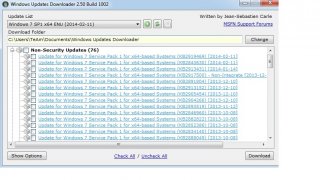
Hi, i have tried to get text from items in systreeview32, but without success, Here are my script and Images from a program
-
i have found the problem, my file restoredesktop.cmd is the following: @echo off IF EXIST %SystemRoot%SysWOW64 "%ProgramFiles%DesktopCmdDesktopcmd64.exe" Restore /n "Layout 1366 x 768" /Y IF NOT EXIST %SystemRoot%SysWOW64 "%ProgramFiles%DesktopCmdDesktopcmd.exe" Restore /n "Layout 1366 x 768" /Y EXITWhen i convert my autoit script to exe, it understand the path "%ProgramFiles%DesktopCmdDesktopcmd64.exe" as "C:Program Files (x86)DesktopCmdDesktopcmd64.exe" and then it tells it has not found the specified path But When i convert my autoit script to exe checking in the program Aut2exe x64 , it understand the path well "%ProgramFiles%DesktopCmdDesktopcmd64.exe" as "C:Program FilesDesktopCmdDesktopcmd64.exe" and it has worked. I don´t understand why because when i run the .cmd file separately, it works perfectly, anyone please can explain me Thanks
-
Hi i am unable to execute the file restoredesktop.cmd, here is the sentence $FileRestore = @DesktopDir & "RestoreDesktop.cmd" RunWait (@ComSpec & ' /c "' & $FileRestore & '"', @DesktopDir, @SW_HIDE) Thanks
-
Change resolution to the recomended
Delai replied to Delai's topic in AutoIt General Help and Support
It works well, but any suggest please how to change the resolution to (recomended) instead of 1024x768, i means as in the resolutions display, usually there is one recomended which i don´t know automatically until i enter. i want to select that resolution without to know which is it? -
Hi i want to change the resolution display to the recomended, but it does not work. here is my script: #include <GuiConstantsEx.au3> #include <WindowsConstants.au3> Opt("WinTitleMatchMode", 2) $Title = "Resolución" RunWait("RunDll32.exe shell32.dll,Control_RunDLL desk.cpl") WinActivate($Title) sleep (500) $Title2= WinGetTitle ( $Title, "Pantalla" ) $Combo = ControlCommand($Title2,"","DirectUIHWND4","FindString", 'recomendado') ControlCommand($Title2,"","DirectUIHWND4","SetCurrentSelection", $Combo)
-
I have tried this simple script to see if it finds firstly the windows but it gives me no text. Global $Title = "Seleccionar actualizaciones para instalar" Global $listview_test = "[CLASS: WuDuiListView; INSTANCE: 1]" Global $hWnd = WinGetHandle($Title) ConsoleWrite("$hWnd = " & $hWnd & @LF) Global $hLV = ControlGetHandle($hWnd, "", $listview_test) ConsoleWrite("$hLV = " & $hLV & @LF)
-
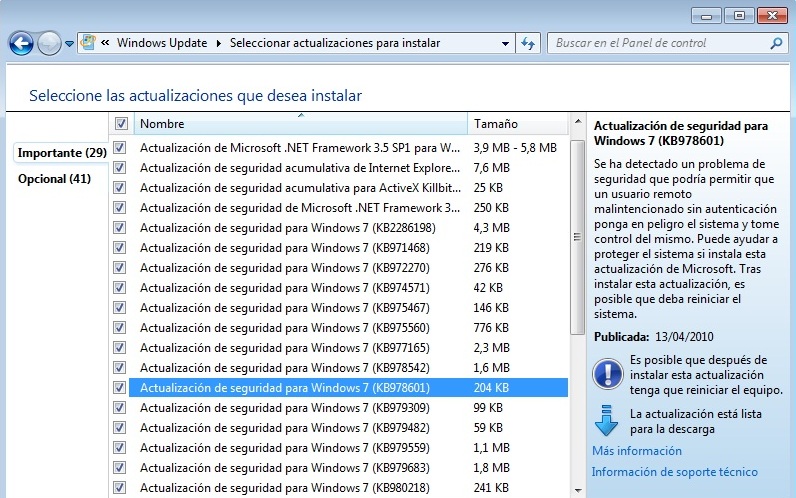
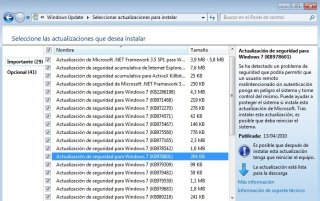
I am wondering please if is there an example of someone to copy the whole text from windows update on windows 7 to a text file. I have used this expression but it gives a blank text. $Text = ControlGetText("Seleccionar actualizaciones para instalar", "", "[CLASS: WuDuiListView; INSTANCE: 1]") MsgBox(0, "Text read was:", $text) the controls given by autoitinfo are: >>>> Window <<<< Title: Seleccionar actualizaciones para instalar Class: CabinetWClass Position: 0, 0 Size: 800, 560 Style: 0x14CF0000 ExStyle: 0x00000100 Handle: 0x00070078 >>>> Control <<<< Class: WuDuiListView Instance: 1 ClassnameNN: WuDuiListView1 Advanced (Class): [CLASS:WuDuiListView; INSTANCE:1] ID: Text: Position: 103, 85 Size: 477, 387 ControlClick Coords: 110, 199 Style: 0x50200100Here is the image:
-
Thanks very much, I will try it and reply.
-
Hi i would like to select multiple checkboxes and save them, then compare with othe sentence. Here is my script: #Include <File.au3> #Include <GUIConstants.au3> #Include <Array.au3> DIM $checked[5] $Fileopen = FileOpen(".\Files\SVCPACK.INF", 2) If $fileopen = -1 Then MsgBox(0, "Error", "Unable to open file.") Exit EndIf $FileList=_FileListToArray(@ScriptDir & "\SVCPACK") Here i read all the files from the directory and i save them If @Error=1 Then MsgBox (0,"","No Files\Folders Found.") Exit EndIf $number = $FileList[0] msgbox(0,'',$number) GUICreate("SVCPACk WHOLE PROCESS", 800, 420) GUISetBkColor(0x00E0FFFF) $tab=GUICtrlCreateTab (5,5, 600,400) ;::::::::::::::::::::::::::::::::::::::::::::::::::::::::::::::::::::::::::::::::::::::::::::::::::: $tab0=GUICtrlCreateTabitem ("Exclude To Internet") GUICtrlSetFont (-1,"12","800","", "Comic Sans MS") $Button_1 = GUICtrlCreateButton ("OK", 200, 360, 100) GUICtrlSetFont (-1,"12","800","", "Comic Sans MS") $Height_1=40 $Height_2=40 $Height_3=40 $Height_4=40 For $i=1 to $FileList[0] Select Case $i >= 1 AND $i <= 15 $FileList[$i] = GUICtrlCreateCheckBox ($FileList[$i], 15, $Height_1, 130, 20) $Height_1 += 20 Case $i >= 16 AND $i <= 30 $FileList[$i] = GUICtrlCreateCheckBox ($FileList[$i], 150, $Height_2, 130, 20) $Height_2 += 20 Case $i >= 31 AND $i <= 45 $FileList[$i] = GUICtrlCreateCheckBox ($FileList[$i], 285, $Height_3, 130, 20) $Height_3 += 20 Case $i >= 46 AND $i <= 60 MsgBox(0, "Example", "$var was greater than 30") Case $i >= 61 AND $i <= 75 MsgBox(0, "Example", "$var was greater than 40") EndSelect Next ;::::::::::::::::::::::::::::::::::::::::::::::::::::::::::::::::::::::::::::::::::::::::::::::::::: :::::::::::::::::: $tab1=GUICtrlCreateTabitem ("Remove These Updates") $tab2=GUICtrlCreateTabitem ("Create SVCPACK.INF") GUISetState () While 1 $msg = GUIGetMsg() Switch $msg Case $GUI_EVENT_CLOSE Exit Case $Button_1 For $i=1 to $FileList[0] IF BitAND(GUICtrlRead($FileList[$i]), $GUI_CHECKED) = $GUI_CHECKED Then $checked[$i] = $i !My first problem: Here i would like only save the position selected checkboxes in a variables which may be 2 or 3 or 4, the problem if the number of the checkbox is 30, i must add the dim of the array $Checkbox to >30 EndIf Next For $i=1 to $FileList[0] $FileRead = GUICtrlRead($FileList[$i],1) IF $FileRead == GUICtrlRead($FileList[$Checked !My other Problem],1) Then My Problem: here i read the filelist (ony by one) and i would like to compare it with the text of the only selected checkboxes which may be are 2 or 3 ElseIF $FileRead == "IE7.exe" Then FileWrite($Fileopen, $FileRead & " /quiet /update-no /nobackup /norestart" & @CRLF) ElseIf $FileRead == "KB890830.exe" Then FileWrite($Fileopen, $FileRead & " /q" & @CRLF) ElseIf $FileRead == "qchain.exe" Then FileWrite($Fileopen, $FileRead & @CRLF) Else FileWrite($Fileopen, $FileRead & " /passive /norestart /quiet" & @CRLF) EndIf Next Next EXitLoop EndSwitch WEnd GuiDelete()
-
Ok, i have changed the IECreate to IEAttach to not redirect but without success, because it does not find any frame, i dont know why?
-
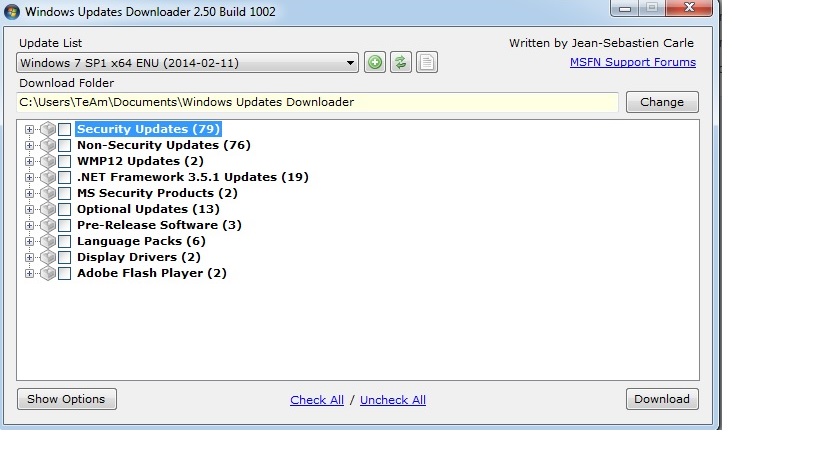
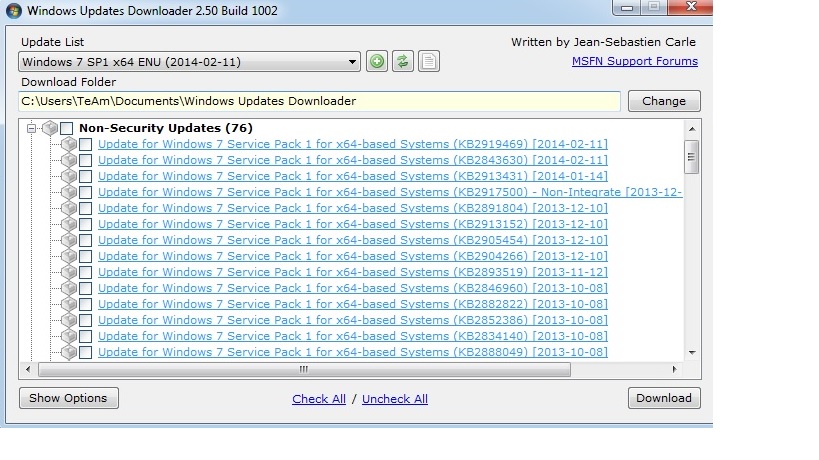
Hi, i want to copy all the updates KB**** to a a text file from windows updates, but it does not copy me anything. Here is my script:
-
My question was different because i don´t know the amount of loops before.
-
Is there any wat to declare an array without specifiy exactly the number. Global $aFile[22] ::::::> [b]Here i don´t want to put the number 22, only want to put something that depends exactly to the files founded in the following search[/b] Global $iCount = 0 $hSearch = FileFindFirstFile((@ScriptDir & "\desti\Plugins\*.ini") if $hSearch = -1 then MsgBox(0, "Error", "No files/directories matched the search pattern") Exit endif while $iCount < UBound($aFile) $sFile = FileFindNextFile($hSearch) if @Error then ExitLoop $aFile[$iCount] = $sFile $iCount = $iCount + 1 wend FileClose($hSearch) for $iI = 0 to $iCount - 1 MsgBox(4096, "File", $iI & ".File: " & $aFile[$iI]) next