Bodman
-
Posts
53 -
Joined
-
Last visited
Bodman's Achievements

Wayfarer (2/7)
0
Reputation
-
 Bodman reacted to a post in a topic:
Can anyone help me format this line "'"'"'"'""
Bodman reacted to a post in a topic:
Can anyone help me format this line "'"'"'"'""
-
Can anyone help me format this line "'"'"'"'""
Bodman replied to Bodman's topic in AutoIt General Help and Support
Brilliant that was it, thank you -
Can anyone help me format this line "'"'"'"'""
Bodman replied to Bodman's topic in AutoIt General Help and Support
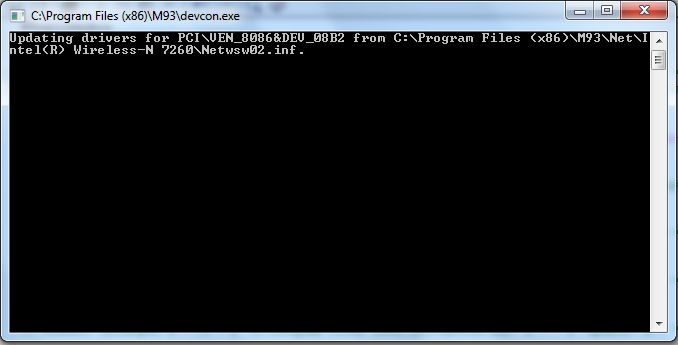
Thanks everyone for the replies, Im a little closer if I change the script to use ShellExecuteWait like this ShellExecuteWait (@ProgramFilesDir & "\M93\devcon.exe", "update " & chr(34) & @ProgramFilesDir & "\M93\Net\Intel(R) Wireless-N 7260\Netwsw02.inf" & chr(34) & " PCI\VEN_8086&DEV_08B2",@SW_HIDE ) it all works fine, but im back to my original problem I had just simply running a Bat file, - the command window appears I have used in the past (loooong time ago) files like CMDOW and Quiet to hide this type of window for silent installs, but I know that's not a good solution, any help please
-
Can anyone help me format this line "'"'"'"'""
Bodman replied to Bodman's topic in AutoIt General Help and Support
I actually tried that at first but I want to do this as part of a silent install and its easier to hide the window using autoit -
Bodman reacted to a post in a topic:
Can anyone help me format this line "'"'"'"'""
-
Bodman reacted to a post in a topic:
Can anyone help me format this line "'"'"'"'""
-
Hi All, I am trying to convert a snip of code I use in a BAT file to autoit, but im falling down at the formatting of the "" and ' etc. this is my BAT line "C:\Program Files (x86)\M93\devcon.exe" update "C:\Program Files (x86)\M93\Display\Intel(R) HD Graphics 4600\kit64ib.inf" "PCI\VEN_8086&DEV_0412" and my attempt at a AutoIT line RunWait (@ComSpec & " /k " & @ProgramFilesDir & "\M93\devcon.exe" & " " & "update" & " " & @ProgramFilesDir & "\M93\Display\Intel(R) HD Graphics 4600\kit64ib.inf" & " " & "PCI\VEN_8086&DEV_0412","", @SW_MAXIMIZE) I know im close, but not just there. Thanks in advance for any help
-
Thanks Both, im sorry my example of my code above was bad. Ill try to explain what im doing. I want to open the startup folder for the logged on user but run the script as a admin So I want to run Run("explorer.exe " & @StartupDir) and this opens the folder C:UsersLOCALUSERNAMEAppDataRoamingMicrosoftWindowsStart MenuProgramsStartup but when UAC kicks in and I enter the admin details. It doesnt open this folder. In A Ideal world the UAC wouldnt kick in until the func is called.
-
I have written a script and used the code Func Print() #RequireAdmin Run(@COMSPEC & " /c RunDll32 shell32.dll,SHHelpShortcuts_RunDLL PrintersFolder") EndFunc as one of the functions. But I only want the Admin to be required when the function is called and not when I run the script as this affects other parts of my script. Is this possible....any ideas ? Bodman
-
Thanks for the help everyone, that sorted it, Really appreciate it Bod
-
Thanks, I actually got it working by using a different WMI Class But I have found that when I run it on some of our computers I just get the answer D57CA7226232 but on others I get 2 answers D57CA7226232 and blank (Empty Message box) This is because on those clients I have VID_152D&PID_2338 and also VID_152D&PID_2338&MI_00 how do I ignore the null value or the data from VID_152D&PID_2338&MI_00. I have tried NOT LIKE in the Query, but it dosnt like that ; Generated by AutoIt Scriptomatic $wbemFlagReturnImmediately = 0x10 $wbemFlagForwardOnly = 0x20 $colItems = "" $strComputer = "localhost" $Output="" $objWMIService = ObjGet("winmgmts:\\" & $strComputer & "\root\CIMV2") $colItems = $objWMIService.ExecQuery("SELECT * FROM Win32_PnPEntity WHERE DeviceID LIKE '%VID_152D&PID_2338%' ", "WQL", _ $wbemFlagReturnImmediately + $wbemFlagForwardOnly) body() func body() If IsObj($colItems) then For $objItem In $colItems ConsoleWrite ($Output)$Output = StringTrimRight($objItem.DeviceID, 1) ; trim trailing quote $Output = "" & StringTrimLeft($Output, StringInStr($Output, "\", 2, -1)) & @CRLF Msgbox(1,"WMI Output",$Output) Next Endif endfunc
-
Ive tried every permutation of this that I can and unfortunately I still cant get any output although it definitely seems on the right tracks
-
Thanks for that, the script actually outputs the whole of the USBControllerDevice (22 lines see below) but I only want the information for 1 device (Dependent: \\COMPUTER\root\cimv2:Win32_PnPEntity.DeviceID="USB\\VID_152D&PID_2338\\ ) Any idea how I can limit it to that. Thanks in advance Bod
-
Hi All, I have generated a WMI query using scriptomatic, but im trying to only output the information after the Dependent: \\COMPUTER\root\cimv2:Win32_PnPEntity.DeviceID="USB\\VID_152D&PID_2338\\ So Basically I want to run my script and all to appear is the answer D57CA7226232 Any help greatly appreciated, I've gone around and around trying to solve this AccessState: Antecedent: \\COMPUTER\root\cimv2:Win32_USBController.DeviceID="PCI\\VEN_8086&DEV_283A&SUBSYS_101017AA&REV_02\\3&18D45AA6&0&D7" Dependent: \\COMPUTER\root\cimv2:Win32_PnPEntity.DeviceID="USB\\VID_152D&PID_2338\\D57CA7226232" NegotiatedDataWidth: NegotiatedSpeed: NumberOfHardResets: NumberOfSoftResets ; Generated by AutoIt Scriptomatic $wbemFlagReturnImmediately = 0x10 $wbemFlagForwardOnly = 0x20 $colItems = "" $strComputer = "localhost" $Output="" $objWMIService = ObjGet("winmgmts:\\" & $strComputer & "\root\CIMV2") $colItems = $objWMIService.ExecQuery("SELECT * FROM Win32_USBControllerDevice", "WQL", _ $wbemFlagReturnImmediately + $wbemFlagForwardOnly) If IsObj($colItems) then For $objItem In $colItems $Output = $Output & "Dependent: " & $objItem.Dependent & @CRLF if Msgbox(1,"WMI Output",$Output) = 2 then ExitLoop $Output="" Next Else Msgbox(0,"WMI Output","No WMI Objects Found for class: " & "Win32_USBControllerDevice" ) Endif Thanks Bod
-
Brilliant thank you, I was going around the bend trying to work this out I looked at ReDim, but wasnt sure how to apply it. Thanks again Bodman
-
Hi All, I am trying to read the regkey HKEY_LOCAL_MACHINE\SOFTWARE\Microsoft\Windows\CurrentVersion\Run and display the result in a array. I nearly have this working as it builds a array of 2 columns and the correct length but only the last entry of the registry is displayed. Can anyone point me in the right direction please #include <array.au3> Global $RegTot="" For $i = 1 to 100 $var = RegEnumVal("HKEY_LOCAL_MACHINE\SOFTWARE\Microsoft\Windows\CurrentVersion\Run", $i) If @error <> 0 then ExitLoop $var1 = Regread("HKEY_LOCAL_MACHINE\SOFTWARE\Microsoft\Windows\CurrentVersion\Run", $var) ConsoleWrite ($var) ConsoleWrite ($var1) Global $Regtot[2][$i] = [[$Var], [$Var1]] Next _ArrayDisplay($Regtot, "Output", -1, 1) $RegTot = ""
-
using _AD_GetObjectsInOU with _ArrayToString
Bodman replied to Bodman's topic in AutoIt General Help and Support
Thank you Ive spent ages banging my head with this. I really appreciate your help (again) Bod -
using _AD_GetObjectsInOU with _ArrayToString
Bodman replied to Bodman's topic in AutoIt General Help and Support
do you mean like this MsgBox(0, "_ArrayToString()", _ArrayToString($aResult[1][0])) as im still getting a blank...sorry arrays confuse the hell out of me