Dave70
-
Posts
11 -
Joined
-
Last visited
Dave70's Achievements

Seeker (1/7)
0
Reputation
-
Thank you so much... excellent. I will be honest with you, I had no idea where to start. You providing the reference information about "ObjEvent", even if I knew that I think I would have still got it wrong. Thanks heaps.
-
Hi Wayfarer, I realise I need to validate the password, as I indicated this is a cut down script, where I am simply try to show what I am trying to achieve. Can you by any chance elaberate on what you mean by the statement "because you don't have any error handler"? I admit I am missing something, I really expect the script to go to the next line... its not like the syntax is wrong or that I have left out a variable. I am obviously missing something when it comes to error handling. Thank you
-
Hi all... I am trying to develope a script to allow my users to change their SQL login password from their own PC's (not members of a domain). So far I have developed this simple cut down script but I have a problem I just can not resolve. The script has four input boxes, if any of them do not have acceptable values for the MSSQL connection string then the script fails, but I don't seem to be able to capture the @error... anyone got any idea?... please. $server = InputBox(@ScriptName, "Please enter target server.", "") If @error = 1 Then Exit $user = InputBox(@ScriptName, "Please enter your user name.", "") If @error = 1 Then Exit $old_password = InputBox(@ScriptName, "Please enter your old password.", "", "*M") If @error = 1 Then Exit $new_password = InputBox(@ScriptName, "Please enter your new password.", "", "*M") If @error = 1 Then Exit CONNECT() ; **** This line does not get reached if any of the input values are wrong??? **** If @error Then MsgBox (0, @ScriptName, "Connection failed, error code = " & @error & ". Outside function.") ;************************************************************* FUNCTION DECLARATION ******************************************************** Func CONNECT() $conn = ObjCreate("ADODB.Connection") $conn.ConnectionString = "DRIVER={SQL Server};SERVER=" & $server & ";DATABASE=master;UID=" & $user & ";PWD=" & $old_password & ";" $conn.ConnectionTimeout = 30 $conn.Open ; **** This line does not get reached if any of the input values are wrong??? **** If @error Then MsgBox (0, @ScriptName, "Connection failed, error code = " & @error & ". Inside function.") $conn.CommandTimeout = 600 $conn.Execute("ALTER LOGIN [" & $user & "] WITH PASSWORD=N'" & $new_password & "' OLD_PASSWORD=N'" & $old_password & "'") $conn.Close EndFunc
-
Thanks for the help... it didn't work. But you were right I am using "_INetSmtpMailCom"... I don't use Outlook, we use GroupWise at work, but even on a test PC I could not getting it going using Outlook and the CDO installation.
-
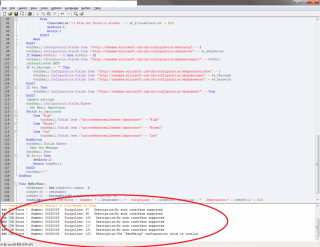
Hi all, I have today moved a script that works fine on Windows XP to a new Windows 7 PC, however... you guessed it, it won't work. I have attached a screen capture, because I am pretty sure someone is going to look at it and straight away go, you need to do this. If that is not the case I am more than happy to post the script if need be. Any help greatly appreciated. David
-
Hello all, does anyone know how to, using AutoIT, make a USB port or serial port go high/low? Reason... I want to create some code to control either a USB cable or serial cable to control a switch or relay. Any help greatly appreciated. David
-
No "RunAsSet" anymore... now what. :(
Dave70 replied to Dave70's topic in AutoIt General Help and Support
Oh ok... I thought it also apply that same set of creditals to subsequent commands like, RegWrite, FileOpen etc etc. Oh well I get i just have to move with the times, and learn the new command and run with a second file. Thanks to all who replied. David -
No "RunAsSet" anymore... now what. :(
Dave70 replied to Dave70's topic in AutoIt General Help and Support
In the old version RunAsSet() ran the subsequent lines of code within the same file with the designated creditals used in the RunAsSet() command, where by I understand it RunAs() only makes single line calls to external exe's, bat's extra... by all means corrected me if I am wrong, or provided some examples to help. Thank you. -
No "RunAsSet" anymore... now what. :(
Dave70 replied to Dave70's topic in AutoIt General Help and Support
Messy... in my mind, all be it limited to scripting, using one script to call another for a handful of commands/tasks seems a bit... well unnecessary. Especially given the older version of AutoIt, did it beautifully. -
No "RunAsSet" anymore... now what. :(
Dave70 replied to Dave70's topic in AutoIt General Help and Support
P5ych0Gigabyte, if you are meaning calling a second script from the first script which contains "RunAs"... then I did consider that, but that seems so messy to me. -
Hi all, I have recently moved to the latest version of AutoIt, and I see that "RunAsSet" is now history, and I am wondering how I can still do multipal tasks with a limited user logged on, and use the Administrator creditals? I have provided a small sample of what I used to do. RunAsSet("Administrator", @Computername, "password") SplashTextOn ( @ScriptName, @LF & 'Applying fix, please wait...', 350, 70, -1, -1, -1, "Times New Roman", 12 ) FileMove("C:\Documents and Settings\Administrator\NTUSER.DAT", "C:\Documents and Settings\Administrator\NTUSER.DAT.old") FileCopy ("C:\Program Files\Microsoft Office\Office10\ACCWIZ.DLL", "C:\Windows\system32\", 1) RegWrite ('HKEY_LOCAL_MACHINE\' & 'Software\Microsoft\Shared Tools\Proofing Tools\Custom Dictionaries', '1', 'REG_SZ', 'D:\USERDATA\' & @UserName & '\Application Data\Microsoft\Proof\custom.dic') RunAsSet() SplashOff () MsgBox (0, @ScriptName, 'Fix has been applied.', 15) Working on the understanding that "RunAs", only works by calling external exe's, bat's etc I am stugglying with what to do now... I can already hear some of you saying go back to the old version, but i would like to keep moving forward with the new version of AutoIT. Any help greatly appreciated.