Docfxit
-
Posts
777 -
Joined
-
Last visited
Docfxit's Achievements

-
 Docfxit reacted to a post in a topic:
How to Show the current line number
Docfxit reacted to a post in a topic:
How to Show the current line number
-
I can't figure out why I can't get the line numbers to show. I have a function that is called with: _ShowStep("Checking for Version..." & $Version) The script does not stop when it reaches the above line. This is the full script: ;#include <dbug.au3> ;AutoIt_Debugger_Command:Disable_Debug Opt("WinWaitDelay", 100) Opt("WinTitleMatchMode", 4) Opt("WinDetectHiddenText", 1) Opt("MouseCoordMode", 1) ;0=relative, 1=absolute(default), 2=client Opt("PixelCoordMode", 1) ;0=relative, 1=absolute(default), 2=client #RequireAdmin #include <AutoItConstants.au3> #include-once #include "StringSize.au3" #include <WindowsConstants.au3> #include <SendMessage.au3> #include <WinAPI.au3> AutoItSetOption("TrayIconDebug", 1) ;0-off ; Set so that tray displays current line number ;AutoIt_Debugger_Command:Enable_Debug If Not FileExists('C:\Dnload') Then DirCreate('C:\Dnload') EndIf If Not FileExists('C:\Dnload\Macrium') Then DirCreate('C:\Dnload\Macrium') EndIf Local $Version = "Paid" Global $LineLabel If $Version = "Paid" Then Local $Reflectdl = "Reflectdlfull.exe" Else Local $Reflectdl = "ReflectDLHF.exe" EndIf ;~*~*~*~*~*~*~*~*~*~*~*~*~*~*~*~*~*~*~*~*~*~*~*~*~*~* _ShowStep("Checking for Version..." & $Version) ;~*~*~*~*~*~*~*~*~*~*~*~*~*~*~*~*~*~*~*~*~*~*~*~*~*~* ; Why aren't I getting this _ShowStep to work? ;~*~*~*~*~*~*~*~*~*~*~*~*~*~*~*~*~*~*~*~*~*~*~*~*~*~*~*~*~*~*~* If Not FileExists("C:\Dnload\Macrium\" & $Reflectdl) Then FileCopy(@ScriptDir & "\" & $Reflectdl, "C:\Dnload\Macrium\" & $Reflectdl) EndIf ;MsgBox($MB_SYSTEMMODAL, "", "From folder = " & @ScriptDir & "\" & $Reflectdl) If FileExists("C:\Dnload\Macrium\" & $Reflectdl) Then Run("C:\Dnload\Macrium\" & $Reflectdl) ElseIf FileExists("D:\Dnload\Macrium\" & $Reflectdl) Then Run("D:\Dnload\Macrium\" & $Reflectdl) Else MsgBox(4096, "Error:", "Error: Unable to find " & $Reflectdl) Exit EndIf Sleep(100) If $Version = "Paid" Then WinWait("Macrium Reflect Download Agent", " Download Location") If Not WinActive("Macrium Reflect Download Agent", " Download Location") Then WinActivate("Macrium Reflect Download Agent", " Download Location") WinWaitActive("Macrium Reflect Download Agent", " Download Location") ControlClick("Macrium Reflect Download Agent", "", "Button3") ;click Enter License Key button ControlClick("Macrium Reflect Download Agent", "", "Edit1") ;click Enter License Send("Insert License Here") ;My License Sleep(100) EndIf WinWait("Macrium Reflect Download Agent", " Download Location") If Not WinActive("Macrium Reflect Download Agent", " Download Location") Then WinActivate("Macrium Reflect Download Agent", " Download Location") WinWaitActive("Macrium Reflect Download Agent", " Download Location") ControlClick("Macrium Reflect Download Agent", "", "Edit2") ;click Download button Send("{CTRLDOWN}a{CTRLUP}C:\Dnload\Macrium\") Sleep(100) WinWait("Macrium Reflect Download Agent", " Select Installation") If Not WinActive("Macrium Reflect Download Agent", " Select Installation") Then WinActivate("Macrium Reflect Download Agent", " Select Installation") WinWaitActive("Macrium Reflect Download Agent", " Select Installation") ControlClick("Macrium Reflect Download Agent", "", "Button10") ;click Download button Sleep(100) WinWait("Macrium Reflect Download Agent", "") ;WinWaitActive("Macrium Reflect Download Agent", "&Yes") If WinExists("Macrium Reflect Download Agent") Then ;Macrium Reflect Download Agent File Exists ControlClick("Macrium Reflect Download Agent", "&Yes", "Button1") ;click Yes button EndIf ;~ Script Compiled as 32-Bit to target both x86/x64 OS ;#NoTrayIcon #RequireAdmin ;~ Select the correct Msi based upon the OS Architecture ;Global $s7ZipMsi = @OSArch = "x64" ? @ScriptDir & "\7z1805-x64.msi" : @ScriptDir & "\7z1805.msi" If @OSArch = "x64" Then ;~ Install 64-bit version for 64-bit OS Versions DllCall("kernel32.dll", "boolean", "Wow64DisableWow64FsRedirection", "boolean", 1) EndIf ;~*~*~*~*~*~*~*~*~*~*~*~*~*~*~*~*~*~*~*~*~*~*~*~*~*~* _ShowStep("Checking for Macrium Reflect Installer...") ;~*~*~*~*~*~*~*~*~*~*~*~*~*~*~*~*~*~*~*~*~*~*~*~*~*~* ; RunWait("MsiExec.exe /i " & $s7ZipMsi & " /QN RESTART=ReallySuppress") WinWait("Macrium Reflect Installer", "Click 'Next' to continue") If Not WinActive("Macrium Reflect Installer", "Click 'Next' to continue") Then WinActivate("Macrium Reflect Installer", "") WinWaitActive("Macrium Reflect Installer", "Click 'Next' to continue") Sleep(5000) ControlClick("Macrium Reflect Installer", "Click 'Next' to continue", "&Next") GetHandle() ControlCommand("Macrium Reflect Installer", "Click 'Next' to extract the setup files and begin", "Button2", "Check", "") If @OSArch = "x64" Then ;~ Install 64-bit version for 64-bit OS Versions DllCall("kernel32.dll", "boolean", "Wow64DisableWow64FsRedirection", "boolean", 0) EndIf WinWait("Macrium Reflect", "Welcome to the Macri") If Not WinActive("Macrium Reflect", "Welcome to the Macri") Then WinActivate("Macrium Reflect", "Welcome to the Macri") WinWaitActive("Macrium Reflect", "Welcome to the Macri") Send("{ENTER}") WinWait("Macrium Reflect", "I &accept the terms ") If Not WinActive("Macrium Reflect", "I &accept the terms ") Then WinActivate("Macrium Reflect", "I &accept the terms ") WinWaitActive("Macrium Reflect", "I &accept the terms ") Send("{UP}{ENTER}") WinWait("Macrium Reflect", "Please enter your li") If Not WinActive("Macrium Reflect", "Please enter your li") Then WinActivate("Macrium Reflect", "Please enter your li") WinWaitActive("Macrium Reflect", "Please enter your li") ControlClick("Macrium Reflect", "", "Button5") ;click Home button to Activate ControlClick("Macrium Reflect", "", "&Next >") WinWait("Macrium Reflect", "") If Not WinActive("Macrium Reflect", "") Then WinActivate("Macrium Reflect", "") WinWaitActive("Macrium Reflect", "") Send("{SPACE}{ENTER}") If $Version = "Paid" Then ;MsgBox(0, @ScriptName, "Line " & @ScriptLineNumber & @CRLF & "---" & " (" & @ScriptLineNumber & ") " & "---") WinWait("Macrium Reflect", "License key") If Not WinActive("Macrium Reflect", "License key") Then WinActivate("Macrium Reflect", "License key") WinWaitActive("Macrium Reflect", "License key") ControlClick("Macrium Reflect", "License key", "Button7") ;click Next button to Select WinWait("Macrium Reflect", "License information") If Not WinActive("Macrium Reflect", "License information") Then WinActivate("Macrium Reflect", "License information") WinWaitActive("Macrium Reflect", "License information") ControlClick("Macrium Reflect", "License information", "Button1") ;click Next button to Select WinWait("Macrium Reflect", "Custom Setup") If Not WinActive("Macrium Reflect", "Custom Setup") Then WinActivate("Macrium Reflect", "Custom Setup") WinWaitActive("Macrium Reflect", "Custom Setup") ControlClick("Macrium Reflect", "Custom Setup", "Button6") ;click Next button to Select EndIf WinWait("Macrium Reflect", "Install CBT (Not ava") If Not WinActive("Macrium Reflect", "Install CBT (Not ava") Then WinActivate("Macrium Reflect", "Install CBT (Not ava") WinWaitActive("Macrium Reflect", "Install CBT (Not ava") Send("{ENTER}") If $Version = "Paid" Then WinWait("Macrium Reflect", "Ready to Install") If Not WinActive("Macrium Reflect", "Ready to Install") Then WinActivate("Macrium Reflect", "Ready to Install") WinWaitActive("Macrium Reflect", "Ready to Install") ControlClick("Macrium Reflect", "Ready to Install", "Button1") ;click Next button to Select EndIf WinWait("Macrium Reflect", "The Setup Wizard is ") If Not WinActive("Macrium Reflect", "The Setup Wizard is ") Then WinActivate("Macrium Reflect", "The Setup Wizard is ") WinWaitActive("Macrium Reflect", "The Setup Wizard is ") Send("{ENTER}") WinWait("Macrium Reflect", "Launch Macrium Refle") If Not WinActive("Macrium Reflect", "Launch Macrium Refle") Then WinActivate("Macrium Reflect", "Launch Macrium Refle") WinWaitActive("Macrium Reflect", "Launch Macrium Refle") Send("{SPACE}{ENTER}") Local $iFileExists = FileExists("C:\Windows\UpdateMacriumRun.bat") If $iFileExists Then FileDelete("C:\Windows\UpdateMacriumRun.bat") ;$sMessage = "Update complete." ;SplashTextOn("Title", $sMessage, -1, 100, -1, -1, $DLG_TEXTLEFT, "", 34) ;Sleep(3000) ;SplashOff() ;WEnd ;##################### EXAMPLE ############################### $sText = "Update complete." $aStringSize = _StringSize($sText, 12, Default, Default, "Verdana") SplashTextOn("Splash", $sText, $aStringSize[2] + 15, 50, -1, -1, 1, "Verdana") ; See end of post for explanation of + 15 ;For $i = 5 To 0 Step -1 ; ControlSetText("Splash", "", "Static1", "Automation starting in " & $i & " seconds.") ; Sleep(1000) ;Next Sleep(3000) SplashOff() Func GetHandle() Local $hHandle = WinGetHandle("Macrium Reflect Installer", "Click 'Next' to extract the setup files and begin") ConsoleWrite("$hHandle = " & $hHandle & @CRLF) WinActivate($hHandle) ControlClick($hHandle, "", "[CLASS:Button;INSTANCE:2]") EndFunc ;==>GetHandle Func _ShowStep($msg, $sLineNo = @ScriptLineNumber) GUICtrlSetData($LineLabel, "Line: " & $sLineNo & " -" & $msg) EndFunc ;==>_ShowStep I'm running this in Windows 10 with AutoIt 3.3.16.1 What do I need to do to see the LineNumber when I call the function?
-
Thank you for the reply... I don't know if it's not finding the other files or if simplespy.au3 normally doesn't show me what I need to work with the buttons.
-
Using relative reference worked great in finding simplespy.au3. I looked all over trying to find out how to do that. Within the same folder of firefoxinfo there are many other files that simplespy.au3 needs. Will simplespy.au3 be able to find the other files? I have tried running my code and I'm not getting any errors but I don't know how simplespy.au3 is supposed to run so I don't know if it's seeing the other files. There is also a way to have my own include folder specified within SciTE but it wasn't clear to me how to do that. That way all include files will be able to look into that folder. Thank you very much for answering my post. I'm trying to find a way to select buttons within Firefox. That's why I'm trying simplespy.au3. So far either I'm not using it correctly or it isn't working. Do you know a better way to identify buttons? Thank you,
-
I'd like to add my own #include folder in addition to the normal one in autoit3. I am trying to add it to the registry in Windows 10. I added it with this .bat file: SET _KEY=Software\AutoIt v3\Autoit REG ADD "HKCU\%_KEY%" /f /v Include /d "C:\\Programs\\AutoIt3\\Include;@ScriptDir\\FirefoxInfo" cmd /k In my AutoIt code I have: #include <simplespy.au3> I have in the directory @ScriptDir\FirefoxInfo\simplespy.au3 When I run my AutoIt code I get an error on the above #include line: error: can't open include file <simplespy.au3> <ctrl>1 doesn't show the added registry key !* Found always open with Win7 :AutoIt3Script !* Fixed by removing Registry key : "HKCU\Software\Microsoft\Windows\CurrentVersion\Explorer\FileExts\.au3\Userchoice" * HKCR\.au3 Default : AutoIt3Script * HKLM\SOFTWARE\Classes\.au3\ShellNew: C:\Windows\SHELLNEW\Template.au3 (File Exists) * HKCR\.au3 ShellNew : C:\Windows\SHELLNEW\Template.au3 (File Exists) ****************************************************************************************************************************************** * Explorer shell options: * HKCR\AutoIt3Script\shell: * => Default Action:Run * Compile => Command:"C:\Programs\AutoIt3\Aut2Exe\Aut2Exe.exe" /in "%l" * Compile with Options => Command:"C:\Programs\AutoIt3\AutoIt3.exe" "C:\Programs\AutoIt3\SciTE\AutoIt3Wrapper\AutoIt3Wrapper.au3" /ShowGui /in "%l" * CompileX64 => Command:"C:\Programs\AutoIt3\Aut2Exe\Aut2Exe_x64.exe" /in "%l" * CompileX86 => Command:"C:\Programs\AutoIt3\Aut2Exe\Aut2Exe.exe" /in "%l" * Debug => Command:"C:\Programs\AutoIt3\AutoIt Debugger\AutoIt Debugger.exe" "%1" * Edit => Command:"C:\Programs\AutoIt3\SciTE\SciTE.exe" "%1" * Open => Command:"C:\Programs\AutoIt3\SciTE\SciTE.exe" "%1" * Run => Command:"C:\Programs\AutoIt3\AutoIt3.exe" "%1" %* * RunX64 => Command:"C:\Programs\AutoIt3\AutoIt3_x64.exe" "%1" %* * RunX86 => Command:"C:\Programs\AutoIt3\AutoIt3.exe" "%1" %* * Tidy => Command:"C:\Programs\AutoIt3\SciTE\Tidy\Tidy.exe" "%1" ****************************************************************************************************************************************** * User SciTE info: * SCITE_USERHOME:C:\Users\Gary\AppData\Local\AutoIt v3\SciTE: * Directory missing: C:\Users\Gary\AppData\Local\AutoIt v3\SciTE\SciTE Jump * SciTEUSer.Properties: *----------------------------------------------------------------------------------------- import au3.UserUdfs import au3.keywords.user.abbreviations ****************************************************************************************************************************************** How can I get SciTE to find my added #include folder?

-
This code is moving the mouse to a different application. I would like it to stay on the same window and just move the mouse. How can I get it to stay on the Firefox window? Opt("WinTitleMatchMode", 2) Global $Paused HotKeySet('{ESC}', '_Terminate') HotKeySet("{end}", "_TogglePause") While 1 $firefoxWindow = WinWaitActive("[CLASS:MozillaWindowClass]", "", 10) ; Check if the Firefox window was found and activated If $firefoxWindow Then Local $loopCount = 0 Local $maxLoops = 4 While $loopCount < $maxLoops $OriginalX = MouseGetPos(0) $OriginalY = MouseGetPos(1) $MoveX = 5 $MoveY = 0 MouseMove($OriginalX + $MoveX, $OriginalY + $MoveY, 5) MouseClick("left", MouseGetPos(0), MouseGetPos(1)) Sleep(400) MouseMove($OriginalX - $MoveX, $OriginalY - $MoveY, 5) MouseClick("left", MouseGetPos(0), MouseGetPos(1)) $loopCount = $loopCount + 1 Sleep(400) WEnd EndIf WEnd Func _TogglePause() $Paused = Not $Paused While $Paused Sleep(100) ToolTip('Script is "Paused = SCRIPT IS NOT RUNNING"', 0, 0) WEnd ToolTip("") EndFunc ;==>TogglePause Func _Terminate() Exit EndFunc ;==>_Terminate
-
I'd like to keep it open because I am using it. I'm trying to balance my Quickbooks. Unfortunately the Wellsfargo web page times out too quickly and I have to keep logging in over and over again all day long. I'm talking about keeping my own login on my own computer from timing out.
-
Any Ideas?
-
 donnyh13 reacted to a post in a topic:
BETA: SciTE v5x & lua Dynamic_include and "Smart" AutoComplete for Vars/UDFs/Abbrevs
donnyh13 reacted to a post in a topic:
BETA: SciTE v5x & lua Dynamic_include and "Smart" AutoComplete for Vars/UDFs/Abbrevs
-
I changed the path to match your suggestion. I rebooted I tried it. I'm getting the same error. Thanks for trying. It was a good suggestion. My Python scripts weren't running. I found I had to move Python and Python scripts above Letsencrypt. Letsencrypt has it's own Python. Software should run more reliable now.
-
Path=C:\Programs\Python312\Scripts\;C:\Programs\Python312\;C:\Windows\system32;C:\Windows;C:\Windows\System32\Wbem;C:\Windows\System32\WindowsPowerShell\v1.0\;C:\Windows\System32\OpenSSH\;C:\Programs\LetsEncrypt\bin;C:\Windows\Microsoft.NET\Framework\v4.0.30319;C:\Program Files\Microsoft SQL Server\150\Tools\Binn\;C:\Program Files\Microsoft SQL Server\Client SDK\ODBC\170\Tools\Binn\;C:\Program Files\dotnet\;C:\Programs\PHP\;C:\Programs\OpenSSL\bin\;C:\Users\Gary\AppData\Local\Microsoft\WindowsApps;C:\Programs\Microsoft VS Code\bin;C:\Users\Gary\.dotnet\tools;C:\Programs\Nmap
-
argumentum reacted to a post in a topic:
BETA: SciTE v5x & lua Dynamic_include and "Smart" AutoComplete for Vars/UDFs/Abbrevs
-
That works great. It's been a while since I could see a SciTE editor on this machine. I don't know what the limitations are with this version. But it is running. Thank you very much. You have been very helpfull!!!
-
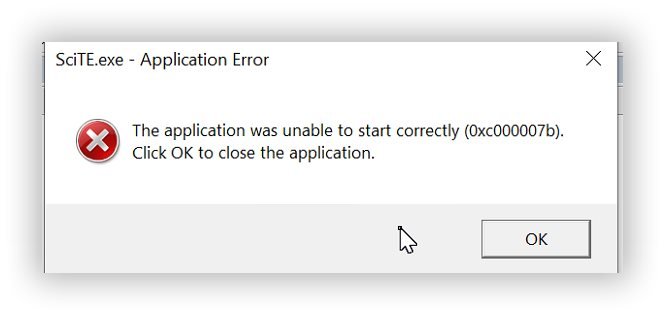
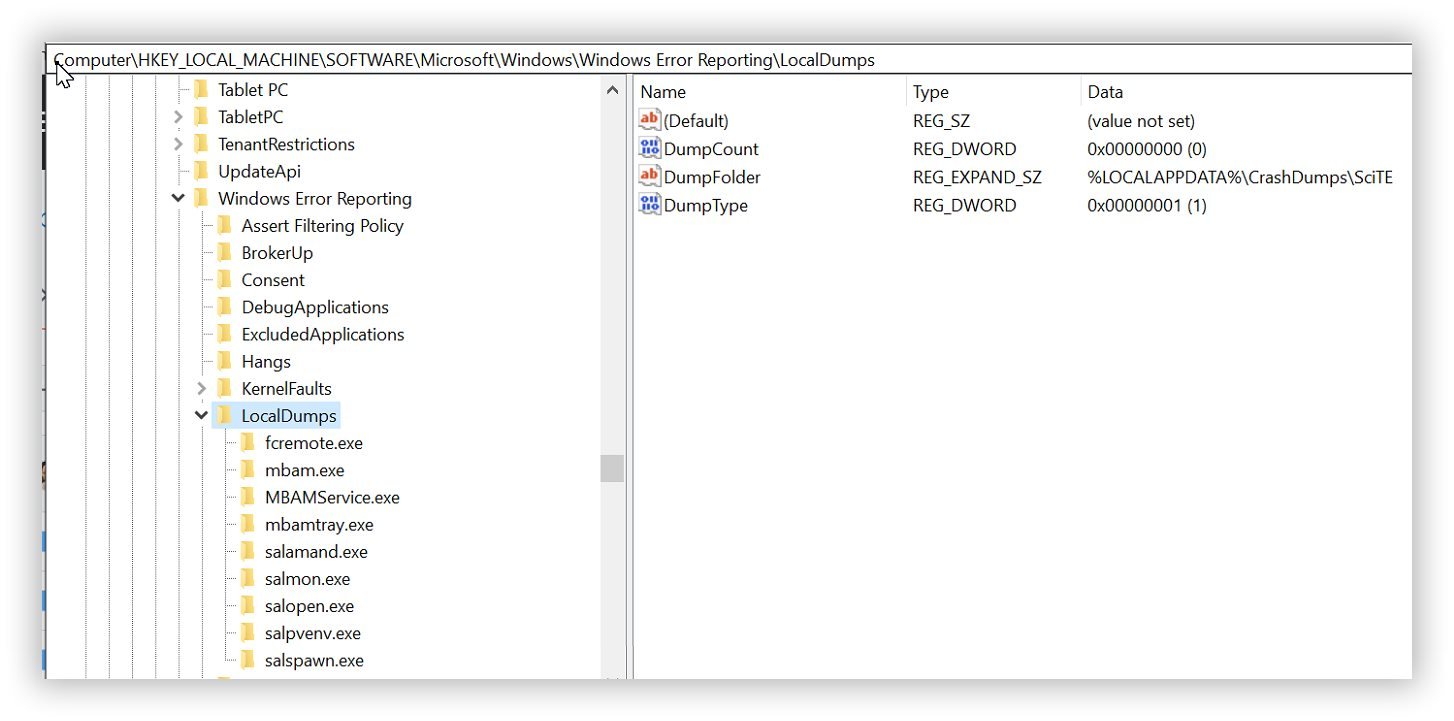
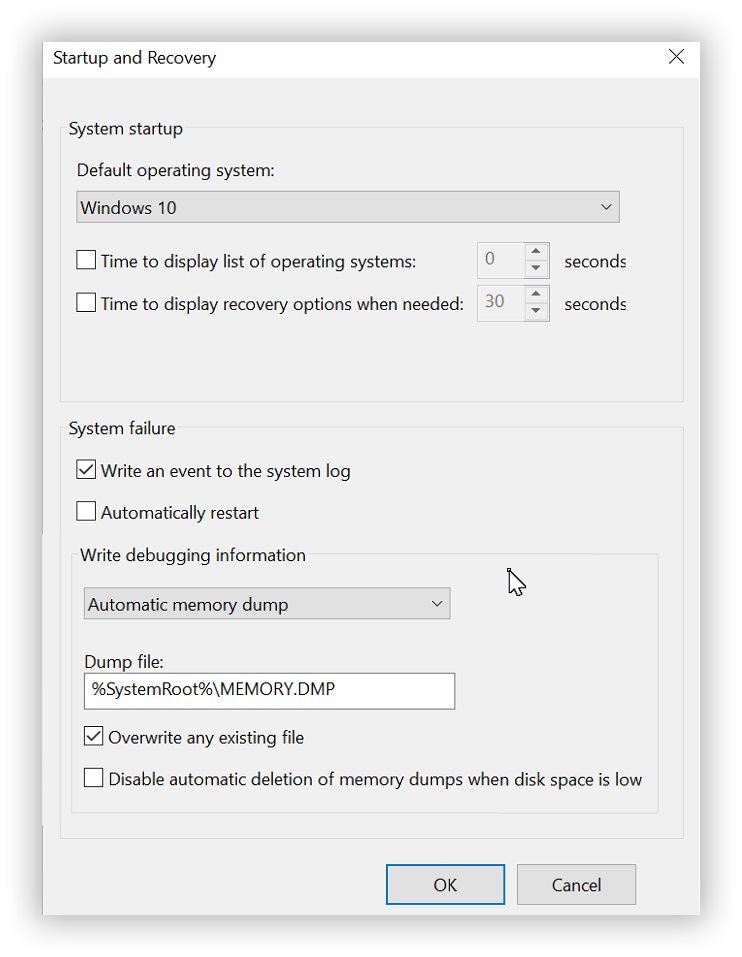
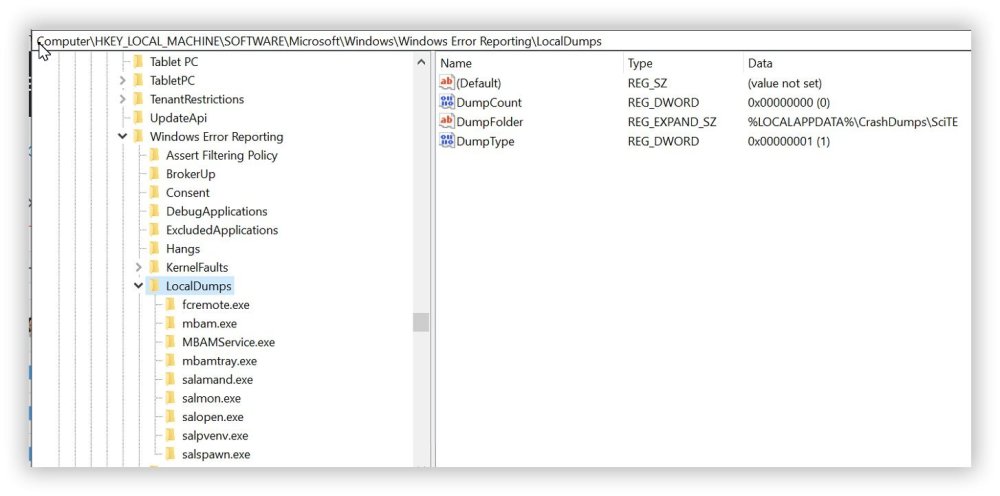
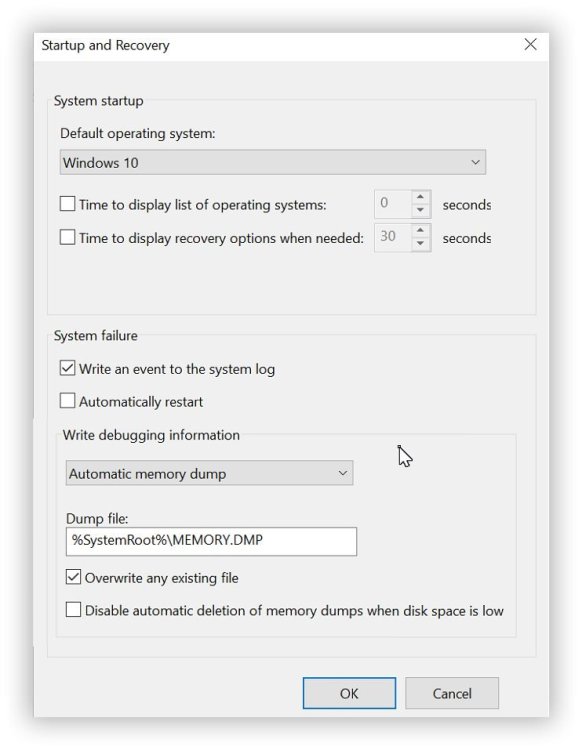
I have turned on Local Debugging without excluding SciTE: I have enabled Auto Debugging: I did re-boot the machine. After trying to edit an .au3 file and I get the error saying Msvcp140.dll was not found. I expected to see a dump in: C:\Users\Gary\AppData\Local\CrashDumps\SciTE It's empty. I also checked: I did re-boot the machine. I did try the edit again. And I didn't find anything in: C:\Windows\MEMORY.DMP I also couldn't find anything in EventViewer

-
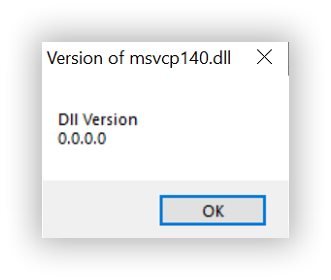
donnyh13: Thank you for the update. I have updated SciTE per your links. I can't run this. ConsoleWrite(FileGetVersion("msvcp140.dll") & @CRLF) It needs a console. And of course that's what I can't run. I'm going to try to take a dump and see if that will shed some light on it.
-
donnyh13 reacted to a post in a topic:
BETA: SciTE v5x & lua Dynamic_include and "Smart" AutoComplete for Vars/UDFs/Abbrevs
-
Docfxit reacted to a post in a topic:
BETA: SciTE v5x & lua Dynamic_include and "Smart" AutoComplete for Vars/UDFs/Abbrevs
-
donnyh13: Thank you for the reply... I installed both of the files as Administrator. I'm still getting the same error. Would you mind checking to see if you have the same files in: C:\Windows\System32 msvcp140.dll 4/27/2024 11:20:20 PM A msvcp140_1.dll 4/27/2024 11:20:20 PM A msvcp140_2.dll 4/27/2024 11:20:20 PM A msvcp140_atomic_wait.dll 4/27/2024 11:20:20 PM A msvcp140_clr0400.dll 6/24/2022 2:31:26 PM A msvcp140_codecvt_ids.dll 4/27/2024 11:20:20 PM A Are you running Windows Pro 64bit? I am. Maybe I'm not running the latest version of SciTE? api DIR 9/4/2024 11:04:33 PM - au3Stripper DIR 9/4/2024 11:04:33 PM - AutoIt3Wrapper DIR 9/4/2024 11:04:34 PM - CodeWizard DIR 9/4/2024 11:04:34 PM - Defs DIR 9/4/2024 11:04:35 PM - Koda DIR 9/4/2024 11:04:34 PM - lua DIR 9/4/2024 11:04:33 PM - Properties DIR 9/4/2024 11:04:33 PM - SciTE Jump DIR 9/4/2024 11:04:35 PM - SciTEConfig DIR 9/4/2024 11:04:35 PM - Tidy DIR 9/4/2024 11:04:34 PM - au3.keywords.properties 91599 9/19/2022 11:35:22 AM A install.log 17994 9/4/2024 11:04:35 PM A install_user.log 876 9/4/2024 11:04:35 PM A Lexilla.dll 890368 12/3/2023 3:54:22 AM A License.txt 868 6/20/2011 4:47:06 AM A luaCOPYRIGHT 1562 1/2/2010 2:15:48 PM A Scintilla.dll 646144 12/3/2023 3:54:16 AM A SciTE.exe 1155584 12/3/2023 3:54:28 AM A SciTE4AutoIt3.chm 2484057 12/27/2023 5:32:06 AM A SciTE4AutoIt3.url 67 9/4/2024 11:04:35 PM A SciTEGlobal.properties 22095 10/3/2023 10:37:06 AM A SciTEUser.properties 59 9/4/2024 11:04:35 PM A SciTEVersion.ini 55 9/4/2024 11:04:46 PM A uninst.exe 62478 9/4/2024 11:04:35 PM A Thank you
-
Thank you for the reply... I copied two files to the SciTE folder. msvcp140.dll msvcp140_codecvt_ids.dll I tried opening a .au3 file. I got this error: Please note before I tried this I installed SciTE ver. 5.4.0 There was a discussion about the missing file on the thread relating to SciTE beta ver. 5.4.0. I made a post on that thread: https://www.autoitscript.com/forum/topic/208444-beta-scite-v5x-lua-dynamic_include-and-smart-autocomplete-for-varsudfsabbrevs/?do=findComment&comment=1536637