stavbuck
-
Posts
12 -
Joined
-
Last visited
stavbuck's Achievements

Seeker (1/7)
0
Reputation
-
ok I will do some more digging and see if I can come up with something. Thanks for your help.
-
This looks ok but what if i'm trying to get this information from a remote machine. Also the location part styed blank.
-
Hi people I hope you can help, what I am trying to do is the below. 1, If I select User and click Check it will give me information on Location and Password Status. 2, If I click on Machine and click Check it will give me the IP and currently Logged on User. I am trying to do this with Radio buttons, I have created Input boxes but not sure what to do from there. I will be doing this in a Domain enviroment and I have the ADFunctions installed on my Laptop. I have attached the AU3 file. Hope someone can help me out here. Test.au3
-
Here is the other file it users to create a ini file with input boxes for what printer I want installing. Printer ini creator.au3
-
Hi, can anybody tell me if its possible with the attached script to have it install a printer on a remote machine within a domain. PrinterInstall.au3
-
Hi sorry for messing this up. Here is the AU3 file. When I add computers it only gives 1 letter. What I want from this is to add printers to remote machines. printerBorger.au3
-
Sorry for being Vague. Its the portdel part that fails. It will delete printers but then comes up with the above error when trying to delete ports. All I want it to do is install a printer on given machines.
-
Hi people, can anybody help with this script. All I want is for it to install a network printer and the machines I input in the list. It fails everytime. <removed code as it was too big for code tags and adding them corrupted the whole post> stavbuck, You need to attach the code as a file, it is far too big to use code tags and far too cumbersome without tags. Select the "Use Full Editor" option when you edit this post and you will see the attachment feature. M23
-
GUI for remote management of pc's and users
stavbuck replied to stavbuck's topic in AutoIt GUI Help and Support
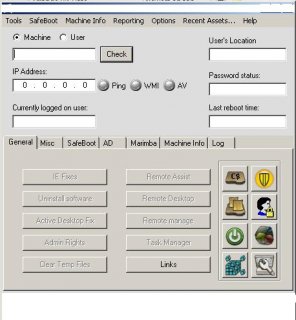
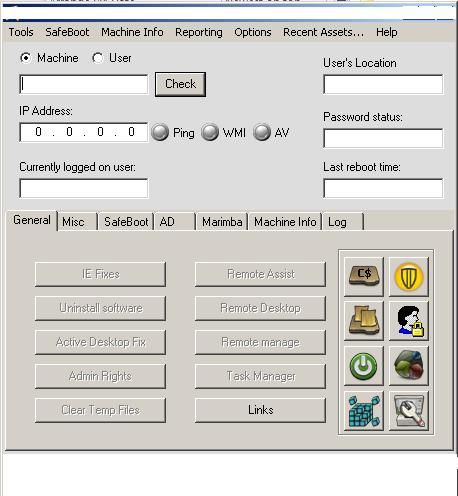
Thank you both for the replies, I will take a look at these. As you can see from the screen shot theres alot I want to do and I will let you know how i'm getting on with it. -
GUI for remote management of pc's and users
stavbuck replied to stavbuck's topic in AutoIt GUI Help and Support
Hi Thank you for your reply. I will look in the help file more and hopefully get to grips with this. The GUI is from a friend and the title bar contained his company name which he asked me to removed before I posted on here. -
GUI for remote management of pc's and users
stavbuck replied to stavbuck's topic in AutoIt GUI Help and Support
Hi Thank you for your reply. I will look in the help file more and hopefully get to grips with this. The GUI is from a friend and the title bar contained his company name which he asked me to removed before I posted on here. -
Hi all I'm quite new to all this but having scrolled through the examples i'm still struggling in finding a way to get information about a user/computer in AD. What I want to do for example is type in a users name and it will bring information about that user i.e. users location, password status. Also I want to be able to type a computer name in and get the IP address, be able to clear temp files and apply hotfixes. If in the GUI I have radio buttons so I can just click computer or user and different windows appear with the information I want or if I could expand users and computers in AD and then double click an item for it to then input the information. I have attached an example GUI. I hope someone can shed some light on this for me. Steve