Search the Community
Showing results for tags 'XP SP3 only'.
Found 1 result
-
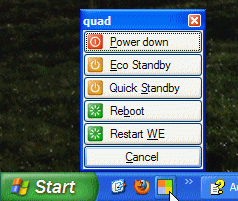
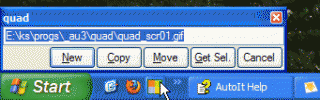
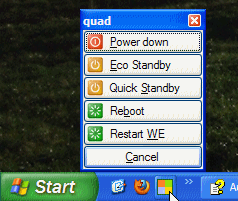
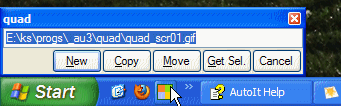
quad is a lightweight add-on for Windows Explorer on XP SP3 to ease and speed-up some common operations. The quad icon in the Quick Launch runs four different functions depending on the portion the icon gets clicked. 1.1 Upper-left Open a new Explorer window with 'root view'. 1.2 Upper-right Do an operation with the selected file or folder in Explorer: New, Copy, Move and Get Selection. 1.3 Bottom-left Open a new Explorer window. 1.4 Bottom-right Open Menu for: Power down, Eco Standby, Quick Standby, Reboot and Restart WE (Windows Explorer). 1.5 Usage To try it, link quad.exe to your Quick Launch. The quad icon must be located visibly on the Quick Launch toolbar; settings like button size must be per XP default. To remove quad, just remove it from your Quicklaunch; no files and settings are touched behind the scenes. The file operations, started by the upper-right portion might be somewhat strange to use at first, therefore select some unimportant file or folder in Explorer for testing. Read more in the attached zip-file, which also includes quad.exe and source files. -- Klaus quad_20110918.zip