
71 files
-
-
_FileCharacterReplace
By tannerli
This little function can be used to replace a character in a file with another one for example replacing all 'A' character with 'a'
2,411 downloads
(2 reviews)0 comments
Submitted
-

OShell * A Complex OS Shell*
By ashley
Ok Due to many people not being able to use my download links. i have uploaded here...
You should ALL be able to download for this.
A little info on 'OShell':
The main features:
Startmenu is always shown in top-right (*now with system menu inside it*)
Right click menu - change bg color and change pass.
Paint(MS version)
Notepad (OShell version)
Time in bottom-right
Password login(if you want it)
Bugs:
If buttons on desktop clicked and draged the glitch
4,841 downloads
(4 reviews)0 comments
Submitted
-
SearchMiner
By randallc
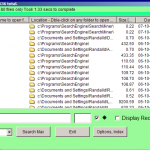
Searches for files, often very fast!
"Out of box", no index required, and will "as you type" in current directory search.. Searches using MSIndex if running, or current directory if not [Allows the faster options if custom index has been performed].
Index
1 drive index (optional) about 2-3 mins on laptop; larger drives longer!
Fast Searches.
Features "as you type" for most recent matches, then fast find with option of full index search.
Leave settings unchecked as "Starts With" ;checked as "Display Recent 80" and unchecked as "SearchAll Files" [so "Search last 10000"] for superfast searching; settings maintained till next time by "ini".
Or Detailed...
Easy change to WildCard search, use "*", "?", "|" pipe.
Checkbox change to search all files [optionally display up to 4000 in Listview, or all in ListBox or Notepad if you really need more]
Sort Listview, click column; with icons; shows if file missing since index made.
Option for "Current Search", if checked, will use directories only from matched files, and FileSearch those directories for current files since las search; don't need to index so frequently.
Tray Icon, or shrink to side... to leave running in background.
3,605 downloads
(0 reviews)0 comments
Updated
-
Desktop Icons Restorator
By MrCreatoR
Desktop Icons Restorator
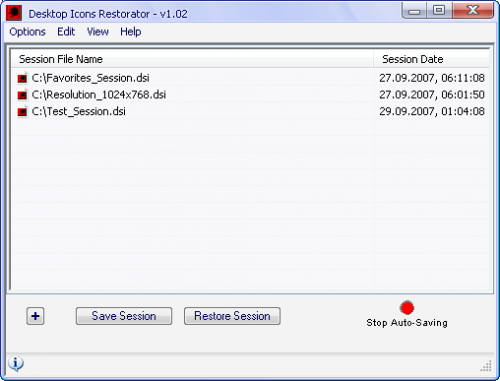
This program designed for Saving and Restoring Desktop Icons positions!
The main idea for this program is belong to trids from the IconMap topic.
Big Thanks to him for the great idea!!!
===============================
Introduction and Main Features:
===============================
Using this app you can save/restore your desktop icons positions at any time.
You can create as many sessions as you like, such as for different screen resolutions, different users, or even when you reinstall your system.
You can even copy your DSI Files (Desktop Session Info File) from one machine to another.
-----------------
Main Features:
-----------------
* Auto-Saving Sessions every N seconds (up to approximately 24 hours).
* Full Registration of *.DSI files (Desktop Session Info file) - Including in "Create" context menu.
* Application can work from system tray (Restore/Save Session, Call Preferences Dialog, Show Desktop and more).
* Adding Date/Time when saving sessions.
* Removing non existing sessions from the list.
* Removing Selected session from the list.
* Removing All sessions from the list.
* Removing duplicates from the list.
* Deleting Selected session files.
* Deleting All session files.
* Delete not existing entries (of desktop icons) in the session file.
* Visual editing of selected session.
* Option to show the desktop.
* Restore session by double click on the item in the list.
* Full Support of Hotkeys.
* Full Drag & Drop Support.
* Choosing a sound file for playing after Saving/Restoring Session (for each action can be different sound).
* Flexible Window Options (Saving positions/state, Transparency, Always On Top).
* And much more to go...
More ScreenShots:
Preferences Window
Editing DSI file Window
P.S
The archive include all needed Resources and also Stand-alone Compiled Script (not required any addition resources).
Desktop_Icons_Restorator_1.02.zip
3,855 downloads
-
Memory Fusion
By mrbond007
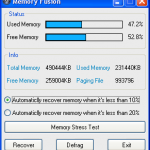
A Simple Memory Defragmenter, that recovers and defrags your pc memory
Now works with Windows Vista.
4,191 downloads
(3 reviews)0 comments
Updated
-
neoSearch
By KJohn
Visit: http://www.koshyjohn.com/downloads. Click here.
Latest Update: 15-08-2008, 00:00 IST (GMT +530) - v1.80
Download count: 10,015+ (25 per day)
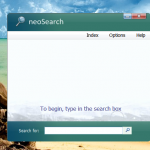
If this is the first time you are coming across neoSearch, I suggest you try it - it's one of those programs that will amaze you with what AutoIt can do. Please note that this version of neoSearch does not require any form of activation - those of you who were holding back despite the process being anonymous before can now dig in. As always, feedback is requested.
Acclaim for neoSearch
1. AutoIt Forum Download section
2. c|net download.com
3. Softonic
4. SnapFiles
5. Popular Shareware
and lots more: Google search
What does neoSearch do?
- Indexes your computer intelligently
- Watch results dynamically change as you type in a query (first 5 results; its instantaneous!)
- Full results are available in a new window if you press the magnifying glass button (~ 0.15 seconds)
Key Features
1. Five dynamically changing results
2. Full results (hit 'Return/Enter') in a resizable window (the results are now resortable by attribute!)
3. Vista-esque interface with dynamic transparency effects (can be turned off)
4. Parallel indexing with scheduling
5. Hot key starting: 'Alt+F3' (for neoSearch) vs. 'F3' for Windows default
... lots more... you have to try it!! Its much faster that Vista's built-in search and there is no dumb indexing process running all the time in the background! YOU are in control!
Performance
Indexing: 2 secs to 32 secs
Searching: 0.01 secs to 0.40 secs
Additional Screenshots
Installing and Uninstalling
- Self-installing and self-uninstalling
- Does not require admin privileges and doesn't change system settings (trade-off: only installed for the current user)
- Uninstalling: open options window and select uninstall: all traces of the program are removed: it even deletes itself!
Download neoSearch here!
Size: 416Kb
I'm indebted to those of you who have provided feedback to me in the past.
I'm not charging anyone for the software, nor do I intend to. If you think neoSearch is good enough, kindly recommend it to your friends (at this forum and outside) and family.
5,706 downloads
-
Space Regain
By mrbond007
All in one cleaning tool
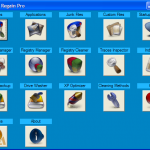
* Traces Cleaner : Cleans different areas of Windows including the 2 giants IE and FireFox
* Applications Cleaner : Cleans traces of 409 popular programs including traces left by AutoIt and SciTe which normally aren't found in any other cleaning tools
* Junk Files Cleaner : Search and clean 80 different kinds of junk files
* Custom Files Deleter : Choose which files you want to delete
* Startup Manager : Shows which programs run on startup and allows you do stop them (dangerous)
* Uninstall Manager : Shows informations about already installed software on your computer and allows you to remove or uninstall them
* Registry Manager : Shows all files types found in the registry. for XP you will also see the "New File" Tpyes displayed as well
* Registry Cleaner : Search and remove invalid references found in the registry
* Traces Inspector : Collects sensitive informations found in the registry and in the hard drive
* Lightining Fast Index.Dat Inspector : Show the contents of the index.dat files
* Registry Backup : Create and restore registry backups
* Empty Space Eraser : cleans the free space of your hard drive to make already deleted files unrecoverable
* XP Optimizer : Optimizes your PC (XP Only), simillair to using Tools like "Microsoft Bootvis"
Latest version can be downloaded here (requires latest beta) :
http://rapidshare.com/files/112431857/Space_Regain.zip.html
http://www.box.net/shared/4jlhvypgcs
6,154 downloads
(9 reviews)0 comments
Updated
-
gMath.au3
By gsglive
This item has 10 functions. Analyse the code for help. Help file coming soon.
1,981 downloads
(2 reviews)0 comments
Submitted
-
Neural Network Resources
By Obi-w00t
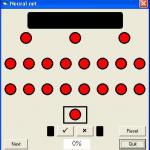
An Excel spreadsheet and various Visual Basic projects to show the principles and workings of Neural Networks. AutoIt examples will follow.
Visnet = Visual Neural Network, can teach it to recognise colours
Randnet = Showing Neural Network "memory"
Neuron2 = Shows the way neural networks combine stimulus to create "programs". Top node is stimulated by clicking, bottom by certain colours and clicking the red part.
Neuron1 = Shows the various parts that make up a node.
2,202 downloads
(1 review)0 comments
Submitted
-

Andrew's Anti Snooping Tool
By SleepyXtreme
Andrew's Anti Snooping Tool
Current Version: 2.3.5.20
Description: Instantaneously hide all/one of the open windows with a keypress. With another keypress you can bring them all back.
Options:
Stealth mode - Hides the tray icon when the hide function is activated and brings it back when deactivated.
Password Protection - Requires a password you specify to bring all the windows back.
Disable Sound - When the hide function is activated, the sound is muted. The sound is unmuted when the hide function is deactivated.
Disable Music Only - When the hide function is activated, all music/video sound is muted. I.E. Itunes, Windows Media Player, Winamp ect. The sound is unmuted when the hide function is deactivated.
Mouse Position On - When turned on, the hide function is activated by moving the mouse to the top left hand corner of your screen. To deactivate the hide function, move the mouse to the bottom right hand corner of your screen.
Mouse Click On - When turned on, press Mouse1 (Left Click) and Mouse2 (Right Click) together to activate the hide function. Press in scroll wheel to deactivate the hide function.
Keep Windows Hidden - When turned on, all new windows will be hidden after the hide function is activated. To stop this process, deactivate the hide function.
Hide/Show Tray Icons - When turned on, all non-system tray icons will be hidden when the hide function is activated. To bring them back deactivate the hide function.
Screensaver On - Enables YOUR SCREENSAVER YOU SELECT THROUGH PROPERTIES>SCREENSAVER when the hide function is activated.
Settings:
Exceptions - Prevents certain windows from being effected by the hide function. You only need to enter in a partial name of the window. For instance, if you enter in microsoft, Microsoft Word, Microsoft Excel, Microsoft Powerpoint ect will be passed over.
Start on startup
Change Keybinds - Change the keys used for activated all functions
USB Mode - Creates a USB version of AAST on a USB device and works solely off of the USB device. More information is provided in the help file.
Features:
Hides ALL open windows, even most video games
Stores settings for future use
Help File
Check for Updates
Known Bugs:
None!
And as I've said in previous posts, i do not want to open this up to the public because i wish to sell it eventually. if you need help or want to know how i did something, i'll be glad to help you.
Credits: SleepyXtreme(Andrew) with some help from smstroble. Also, I used tuape's SysTray_UDF and Valuater's Xskin
Total previous downloads from this post and previous ones: 3000+
DOWNLOAD HERE \/
3,011 downloads
(5 reviews)0 comments
Updated
-
BetaPad
By James
BetaPad is a text editor for Microsoft Windows 9x/NT/X, developed by Secure_ICT, _Kurt, RazerM and Ba-La (AutoIT Community) which started in 2006.
Completely Open-Source so that developers can help along.
Some of its key features include:
* Text to Speech
* Encrypt & Decrypt text
* Find and Replace
* Google and Yahoo search
* Spell Checking
* Reverse Text
* Menu colours
* Change the font
* Save the font in a *.rtf file
1,761 downloads
(1 review)0 comments
Submitted
-
BenEditor 3.6 Standalone
By AutoItKing
BenEditor 3.6 Standalone version. Extract and enjoy.
3,169 downloads
(2 reviews)0 comments
Updated
-
Snippet Holder
By GaryFrost
A.K.A. Code Snippet found in Example Scripts
This tool is already included with SciTE.
In the SciTE folder is a folder called cSnippet.
3/05/07
Fixed ToolTip Timeout
Added Else condition to rename Category
Updated: Configuration option to show/hide tool tip.
Updated for use with Beta 3.2.11.0 and higher functions.
Exe provided is compiled in ANSI so still works with Win9x.
Compile using Beta Obfuscator, exe is 100kb + smaller
Fixed WM_COPYDATA event. Obfuscator compiled exe didn't like 3 dllstruct calls on the same line.
Fixed Listview delete item(s)
4,712 downloads
(8 reviews)0 comments
Updated
-
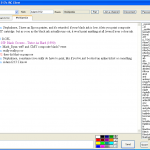
IRC
By Adam1213
My IRC client
Features:
Connect 4
Different colours for server messages, your messages and others messages.
Converts low level irc to higher level to proccess it further (makes it easy to write functions)
Colours, faces
Multiple room support
Userlist (menu when you click on it)
Makes it easy to do channel managing
Can flash when a message is received
Plays a sound when you send a message and when a message arrives.
Does ping, finger, time, version replies
Links, [[wiki links]]
GUI for settings
writes some settings to registry (connection, password encrpted, nick, default room)
The other settings are written to an ini (this allows sharing settings without sharing the things you dont want to)
msgbox, tray commands
3,423 downloads
(2 reviews)0 comments
Updated
-
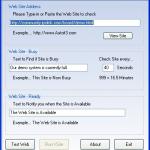
XSite-Ready
By Valuater
XSite - Ready... Continuous website checking, Concerts, Tickets, Reservations, Demo sites... etc
( file includes code and exe )
Enjoy!!!
Valuater
8)
4,070 downloads
(2 reviews)0 comments
Updated
-
List/ListView Events Using GuiRegisterMsg
By GaryFrost
Examples of Listbox and ListView events.
Mainly the DoubleClick in both and Click event in ListView
Thought I would provide examples of both being these are asked for quite often.
4,134 downloads
(6 reviews)0 comments
Submitted
-
Win32 API Constants (Skinnable)
By GaryFrost
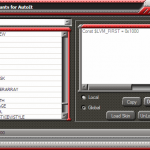
Decided to export the data file from my favorite tool for getting api constants and converted them so they could be used in autoit by simple clicks and paste.
Over 50,000 constants (this is not all the constants available of course).
Files have au3 extension for easy editing, keep the file under 4000 records each.
Add your own files i.e. a file with all your most used constants.
Source Not included with Skinnable version, see Win32 API Constants for source (excluding skin functions)
Edit: Unpacked the UPX exe as it was causing AV false positives (Jon).
27,958 downloads
(8 reviews)0 comments
Updated
-
Win32 API Constants
By GaryFrost
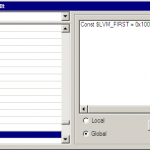
Decided to export the data file from my favorite tool for getting api constants and converted them so they could be used in autoit by simple clicks and paste.
Over 50,000 constants (this is not all the constants available of course).
Files have au3 extension for easy editing, keep the file under 4000 records each.
Add your own files i.e. a file with all your most used constants.
10,283 downloads
(4 reviews)0 comments
Submitted
-
BlackJack Skinned (No Source)
By GaryFrost
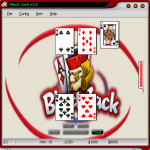
This is my 1st game, normally I don't even look at the game scripts.
Usually to busy with applications.
To see source script less skinning functions see BlackJack Not Skinned
3,482 downloads
(7 reviews)0 comments
Submitted
-
BlackJack Not Skinned
By GaryFrost
This is my 1st game, normally I don't even look at the game scripts.
Usually to busy with applications.
Requires Beta 3.2.9.4 or Higher
3,767 downloads
(6 reviews)0 comments
Updated