About This File
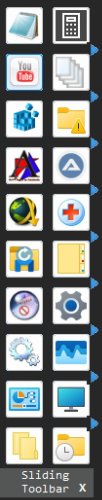
A Toolbar for Open/Launch what you want
No need to click for see it, just put your mouse on the left side or at the top of your screen, depends of your choice in tray menu
You can add Shortcut, InternetShortcut, Files, and Folder by drag and drop on any button (special folders not supported)
Right click menu on it for delete item
"Display Name" and Icon can be changed by new context menu
All Changes are saved in SlidingToolBar.ini file located to TempDir & "\SlidingToolBar" directory
Added by default some basic special folders
See tray menu for options
To exit, click on the InfoBar at the bottom of the GUI or by tray menu
Edited by wakillon