Search the Community
Showing results for tags 'dpi'.
Found 9 results
-
I think the _WinAPI_DPI UDF is now complete enough to be released here. ;Coded by UEZ build 2026-08-26 beta #include-once #include <GDIPlus.au3> #include <StructureConstants.au3> #include <WinAPIGdi.au3> #include <WinAPISysWin.au3> #include <WinAPIsysinfoConstants.au3> ;$SM_* constants for _WinAPI_GetSystemMetricsForDpi #Region DPI Constants ;https://learn.microsoft.com/en-us/windows/win32/api/windef/ne-windef-dpi_awareness Global Enum $DPI_AWARENESS_INVALID = -1, $DPI_AWARENESS_UNAWARE = 0, $DPI_AWARENESS_SYSTEM_AWARE = 1, $DPI_AWARENESS_PER_MONITOR_AWARE = 2 ;https://learn.microsoft.com/en-us/windows/win32/hidpi/dpi-awareness-context ;These are pseudo-handles: formally pointers (DECLARE_HANDLE), but the values -1..-5 are ;sentinels the API maps internally. Never dereference them. Kept as plain literals on ;purpose - deriving them from the DPI_AWARENESS enum couples two unrelated enumerations. Global Const $DPI_AWARENESS_CONTEXT_UNAWARE = -1 Global Const $DPI_AWARENESS_CONTEXT_SYSTEM_AWARE = -2 Global Const $DPI_AWARENESS_CONTEXT_PER_MONITOR_AWARE = -3 Global Const $DPI_AWARENESS_CONTEXT_PER_MONITOR_AWARE_V2 = -4 Global Const $DPI_AWARENESS_CONTEXT_UNAWARE_GDISCALED = -5 ;Unified awareness levels for _WinAPI_SetDPIAwareness (version independent). ;Note the ordering is NOT "increasing awareness": GDISCALED is a variant of UNAWARE and ;deliberately sits last, so never clamp an out-of-range value to it. Global Enum $DPI_LEVEL_UNAWARE = 0, $DPI_LEVEL_SYSTEM, $DPI_LEVEL_PER_MONITOR, $DPI_LEVEL_PER_MONITOR_V2, $DPI_LEVEL_UNAWARE_GDISCALED ;Scope for _WinAPI_SetDPIAwareness Global Enum $DPI_SCOPE_PROCESS = 1, $DPI_SCOPE_THREAD = 2 ;enum PROCESS_DPI_AWARENESS (shellscalingapi.h) Global Enum $PROCESS_DPI_UNAWARE = 0, $PROCESS_SYSTEM_DPI_AWARE, $PROCESS_PER_MONITOR_DPI_AWARE ;enum _MONITOR_DPI_TYPE Global Enum $MDT_EFFECTIVE_DPI = 0, $MDT_ANGULAR_DPI, $MDT_RAW_DPI Global Const $MDT_DEFAULT = $MDT_EFFECTIVE_DPI ;Cursor creation scaling (winuser.h, guarded by NTDDI_WIN10_CO = Windows 11 21H2) Global Const $CURSOR_CREATION_SCALING_NONE = 1 Global Const $CURSOR_CREATION_SCALING_DEFAULT = 2 ;enum DPI_HOSTING_BEHAVIOR (Win10 1803+) - controls whether a window may host child windows ;with a different DPI awareness. MIXED is needed for legacy controls inside a modern window. Global Enum $DPI_HOSTING_BEHAVIOR_INVALID = -1, $DPI_HOSTING_BEHAVIOR_DEFAULT = 0, $DPI_HOSTING_BEHAVIOR_MIXED = 1 ;Windows Message Codes Global Const $WM_DPICHANGED = 0x02E0, $WM_DPICHANGED_BEFOREPARENT = 0x02E2, $WM_DPICHANGED_AFTERPARENT = 0x02E3, $WM_GETDPISCALEDSIZE = 0x02E4 ;DpiChangeBehavior Global Const $DDC_DEFAULT = 0 Global Const $DDC_DISABLE_ALL = 1 Global Const $DDC_DISABLE_RESIZE = 2 Global Const $DDC_DISABLE_CONTROL_RELAYOUT = 4 Global Const $DCDC_DEFAULT = 0 Global Const $DCDC_DISABLE_FONT_UPDATE = 1 Global Const $DCDC_DISABLE_RELAYOUT = 2 ;Internal: OS build thresholds. @OSBuild is compared against these instead of using ;hand-written Case ranges, which is where the original version left a gap. Global Const $__DPI_BUILD_VISTA = 6000 ;SetProcessDPIAware Global Const $__DPI_BUILD_WIN81 = 9600 ;SetProcessDpiAwareness, GetDpiForMonitor Global Const $__DPI_BUILD_1607 = 14393 ;SetThreadDpiAwarenessContext, GetDpiForSystem, SetProcessDpiAwarenessContext Global Const $__DPI_BUILD_1703 = 15063 ;PER_MONITOR_AWARE_V2 context value Global Const $__DPI_BUILD_1803 = 17134 ;GetDpiFromDpiAwarenessContext, InheritWindowMonitor Global Const $__DPI_BUILD_1809 = 17763 ;UNAWARE_GDISCALED Global Const $__DPI_ERROR_ACCESS_DENIED = 5 ;Win32 ERROR_ACCESS_DENIED Global Const $__DPI_E_ACCESSDENIED = 0x80070005 ;HRESULT E_ACCESSDENIED Global Const $__DPI_DEFAULT_DPI = 96 ;USER_DEFAULT_SCREEN_DPI #EndRegion DPI Constants #Region Internal helpers ;Reads the thread's last Win32 error. Must be called immediately after the DllCall whose ;failure reason is wanted - any intervening call may overwrite it. Func __WinAPI_DPI_GetLastError() Local $aResult = DllCall("kernel32.dll", "dword", "GetLastError") If @error Or Not IsArray($aResult) Then Return 0 Return $aResult[0] EndFunc ;==>__WinAPI_DPI_GetLastError ;Best available way of reading the current DPI, degrading with the OS version. ;Returns 0 if nothing worked. Func __WinAPI_DPI_QueryCurrent() Local $iDPI = 0 If @OSBuild >= $__DPI_BUILD_1607 Then $iDPI = _WinAPI_GetDpiForSystem() If @error Then $iDPI = 0 EndIf If Not $iDPI And @OSBuild >= $__DPI_BUILD_WIN81 Then $iDPI = _WinAPI_GetDpiForMonitor() If @error Then $iDPI = 0 EndIf If Not $iDPI Then $iDPI = _WinAPI_GetDPI() ;GetDeviceCaps fallback, works on every version If @error Then $iDPI = 0 EndIf Return $iDPI EndFunc ;==>__WinAPI_DPI_QueryCurrent ;Maps a unified level (0..4) to its DPI_AWARENESS_CONTEXT pseudo-handle. ;Every level is listed explicitly. Anything unexpected falls back to PER_MONITOR_AWARE_V2 and ;never to GDISCALED - an unknown value must not silently end up in an unaware mode. Func __WinAPI_DPI_LevelToContext($iLevel) Switch $iLevel Case $DPI_LEVEL_UNAWARE Return $DPI_AWARENESS_CONTEXT_UNAWARE Case $DPI_LEVEL_SYSTEM Return $DPI_AWARENESS_CONTEXT_SYSTEM_AWARE Case $DPI_LEVEL_PER_MONITOR Return $DPI_AWARENESS_CONTEXT_PER_MONITOR_AWARE Case $DPI_LEVEL_UNAWARE_GDISCALED Return $DPI_AWARENESS_CONTEXT_UNAWARE_GDISCALED Case Else Return $DPI_AWARENESS_CONTEXT_PER_MONITOR_AWARE_V2 EndSwitch EndFunc ;==>__WinAPI_DPI_LevelToContext ;Folds a unified level onto the three PROCESS_DPI_AWARENESS values. GDISCALED is a variant of ;UNAWARE and V2 a variant of PER_MONITOR, so both collapse onto their base level. Func __WinAPI_DPI_LevelToCoarse($iLevel) Switch $iLevel Case $DPI_LEVEL_SYSTEM Return $PROCESS_SYSTEM_DPI_AWARE Case $DPI_LEVEL_PER_MONITOR, $DPI_LEVEL_PER_MONITOR_V2 Return $PROCESS_PER_MONITOR_DPI_AWARE Case Else ;UNAWARE and UNAWARE_GDISCALED Return $PROCESS_DPI_UNAWARE EndSwitch EndFunc ;==>__WinAPI_DPI_LevelToCoarse ;Determines the DPI awareness level (0..4) that is in effect for the CALLING THREAD - which is ;the process default as long as the thread has not overridden it. There is no way around that ;restriction: asked about its own process, Windows answers with the calling thread's context, ;GetDpiAwarenessContextForProcess and GetProcessDpiAwareness included, no matter whether the ;process handle is NULL or a real one. Use the result accordingly and never as proof about ;another thread. ;Returns -1 when the level cannot be determined - that means "unknown", not "mismatch". ;@extended tells how precise the answer is: 0 = exact, 1 = PROCESS_DPI_AWARENESS granularity, ;where PER_MONITOR and V2 are indistinguishable and GDISCALED reads as UNAWARE. Compare such a ;value with __WinAPI_DPI_LevelSatisfies() instead of testing it for equality. Func __WinAPI_DPI_GetActiveLevel() Local $iContext = 0, $iLevel = 0, $iAwareness = 0 If @OSBuild >= $__DPI_BUILD_1607 Then $iContext = _WinAPI_GetThreadDpiAwarenessContext() If Not @error And $iContext Then ;The context is an opaque handle, so ask the API which of the known levels it equals For $iLevel = $DPI_LEVEL_UNAWARE To $DPI_LEVEL_UNAWARE_GDISCALED If _WinAPI_AreDpiAwarenessContextsEqual($iContext, __WinAPI_DPI_LevelToContext($iLevel)) Then Return SetError(0, 0, $iLevel) Next ;Unknown context - fall back to the coarse DPI_AWARENESS value (0..2) $iAwareness = _WinAPI_GetAwarenessFromDpiAwarenessContext($iContext) If Not @error And $iAwareness <> $DPI_AWARENESS_INVALID Then Return SetError(0, 1, $iAwareness) EndIf EndIf If @OSBuild >= $__DPI_BUILD_WIN81 Then $iAwareness = _WinAPI_GetProcessDpiAwareness() If Not @error Then Return SetError(0, 1, $iAwareness) ;PROCESS_DPI_AWARENESS 0..2 EndIf If @OSBuild >= $__DPI_BUILD_VISTA Then ;Vista..Win8 know system awareness only $iAwareness = _WinAPI_IsProcessDPIAware() If Not @error Then Return SetError(0, 1, ($iAwareness ? $DPI_LEVEL_SYSTEM : $DPI_LEVEL_UNAWARE)) EndIf Return SetError(0, 0, -1) EndFunc ;==>__WinAPI_DPI_GetActiveLevel ;Decides whether the level that is really active satisfies the request. $bCoarse is the ;precision flag of __WinAPI_DPI_GetActiveLevel(): on that granularity both sides have to be ;folded down first, otherwise a correctly applied V2 would be reported as a mismatch. ;An undetermined level (-1) counts as satisfied - guessing would only produce false alarms. Func __WinAPI_DPI_LevelSatisfies($iActiveLevel, $bCoarse, $iRequestedLevel) If $iActiveLevel = -1 Then Return True If Not $bCoarse Then Return ($iActiveLevel = $iRequestedLevel) Return (__WinAPI_DPI_LevelToCoarse($iActiveLevel) = __WinAPI_DPI_LevelToCoarse($iRequestedLevel)) EndFunc ;==>__WinAPI_DPI_LevelSatisfies #EndRegion Internal helpers #Region WinAPI DPI - queries ;https://learn.microsoft.com/en-us/windows/win32/api/winuser/nf-winuser-adjustwindowrectexfordpi ;The API expands an existing client RECT into a window RECT, so the rectangle is an input. ;Passing all four coordinates as 0 yields the pure frame offsets (left/top become negative). ;Returns: $tagRECT structure. @error 1 = call failed (@extended = @error), 2 = API returned FALSE. Func _WinAPI_AdjustWindowRectExForDpi($iDpi, $dwStyle, $dwExStyle = 0, $bMenu = False, $iLeft = 0, $iTop = 0, $iRight = 0, $iBottom = 0) Local $tRECT = DllStructCreate($tagRECT) $tRECT.Left = $iLeft $tRECT.Top = $iTop $tRECT.Right = $iRight $tRECT.Bottom = $iBottom ;Parameter order per MSDN: lpRect, dwStyle, bMenu, dwExStyle, dpi Local $aResult = DllCall("user32.dll", "bool", "AdjustWindowRectExForDpi", "struct*", $tRECT, "dword", $dwStyle, "bool", $bMenu, "dword", $dwExStyle, "uint", $iDpi) ;Win10 1607+ / no server support If @error Or Not IsArray($aResult) Then Return SetError(1, @error, 0) If Not $aResult[0] Then Return SetError(2, __WinAPI_DPI_GetLastError(), 0) Return $tRECT EndFunc ;==>_WinAPI_AdjustWindowRectExForDpi ;https://learn.microsoft.com/en-us/windows/win32/api/winuser/nf-winuser-systemparametersinfofordpi ;$pvParam must be a DllStruct (or pointer) matching the requested $uiAction. Func _WinAPI_SystemParametersInfoForDpi($uiAction, $uiParam, $pvParam, $fWinIni, $iDpi) Local $aResult = DllCall("user32.dll", "bool", "SystemParametersInfoForDpi", "uint", $uiAction, "uint", $uiParam, "struct*", $pvParam, "uint", $fWinIni, "uint", $iDpi) ;Win10 1607+ / no server support If @error Or Not IsArray($aResult) Then Return SetError(1, @error, 0) If Not $aResult[0] Then Return SetError(2, __WinAPI_DPI_GetLastError(), 0) Return True EndFunc ;==>_WinAPI_SystemParametersInfoForDpi ;https://learn.microsoft.com/en-us/windows/win32/api/winuser/nf-winuser-inheritwindowmonitor Func _WinAPI_InheritWindowMonitor($hWnd, $hWndInherit) Local $aResult = DllCall("user32.dll", "bool", "InheritWindowMonitor", "hwnd", $hWnd, "hwnd", $hWndInherit) ;Win10 1803+ / Windows Server 2016+ If @error Or Not IsArray($aResult) Then Return SetError(1, @error, 0) If Not $aResult[0] Then Return SetError(2, __WinAPI_DPI_GetLastError(), 0) Return True EndFunc ;==>_WinAPI_InheritWindowMonitor ;https://learn.microsoft.com/en-us/windows/win32/api/winuser/nf-winuser-isvaliddpiawarenesscontext ;A result of False means "this context is not valid" - that is an answer, not an error. ;@error is only set when the call itself could not be made. Func _WinAPI_IsValidDpiAwarenessContext($iContext) Local $aResult = DllCall("user32.dll", "bool", "IsValidDpiAwarenessContext", "int_ptr", $iContext) ;Win10 1607+ / no server support If @error Or Not IsArray($aResult) Then Return SetError(1, @error, False) Return ($aResult[0] <> 0) EndFunc ;==>_WinAPI_IsValidDpiAwarenessContext ;https://learn.microsoft.com/en-us/windows/win32/api/winuser/nf-winuser-logicaltophysicalpointforpermonitordpi Func _WinAPI_LogicalToPhysicalPointForPerMonitorDPI($hWnd, $iX, $iY) Local $tPOINT = DllStructCreate($tagPOINT) $tPOINT.x = $iX $tPOINT.y = $iY Local $aResult = DllCall("user32.dll", "bool", "LogicalToPhysicalPointForPerMonitorDPI", "hwnd", $hWnd, "struct*", $tPOINT) ;Win8.1+ / no server support If @error Or Not IsArray($aResult) Then Return SetError(1, @error, 0) If Not $aResult[0] Then Return SetError(2, __WinAPI_DPI_GetLastError(), 0) Return $tPOINT EndFunc ;==>_WinAPI_LogicalToPhysicalPointForPerMonitorDPI ;https://learn.microsoft.com/en-us/windows/win32/api/winuser/nf-winuser-physicaltologicalpointforpermonitordpi Func _WinAPI_PhysicalToLogicalPointForPerMonitorDPI($hWnd, $iX, $iY) Local $tPOINT = DllStructCreate($tagPOINT) $tPOINT.x = $iX $tPOINT.y = $iY Local $aResult = DllCall("user32.dll", "bool", "PhysicalToLogicalPointForPerMonitorDPI", "hwnd", $hWnd, "struct*", $tPOINT) ;Win8.1+ / no server support If @error Or Not IsArray($aResult) Then Return SetError(1, @error, 0) If Not $aResult[0] Then Return SetError(2, __WinAPI_DPI_GetLastError(), 0) Return $tPOINT EndFunc ;==>_WinAPI_PhysicalToLogicalPointForPerMonitorDPI ;GDI+ based DPI of a window (0 = desktop). Requires _GDIPlus_Startup beforehand. Func _GDIPlus_GetDPI($hGUI = 0) Local $hGfx = _GDIPlus_GraphicsCreateFromHWND($hGUI) If @error Then Return SetError(1, @error, 0) Local $aResult = DllCall($__g_hGDIPDll, "int", "GdipGetDpiX", "handle", $hGfx, "float*", 0) Local $iErr = @error _GDIPlus_GraphicsDispose($hGfx) ;always dispose, even on failure - the original leaked here If $iErr Or Not IsArray($aResult) Then Return SetError(2, $iErr, 0) If $aResult[0] Then Return SetError(3, $aResult[0], 0) ;GDI+ status, 0 = Ok Return $aResult[2] EndFunc ;==>_GDIPlus_GetDPI ;GetDeviceCaps based DPI. Works on every Windows version, but returns a virtualised value ;when the calling thread is DPI unaware. Func _WinAPI_GetDPI($hWnd = 0) If Not $hWnd Then $hWnd = _WinAPI_GetDesktopWindow() Local Const $hDC = _WinAPI_GetDC($hWnd) If @error Or Not $hDC Then Return SetError(1, 0, 0) Local Const $iDPI = _WinAPI_GetDeviceCaps($hDC, $LOGPIXELSX) Local Const $iErr = @error _WinAPI_ReleaseDC($hWnd, $hDC) If $iErr Or Not $iDPI Then Return SetError(2, $iErr, 0) Return $iDPI EndFunc ;==>_WinAPI_GetDPI ;https://learn.microsoft.com/en-us/windows/win32/api/shellscalingapi/nf-shellscalingapi-getdpiformonitor ;$hMonitor = 0 auto-selects the primary monitor. ;$bBothAxes = True returns a 2-element array [dpiX, dpiY] instead of dpiX only. Func _WinAPI_GetDpiForMonitor($hMonitor = 0, $iDpiType = $MDT_DEFAULT, $bBothAxes = False) If Not $hMonitor Then Local $aMonitors = _WinAPI_EnumDisplayMonitors() If @error Or Not IsArray($aMonitors) Then Return SetError(1, @error, 0) Local $aMI For $i = 1 To $aMonitors[0][0] $aMI = _WinAPI_GetMonitorInfo($aMonitors[$i][0]) If @error Or Not IsArray($aMI) Then ContinueLoop ;_WinAPI_GetMonitorInfo already reduces the MONITORINFO flags to 0 or 1 in $aMI[2], ;BitAND keeps working should that ever change back to the raw flag field If BitAND($aMI[2], 1) Then ;MONITORINFOF_PRIMARY $hMonitor = $aMonitors[$i][0] ExitLoop EndIf Next If Not $hMonitor Then Return SetError(2, 0, 0) ;no primary monitor found EndIf Local $tDpiX = DllStructCreate("uint dpiX") Local $tDpiY = DllStructCreate("uint dpiY") Local $aResult = DllCall("Shcore.dll", "long", "GetDpiForMonitor", _ ;Win8.1+ "handle", $hMonitor, _ "long", $iDpiType, _ "struct*", $tDpiX, _ "struct*", $tDpiY) If @error Or Not IsArray($aResult) Then Return SetError(3, @error, 0) If $aResult[0] <> 0 Then Return SetError(4, $aResult[0], 0) ;HRESULT check If Not $bBothAxes Then Return $tDpiX.dpiX Local $aReturn[2] = [$tDpiX.dpiX, $tDpiY.dpiY] Return $aReturn EndFunc ;==>_WinAPI_GetDpiForMonitor ;Kept for source compatibility - always returns a 2 element array [dpiX, dpiY], on failure ;filled with 0 so that a caller indexing the result does not run into a subscript error. Func _WinAPI_GetDpiForMonitor2($hMonitor, $iDpiType = $MDT_EFFECTIVE_DPI) Local $aReturn = _WinAPI_GetDpiForMonitor($hMonitor, $iDpiType, True) Local Const $iErr = @error, $iExt = @extended If $iErr Or Not IsArray($aReturn) Then Local $aEmpty[2] = [0, 0] Return SetError($iErr, $iExt, $aEmpty) EndIf Return SetError(0, $iExt, $aReturn) EndFunc ;==>_WinAPI_GetDpiForMonitor2 ;https://learn.microsoft.com/en-us/windows/win32/api/winuser/nf-winuser-getdpiforwindow Func _WinAPI_GetDpiForWindow($hWnd) Local $aResult = DllCall("user32.dll", "uint", "GetDpiForWindow", "hwnd", $hWnd) ;Win10 1607+ / no server support If @error Or Not IsArray($aResult) Then Return SetError(1, @error, 0) If Not $aResult[0] Then Return SetError(2, 0, 0) ;0 = invalid hwnd Return $aResult[0] EndFunc ;==>_WinAPI_GetDpiForWindow ;https://learn.microsoft.com/en-us/windows/win32/api/winuser/nf-winuser-getdpiforsystem Func _WinAPI_GetDpiForSystem() Local $aResult = DllCall("user32.dll", "uint", "GetDpiForSystem") ;Win10 1607+ / no server support If @error Or Not IsArray($aResult) Then Return SetError(1, @error, 0) If Not $aResult[0] Then Return SetError(2, 0, 0) Return $aResult[0] EndFunc ;==>_WinAPI_GetDpiForSystem ;https://learn.microsoft.com/en-us/windows/win32/api/winuser/nf-winuser-getthreaddpiawarenesscontext ;The returned handle is opaque: depending on the build it can be a real pointer or one of the ;-1..-5 pseudo-handles. Never compare it with the DPI_AWARENESS_CONTEXT_* constants directly, ;always use _WinAPI_AreDpiAwarenessContextsEqual. Func _WinAPI_GetThreadDpiAwarenessContext() Local $aResult = DllCall("user32.dll", "int_ptr", "GetThreadDpiAwarenessContext") ;Win10 1607+ / no server support If @error Or Not IsArray($aResult) Then Return SetError(1, @error, 0) If Not $aResult[0] Then Return SetError(2, 0, 0) Return $aResult[0] EndFunc ;==>_WinAPI_GetThreadDpiAwarenessContext ;https://learn.microsoft.com/en-us/windows/win32/api/winuser/nf-winuser-getdpifromdpiawarenesscontext ;MSDN: PER_MONITOR_AWARE and PER_MONITOR_AWARE_V2 contexts return 0 because the real DPI ;cannot be determined without an HWND. 0 is therefore NOT an error here. Func _WinAPI_GetDpiFromDpiAwarenessContext($iContext) Local $aResult = DllCall("user32.dll", "uint", "GetDpiFromDpiAwarenessContext", "int_ptr", $iContext) ;Win10 1803+ / Windows Server 2016+ If @error Or Not IsArray($aResult) Then Return SetError(1, @error, 0) Return $aResult[0] EndFunc ;==>_WinAPI_GetDpiFromDpiAwarenessContext ;https://learn.microsoft.com/en-us/windows/win32/api/winuser/nf-winuser-getawarenessfromdpiawarenesscontext ;Returns a DPI_AWARENESS value. 0 = DPI_AWARENESS_UNAWARE is a valid result, and the "int" ;return type keeps DPI_AWARENESS_INVALID (-1) intact instead of turning it into 4294967295. ;Note: PER_MONITOR_AWARE and PER_MONITOR_AWARE_V2 both report 2 - use ;_WinAPI_AreDpiAwarenessContextsEqual to distinguish them. Func _WinAPI_GetAwarenessFromDpiAwarenessContext($iContext) Local $aResult = DllCall("user32.dll", "int", "GetAwarenessFromDpiAwarenessContext", "int_ptr", $iContext) ;Win10 1607+ / no server support If @error Or Not IsArray($aResult) Then Return SetError(1, @error, $DPI_AWARENESS_INVALID) Return $aResult[0] EndFunc ;==>_WinAPI_GetAwarenessFromDpiAwarenessContext ;Convenience: DPI_AWARENESS of the calling thread. Func _WinAPI_GetThreadDpiAwareness() Local $iContext = _WinAPI_GetThreadDpiAwarenessContext() If @error Then Return SetError(1, @error, $DPI_AWARENESS_INVALID) Local $iAwareness = _WinAPI_GetAwarenessFromDpiAwarenessContext($iContext) If @error Then Return SetError(2, @error, $DPI_AWARENESS_INVALID) Return $iAwareness EndFunc ;==>_WinAPI_GetThreadDpiAwareness ;Convenience: does the calling thread run in the given context? Func _WinAPI_IsThreadDpiAwarenessContext($iContext) Local $iCurrent = _WinAPI_GetThreadDpiAwarenessContext() If @error Then Return SetError(1, @error, False) Local $bEqual = _WinAPI_AreDpiAwarenessContextsEqual($iCurrent, $iContext) If @error Then Return SetError(2, @error, False) Return $bEqual EndFunc ;==>_WinAPI_IsThreadDpiAwarenessContext ;https://learn.microsoft.com/en-us/windows/win32/api/winuser/nf-winuser-getdpiawarenesscontextforprocess ;$hProcess = 0 means the current process. Careful with that: asked about its own process, ;Windows returns the context of the CALLING THREAD, so a thread that overrode its awareness ;gets its own value back, not the process default. For another process the answer is the real ;process context. ;MSDN names Win10 1607 as the minimum, winuser.h however guards the API with NTDDI_WIN10_19H1, ;so only from 1903 (build 18362) on can the export be relied on. Func _WinAPI_GetDpiAwarenessContextForProcess($hProcess = 0) Local $aResult = DllCall("user32.dll", "int_ptr", "GetDpiAwarenessContextForProcess", "handle", $hProcess) ;Win10 1903+ If @error Or Not IsArray($aResult) Then Return SetError(1, @error, 0) If Not $aResult[0] Then Return SetError(2, 0, 0) Return $aResult[0] EndFunc ;==>_WinAPI_GetDpiAwarenessContextForProcess ;https://learn.microsoft.com/en-us/windows/win32/api/shellscalingapi/nf-shellscalingapi-getprocessdpiawareness ;Counterpart of _WinAPI_SetProcessDpiAwareness. $hProcess = 0 asks for the current process. ;Returns a PROCESS_DPI_AWARENESS value (0..2). PER_MONITOR_AWARE_V2 is reported as ;$PROCESS_PER_MONITOR_DPI_AWARE - this API cannot tell V1 and V2 apart. Func _WinAPI_GetProcessDpiAwareness($hProcess = 0) Local $tAwareness = DllStructCreate("int value") Local $aResult = DllCall("Shcore.dll", "long", "GetProcessDpiAwareness", "handle", $hProcess, "struct*", $tAwareness) ;Win8.1+ / Server 2012 R2+ If @error Or Not IsArray($aResult) Then Return SetError(1, @error, $DPI_AWARENESS_INVALID) If $aResult[0] <> 0 Then Return SetError(2, $aResult[0], $DPI_AWARENESS_INVALID) ;HRESULT check Return $tAwareness.value EndFunc ;==>_WinAPI_GetProcessDpiAwareness ;https://learn.microsoft.com/en-us/windows/win32/api/winuser/nf-winuser-isprocessdpiaware ;Counterpart of _WinAPI_SetProcessDPIAware. Legacy check: it only distinguishes "unaware" ;from "aware", so a per monitor aware process also reports True. Func _WinAPI_IsProcessDPIAware() Local $aResult = DllCall("user32.dll", "bool", "IsProcessDPIAware") ;Vista+ If @error Or Not IsArray($aResult) Then Return SetError(1, @error, False) Return ($aResult[0] <> 0) EndFunc ;==>_WinAPI_IsProcessDPIAware ;https://learn.microsoft.com/en-us/windows/win32/api/winuser/nf-winuser-getsystemdpiforprocess Func _WinAPI_GetSystemDpiForProcess($hProcess = 0) Local $aResult = DllCall("user32.dll", "uint", "GetSystemDpiForProcess", "handle", $hProcess) ;Win10 1803+ / Windows Server 2016+ If @error Or Not IsArray($aResult) Then Return SetError(1, @error, 0) If Not $aResult[0] Then Return SetError(2, 0, 0) Return $aResult[0] EndFunc ;==>_WinAPI_GetSystemDpiForProcess ;https://learn.microsoft.com/en-us/windows/win32/api/winuser/nf-winuser-getwindowdpiawarenesscontext Func _WinAPI_GetWindowDpiAwarenessContext($hWnd) Local $aResult = DllCall("user32.dll", "int_ptr", "GetWindowDpiAwarenessContext", "hwnd", $hWnd) ;Win10 1607+ / Windows Server 2016+ If @error Or Not IsArray($aResult) Then Return SetError(1, @error, 0) If Not $aResult[0] Then Return SetError(2, 0, 0) ;NULL = invalid window Return $aResult[0] EndFunc ;==>_WinAPI_GetWindowDpiAwarenessContext ;https://learn.microsoft.com/en-us/windows/win32/api/winuser/nf-winuser-getthreaddpihostingbehavior ;Returns a DPI_HOSTING_BEHAVIOR value. $DPI_HOSTING_BEHAVIOR_DEFAULT (0) is a valid result. Func _WinAPI_GetThreadDpiHostingBehavior() Local $aResult = DllCall("user32.dll", "int", "GetThreadDpiHostingBehavior") ;Win10 1803+ If @error Or Not IsArray($aResult) Then Return SetError(1, @error, $DPI_HOSTING_BEHAVIOR_INVALID) Return $aResult[0] EndFunc ;==>_WinAPI_GetThreadDpiHostingBehavior ;https://learn.microsoft.com/en-us/windows/win32/api/winuser/nf-winuser-getwindowdpihostingbehavior ;Returns a DPI_HOSTING_BEHAVIOR value, $DPI_HOSTING_BEHAVIOR_INVALID (-1) for an invalid window. Func _WinAPI_GetWindowDpiHostingBehavior($hWnd) Local $aResult = DllCall("user32.dll", "int", "GetWindowDpiHostingBehavior", "hwnd", $hWnd) ;Win10 1803+ If @error Or Not IsArray($aResult) Then Return SetError(1, @error, $DPI_HOSTING_BEHAVIOR_INVALID) If $aResult[0] = $DPI_HOSTING_BEHAVIOR_INVALID Then Return SetError(2, 0, $DPI_HOSTING_BEHAVIOR_INVALID) Return $aResult[0] EndFunc ;==>_WinAPI_GetWindowDpiHostingBehavior ;https://learn.microsoft.com/en-us/windows/win32/api/winuser/nf-winuser-aredpiawarenesscontextsequal ;False is a valid answer, so @error is only set when the call itself failed. Func _WinAPI_AreDpiAwarenessContextsEqual($iContextA, $iContextB) Local $aResult = DllCall("user32.dll", "bool", "AreDpiAwarenessContextsEqual", "int_ptr", $iContextA, "int_ptr", $iContextB) ;Win10 1607+ If @error Or Not IsArray($aResult) Then Return SetError(1, @error, False) Return ($aResult[0] <> 0) EndFunc ;==>_WinAPI_AreDpiAwarenessContextsEqual ;https://learn.microsoft.com/en-us/windows/win32/api/winuser/nf-winuser-getsystemmetricsfordpi ;0 can be a legitimate metric value, so it is not treated as an error. Func _WinAPI_GetSystemMetricsForDpi($nIndex, $iDpi) Local $aResult = DllCall("user32.dll", "int", "GetSystemMetricsForDpi", "int", $nIndex, "uint", $iDpi) ;Win10 1607+ If @error Or Not IsArray($aResult) Then Return SetError(1, @error, 0) Return $aResult[0] EndFunc ;==>_WinAPI_GetSystemMetricsForDpi ;https://learn.microsoft.com/en-us/windows/win32/api/winuser/nf-winuser-getdialogdpichangebehavior ;Returns a DDC_* bit mask. $DDC_DEFAULT (0) is a valid result. Func _WinAPI_GetDialogDpiChangeBehavior($hWnd) Local $aResult = DllCall("user32.dll", "int", "GetDialogDpiChangeBehavior", "hwnd", $hWnd) ;Win10 1703+ If @error Or Not IsArray($aResult) Then Return SetError(1, @error, -1) Return $aResult[0] EndFunc ;==>_WinAPI_GetDialogDpiChangeBehavior ;https://learn.microsoft.com/en-us/windows/win32/api/winuser/nf-winuser-getdialogcontroldpichangebehavior ;Returns a DCDC_* bit mask. $DCDC_DEFAULT (0) is a valid result. Func _WinAPI_GetDialogControlDpiChangeBehavior($hWnd) Local $aResult = DllCall("user32.dll", "int", "GetDialogControlDpiChangeBehavior", "hwnd", $hWnd) ;Win10 1703+ If @error Or Not IsArray($aResult) Then Return SetError(1, @error, -1) Return $aResult[0] EndFunc ;==>_WinAPI_GetDialogControlDpiChangeBehavior #EndRegion WinAPI DPI - queries #Region WinAPI DPI - setters ;https://learn.microsoft.com/en-us/windows/win32/api/winuser/nf-winuser-setprocessdpiawarenesscontext ;@extended carries GetLastError() on failure - ERROR_ACCESS_DENIED (5) means the awareness ;was already fixed (typically by the application manifest) and cannot be changed. Func _WinAPI_SetProcessDpiAwarenessContext($iContext) Local $aResult = DllCall("user32.dll", "bool", "SetProcessDpiAwarenessContext", "int_ptr", $iContext) ;Win10 1703+ / Windows Server 2016+ If @error Or Not IsArray($aResult) Then Return SetError(1, @error, False) If Not $aResult[0] Then Return SetError(2, __WinAPI_DPI_GetLastError(), False) Return True EndFunc ;==>_WinAPI_SetProcessDpiAwarenessContext ;https://learn.microsoft.com/en-us/windows/win32/api/winuser/nf-winuser-setthreaddpiawarenesscontext ;Returns the PREVIOUS context - keep it and restore it when you are done, otherwise you ;change the behaviour of unrelated code running on the same thread. Func _WinAPI_SetThreadDpiAwarenessContext($iContext) Local $aResult = DllCall("user32.dll", "int_ptr", "SetThreadDpiAwarenessContext", "int_ptr", $iContext) ;Win10 1607+ / Windows Server 2016+ If @error Or Not IsArray($aResult) Then Return SetError(1, @error, 0) If Not $aResult[0] Then Return SetError(2, __WinAPI_DPI_GetLastError(), 0) ;NULL = invalid context Return $aResult[0] EndFunc ;==>_WinAPI_SetThreadDpiAwarenessContext ;https://learn.microsoft.com/en-us/windows/win32/api/winuser/nf-winuser-setthreadcursorcreationscaling ;Decides for which DPI cursors created by this thread are scaled: $CURSOR_CREATION_SCALING_NONE ;switches the scaling off, $CURSOR_CREATION_SCALING_DEFAULT restores the system behaviour, any ;larger value is used as the target DPI. Only affects cursors created afterwards, so set it, ;create them, restore the previous value that this function returns. ;winuser.h guards the API with NTDDI_WIN10_CO - Windows 11 21H2 is the first version with it. Func _WinAPI_SetThreadCursorCreationScaling($iCursorDpi = $CURSOR_CREATION_SCALING_DEFAULT) Local $aResult = DllCall("user32.dll", "uint", "SetThreadCursorCreationScaling", "uint", $iCursorDpi) ;Win11 21H2+ If @error Or Not IsArray($aResult) Then Return SetError(1, @error, 0) If Not $aResult[0] Then Return SetError(2, __WinAPI_DPI_GetLastError(), 0) ;0 = call failed Return $aResult[0] EndFunc ;==>_WinAPI_SetThreadCursorCreationScaling ;https://learn.microsoft.com/en-us/windows/win32/api/winuser/nf-winuser-setthreaddpihostingbehavior ;Decides whether windows created by this thread may host child windows with a different DPI ;awareness ($DPI_HOSTING_BEHAVIOR_MIXED) or not ($DPI_HOSTING_BEHAVIOR_DEFAULT). ;Returns the PREVIOUS behaviour - restore it once the windows in question have been created. Func _WinAPI_SetThreadDpiHostingBehavior($iBehavior) Local $aResult = DllCall("user32.dll", "int", "SetThreadDpiHostingBehavior", "int", $iBehavior) ;Win10 1803+ If @error Or Not IsArray($aResult) Then Return SetError(1, @error, $DPI_HOSTING_BEHAVIOR_INVALID) If $aResult[0] = $DPI_HOSTING_BEHAVIOR_INVALID Then Return SetError(2, 0, $DPI_HOSTING_BEHAVIOR_INVALID) Return $aResult[0] EndFunc ;==>_WinAPI_SetThreadDpiHostingBehavior ;https://learn.microsoft.com/en-us/windows/win32/api/shellscalingapi/nf-shellscalingapi-setprocessdpiawareness ;$iAwareness is a PROCESS_DPI_AWARENESS value (0..2), not a DPI_AWARENESS_CONTEXT. ;@extended carries the HRESULT - E_ACCESSDENIED (0x80070005) means "already set". Func _WinAPI_SetProcessDpiAwareness($iAwareness = $PROCESS_PER_MONITOR_DPI_AWARE) Local $aResult = DllCall("Shcore.dll", "long", "SetProcessDpiAwareness", "int", $iAwareness) ;Win8.1+ / Server 2012 R2+ If @error Or Not IsArray($aResult) Then Return SetError(1, @error, False) If $aResult[0] <> 0 Then Return SetError(2, $aResult[0], False) Return True EndFunc ;==>_WinAPI_SetProcessDpiAwareness ;https://learn.microsoft.com/en-us/windows/win32/api/winuser/nf-winuser-setprocessdpiaware Func _WinAPI_SetProcessDPIAware() Local $aResult = DllCall("user32.dll", "bool", "SetProcessDPIAware") ;Vista+ If @error Or Not IsArray($aResult) Then Return SetError(1, @error, False) If Not $aResult[0] Then Return SetError(2, __WinAPI_DPI_GetLastError(), False) Return True EndFunc ;==>_WinAPI_SetProcessDPIAware ;https://learn.microsoft.com/en-us/windows/win32/api/winuser/nf-winuser-enablenonclientdpiscaling ;Unnecessary in PER_MONITOR_AWARE_V2 contexts - V2 scales the non-client area already. Func _WinAPI_EnableNonClientDpiScaling($hWnd) Local $aResult = DllCall("user32.dll", "bool", "EnableNonClientDpiScaling", "hwnd", $hWnd) ;Win10 1607+ If @error Or Not IsArray($aResult) Then Return SetError(1, @error, False) If Not $aResult[0] Then Return SetError(2, __WinAPI_DPI_GetLastError(), False) Return True EndFunc ;==>_WinAPI_EnableNonClientDpiScaling ;https://learn.microsoft.com/en-us/windows/win32/api/winuser/nf-winuser-setdialogdpichangebehavior Func _WinAPI_SetDialogDpiChangeBehavior($hWnd, $iMask, $iValues) Local $aResult = DllCall("user32.dll", "bool", "SetDialogDpiChangeBehavior", "hwnd", $hWnd, "int", $iMask, "int", $iValues) ;Win10 1703+ If @error Or Not IsArray($aResult) Then Return SetError(1, @error, False) If Not $aResult[0] Then Return SetError(2, __WinAPI_DPI_GetLastError(), False) Return True EndFunc ;==>_WinAPI_SetDialogDpiChangeBehavior ;https://learn.microsoft.com/en-us/windows/win32/api/winuser/nf-winuser-setdialogcontroldpichangebehavior Func _WinAPI_SetDialogControlDpiChangeBehavior($hWnd, $iMask, $iValues) Local $aResult = DllCall("user32.dll", "bool", "SetDialogControlDpiChangeBehavior", "hwnd", $hWnd, "int", $iMask, "int", $iValues) ;Win10 1703+ If @error Or Not IsArray($aResult) Then Return SetError(1, @error, False) If Not $aResult[0] Then Return SetError(2, __WinAPI_DPI_GetLastError(), False) Return True EndFunc ;==>_WinAPI_SetDialogControlDpiChangeBehavior ;https://learn.microsoft.com/en-us/windows/win32/api/uxtheme/nf-uxtheme-openthemedatafordpi ;The caller owns the returned HTHEME and must release it with _WinAPI_CloseThemeData. Func _WinAPI_OpenThemeDataForDpi($hWnd, $pszClassList, $iDpi) Local $aResult = DllCall("uxtheme.dll", "handle", "OpenThemeDataForDpi", "hwnd", $hWnd, "wstr", $pszClassList, "uint", $iDpi) ;Win10 1703+ If @error Or Not IsArray($aResult) Then Return SetError(1, @error, 0) If Not $aResult[0] Then Return SetError(2, 0, 0) Return $aResult[0] EndFunc ;==>_WinAPI_OpenThemeDataForDpi #EndRegion WinAPI DPI - setters #Region High level ; #FUNCTION# =================================================================================== ; Name ..........: _WinAPI_SetDPIAwareness ; Description ...: Sets the DPI awareness using the best method the running OS supports. ; Syntax ........: _WinAPI_SetDPIAwareness([$iAwarenessLevel = $DPI_LEVEL_PER_MONITOR[, $iMode = $DPI_SCOPE_PROCESS]]) ; Parameters ....: $iAwarenessLevel - unified level, one of $DPI_LEVEL_*: ; 0 = UNAWARE ; 1 = SYSTEM ; 2 = PER_MONITOR (default) ; 3 = PER_MONITOR_V2 (Win10 1703+) ; 4 = UNAWARE_GDISCALED (Win10 1809+) ; Raw DPI_AWARENESS_CONTEXT values (-1..-5) are also ; accepted for backwards compatibility. ; $iMode - $DPI_SCOPE_PROCESS (1, default) or $DPI_SCOPE_THREAD (2) ; Return values .: Success: the current DPI. @extended = 1 means the DPI could not be ; determined and the default of 96 was returned instead. ; Failure: 0 and @error set: ; 1 - no method available or all methods failed (@extended = last Win32 error) ; 10 - thread scope requested but the OS is older than Win10 1607 ; 11 - SetThreadDpiAwarenessContext failed (@extended = last Win32 error) ; Mismatch: the current DPI is returned and @error is set to ; 12 - the awareness in effect differs from the requested one, either ; because the application manifest already fixed it or because ; only an older API was available, which cannot reach every ; level. @extended holds the $DPI_LEVEL_* value that is really ; active. Process scope only - see the remarks. ; Remarks .......: Call this before the first GUICreate or any other window access. ; Levels above the OS capability are silently downgraded: V2 -> PER_MONITOR, ; GDISCALED -> UNAWARE. That downgrade is expected and does NOT raise @error 12. ; The result is verified afterwards, so a manifest that pins a different ; awareness, and a fallback that only reached a lower level, both surface as ; @error 12 instead of being reported as plain success. Which level a ; successful step established is known without asking; only an awareness that ; turned out to be immutable has to be queried, and that query answers for the ; calling thread, because Windows reports nothing else about its own process. ; A thread that overrode its own awareness beforehand can therefore turn that ; one case into a mismatch report. On systems where the active level cannot be ; determined at all the check is skipped. ; In thread scope the previous context is NOT returned. If you need to ; restore it, call _WinAPI_SetThreadDpiAwarenessContext directly. ; Setting the awareness via the application manifest is more robust than ; calling this function, because windows can in principle be created before ; the first script statement runs. ; ============================================================================================== Func _WinAPI_SetDPIAwareness($iAwarenessLevel = $DPI_LEVEL_PER_MONITOR, $iMode = $DPI_SCOPE_PROCESS) Local $iActiveLevel = -1, $iDPI = 0, $iThreadDPI = 0, $iFlags = 0 ;--- Normalise the requested level --------------------------------------------------- ;Accept raw DPI_AWARENESS_CONTEXT values: -1 -> 0, -2 -> 1, ... -5 -> 4 If $iAwarenessLevel < 0 Then $iAwarenessLevel = (-$iAwarenessLevel) - 1 ;Int() first: a fractional value would pass both clamps below and then hit the fallback ;branch of the context map $iAwarenessLevel = Int($iAwarenessLevel) If $iAwarenessLevel < $DPI_LEVEL_UNAWARE Then $iAwarenessLevel = $DPI_LEVEL_UNAWARE ;Clamp to V2, NOT to GDISCALED: an out-of-range value must not silently select an ;unaware mode. This also closes the out-of-bounds crash the old context map had. If $iAwarenessLevel > $DPI_LEVEL_UNAWARE_GDISCALED Then $iAwarenessLevel = $DPI_LEVEL_PER_MONITOR_V2 ;--- Downgrade to what this OS actually supports -------------------------------------- If $iAwarenessLevel = $DPI_LEVEL_PER_MONITOR_V2 And @OSBuild < $__DPI_BUILD_1703 Then $iAwarenessLevel = $DPI_LEVEL_PER_MONITOR ;GDISCALED is an UNAWARE variant, so its fallback is UNAWARE - not PER_MONITOR If $iAwarenessLevel = $DPI_LEVEL_UNAWARE_GDISCALED And @OSBuild < $__DPI_BUILD_1809 Then $iAwarenessLevel = $DPI_LEVEL_UNAWARE Local Const $iContext = __WinAPI_DPI_LevelToContext($iAwarenessLevel) If $iMode <> $DPI_SCOPE_THREAD Then $iMode = $DPI_SCOPE_PROCESS ;--- Thread scope --------------------------------------------------------------------- If $iMode = $DPI_SCOPE_THREAD Then ;There is no legacy equivalent - per-thread awareness starts with Win10 1607 If @OSBuild < $__DPI_BUILD_1607 Then Return SetError(10, 0, 0) _WinAPI_SetThreadDpiAwarenessContext($iContext) ;@extended of the wrapper carries the Win32 error, @error only says which check failed If @error Then Return SetError(11, @extended, 0) $iThreadDPI = __WinAPI_DPI_QueryCurrent() If Not $iThreadDPI Then $iThreadDPI = $__DPI_DEFAULT_DPI $iFlags = 1 EndIf ;No verification needed: SetThreadDpiAwarenessContext applies the context as given or ;fails outright, which the check above already turned into @error 11. Return SetError(0, $iFlags, $iThreadDPI) EndIf ;--- Process scope: descending fallback chain ----------------------------------------- ;$iAchievedLevel keeps what the successful step really established. It stays -1 only when ;the awareness turned out to be immutable, which is the one case that has to be queried. Local $bDone = False, $iLastError = 0, $iAchievedLevel = -1, $iPrecision = 0 ;Step 1: SetProcessDpiAwarenessContext - the only route to V2 / GDISCALED. MSDN gives 1607 ;as the minimum, so it is tried from there on; the context VALUES for V2 and GDISCALED need ;1703 / 1809, which the downgrade above already took care of. Should the export be missing ;on an early build, the call simply fails and step 2 takes over. If @OSBuild >= $__DPI_BUILD_1607 Then If _WinAPI_SetProcessDpiAwarenessContext($iContext) Then $bDone = True $iAchievedLevel = $iAwarenessLevel ;the context was applied exactly as passed Else $iLastError = @extended ;ERROR_ACCESS_DENIED: the awareness is already fixed (manifest) and immutable. ;Do not fail here - whether the fixed state matches the request is decided by the ;verification at the end of this function. If $iLastError = $__DPI_ERROR_ACCESS_DENIED Then $bDone = True EndIf EndIf ;Step 2: SetProcessDpiAwareness - Win8.1+, knows only three levels If Not $bDone And @OSBuild >= $__DPI_BUILD_WIN81 Then ;PER_MONITOR and V2 both land on PROCESS_PER_MONITOR_DPI_AWARE, GDISCALED on UNAWARE Local $iLegacy = __WinAPI_DPI_LevelToCoarse($iAwarenessLevel) If _WinAPI_SetProcessDpiAwareness($iLegacy) Then $bDone = True ;This API cannot deliver V2, so a V2 request ends up one level lower here $iAchievedLevel = $iLegacy ;PROCESS_DPI_AWARENESS 0..2 = the first three levels Else $iLastError = @extended If $iLastError = $__DPI_E_ACCESSDENIED Then $bDone = True ;already set EndIf EndIf ;Step 3: SetProcessDPIAware - Vista+, system aware only. Pointless for unaware levels. If Not $bDone And @OSBuild >= $__DPI_BUILD_VISTA And $iAwarenessLevel <> $DPI_LEVEL_UNAWARE And $iAwarenessLevel <> $DPI_LEVEL_UNAWARE_GDISCALED Then If _WinAPI_SetProcessDPIAware() Then $bDone = True $iAchievedLevel = $DPI_LEVEL_SYSTEM ;this API knows nothing above system awareness Else $iLastError = @extended If $iLastError = $__DPI_ERROR_ACCESS_DENIED Then $bDone = True ;already set EndIf EndIf ;Step 4: unaware is the default state of every process - nothing to call, nothing failed. ;GDI scaling however cannot be switched on this way, so only plain UNAWARE is reached here. If Not $bDone And ($iAwarenessLevel = $DPI_LEVEL_UNAWARE Or $iAwarenessLevel = $DPI_LEVEL_UNAWARE_GDISCALED) Then $bDone = True $iAchievedLevel = $DPI_LEVEL_UNAWARE EndIf If Not $bDone Then Return SetError(1, $iLastError, 0) ;--- Report the resulting DPI --------------------------------------------------------- $iDPI = __WinAPI_DPI_QueryCurrent() ;Awareness was set successfully, so a failed DPI query is not a hard error - flag it ;in @extended and hand back the 96 DPI default. If Not $iDPI Then $iDPI = $__DPI_DEFAULT_DPI $iFlags = 1 EndIf ;--- Verify what is really in effect --------------------------------------------------- ;Two cases end up here without the request having been honoured: the fallback chain reached ;a lower level than asked for - SetProcessDPIAware can only deliver system awareness - and ;the awareness was already fixed (ACCESS_DENIED above, typically by the manifest). Both used ;to be reported as plain success, which hides wrong scaling on multi monitor setups. ;The first case is known from the step that succeeded, only the second one has to be asked ;about - and only there does the thread relative answer of __WinAPI_DPI_GetActiveLevel() ;come into play. $iActiveLevel = $iAchievedLevel If $iActiveLevel = -1 Then $iActiveLevel = __WinAPI_DPI_GetActiveLevel() $iPrecision = @extended EndIf If Not __WinAPI_DPI_LevelSatisfies($iActiveLevel, $iPrecision, $iAwarenessLevel) Then Return SetError(12, $iActiveLevel, $iDPI) Return SetError(0, $iFlags, $iDPI) EndFunc ;==>_WinAPI_SetDPIAwareness #EndRegion High level Example: ;Coded by UEZ build 2026-08-26 beta ;Compile the script and run the EXE. Running it uncompiled inherits the manifest of ;AutoIt3.exe, which already fixes the DPI awareness, so the runtime call below cannot ;take effect any more. #AutoIt3Wrapper_Res_HiDpi=n ;must stay off - see the note at the top #AutoIt3Wrapper_UseX64=n #AutoIt3Wrapper_Change2CUI=y #include <GUIConstantsEx.au3> #include <MsgBoxConstants.au3> #include <WindowsConstants.au3> #include "_WinAPI_DPI.au3" Global Const $LOGICAL_DPI = 96 ;USER_DEFAULT_SCREEN_DPI, the baseline of all layout values ;Main window controls: ctrl id, logical x, y, w, h, logical font size Global $g_aMainCtrl[5][6] = [[0, 16, 16, 40, 21, 10], _ [0, 64, 16, 40, 21, 10], _ [0, 112, 16, 40, 21, 10], _ [0, 160, 16, 137, 22, 10], _ [0, 16, 48, 283, 65, 16]] ;Child window controls, same layout: id, x, y, w, h, font size (0 = no font handling) Global $g_aChildCtrl[2][6] = [[0, 16, 16, 288, 168, 65], _ [0, 0, 190, 68, 71, 0]] Global Const $MAIN_W = 314, $MAIN_H = 130 ;logical client size of the main window Global Const $CHILD_W = 320, $CHILD_H = 260 ;logical client size of the child window ;The system DPI is frozen at process start. GDI converts point sizes to pixels with THIS ;value, not with the DPI of the monitor a window currently sits on - so font sizes need ;the correction factor windowDPI / systemDPI, while pixel values need windowDPI / 96. Global $g_iSystemDPI = $LOGICAL_DPI Global $hGUI, $hGUI_child, $sImage Example1() Func Example1() ;-1..-5 are pseudo handles, not real pointers - see _WinAPI_DPI.au3 Local $iDPI = _WinAPI_SetDPIAwareness($DPI_AWARENESS_CONTEXT_PER_MONITOR_AWARE_V2) Local $iErr = @error, $iActiveLevel = @extended ;@error 12 is not fatal: the awareness is fixed - usually by a manifest - and differs from ;the request, but the returned DPI is still valid, so only the layout hint below applies. If ($iErr And $iErr <> 12) Or Not $iDPI Then Exit MsgBox($MB_ICONERROR, "ERROR", "Cannot set DPI awareness!", 10) $g_iSystemDPI = $iDPI ConsoleWrite("System DPI: " & $iDPI & @CRLF) ;Only V2 scales the non client area (title bar, borders) automatically, so it is worth ;knowing when something else is active. _WinAPI_IsThreadDpiAwarenessContext() answers the ;same question for any context at any later point. If $iErr = 12 Then ConsoleWrite("! PER_MONITOR_AWARE_V2 is NOT active, level " & $iActiveLevel & " is - check the manifest settings" & @CRLF) EndIf $sImage = _FindMerlin() If Not $sImage Then ConsoleWrite("! Merlin.gif not found, the picture control is skipped" & @CRLF) Local $iRatio = $iDPI / $LOGICAL_DPI ;--- main window --------------------------------------------------------------------- $hGUI = GUICreate("Example 1", $MAIN_W * $iRatio, $MAIN_H * $iRatio, -1, 10) ;no ratio here - point sizes are already scaled by GDI via the system DPI GUISetFont(12, 400, 0, "Times New Roman") Local $i For $i = 0 To 2 $g_aMainCtrl[$i][0] = GUICtrlCreateLabel("Label" & ($i + 1), 0, 0, 10, 10) GUICtrlSetBkColor(-1, 0x3399FF) GUICtrlSetResizing(-1, $GUI_DOCKAUTO) Next $g_aMainCtrl[3][0] = GUICtrlCreateInput("Input1", 0, 0, 10, 10) GUICtrlSetResizing(-1, $GUI_DOCKAUTO) $g_aMainCtrl[4][0] = GUICtrlCreateButton("Close", 0, 0, 10, 10) GUICtrlSetResizing(-1, $GUI_DOCKAUTO) ;--- child window -------------------------------------------------------------------- $hGUI_child = GUICreate("Child", $CHILD_W * $iRatio, $CHILD_H * $iRatio, -1, -1, -1, -1, $hGUI) GUISetBkColor(0xFFFFFF) $g_aChildCtrl[0][0] = GUICtrlCreateLabel("Label11", 0, 0, 10, 10) If $sImage Then $g_aChildCtrl[1][0] = GUICtrlCreatePic($sImage, 0, 0, 10, 10) ;The windows may well open on a monitor whose DPI differs from the system DPI, so lay ;the controls out from the DPI each window actually has instead of the initial ratio. _ApplyDpi($hGUI, _GetWindowDpi($hGUI), True) _ApplyDpi($hGUI_child, _GetWindowDpi($hGUI_child), True) ;register before GUISetState, otherwise a DPI change triggered while showing is lost GUIRegisterMsg($WM_DPICHANGED, "WM_DPICHANGED") GUISetState(@SW_SHOW, $hGUI) GUISetState(@SW_SHOW, $hGUI_child) While True Switch GUIGetMsg() Case $GUI_EVENT_CLOSE, $g_aMainCtrl[4][0] GUIDelete($hGUI_child) GUIDelete($hGUI) ExitLoop EndSwitch WEnd EndFunc ;==>Example1 ;Applies the layout of one window for the given DPI. All values are recomputed from the ;logical tables, never from the currently visible (already scaled) values. ;$bResizeWindow = True also adjusts the window itself - during WM_DPICHANGED Windows has ;already supplied the target rectangle, so it must stay False there. Func _ApplyDpi($hWnd, $iDPI, $bResizeWindow = False) Local $i ;pixel values are logical 96 DPI values and scale with windowDPI / 96 ... Local $nRatio = $iDPI / $LOGICAL_DPI ;... point sizes are converted by GDI with the frozen system DPI, so they only need the ;difference between that and the DPI of the monitor this window is currently on Local $nFontRatio = $iDPI / $g_iSystemDPI Switch $hWnd Case $hGUI If $bResizeWindow Then _ResizeClientArea($hWnd, $MAIN_W * $nRatio, $MAIN_H * $nRatio) For $i = 0 To UBound($g_aMainCtrl) - 1 _ApplyCtrl($g_aMainCtrl, $i, $nRatio, $nFontRatio) Next Case $hGUI_child If $bResizeWindow Then _ResizeClientArea($hWnd, $CHILD_W * $nRatio, $CHILD_H * $nRatio) For $i = 0 To UBound($g_aChildCtrl) - 1 _ApplyCtrl($g_aChildCtrl, $i, $nRatio, $nFontRatio) Next ;a picture control does not rescale its bitmap on its own - reassign the image If $g_aChildCtrl[1][0] Then GUICtrlSetImage($g_aChildCtrl[1][0], $sImage) EndSwitch EndFunc ;==>_ApplyDpi ;Positions and sizes a single control from its logical values. Func _ApplyCtrl(ByRef $aCtrl, $iRow, $nRatio, $nFontRatio) If Not $aCtrl[$iRow][0] Then Return ;control was not created (missing image) GUICtrlSetPos($aCtrl[$iRow][0], Round($aCtrl[$iRow][1] * $nRatio), _ Round($aCtrl[$iRow][2] * $nRatio), _ Round($aCtrl[$iRow][3] * $nRatio), _ Round($aCtrl[$iRow][4] * $nRatio)) ;$nFontRatio, NOT $nRatio - multiplying by the full DPI ratio here scales the font twice If $aCtrl[$iRow][5] Then GUICtrlSetFont($aCtrl[$iRow][0], $aCtrl[$iRow][5] * $nFontRatio, 400, 0, "Times New Roman", 5) EndFunc ;==>_ApplyCtrl ;Sets the CLIENT area to the given size, keeping the current position. Func _ResizeClientArea($hWnd, $iClientW, $iClientH) Local $aWin = WinGetPos($hWnd) If @error Or Not IsArray($aWin) Then Return Local $aClient = WinGetClientSize($hWnd) If @error Or Not IsArray($aClient) Then Return ;difference between window and client size = the non client frame at the current DPI WinMove($hWnd, "", $aWin[0], $aWin[1], Round($iClientW) + ($aWin[2] - $aClient[0]), Round($iClientH) + ($aWin[3] - $aClient[1])) EndFunc ;==>_ResizeClientArea ;DPI of a window with a fallback - a failed call must never yield 0, that would produce ;a font size of 0 further down the line. Func _GetWindowDpi($hWnd) Local $iDPI = _WinAPI_GetDpiForWindow($hWnd) ;Win10 1607+ If @error Or Not $iDPI Then $iDPI = _WinAPI_GetDpiForMonitor() ;Win8.1+ If @error Or Not $iDPI Then $iDPI = $LOGICAL_DPI EndIf Return $iDPI EndFunc ;==>_GetWindowDpi ;Looks for Merlin.gif in the usual places. Returns "" when nothing was found. Func _FindMerlin() Local $sSub = "Examples\GUI\Merlin.gif" Local $sAutoItDir = StringLeft(@AutoItExe, StringInStr(@AutoItExe, "\", 0, -1)) Local $aCandidates[4] = [@ScriptDir & "\Merlin.gif", _ $sAutoItDir & $sSub, _ @ProgramFilesDir & "\AutoIt3\" & $sSub, _ EnvGet("ProgramFiles(x86)") & "\AutoIt3\" & $sSub] Local $i For $i = 0 To UBound($aCandidates) - 1 If $aCandidates[$i] And FileExists($aCandidates[$i]) Then Return $aCandidates[$i] Next Return "" EndFunc ;==>_FindMerlin ;https://learn.microsoft.com/en-us/windows/win32/hidpi/wm-dpichanged ;wParam: LOWORD = new X DPI, HIWORD = new Y DPI ;lParam: pointer to the suggested new window RECT, already including the non client frame Func WM_DPICHANGED($hWnd, $iMsg, $wParam, $lParam) #forceref $iMsg Local $iNewDPI = _WinAPI_LoWord($wParam) Local $tRECT = DllStructCreate($tagRECT, $lParam) ;Apply the suggested rectangle as is - no AdjustWindowRectExForDpi needed here _WinAPI_SetWindowPos($hWnd, 0, $tRECT.Left, $tRECT.Top, $tRECT.Right - $tRECT.Left, $tRECT.Bottom - $tRECT.Top, BitOR($SWP_NOZORDER, $SWP_NOACTIVATE)) ;Only the controls of THIS window are touched - the old version also ran the child ;window code when the parent received the message _ApplyDpi($hWnd, $iNewDPI) $tRECT = 0 ConsoleWrite("DPI change to " & $iNewDPI & " applied to " & (($hWnd = $hGUI) ? "main" : "child") & " window" & @CRLF) Return 0 ;0 = handled, as the API expects EndFunc ;==>WM_DPICHANGED Claude added the comments and fixed some bugs. Please test if everything is working as expected, and feel free to leave comments.
-
 While Scite doesn't support high dpi, I open it in compatibility settings. But it brings another problem:My au3 app automatically enables high dpi, causing gui disorder. I've tried #AutoIt3Wrapper_Res_HiDpi=N but it doesn't work. I'd appreciate it if you could offer some help. Thanks.
 -
In the display settings, in the advanced settings on the General tab is more or less the setting: The translation from GOOGLE: "If the resolution makes items are too small to achieve visual comfort, you can to offset this effect increase the resolution dpi. To change only the font size, click Cancel and go to the Appearance tab." EDIT: Here there is a possibility to choose: Default size 96 dpi Big size 120 dpi When I Change this option to 120 dpi, this causes display problems with elements such as Button. The problem is manifested by the fact that the text does not fit within the limits set by the size of the button. Of course, if you set 96 dpi, the text looks normal. Does anyone know a solution to this problem. I note that the solution like this: GUICtrlSetResizing(-1, $GUI_DOCKALL) unfortunately does not help. mLipok
-
I use SetSoundDevice to control my audio devices but the UI was either blurry like this: or unusable like this: so I made this horrible thing to add scaling to the GUI: #Region ;**** Directives created by AutoIt3Wrapper_GUI **** #AutoIt3Wrapper_Change2CUI=y #AutoIt3Wrapper_Res_HiDpi=y #AutoIt3Wrapper_AU3Check_Parameters=-w 3 -w 4 -w 5 #AutoIt3Wrapper_Run_Au3Stripper=y #Au3Stripper_Parameters=/sf /sv /rm #EndRegion ;**** Directives created by AutoIt3Wrapper_GUI **** #include <File.au3> ;~ _convertGUI("") If $CmdLine[0] <> 0 Then _convertGUI($CmdLine[1]) Func _convertGUI($sFilePath) If $sFilePath <> "" Then Local $aArray = FileReadToArray($sFilePath) Else ;TEST DATA Local $aArray[6] = ['$H_Res_Language = GUICtrlCreateProgress(5, 120, 210 + 25, 480, 20, BitOR($GUI_SS_DEFAULT_COMBO, $CBS_SIMPLE)) ; $CBS_DROPDOWNLIST)', _ 'Local $h_Ok = GUICtrlCreateButton("Ok", 72, 224, 81, 33, 0)', _ 'GUICreate($Warning_TiTle, 700, 310, -1, -1, $WS_SIZEBOX + $WS_SYSMENU + $WS_MINIMIZEBOX)', _ 'GUICtrlCreateLabel("Output type: ", 30, 130, 65, 20) ;, $SS_RIGHT)', _ '$H_FieldNameEdit = GUICtrlCreateEdit($INP_FieldNameEdit, 100,260+25, 500, 150 - 25) ;comment', 'Local $H_CANCEL = GUICtrlCreateGraphic("Cancel", 224, 224, 97, 33, 0)'] EndIf Local $hTimer = TimerInit(), $iGUIElementCount = 0, $sResult = "", $sFileName = "", $sDrive = "", $sDir = "", $sExtension = "" If @Compiled Then _PathSplit($sFilePath, $sDrive, $sDir, $sFileName, $sExtension) $sFileName = StringRegExpReplace($sFilePath, "^.*\\", "") EndIf For $i = 0 To (UBound($aArray) - 1) If StringRegExp($aArray[$i], "GUICtrlCreate|GUICreate") Then $sResult = _splitComma($aArray[$i]) If Not @error Then $aArray[$i] = $sResult $iGUIElementCount += 1 EndIf Next ConsoleWrite("t = " & TimerDiff($hTimer) & " GUI elements = " & $iGUIElementCount & " lines = " & (UBound($aArray) - 1) & @CRLF) If $sFileName <> "" Then Local $hFile = FileOpen("edited." & $sFileName, 2) _FileWriteFromArray("edited." & $sFileName, $aArray) FileClose($hFile) EndIf Exit EndFunc ;==>_convertGUI Func _splitComma($sString) Local $sSplitResult = "", $sTrimmedR = "", $sTrimmedL = "" Local $aSplit = StringSplit($sString, ',') If Not @error Then $sTrimmedR = "" $sTrimmedL = "" For $j = 1 To $aSplit[0] If StringRegExp($aSplit[1], "(?:.GUICtrlCreateGraphic|GUICtrlCreateProgress|GUICtrlCreateSlider|GUICtrlCreateTab|GUICtrlCreateTreeView)") Then If $j = 1 Then While StringLeft($aSplit[$j], 1) <> '(' $sTrimmedL &= StringLeft($aSplit[$j], 1) $aSplit[$j] = StringTrimLeft($aSplit[$j], 1) WEnd $aSplit[$j] = StringTrimLeft($aSplit[$j], 1) EndIf EndIf If $j = $aSplit[0] Then While StringRight($aSplit[$j], 1) <> ')' $sTrimmedR &= StringRight($aSplit[$j], 1) $aSplit[$j] = StringTrimRight($aSplit[$j], 1) WEnd $aSplit[$j] = StringTrimRight($aSplit[$j], 1) EndIf If StringRegExp($aSplit[$j], "[0-9]") And $aSplit[$j] <> -1 And $aSplit[$j] <> 0 And $aSplit[$j] <> 1 And Not StringInStr($aSplit[$j], ')') Then If StringRegExp($aSplit[$j], "\-|\+") Then ;put parenthesis around + or - $aSplit[$j] = '(' & $aSplit[$j] & ")*$g_DPI" Else $aSplit[$j] = $aSplit[$j] & "*$g_DPI" EndIf EndIf If $j < $aSplit[0] Then $sSplitResult &= $aSplit[$j] & ',' ElseIf $j = $aSplit[0] Then $sSplitResult &= $aSplit[$j] & ')' Else $sSplitResult &= $aSplit[$j] EndIf Next If $sTrimmedR <> "" Then $sSplitResult &= StringReverse($sTrimmedR) If $sTrimmedL <> "" Then $sSplitResult = $sTrimmedL & '(' & $sSplitResult Else SetError(1) Return EndIf ConsoleWrite($sSplitResult & @CRLF) Return $sSplitResult EndFunc ;==>_splitComma And now it looks good: but it doesn't work on everything, for example the "GUICtrlCreateLabel("Output type: ", 30, 130, 65, 20) ;, $SS_RIGHT)" (from the autoit3wrapper gui) because the comment contains a parenthesis and it would break completely if there were variables as parameters.. Is there some kind of parser around that I could use instead or maybe someone who has already done something like this?
-
Hello Autoit! Today i discovered that pixelgetcolor doesn't adapt to the DPI of the system, and i want to fix this somehow as my laptop uses 120 DPI. This is what i have came up with so far: AutoItSetOption ( "CaretCoordMode" , 0) AutoItSetOption ( "MouseCoordMode" , 0) AutoItSetOption ( "PixelCoordMode" , 0) AutoItSetOption ( "GUICoordMode" , 0) #include <MsgBoxConstants.au3> #include <Misc.au3> #include <WinAPIGdi.au3> ; enum _PROCESS_DPI_AWARENESS Global Const $PROCESS_DPI_UNAWARE = 0 Global Const $PROCESS_SYSTEM_DPI_AWARE = 1 Global Const $PROCESS_PER_MONITOR_DPI_AWARE = 2 ; enum _MONITOR_DPI_TYPE Global Const $MDT_EFFECTIVE_DPI = 0 Global Const $MDT_ANGULAR_DPI = 1 Global Const $MDT_RAW_DPI = 2 Global Const $MDT_DEFAULT = $MDT_EFFECTIVE_DPI HotKeySet('{ESC}','Terminate') Func Terminate() Exit EndFunc $iPD = 1 while 1 $aPos = WinGetPos("[ACTIVE]") ToolTip (PixelGetColor( MouseGetPos()[0]*(96/_DPI(0)), MouseGetPos()[1]*(96/_DPI(1))) & ', ' & MouseGetPos()[0] & ', ' & MouseGetPos()[1] ) if $iPD = 1 and Not _IsPressed(22) Then $iPD = 0 Sleep(100) EndIf if $iPD = 0 And _IsPressed(22) Then ;Page down is pressed ClipPut( 'PixelGetColor($aPos[2]' & '*' & MouseGetPos(0)/$aPos[2] & ',' & '$aPos[3]' & '*' & MouseGetPos(1)/$aPos[3] & ')' & '=' & PixelGetColor( MouseGetPos()[0], MouseGetPos()[1])) $iPD = 1 EndIf WEnd ;Functions Func _DPI($iCordinate) ;0 for x and 1 for y _WinAPI_SetProcessDpiAwareness($PROCESS_SYSTEM_DPI_AWARE) $aMonitors = _WinAPI_EnumDisplayMonitors() $aDPI = _WinAPI_GetDpiForMonitor($aMonitors[1][0], $MDT_DEFAULT) Return $aDPI[$iCordinate] EndFunc Func _WinAPI_SetProcessDpiAwareness($DPIAware) DllCall("Shcore.dll", "long", "SetProcessDpiAwareness", "int", $DPIAware) If @error Then Return SetError(1, 0, 0) EndFunc Func _WinAPI_GetDpiForMonitor($hMonitor, $dpiType) Local $X, $Y $aRet = DllCall("Shcore.dll", "long", "GetDpiForMonitor", "long", $hMonitor, "int", $dpiType, "uint*", $X, "uint*", $Y) If @error Or Not IsArray($aRet) Then Return SetError(1, 0, 0) Local $aDPI[2] = [$aRet[3],$aRet[4]] Return $aDPI EndFunc I'm pretty sure it has to do with me using the DPI in the wrong way as i dont really understand it (even after searching around on the internet for like an hour) It would really help if anyone could help me on the right track
-
Hello dears, I'm trying to write a script in AutoIT but, I have issue in DPI. I'm basically a Lead Software Developer and I use AutoIT from time to time. I have an ERP Launcher that should work on all machines starting by Windows 7, Windows 8.x , Windows 10, Windows Server 2003/2008/2012. When I was searching in AutoIT forum, I could see previously this " Writing DPI Awareness App - workaround" in the signature of Mr. @mLipok,, but clicking on the link, => page not found. Do you have any new link or something that you can share with me ? I'm using macbook pro with retina display and VMware machines: Windows 10 and Server 2012 as development machines, but both of them they have 200% scaling and they have AutoIT installed. In this case, when I use Koda (blurry font for sure), I have the controls as I want, and application is working fine, but also blurry font, until it is used on 96 DPI machine. Now, in windows 10, with DPI System Enhanced feature in the compatibility tab, the application running on 200% scaling is excellent visual like it's running on 96 DPI without touching my code and without doing anything, but no all clients they have windows 10. It seems Microsoft worked a lot on the new feature. But for other machines like windows 7/8/2012, the font is blurry if the clients have scaling above 100% (more than 96 DPI). I know how to enable hidpi stuff in the wrapper and I know how to write the code to use a scaling factor that can be multiplied by every coordinate, but this way is cumbersome and I have to change all coordinates of all X, Y, Width, Height after getting the code from Koda. Is there a fast way ? So, what do you recommend me guys ? Thanks, Jowy
-
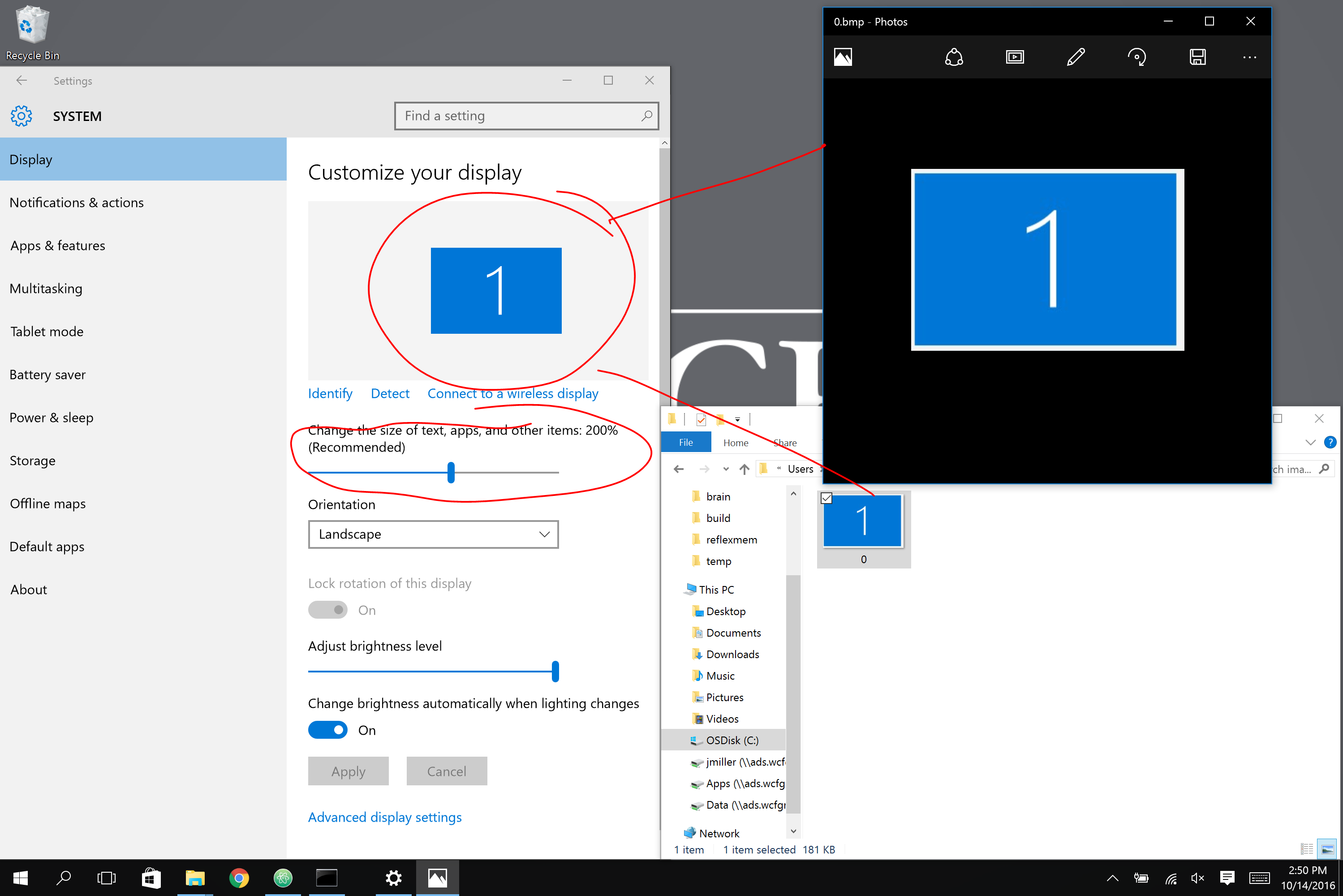
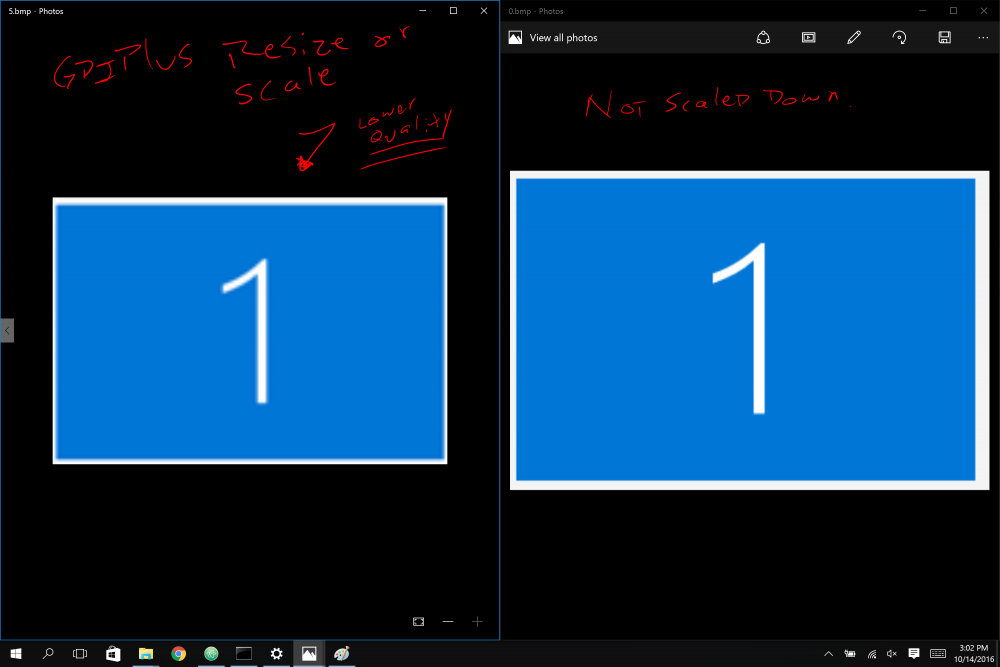
 Been struggling with this one for a while. when I do a _screencapture_capture call on a high resolution monitor (like my surface book) it gives me an image that has 2 problems: 1. its in the wrong location on the screen and 2. it gives me a picture that is larger than the area of the screen I selected, though it only has the content of what I selected. --------------------------- I was able to easily fix problem #1 by manually adjusting the x y coordinates to compensate for the amount of DPI scale I have. for instance if I'm 200% zoomed in the code looks like this: Local $bmp = _ScreenCapture_Capture("", $iX1*2, $iY1*2, $iX2*2, $iY2*2, false) it's problem #2 that is the big problem. I'd like to attach a screen shot of what I'm talking about (see capture.png) --------------------------- Now I basically understand why this is happening. ScreenCapture grabs each pixel of the screen. This screen, being a high resolution, when its zoomed in adds up several pixels to make one on the screen. This is a problem for me because I'm taking images of the screen and later looking for those exact images on the screen. if everything is blown up by an indeterminate amount (in my case 2x) then those images can't be found later on. Does anyone know what I can do? I tried resizing the images back down to no avail. _GDIPlus_ImageResize and _GDIPlus_ImageScale don't work because they don't compress the pixels correctly. quality is lost. and the exact image isn't preserved, so I can't search for it later. (see capture1.png) Anyway, I'm about to give up, been on this problem for too long! does anyone know what I can do? Seems to me that the ideal solution would be to eventually have autoit add an argument to _screencapture_capture that lets you specify a DPI scale amount or something. that can be pulled from the registry at HKEY_CURRENT_USER\control panel\desktop\windowmetrics\appliedDPI. But in the meantime, does anyone have any suggestions for how I can make my program compatible with 4k resolution monitors? I either need to take the screen capture like normal, then scale it down appropriately without losing quality, or I need to capture the screen in the first place like the human sees it. But I don't know how to do that either. I'll post my relevant code here: (in my project I call ScreenCapture_DPI_Aware) #include <Security.au3> Func _GetAppliedDPI() Local $aArrayOfData = _Security__LookupAccountName(@UserName) If IsArray($aArrayOfData) Then ;msgbox(64, "SID String = ", $aArrayOfData[0] & @CRLF) ;msgbox(64, "Domain name = ", $aArrayOfData[1] & @CRLF) ;msgbox(64, "SID type = ", _Security__SidTypeStr($aArrayOfData[2]) & @CRLF) ;Local $AppliedDPI = RegRead("HKEY_USERS\" & $aArrayOfData[0] & "\Control Panel\Desktop\WindowMetrics", "AppliedDPI") Local $AppliedDPI = RegRead("HKEY_CURRENT_USER\Control Panel\Desktop\WindowMetrics", "AppliedDPI") return $AppliedDPI EndIf EndFunc Func GetScale() $applied = _GetAppliedDPI() if $applied == "" then return 1 else return $applied / 96 EndIf EndFunc Func ScreenCapture_Capture_DPI_Aware($sBMP_Path, $iX1, $iY1, $iX2, $iY2, $bool) $R = GetScale() ;Raito Local $bmp = _ScreenCapture_Capture($sBMP_Path, $iX1*$R, $iY1*$R, $iX2*$R, $iY2*$R, $bool) ;Scaling didn't work: ;_ScaleImage($bmp, $sBMP_Path, abs($iX2 - $iX1), abs($iY2 - $iY1), $R) ;return _ScreenCapture_Capture($sBMP_Path, $iX1*$R, $iY1*$R, $iX2*$R, $iY2*$R, $bool) EndFunc ;Func _ScaleImage($bmp, $outimage, $w, $h, $scale) ; _GDIPlus_Startup() ;Get the encoder of to save the resized image in the format you want. ; Local $Ext = StringUpper(StringMid($outimage, StringInStr($outimage, ".", 0, -1) + 1)) ; $CLSID = _GDIPlus_EncodersGetCLSID($Ext) ; code found here : https://www.autoitscript.com/autoit3/docs/libfunctions/_GDIPlus_ImageSaveToStream.htm ; Local $sImgCLSID = _GDIPlus_EncodersGetCLSID("png") ;create CLSID for a JPG image file type ; Local $tGUID = _WinAPI_GUIDFromString($sImgCLSID) ;convert CLSID GUID to binary form and returns $tagGUID structure ; Local $tParams = _GDIPlus_ParamInit(1) ;initialize an encoder parameter list and return $tagGDIPENCODERPARAMS structure ; Local $tData = DllStructCreate("int Quality") ;create struct to set JPG quality setting ; DllStructSetData($tData, "Quality", 100) ;quality 0-100 (0: lowest, 100: highest) ; Local $pData = DllStructGetPtr($tData) ;get pointer from quality struct ; _GDIPlus_ParamAdd($tParams, $GDIP_EPGQUALITY, 1, $GDIP_EPTLONG, $pData) ;add a value to an encoder parameter list ; Local $gbmp = _GDIPlus_BitmapCreateFromHBITMAP($bmp) ; _WinAPI_DeleteObject($bmp) ; Local $gsbmp = _GDIPlus_ImageResize($gbmp, $w * $scale, $h * $scale) ;Local $ext = _GDIPlus_EncodersGetCLSID("PNG") ; _GDIPlus_ImageSaveToFileEx($gsbmp, $outimage, $sImgCLSID) ; _GDIPlus_BitmapDispose($gbmp) ; _GDIPlus_BitmapDispose($gsbmp) ; _GDIPlus_Shutdown() ;EndFunc Thanks for any help you can give me!!!
-
In my code, I'm using GUICtrlCreateLabel to create a label and GUICtrlSetFont to set the font. Example... $SELlbl = GUICtrlCreateLabel("Hello World", 8, 8, 286, 24) GUICtrlSetFont(-1, 12, 800, 0, "MS Sans Serif")This works in my GUI unless display settings are changed in Windows 7 from 100% to 125-150%. Then the text is blown up and is misaligned with my GUI. Is there a simple way to ignore the display setting and force the font size?
-
 How to use this example in AutoIt ? MSDN: Developing a Per-Monitor DPI-Aware WPF Application MSDN: Per-Monitor Aware WPF Sample Below other useful links: MSDN: DPI Tutorial sample MSDN: High DPI MSDN: User Interface - High DPI Awareness mLipok