Bert
-
Posts
14,414 -
Joined
-
Last visited
-
Days Won
81









Bert's Achievements

-

Adding different language support to a GUI
Bert replied to Bert's topic in AutoIt General Help and Support
I did what all of you suggested. This does work. Thanks! -
Adding different language support to a GUI
Bert replied to Bert's topic in AutoIt General Help and Support
In doing more searching, I found a post where it suggested in SciTE to go file>Encoding> and making a change there. That didn't work. It made no difference. -
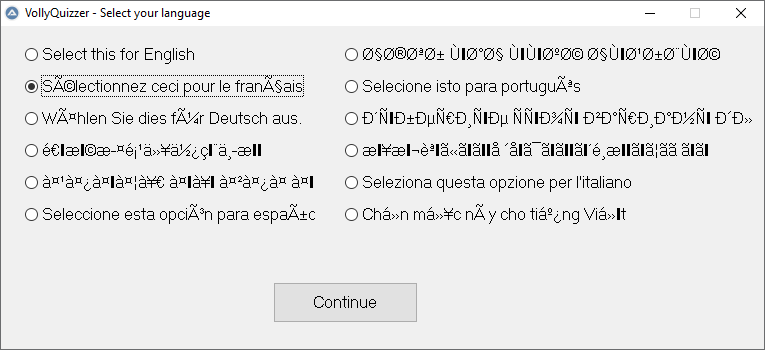
I'm building a GUI and I want to add support for 12 languages. The problem I'm running into is say I have a radio control and I want to change the text depending on what language is being used. The characters being rendered are not what I expect. I'm saving my text strings in an INI file. This is my script I'm using: #include <ButtonConstants.au3> #include <GUIConstantsEx.au3> #include <WindowsConstants.au3> Global $sIniFile2 = @ScriptDir & "\VQData\settings.ini" Global $defaultwintitle = "VollyQuizzer - Select your language" $FormLS1 = GUICreate($defaultwintitle, 763, 323, 311, 365) GUISetFont(12, 400, 0, "MS Sans Serif") $iniReadLS1 = IniRead($sIniFile2,"languageSelect","ENGLISH","English") $RadioLS1 = GUICtrlCreateRadio($iniReadLS1, 24, 16, 290, 25) $iniReadLS2 = IniRead($sIniFile2,"languageSelect","FRENCH","French") $RadioLS2 = GUICtrlCreateRadio($iniReadLS2, 24, (16*3), 290, 25) $iniReadLS3 = IniRead($sIniFile2,"languageSelect","GERMAN","German") $RadioLS3 = GUICtrlCreateRadio($iniReadLS3, 24, (16*5), 290, 25) $iniReadLS4 = IniRead($sIniFile2,"languageSelect","CHINESE","Chinese") $RadioLS4 = GUICtrlCreateRadio($iniReadLS4, 24, (16*7), 290, 25) $iniReadLS5 = IniRead($sIniFile2,"languageSelect","HINDI","Hindi") $RadioLS5 = GUICtrlCreateRadio($iniReadLS5, 24, (16*9), 290, 25) $iniReadLS6 = IniRead($sIniFile2,"languageSelect","SPANISH","Spanish") $RadioLS6 = GUICtrlCreateRadio($iniReadLS6, 24, (16*11), 290, 25) $iniReadLS7 = IniRead($sIniFile2,"languageSelect","ARABIC","Arabic") $RadioLS7 = GUICtrlCreateRadio($iniReadLS7, 344, 16, 410, 25) $iniReadLS8 = IniRead($sIniFile2,"languageSelect","PORTUGUESE","Portuguese") $RadioLS8 = GUICtrlCreateRadio($iniReadLS8, 344, (16*3), 410, 25) $iniReadLS9 = IniRead($sIniFile2,"languageSelect","RUSSIAN","Russian") $RadioLS9 = GUICtrlCreateRadio($iniReadLS9, 344, (16*5), 410, 25) $iniReadLS10 = IniRead($sIniFile2,"languageSelect","JAPANESE","Japanese") $RadioLS10 = GUICtrlCreateRadio($iniReadLS10, 344, (16*7), 410, 25) $iniReadLS11 = IniRead($sIniFile2,"languageSelect","ITALIAN","Italian") $RadioLS11 = GUICtrlCreateRadio($iniReadLS11, 344, (16*9), 410, 25) $iniReadLS12 = IniRead($sIniFile2,"languageSelect","VIETNAMESE","Vietnamese") $RadioLS12 = GUICtrlCreateRadio($iniReadLS12, 344, (16*11), 410, 25) $ButtonLS1 = GUICtrlCreateButton("Continue", 272, 256, 145, 41) GUISetState(@SW_SHOW) #EndRegion ### END Koda GUI section ### While 1 $nMsg = GUIGetMsg() Switch $nMsg Case $GUI_EVENT_CLOSE Exit Case $iniReadLS2 $INIL1 = IniRead($sIniFile2,"languageSelect", "French1","Fail") $defaultwintitle = $INIL1 EndSwitch WEnd When I run the script, this is the result (which is not what it should be). For example the Arabic (right column, top) is completely wrong. I'm thinking this is a Windows limitation (Character support) and I need a different approach. In any case my main script has a number of controls that I would like to be able to change the language to the operator's preference. If what I have in mind won't work, is there a different approach I could try? Not sure what to do here. Thanks.
-
 argumentum reacted to a post in a topic:
IniReadSectionNames
argumentum reacted to a post in a topic:
IniReadSectionNames
-
Never mind. Got it. The solution is put in in the ini file, section header, this: [| |]. Pipes are the delimiter used in IniReadSectionNames. By putting in two pipes with a space between, you create a null value that will be at the top of the array list.
- 1 reply
-
- 1
-
-
I have the following code: $i=1 $sIniFile = @ScriptDir & "\VQData\usernames.ini" local $sArrayUser = IniReadSectionNames($sIniFile) $Form1 = GUICreate("VollyQuizzer - Existing User", 413, 90, -1, -1) GUISetFont(12, 400, 0, "MS Sans Serif") $List1 = GUICtrlCreateList("", 24, 32, 200, 40) For $i = 1 To $sArrayUser[0] GUICtrlSetData($List1,$sArrayUser[$i]) Next $Label1 = GUICtrlCreateLabel("Select your name", 24, 8, 200, 24) $ButtonEU1 = GUICtrlCreateButton("Continue", 240, 32, 73, 25) $ButtonEU2 = GUICtrlCreateButton("Cancel", 325, 32, 73, 25) GUISetState(@SW_SHOW) While 1 $nMsg = GUIGetMsg() Switch $nMsg Case $GUI_EVENT_CLOSE Exit Case $ButtonEU1 ;goes to main screen $Readnameselected = GUICtrlRead($List1) If Stringlen($Readnameselected) = 0 then MsgBox(48, "Error", "You must either select an existing" & @cr _ & "user or create a new user.") EndIf If Stringlen($Readnameselected) <> 0 then $Quizusername = $Readnameselected GUIDelete() VQuizMain() EndIf Case $ButtonEU2 ;goes back to start screen GUIDelete() VStartup() EndSwitch WEnd When I run it, I see a list of names in the $List1 field. I want to have it show on default the field be empty and when the user clicks the up/down controls, it then will scroll to the first name. I tried to put in a dummy ini section name of [] but that didn't work. Tried [ ] too and that didn't work. In other words, when IniReadSectionNames creates the array, I need the first value in the array to be blank. Any suggestions? Logic says I need to add to the array an additional value of null. I tried _ArrayAdd and it didn't work either: $List1 = GUICtrlCreateList("", 24, 32, 200, 40) For $i = 1 To $sArrayUser[0] _ArrayAdd($sArrayUser," ") GUICtrlSetData($List1,$sArrayUser[$i]) Each time I run the script it returns the first name of the array as the default. In my case it is Arron Smith. It would not even add a text string such as "xxxxx". I read that _ArrayAdd() only adds to the end of an array so I'm a bit stumped. I've attached an ini file for testing. usernames.ini Second problem is the list is being shuffled in the array before updating the list control. I noticed the array is being sorted by the first letter. I suspect when it is doing the sort it is skipping any blanks. I'm OK with that, just as long as I can have the blank value be at the top of the array.
-
Koda Form Designer not behaving properly
Bert replied to Bert's topic in AutoIt General Help and Support
It isn't a big deal. Just wanted to verify if it was my rig or not. I know the odds of Koda being fixed are low at best for the original authors are no longer around. I'm making it work with what I have in mind. Thank you everyone! -
Koda Form Designer not behaving properly
Bert replied to Bert's topic in AutoIt General Help and Support
I'm also now noticing SciTE is now not letting me select a language when I have an untitled tab open. It has to be my rig. 🤦♂️ -
Koda Form Designer not behaving properly
Bert replied to Bert's topic in AutoIt General Help and Support
I'm just thinking if someone used the AutoIt suite out of the can - is Koda buggy or not. (and it is just my rig). I can live with it if it is my rig. -
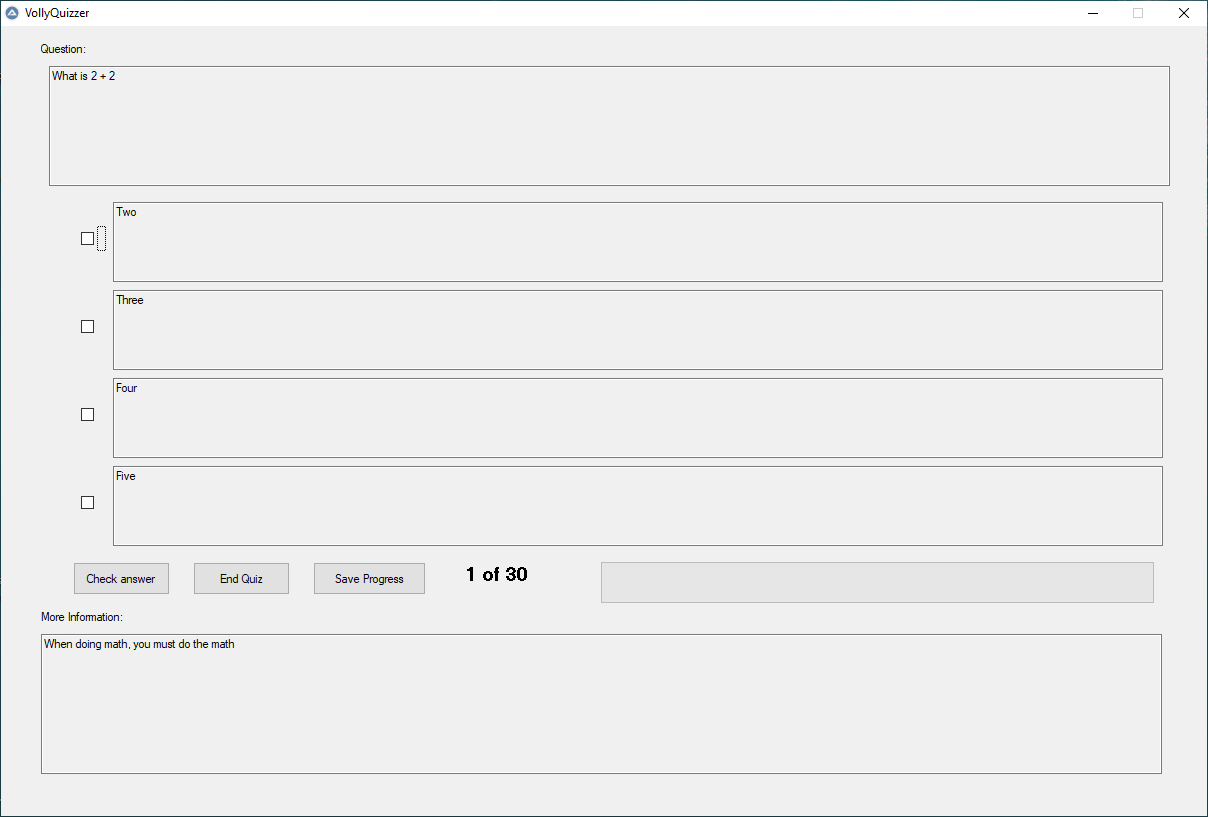
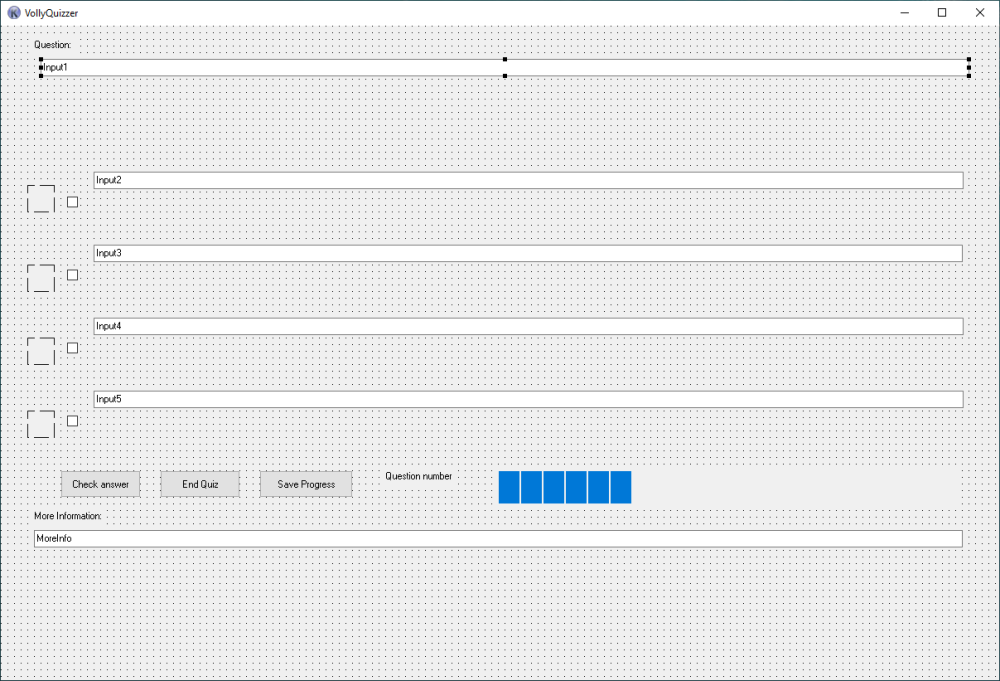
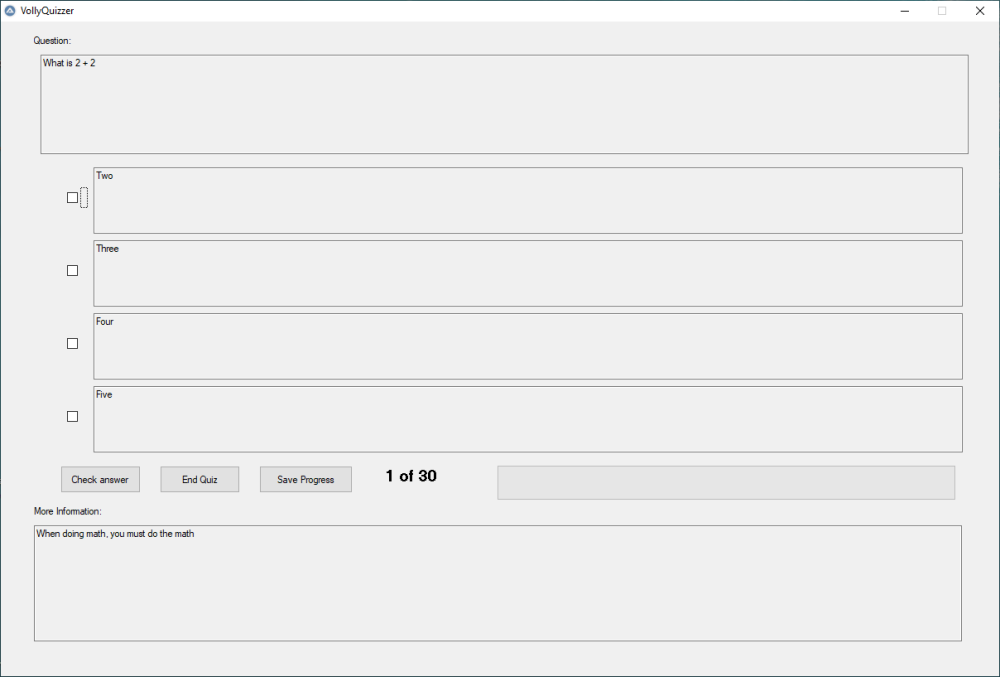
I'm not sure if it is my version of Koda that is buggy, or it is something else. I'm noticing a few behaviors that are odd. Anytime I try to drag or tweak a input field, the field will resize itself to a height of 21. I can use the object inspector to change the height to what I want however and it will do what I want. If however I do anything after that to the field, it will resize the height right back to 21. When I open a kxf file in notepad to look at the xml, I can see the height defined correctly for the input fields. When I open the kxf in Koda, it will resize all of the input fields back to 21 in height. When I generate the code to SciTE, Even though the kxf file has the correct settings, Koda will make the input fields heights all 21. This is a screenshot of the GUI I'm trying to make. This is what it is actually supposed to look like when running the generated code in SciTE and making the fixes to the field sizes. I've also attached the kxf file so you can see how it is configured. Could someone open it in their version of Koda so I can see if it is my rig or it is an actual bug please? Thanks in advance. Test screen.kxf
-
Hello everyone. I've found I need quizzing software that works like the old Transdumper software. (You can find it here: https://www.gejos.com/) The problem with that software is it runs in Internet Explorer and needs ActiveX. Edge doesn't use that unless you run the browser in IE mode. Even then, Trandumper doesn't work in it. Been there, tried to get it to work, got the t-shirt.... and the juice isn't worth the squeeze. I looked at a bunch of other apps out there and it is either super pricey, crippled in features, very clunky to use, or just doesn't do what I need. So, I decided to dust off my AutoIt skills and build an app that can do it. I'm looking to get most of the the basic functionality of Trandumper in a GUI, use CSV files to store the test, and keep it simple. I don't see it working on mobile and have no plans to do that. I won't have drag and drop support either. Other than that, I should be able to get it to work. If anyone is interested in helping me code this thing, I would be grateful. Thanks in advance.
-
Have you looked at hooking into the control itself so you don't have to rely on color? It would be MUCH more stable
-
_IECreate - Invisible browser in Windows 11
Bert replied to Steviep's topic in AutoIt General Help and Support
IE isn't in Windows 11 AFAIK. You could switch to this to make what you want work: -
Bert reacted to a post in a topic:
PixelGetColor - checking for multiple values
-
Heather, have you checked to see if the installer supports command line switches? If it does then you can greatly simplify your script. If you don't know how to check, do this: From a DOS prompt enter the full file path and file name along with a /? switch. For example the installer.exe file may be located in a folder on the root of your C drive and the folder is called test. So the path along with the switch would be C:\test\installer.exe /? If the installer does support command line switches your DOS command should report a list of supported switches. Edit: in looking at the software you are installing, you also may want to look at this article: https://blogs.sap.com/2014/05/29/sapgui-installation-server-part-1-getting-started/
-
Have you ever tried the Regex GUI script (Its a button) that is at the bottom of the Regex tutorial in the help file? It is a regex tester and it works quite well. Look for StringRegExpGUI.au3