Overview
You can download the main AutoIt package and other related scripting tools from this page. The current version of AutoIt is compatible with the following operating systems:
- Windows 7 / 8 / 10 / 11
- Windows Server 2008 / 2012 / 2016 / 2019 / 2022
Downloads
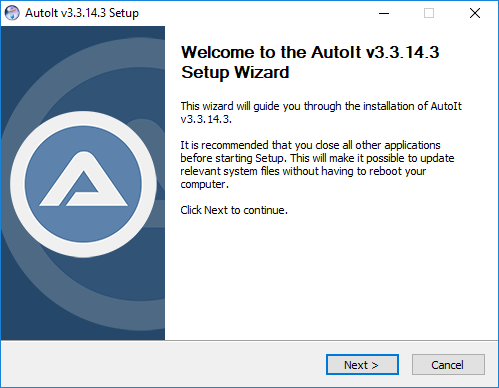
Here you can download AutoIt and related files. The AutoIt installer and executables have been digitally signed by AutoIt Consulting Ltd. If you get a Microsoft SmartScreen warning after downloading the installer please see the SmartScreen and AutoIt page for more details.
Latest Version: v3.3.18.0
Released: 7 September 2025
AutoIt Full Installation
Choose “Installer” for full installation and “Portable” for a standalone zipped version of AutoIt. Both include:
- AutoIt program files, documentation and examples.
- Aut2Exe – Script to executable converter. Convert your scripts into standalone .exe files!
- AutoItX – DLL/COM control. Add AutoIt features to your favorite programming and scripting languages! Also features a C# assembly and PowerShell CmdLets.
- Editor – A cut down version of the SciTE script editor package to get started. Download the package below for the full version!
AutoIt Script Editor
Customised version of SciTE with lots of additional coding tools for AutoIt.
AutoIt Previous Versions – Here are some notable previous versions:
- v3.2.12.1 – Last version to support Windows 95 and Windows NT 4.0.
- v3.3.8.1 – Last version to support Windows 2000.
- v3.3.16.1 – Last version to support Windows XP and Server 2003
Graphics, icons, user bars and wallpapers
AutoIt BETA
You can download the latest AutoIt beta and related files from here.
Note: The beta can be unstable – always check the forums.
Script Editors

Programming and writing scripts in Notepad can be a pain. The AutoIt team has created a custom version of SciTe that has the following features and tools included:
- Syntax highlighting and code completion
- Code prettifier
- Syntax checker
- And much much more…
The homepage for the AutoIt version of SciTe can be found here.
Other Text Editors
If you don’t want to use SciTe or have your own favorite text editor then AutoIt comes with syntax files for the following editors “out of the box”:
The syntax files for these are stored in the Extras \ Editors directory of the AutoIt installation.