Search the Community
Showing results for tags 'gui'.
-
I think the _WinAPI_DPI UDF is now complete enough to be released here. ;Coded by UEZ build 2026-08-26 beta #include-once #include <GDIPlus.au3> #include <StructureConstants.au3> #include <WinAPIGdi.au3> #include <WinAPISysWin.au3> #include <WinAPIsysinfoConstants.au3> ;$SM_* constants for _WinAPI_GetSystemMetricsForDpi #Region DPI Constants ;https://learn.microsoft.com/en-us/windows/win32/api/windef/ne-windef-dpi_awareness Global Enum $DPI_AWARENESS_INVALID = -1, $DPI_AWARENESS_UNAWARE = 0, $DPI_AWARENESS_SYSTEM_AWARE = 1, $DPI_AWARENESS_PER_MONITOR_AWARE = 2 ;https://learn.microsoft.com/en-us/windows/win32/hidpi/dpi-awareness-context ;These are pseudo-handles: formally pointers (DECLARE_HANDLE), but the values -1..-5 are ;sentinels the API maps internally. Never dereference them. Kept as plain literals on ;purpose - deriving them from the DPI_AWARENESS enum couples two unrelated enumerations. Global Const $DPI_AWARENESS_CONTEXT_UNAWARE = -1 Global Const $DPI_AWARENESS_CONTEXT_SYSTEM_AWARE = -2 Global Const $DPI_AWARENESS_CONTEXT_PER_MONITOR_AWARE = -3 Global Const $DPI_AWARENESS_CONTEXT_PER_MONITOR_AWARE_V2 = -4 Global Const $DPI_AWARENESS_CONTEXT_UNAWARE_GDISCALED = -5 ;Unified awareness levels for _WinAPI_SetDPIAwareness (version independent). ;Note the ordering is NOT "increasing awareness": GDISCALED is a variant of UNAWARE and ;deliberately sits last, so never clamp an out-of-range value to it. Global Enum $DPI_LEVEL_UNAWARE = 0, $DPI_LEVEL_SYSTEM, $DPI_LEVEL_PER_MONITOR, $DPI_LEVEL_PER_MONITOR_V2, $DPI_LEVEL_UNAWARE_GDISCALED ;Scope for _WinAPI_SetDPIAwareness Global Enum $DPI_SCOPE_PROCESS = 1, $DPI_SCOPE_THREAD = 2 ;enum PROCESS_DPI_AWARENESS (shellscalingapi.h) Global Enum $PROCESS_DPI_UNAWARE = 0, $PROCESS_SYSTEM_DPI_AWARE, $PROCESS_PER_MONITOR_DPI_AWARE ;enum _MONITOR_DPI_TYPE Global Enum $MDT_EFFECTIVE_DPI = 0, $MDT_ANGULAR_DPI, $MDT_RAW_DPI Global Const $MDT_DEFAULT = $MDT_EFFECTIVE_DPI ;Cursor creation scaling (winuser.h, guarded by NTDDI_WIN10_CO = Windows 11 21H2) Global Const $CURSOR_CREATION_SCALING_NONE = 1 Global Const $CURSOR_CREATION_SCALING_DEFAULT = 2 ;enum DPI_HOSTING_BEHAVIOR (Win10 1803+) - controls whether a window may host child windows ;with a different DPI awareness. MIXED is needed for legacy controls inside a modern window. Global Enum $DPI_HOSTING_BEHAVIOR_INVALID = -1, $DPI_HOSTING_BEHAVIOR_DEFAULT = 0, $DPI_HOSTING_BEHAVIOR_MIXED = 1 ;Windows Message Codes Global Const $WM_DPICHANGED = 0x02E0, $WM_DPICHANGED_BEFOREPARENT = 0x02E2, $WM_DPICHANGED_AFTERPARENT = 0x02E3, $WM_GETDPISCALEDSIZE = 0x02E4 ;DpiChangeBehavior Global Const $DDC_DEFAULT = 0 Global Const $DDC_DISABLE_ALL = 1 Global Const $DDC_DISABLE_RESIZE = 2 Global Const $DDC_DISABLE_CONTROL_RELAYOUT = 4 Global Const $DCDC_DEFAULT = 0 Global Const $DCDC_DISABLE_FONT_UPDATE = 1 Global Const $DCDC_DISABLE_RELAYOUT = 2 ;Internal: OS build thresholds. @OSBuild is compared against these instead of using ;hand-written Case ranges, which is where the original version left a gap. Global Const $__DPI_BUILD_VISTA = 6000 ;SetProcessDPIAware Global Const $__DPI_BUILD_WIN81 = 9600 ;SetProcessDpiAwareness, GetDpiForMonitor Global Const $__DPI_BUILD_1607 = 14393 ;SetThreadDpiAwarenessContext, GetDpiForSystem, SetProcessDpiAwarenessContext Global Const $__DPI_BUILD_1703 = 15063 ;PER_MONITOR_AWARE_V2 context value Global Const $__DPI_BUILD_1803 = 17134 ;GetDpiFromDpiAwarenessContext, InheritWindowMonitor Global Const $__DPI_BUILD_1809 = 17763 ;UNAWARE_GDISCALED Global Const $__DPI_ERROR_ACCESS_DENIED = 5 ;Win32 ERROR_ACCESS_DENIED Global Const $__DPI_E_ACCESSDENIED = 0x80070005 ;HRESULT E_ACCESSDENIED Global Const $__DPI_DEFAULT_DPI = 96 ;USER_DEFAULT_SCREEN_DPI #EndRegion DPI Constants #Region Internal helpers ;Reads the thread's last Win32 error. Must be called immediately after the DllCall whose ;failure reason is wanted - any intervening call may overwrite it. Func __WinAPI_DPI_GetLastError() Local $aResult = DllCall("kernel32.dll", "dword", "GetLastError") If @error Or Not IsArray($aResult) Then Return 0 Return $aResult[0] EndFunc ;==>__WinAPI_DPI_GetLastError ;Best available way of reading the current DPI, degrading with the OS version. ;Returns 0 if nothing worked. Func __WinAPI_DPI_QueryCurrent() Local $iDPI = 0 If @OSBuild >= $__DPI_BUILD_1607 Then $iDPI = _WinAPI_GetDpiForSystem() If @error Then $iDPI = 0 EndIf If Not $iDPI And @OSBuild >= $__DPI_BUILD_WIN81 Then $iDPI = _WinAPI_GetDpiForMonitor() If @error Then $iDPI = 0 EndIf If Not $iDPI Then $iDPI = _WinAPI_GetDPI() ;GetDeviceCaps fallback, works on every version If @error Then $iDPI = 0 EndIf Return $iDPI EndFunc ;==>__WinAPI_DPI_QueryCurrent ;Maps a unified level (0..4) to its DPI_AWARENESS_CONTEXT pseudo-handle. ;Every level is listed explicitly. Anything unexpected falls back to PER_MONITOR_AWARE_V2 and ;never to GDISCALED - an unknown value must not silently end up in an unaware mode. Func __WinAPI_DPI_LevelToContext($iLevel) Switch $iLevel Case $DPI_LEVEL_UNAWARE Return $DPI_AWARENESS_CONTEXT_UNAWARE Case $DPI_LEVEL_SYSTEM Return $DPI_AWARENESS_CONTEXT_SYSTEM_AWARE Case $DPI_LEVEL_PER_MONITOR Return $DPI_AWARENESS_CONTEXT_PER_MONITOR_AWARE Case $DPI_LEVEL_UNAWARE_GDISCALED Return $DPI_AWARENESS_CONTEXT_UNAWARE_GDISCALED Case Else Return $DPI_AWARENESS_CONTEXT_PER_MONITOR_AWARE_V2 EndSwitch EndFunc ;==>__WinAPI_DPI_LevelToContext ;Folds a unified level onto the three PROCESS_DPI_AWARENESS values. GDISCALED is a variant of ;UNAWARE and V2 a variant of PER_MONITOR, so both collapse onto their base level. Func __WinAPI_DPI_LevelToCoarse($iLevel) Switch $iLevel Case $DPI_LEVEL_SYSTEM Return $PROCESS_SYSTEM_DPI_AWARE Case $DPI_LEVEL_PER_MONITOR, $DPI_LEVEL_PER_MONITOR_V2 Return $PROCESS_PER_MONITOR_DPI_AWARE Case Else ;UNAWARE and UNAWARE_GDISCALED Return $PROCESS_DPI_UNAWARE EndSwitch EndFunc ;==>__WinAPI_DPI_LevelToCoarse ;Determines the DPI awareness level (0..4) that is in effect for the CALLING THREAD - which is ;the process default as long as the thread has not overridden it. There is no way around that ;restriction: asked about its own process, Windows answers with the calling thread's context, ;GetDpiAwarenessContextForProcess and GetProcessDpiAwareness included, no matter whether the ;process handle is NULL or a real one. Use the result accordingly and never as proof about ;another thread. ;Returns -1 when the level cannot be determined - that means "unknown", not "mismatch". ;@extended tells how precise the answer is: 0 = exact, 1 = PROCESS_DPI_AWARENESS granularity, ;where PER_MONITOR and V2 are indistinguishable and GDISCALED reads as UNAWARE. Compare such a ;value with __WinAPI_DPI_LevelSatisfies() instead of testing it for equality. Func __WinAPI_DPI_GetActiveLevel() Local $iContext = 0, $iLevel = 0, $iAwareness = 0 If @OSBuild >= $__DPI_BUILD_1607 Then $iContext = _WinAPI_GetThreadDpiAwarenessContext() If Not @error And $iContext Then ;The context is an opaque handle, so ask the API which of the known levels it equals For $iLevel = $DPI_LEVEL_UNAWARE To $DPI_LEVEL_UNAWARE_GDISCALED If _WinAPI_AreDpiAwarenessContextsEqual($iContext, __WinAPI_DPI_LevelToContext($iLevel)) Then Return SetError(0, 0, $iLevel) Next ;Unknown context - fall back to the coarse DPI_AWARENESS value (0..2) $iAwareness = _WinAPI_GetAwarenessFromDpiAwarenessContext($iContext) If Not @error And $iAwareness <> $DPI_AWARENESS_INVALID Then Return SetError(0, 1, $iAwareness) EndIf EndIf If @OSBuild >= $__DPI_BUILD_WIN81 Then $iAwareness = _WinAPI_GetProcessDpiAwareness() If Not @error Then Return SetError(0, 1, $iAwareness) ;PROCESS_DPI_AWARENESS 0..2 EndIf If @OSBuild >= $__DPI_BUILD_VISTA Then ;Vista..Win8 know system awareness only $iAwareness = _WinAPI_IsProcessDPIAware() If Not @error Then Return SetError(0, 1, ($iAwareness ? $DPI_LEVEL_SYSTEM : $DPI_LEVEL_UNAWARE)) EndIf Return SetError(0, 0, -1) EndFunc ;==>__WinAPI_DPI_GetActiveLevel ;Decides whether the level that is really active satisfies the request. $bCoarse is the ;precision flag of __WinAPI_DPI_GetActiveLevel(): on that granularity both sides have to be ;folded down first, otherwise a correctly applied V2 would be reported as a mismatch. ;An undetermined level (-1) counts as satisfied - guessing would only produce false alarms. Func __WinAPI_DPI_LevelSatisfies($iActiveLevel, $bCoarse, $iRequestedLevel) If $iActiveLevel = -1 Then Return True If Not $bCoarse Then Return ($iActiveLevel = $iRequestedLevel) Return (__WinAPI_DPI_LevelToCoarse($iActiveLevel) = __WinAPI_DPI_LevelToCoarse($iRequestedLevel)) EndFunc ;==>__WinAPI_DPI_LevelSatisfies #EndRegion Internal helpers #Region WinAPI DPI - queries ;https://learn.microsoft.com/en-us/windows/win32/api/winuser/nf-winuser-adjustwindowrectexfordpi ;The API expands an existing client RECT into a window RECT, so the rectangle is an input. ;Passing all four coordinates as 0 yields the pure frame offsets (left/top become negative). ;Returns: $tagRECT structure. @error 1 = call failed (@extended = @error), 2 = API returned FALSE. Func _WinAPI_AdjustWindowRectExForDpi($iDpi, $dwStyle, $dwExStyle = 0, $bMenu = False, $iLeft = 0, $iTop = 0, $iRight = 0, $iBottom = 0) Local $tRECT = DllStructCreate($tagRECT) $tRECT.Left = $iLeft $tRECT.Top = $iTop $tRECT.Right = $iRight $tRECT.Bottom = $iBottom ;Parameter order per MSDN: lpRect, dwStyle, bMenu, dwExStyle, dpi Local $aResult = DllCall("user32.dll", "bool", "AdjustWindowRectExForDpi", "struct*", $tRECT, "dword", $dwStyle, "bool", $bMenu, "dword", $dwExStyle, "uint", $iDpi) ;Win10 1607+ / no server support If @error Or Not IsArray($aResult) Then Return SetError(1, @error, 0) If Not $aResult[0] Then Return SetError(2, __WinAPI_DPI_GetLastError(), 0) Return $tRECT EndFunc ;==>_WinAPI_AdjustWindowRectExForDpi ;https://learn.microsoft.com/en-us/windows/win32/api/winuser/nf-winuser-systemparametersinfofordpi ;$pvParam must be a DllStruct (or pointer) matching the requested $uiAction. Func _WinAPI_SystemParametersInfoForDpi($uiAction, $uiParam, $pvParam, $fWinIni, $iDpi) Local $aResult = DllCall("user32.dll", "bool", "SystemParametersInfoForDpi", "uint", $uiAction, "uint", $uiParam, "struct*", $pvParam, "uint", $fWinIni, "uint", $iDpi) ;Win10 1607+ / no server support If @error Or Not IsArray($aResult) Then Return SetError(1, @error, 0) If Not $aResult[0] Then Return SetError(2, __WinAPI_DPI_GetLastError(), 0) Return True EndFunc ;==>_WinAPI_SystemParametersInfoForDpi ;https://learn.microsoft.com/en-us/windows/win32/api/winuser/nf-winuser-inheritwindowmonitor Func _WinAPI_InheritWindowMonitor($hWnd, $hWndInherit) Local $aResult = DllCall("user32.dll", "bool", "InheritWindowMonitor", "hwnd", $hWnd, "hwnd", $hWndInherit) ;Win10 1803+ / Windows Server 2016+ If @error Or Not IsArray($aResult) Then Return SetError(1, @error, 0) If Not $aResult[0] Then Return SetError(2, __WinAPI_DPI_GetLastError(), 0) Return True EndFunc ;==>_WinAPI_InheritWindowMonitor ;https://learn.microsoft.com/en-us/windows/win32/api/winuser/nf-winuser-isvaliddpiawarenesscontext ;A result of False means "this context is not valid" - that is an answer, not an error. ;@error is only set when the call itself could not be made. Func _WinAPI_IsValidDpiAwarenessContext($iContext) Local $aResult = DllCall("user32.dll", "bool", "IsValidDpiAwarenessContext", "int_ptr", $iContext) ;Win10 1607+ / no server support If @error Or Not IsArray($aResult) Then Return SetError(1, @error, False) Return ($aResult[0] <> 0) EndFunc ;==>_WinAPI_IsValidDpiAwarenessContext ;https://learn.microsoft.com/en-us/windows/win32/api/winuser/nf-winuser-logicaltophysicalpointforpermonitordpi Func _WinAPI_LogicalToPhysicalPointForPerMonitorDPI($hWnd, $iX, $iY) Local $tPOINT = DllStructCreate($tagPOINT) $tPOINT.x = $iX $tPOINT.y = $iY Local $aResult = DllCall("user32.dll", "bool", "LogicalToPhysicalPointForPerMonitorDPI", "hwnd", $hWnd, "struct*", $tPOINT) ;Win8.1+ / no server support If @error Or Not IsArray($aResult) Then Return SetError(1, @error, 0) If Not $aResult[0] Then Return SetError(2, __WinAPI_DPI_GetLastError(), 0) Return $tPOINT EndFunc ;==>_WinAPI_LogicalToPhysicalPointForPerMonitorDPI ;https://learn.microsoft.com/en-us/windows/win32/api/winuser/nf-winuser-physicaltologicalpointforpermonitordpi Func _WinAPI_PhysicalToLogicalPointForPerMonitorDPI($hWnd, $iX, $iY) Local $tPOINT = DllStructCreate($tagPOINT) $tPOINT.x = $iX $tPOINT.y = $iY Local $aResult = DllCall("user32.dll", "bool", "PhysicalToLogicalPointForPerMonitorDPI", "hwnd", $hWnd, "struct*", $tPOINT) ;Win8.1+ / no server support If @error Or Not IsArray($aResult) Then Return SetError(1, @error, 0) If Not $aResult[0] Then Return SetError(2, __WinAPI_DPI_GetLastError(), 0) Return $tPOINT EndFunc ;==>_WinAPI_PhysicalToLogicalPointForPerMonitorDPI ;GDI+ based DPI of a window (0 = desktop). Requires _GDIPlus_Startup beforehand. Func _GDIPlus_GetDPI($hGUI = 0) Local $hGfx = _GDIPlus_GraphicsCreateFromHWND($hGUI) If @error Then Return SetError(1, @error, 0) Local $aResult = DllCall($__g_hGDIPDll, "int", "GdipGetDpiX", "handle", $hGfx, "float*", 0) Local $iErr = @error _GDIPlus_GraphicsDispose($hGfx) ;always dispose, even on failure - the original leaked here If $iErr Or Not IsArray($aResult) Then Return SetError(2, $iErr, 0) If $aResult[0] Then Return SetError(3, $aResult[0], 0) ;GDI+ status, 0 = Ok Return $aResult[2] EndFunc ;==>_GDIPlus_GetDPI ;GetDeviceCaps based DPI. Works on every Windows version, but returns a virtualised value ;when the calling thread is DPI unaware. Func _WinAPI_GetDPI($hWnd = 0) If Not $hWnd Then $hWnd = _WinAPI_GetDesktopWindow() Local Const $hDC = _WinAPI_GetDC($hWnd) If @error Or Not $hDC Then Return SetError(1, 0, 0) Local Const $iDPI = _WinAPI_GetDeviceCaps($hDC, $LOGPIXELSX) Local Const $iErr = @error _WinAPI_ReleaseDC($hWnd, $hDC) If $iErr Or Not $iDPI Then Return SetError(2, $iErr, 0) Return $iDPI EndFunc ;==>_WinAPI_GetDPI ;https://learn.microsoft.com/en-us/windows/win32/api/shellscalingapi/nf-shellscalingapi-getdpiformonitor ;$hMonitor = 0 auto-selects the primary monitor. ;$bBothAxes = True returns a 2-element array [dpiX, dpiY] instead of dpiX only. Func _WinAPI_GetDpiForMonitor($hMonitor = 0, $iDpiType = $MDT_DEFAULT, $bBothAxes = False) If Not $hMonitor Then Local $aMonitors = _WinAPI_EnumDisplayMonitors() If @error Or Not IsArray($aMonitors) Then Return SetError(1, @error, 0) Local $aMI For $i = 1 To $aMonitors[0][0] $aMI = _WinAPI_GetMonitorInfo($aMonitors[$i][0]) If @error Or Not IsArray($aMI) Then ContinueLoop ;_WinAPI_GetMonitorInfo already reduces the MONITORINFO flags to 0 or 1 in $aMI[2], ;BitAND keeps working should that ever change back to the raw flag field If BitAND($aMI[2], 1) Then ;MONITORINFOF_PRIMARY $hMonitor = $aMonitors[$i][0] ExitLoop EndIf Next If Not $hMonitor Then Return SetError(2, 0, 0) ;no primary monitor found EndIf Local $tDpiX = DllStructCreate("uint dpiX") Local $tDpiY = DllStructCreate("uint dpiY") Local $aResult = DllCall("Shcore.dll", "long", "GetDpiForMonitor", _ ;Win8.1+ "handle", $hMonitor, _ "long", $iDpiType, _ "struct*", $tDpiX, _ "struct*", $tDpiY) If @error Or Not IsArray($aResult) Then Return SetError(3, @error, 0) If $aResult[0] <> 0 Then Return SetError(4, $aResult[0], 0) ;HRESULT check If Not $bBothAxes Then Return $tDpiX.dpiX Local $aReturn[2] = [$tDpiX.dpiX, $tDpiY.dpiY] Return $aReturn EndFunc ;==>_WinAPI_GetDpiForMonitor ;Kept for source compatibility - always returns a 2 element array [dpiX, dpiY], on failure ;filled with 0 so that a caller indexing the result does not run into a subscript error. Func _WinAPI_GetDpiForMonitor2($hMonitor, $iDpiType = $MDT_EFFECTIVE_DPI) Local $aReturn = _WinAPI_GetDpiForMonitor($hMonitor, $iDpiType, True) Local Const $iErr = @error, $iExt = @extended If $iErr Or Not IsArray($aReturn) Then Local $aEmpty[2] = [0, 0] Return SetError($iErr, $iExt, $aEmpty) EndIf Return SetError(0, $iExt, $aReturn) EndFunc ;==>_WinAPI_GetDpiForMonitor2 ;https://learn.microsoft.com/en-us/windows/win32/api/winuser/nf-winuser-getdpiforwindow Func _WinAPI_GetDpiForWindow($hWnd) Local $aResult = DllCall("user32.dll", "uint", "GetDpiForWindow", "hwnd", $hWnd) ;Win10 1607+ / no server support If @error Or Not IsArray($aResult) Then Return SetError(1, @error, 0) If Not $aResult[0] Then Return SetError(2, 0, 0) ;0 = invalid hwnd Return $aResult[0] EndFunc ;==>_WinAPI_GetDpiForWindow ;https://learn.microsoft.com/en-us/windows/win32/api/winuser/nf-winuser-getdpiforsystem Func _WinAPI_GetDpiForSystem() Local $aResult = DllCall("user32.dll", "uint", "GetDpiForSystem") ;Win10 1607+ / no server support If @error Or Not IsArray($aResult) Then Return SetError(1, @error, 0) If Not $aResult[0] Then Return SetError(2, 0, 0) Return $aResult[0] EndFunc ;==>_WinAPI_GetDpiForSystem ;https://learn.microsoft.com/en-us/windows/win32/api/winuser/nf-winuser-getthreaddpiawarenesscontext ;The returned handle is opaque: depending on the build it can be a real pointer or one of the ;-1..-5 pseudo-handles. Never compare it with the DPI_AWARENESS_CONTEXT_* constants directly, ;always use _WinAPI_AreDpiAwarenessContextsEqual. Func _WinAPI_GetThreadDpiAwarenessContext() Local $aResult = DllCall("user32.dll", "int_ptr", "GetThreadDpiAwarenessContext") ;Win10 1607+ / no server support If @error Or Not IsArray($aResult) Then Return SetError(1, @error, 0) If Not $aResult[0] Then Return SetError(2, 0, 0) Return $aResult[0] EndFunc ;==>_WinAPI_GetThreadDpiAwarenessContext ;https://learn.microsoft.com/en-us/windows/win32/api/winuser/nf-winuser-getdpifromdpiawarenesscontext ;MSDN: PER_MONITOR_AWARE and PER_MONITOR_AWARE_V2 contexts return 0 because the real DPI ;cannot be determined without an HWND. 0 is therefore NOT an error here. Func _WinAPI_GetDpiFromDpiAwarenessContext($iContext) Local $aResult = DllCall("user32.dll", "uint", "GetDpiFromDpiAwarenessContext", "int_ptr", $iContext) ;Win10 1803+ / Windows Server 2016+ If @error Or Not IsArray($aResult) Then Return SetError(1, @error, 0) Return $aResult[0] EndFunc ;==>_WinAPI_GetDpiFromDpiAwarenessContext ;https://learn.microsoft.com/en-us/windows/win32/api/winuser/nf-winuser-getawarenessfromdpiawarenesscontext ;Returns a DPI_AWARENESS value. 0 = DPI_AWARENESS_UNAWARE is a valid result, and the "int" ;return type keeps DPI_AWARENESS_INVALID (-1) intact instead of turning it into 4294967295. ;Note: PER_MONITOR_AWARE and PER_MONITOR_AWARE_V2 both report 2 - use ;_WinAPI_AreDpiAwarenessContextsEqual to distinguish them. Func _WinAPI_GetAwarenessFromDpiAwarenessContext($iContext) Local $aResult = DllCall("user32.dll", "int", "GetAwarenessFromDpiAwarenessContext", "int_ptr", $iContext) ;Win10 1607+ / no server support If @error Or Not IsArray($aResult) Then Return SetError(1, @error, $DPI_AWARENESS_INVALID) Return $aResult[0] EndFunc ;==>_WinAPI_GetAwarenessFromDpiAwarenessContext ;Convenience: DPI_AWARENESS of the calling thread. Func _WinAPI_GetThreadDpiAwareness() Local $iContext = _WinAPI_GetThreadDpiAwarenessContext() If @error Then Return SetError(1, @error, $DPI_AWARENESS_INVALID) Local $iAwareness = _WinAPI_GetAwarenessFromDpiAwarenessContext($iContext) If @error Then Return SetError(2, @error, $DPI_AWARENESS_INVALID) Return $iAwareness EndFunc ;==>_WinAPI_GetThreadDpiAwareness ;Convenience: does the calling thread run in the given context? Func _WinAPI_IsThreadDpiAwarenessContext($iContext) Local $iCurrent = _WinAPI_GetThreadDpiAwarenessContext() If @error Then Return SetError(1, @error, False) Local $bEqual = _WinAPI_AreDpiAwarenessContextsEqual($iCurrent, $iContext) If @error Then Return SetError(2, @error, False) Return $bEqual EndFunc ;==>_WinAPI_IsThreadDpiAwarenessContext ;https://learn.microsoft.com/en-us/windows/win32/api/winuser/nf-winuser-getdpiawarenesscontextforprocess ;$hProcess = 0 means the current process. Careful with that: asked about its own process, ;Windows returns the context of the CALLING THREAD, so a thread that overrode its awareness ;gets its own value back, not the process default. For another process the answer is the real ;process context. ;MSDN names Win10 1607 as the minimum, winuser.h however guards the API with NTDDI_WIN10_19H1, ;so only from 1903 (build 18362) on can the export be relied on. Func _WinAPI_GetDpiAwarenessContextForProcess($hProcess = 0) Local $aResult = DllCall("user32.dll", "int_ptr", "GetDpiAwarenessContextForProcess", "handle", $hProcess) ;Win10 1903+ If @error Or Not IsArray($aResult) Then Return SetError(1, @error, 0) If Not $aResult[0] Then Return SetError(2, 0, 0) Return $aResult[0] EndFunc ;==>_WinAPI_GetDpiAwarenessContextForProcess ;https://learn.microsoft.com/en-us/windows/win32/api/shellscalingapi/nf-shellscalingapi-getprocessdpiawareness ;Counterpart of _WinAPI_SetProcessDpiAwareness. $hProcess = 0 asks for the current process. ;Returns a PROCESS_DPI_AWARENESS value (0..2). PER_MONITOR_AWARE_V2 is reported as ;$PROCESS_PER_MONITOR_DPI_AWARE - this API cannot tell V1 and V2 apart. Func _WinAPI_GetProcessDpiAwareness($hProcess = 0) Local $tAwareness = DllStructCreate("int value") Local $aResult = DllCall("Shcore.dll", "long", "GetProcessDpiAwareness", "handle", $hProcess, "struct*", $tAwareness) ;Win8.1+ / Server 2012 R2+ If @error Or Not IsArray($aResult) Then Return SetError(1, @error, $DPI_AWARENESS_INVALID) If $aResult[0] <> 0 Then Return SetError(2, $aResult[0], $DPI_AWARENESS_INVALID) ;HRESULT check Return $tAwareness.value EndFunc ;==>_WinAPI_GetProcessDpiAwareness ;https://learn.microsoft.com/en-us/windows/win32/api/winuser/nf-winuser-isprocessdpiaware ;Counterpart of _WinAPI_SetProcessDPIAware. Legacy check: it only distinguishes "unaware" ;from "aware", so a per monitor aware process also reports True. Func _WinAPI_IsProcessDPIAware() Local $aResult = DllCall("user32.dll", "bool", "IsProcessDPIAware") ;Vista+ If @error Or Not IsArray($aResult) Then Return SetError(1, @error, False) Return ($aResult[0] <> 0) EndFunc ;==>_WinAPI_IsProcessDPIAware ;https://learn.microsoft.com/en-us/windows/win32/api/winuser/nf-winuser-getsystemdpiforprocess Func _WinAPI_GetSystemDpiForProcess($hProcess = 0) Local $aResult = DllCall("user32.dll", "uint", "GetSystemDpiForProcess", "handle", $hProcess) ;Win10 1803+ / Windows Server 2016+ If @error Or Not IsArray($aResult) Then Return SetError(1, @error, 0) If Not $aResult[0] Then Return SetError(2, 0, 0) Return $aResult[0] EndFunc ;==>_WinAPI_GetSystemDpiForProcess ;https://learn.microsoft.com/en-us/windows/win32/api/winuser/nf-winuser-getwindowdpiawarenesscontext Func _WinAPI_GetWindowDpiAwarenessContext($hWnd) Local $aResult = DllCall("user32.dll", "int_ptr", "GetWindowDpiAwarenessContext", "hwnd", $hWnd) ;Win10 1607+ / Windows Server 2016+ If @error Or Not IsArray($aResult) Then Return SetError(1, @error, 0) If Not $aResult[0] Then Return SetError(2, 0, 0) ;NULL = invalid window Return $aResult[0] EndFunc ;==>_WinAPI_GetWindowDpiAwarenessContext ;https://learn.microsoft.com/en-us/windows/win32/api/winuser/nf-winuser-getthreaddpihostingbehavior ;Returns a DPI_HOSTING_BEHAVIOR value. $DPI_HOSTING_BEHAVIOR_DEFAULT (0) is a valid result. Func _WinAPI_GetThreadDpiHostingBehavior() Local $aResult = DllCall("user32.dll", "int", "GetThreadDpiHostingBehavior") ;Win10 1803+ If @error Or Not IsArray($aResult) Then Return SetError(1, @error, $DPI_HOSTING_BEHAVIOR_INVALID) Return $aResult[0] EndFunc ;==>_WinAPI_GetThreadDpiHostingBehavior ;https://learn.microsoft.com/en-us/windows/win32/api/winuser/nf-winuser-getwindowdpihostingbehavior ;Returns a DPI_HOSTING_BEHAVIOR value, $DPI_HOSTING_BEHAVIOR_INVALID (-1) for an invalid window. Func _WinAPI_GetWindowDpiHostingBehavior($hWnd) Local $aResult = DllCall("user32.dll", "int", "GetWindowDpiHostingBehavior", "hwnd", $hWnd) ;Win10 1803+ If @error Or Not IsArray($aResult) Then Return SetError(1, @error, $DPI_HOSTING_BEHAVIOR_INVALID) If $aResult[0] = $DPI_HOSTING_BEHAVIOR_INVALID Then Return SetError(2, 0, $DPI_HOSTING_BEHAVIOR_INVALID) Return $aResult[0] EndFunc ;==>_WinAPI_GetWindowDpiHostingBehavior ;https://learn.microsoft.com/en-us/windows/win32/api/winuser/nf-winuser-aredpiawarenesscontextsequal ;False is a valid answer, so @error is only set when the call itself failed. Func _WinAPI_AreDpiAwarenessContextsEqual($iContextA, $iContextB) Local $aResult = DllCall("user32.dll", "bool", "AreDpiAwarenessContextsEqual", "int_ptr", $iContextA, "int_ptr", $iContextB) ;Win10 1607+ If @error Or Not IsArray($aResult) Then Return SetError(1, @error, False) Return ($aResult[0] <> 0) EndFunc ;==>_WinAPI_AreDpiAwarenessContextsEqual ;https://learn.microsoft.com/en-us/windows/win32/api/winuser/nf-winuser-getsystemmetricsfordpi ;0 can be a legitimate metric value, so it is not treated as an error. Func _WinAPI_GetSystemMetricsForDpi($nIndex, $iDpi) Local $aResult = DllCall("user32.dll", "int", "GetSystemMetricsForDpi", "int", $nIndex, "uint", $iDpi) ;Win10 1607+ If @error Or Not IsArray($aResult) Then Return SetError(1, @error, 0) Return $aResult[0] EndFunc ;==>_WinAPI_GetSystemMetricsForDpi ;https://learn.microsoft.com/en-us/windows/win32/api/winuser/nf-winuser-getdialogdpichangebehavior ;Returns a DDC_* bit mask. $DDC_DEFAULT (0) is a valid result. Func _WinAPI_GetDialogDpiChangeBehavior($hWnd) Local $aResult = DllCall("user32.dll", "int", "GetDialogDpiChangeBehavior", "hwnd", $hWnd) ;Win10 1703+ If @error Or Not IsArray($aResult) Then Return SetError(1, @error, -1) Return $aResult[0] EndFunc ;==>_WinAPI_GetDialogDpiChangeBehavior ;https://learn.microsoft.com/en-us/windows/win32/api/winuser/nf-winuser-getdialogcontroldpichangebehavior ;Returns a DCDC_* bit mask. $DCDC_DEFAULT (0) is a valid result. Func _WinAPI_GetDialogControlDpiChangeBehavior($hWnd) Local $aResult = DllCall("user32.dll", "int", "GetDialogControlDpiChangeBehavior", "hwnd", $hWnd) ;Win10 1703+ If @error Or Not IsArray($aResult) Then Return SetError(1, @error, -1) Return $aResult[0] EndFunc ;==>_WinAPI_GetDialogControlDpiChangeBehavior #EndRegion WinAPI DPI - queries #Region WinAPI DPI - setters ;https://learn.microsoft.com/en-us/windows/win32/api/winuser/nf-winuser-setprocessdpiawarenesscontext ;@extended carries GetLastError() on failure - ERROR_ACCESS_DENIED (5) means the awareness ;was already fixed (typically by the application manifest) and cannot be changed. Func _WinAPI_SetProcessDpiAwarenessContext($iContext) Local $aResult = DllCall("user32.dll", "bool", "SetProcessDpiAwarenessContext", "int_ptr", $iContext) ;Win10 1703+ / Windows Server 2016+ If @error Or Not IsArray($aResult) Then Return SetError(1, @error, False) If Not $aResult[0] Then Return SetError(2, __WinAPI_DPI_GetLastError(), False) Return True EndFunc ;==>_WinAPI_SetProcessDpiAwarenessContext ;https://learn.microsoft.com/en-us/windows/win32/api/winuser/nf-winuser-setthreaddpiawarenesscontext ;Returns the PREVIOUS context - keep it and restore it when you are done, otherwise you ;change the behaviour of unrelated code running on the same thread. Func _WinAPI_SetThreadDpiAwarenessContext($iContext) Local $aResult = DllCall("user32.dll", "int_ptr", "SetThreadDpiAwarenessContext", "int_ptr", $iContext) ;Win10 1607+ / Windows Server 2016+ If @error Or Not IsArray($aResult) Then Return SetError(1, @error, 0) If Not $aResult[0] Then Return SetError(2, __WinAPI_DPI_GetLastError(), 0) ;NULL = invalid context Return $aResult[0] EndFunc ;==>_WinAPI_SetThreadDpiAwarenessContext ;https://learn.microsoft.com/en-us/windows/win32/api/winuser/nf-winuser-setthreadcursorcreationscaling ;Decides for which DPI cursors created by this thread are scaled: $CURSOR_CREATION_SCALING_NONE ;switches the scaling off, $CURSOR_CREATION_SCALING_DEFAULT restores the system behaviour, any ;larger value is used as the target DPI. Only affects cursors created afterwards, so set it, ;create them, restore the previous value that this function returns. ;winuser.h guards the API with NTDDI_WIN10_CO - Windows 11 21H2 is the first version with it. Func _WinAPI_SetThreadCursorCreationScaling($iCursorDpi = $CURSOR_CREATION_SCALING_DEFAULT) Local $aResult = DllCall("user32.dll", "uint", "SetThreadCursorCreationScaling", "uint", $iCursorDpi) ;Win11 21H2+ If @error Or Not IsArray($aResult) Then Return SetError(1, @error, 0) If Not $aResult[0] Then Return SetError(2, __WinAPI_DPI_GetLastError(), 0) ;0 = call failed Return $aResult[0] EndFunc ;==>_WinAPI_SetThreadCursorCreationScaling ;https://learn.microsoft.com/en-us/windows/win32/api/winuser/nf-winuser-setthreaddpihostingbehavior ;Decides whether windows created by this thread may host child windows with a different DPI ;awareness ($DPI_HOSTING_BEHAVIOR_MIXED) or not ($DPI_HOSTING_BEHAVIOR_DEFAULT). ;Returns the PREVIOUS behaviour - restore it once the windows in question have been created. Func _WinAPI_SetThreadDpiHostingBehavior($iBehavior) Local $aResult = DllCall("user32.dll", "int", "SetThreadDpiHostingBehavior", "int", $iBehavior) ;Win10 1803+ If @error Or Not IsArray($aResult) Then Return SetError(1, @error, $DPI_HOSTING_BEHAVIOR_INVALID) If $aResult[0] = $DPI_HOSTING_BEHAVIOR_INVALID Then Return SetError(2, 0, $DPI_HOSTING_BEHAVIOR_INVALID) Return $aResult[0] EndFunc ;==>_WinAPI_SetThreadDpiHostingBehavior ;https://learn.microsoft.com/en-us/windows/win32/api/shellscalingapi/nf-shellscalingapi-setprocessdpiawareness ;$iAwareness is a PROCESS_DPI_AWARENESS value (0..2), not a DPI_AWARENESS_CONTEXT. ;@extended carries the HRESULT - E_ACCESSDENIED (0x80070005) means "already set". Func _WinAPI_SetProcessDpiAwareness($iAwareness = $PROCESS_PER_MONITOR_DPI_AWARE) Local $aResult = DllCall("Shcore.dll", "long", "SetProcessDpiAwareness", "int", $iAwareness) ;Win8.1+ / Server 2012 R2+ If @error Or Not IsArray($aResult) Then Return SetError(1, @error, False) If $aResult[0] <> 0 Then Return SetError(2, $aResult[0], False) Return True EndFunc ;==>_WinAPI_SetProcessDpiAwareness ;https://learn.microsoft.com/en-us/windows/win32/api/winuser/nf-winuser-setprocessdpiaware Func _WinAPI_SetProcessDPIAware() Local $aResult = DllCall("user32.dll", "bool", "SetProcessDPIAware") ;Vista+ If @error Or Not IsArray($aResult) Then Return SetError(1, @error, False) If Not $aResult[0] Then Return SetError(2, __WinAPI_DPI_GetLastError(), False) Return True EndFunc ;==>_WinAPI_SetProcessDPIAware ;https://learn.microsoft.com/en-us/windows/win32/api/winuser/nf-winuser-enablenonclientdpiscaling ;Unnecessary in PER_MONITOR_AWARE_V2 contexts - V2 scales the non-client area already. Func _WinAPI_EnableNonClientDpiScaling($hWnd) Local $aResult = DllCall("user32.dll", "bool", "EnableNonClientDpiScaling", "hwnd", $hWnd) ;Win10 1607+ If @error Or Not IsArray($aResult) Then Return SetError(1, @error, False) If Not $aResult[0] Then Return SetError(2, __WinAPI_DPI_GetLastError(), False) Return True EndFunc ;==>_WinAPI_EnableNonClientDpiScaling ;https://learn.microsoft.com/en-us/windows/win32/api/winuser/nf-winuser-setdialogdpichangebehavior Func _WinAPI_SetDialogDpiChangeBehavior($hWnd, $iMask, $iValues) Local $aResult = DllCall("user32.dll", "bool", "SetDialogDpiChangeBehavior", "hwnd", $hWnd, "int", $iMask, "int", $iValues) ;Win10 1703+ If @error Or Not IsArray($aResult) Then Return SetError(1, @error, False) If Not $aResult[0] Then Return SetError(2, __WinAPI_DPI_GetLastError(), False) Return True EndFunc ;==>_WinAPI_SetDialogDpiChangeBehavior ;https://learn.microsoft.com/en-us/windows/win32/api/winuser/nf-winuser-setdialogcontroldpichangebehavior Func _WinAPI_SetDialogControlDpiChangeBehavior($hWnd, $iMask, $iValues) Local $aResult = DllCall("user32.dll", "bool", "SetDialogControlDpiChangeBehavior", "hwnd", $hWnd, "int", $iMask, "int", $iValues) ;Win10 1703+ If @error Or Not IsArray($aResult) Then Return SetError(1, @error, False) If Not $aResult[0] Then Return SetError(2, __WinAPI_DPI_GetLastError(), False) Return True EndFunc ;==>_WinAPI_SetDialogControlDpiChangeBehavior ;https://learn.microsoft.com/en-us/windows/win32/api/uxtheme/nf-uxtheme-openthemedatafordpi ;The caller owns the returned HTHEME and must release it with _WinAPI_CloseThemeData. Func _WinAPI_OpenThemeDataForDpi($hWnd, $pszClassList, $iDpi) Local $aResult = DllCall("uxtheme.dll", "handle", "OpenThemeDataForDpi", "hwnd", $hWnd, "wstr", $pszClassList, "uint", $iDpi) ;Win10 1703+ If @error Or Not IsArray($aResult) Then Return SetError(1, @error, 0) If Not $aResult[0] Then Return SetError(2, 0, 0) Return $aResult[0] EndFunc ;==>_WinAPI_OpenThemeDataForDpi #EndRegion WinAPI DPI - setters #Region High level ; #FUNCTION# =================================================================================== ; Name ..........: _WinAPI_SetDPIAwareness ; Description ...: Sets the DPI awareness using the best method the running OS supports. ; Syntax ........: _WinAPI_SetDPIAwareness([$iAwarenessLevel = $DPI_LEVEL_PER_MONITOR[, $iMode = $DPI_SCOPE_PROCESS]]) ; Parameters ....: $iAwarenessLevel - unified level, one of $DPI_LEVEL_*: ; 0 = UNAWARE ; 1 = SYSTEM ; 2 = PER_MONITOR (default) ; 3 = PER_MONITOR_V2 (Win10 1703+) ; 4 = UNAWARE_GDISCALED (Win10 1809+) ; Raw DPI_AWARENESS_CONTEXT values (-1..-5) are also ; accepted for backwards compatibility. ; $iMode - $DPI_SCOPE_PROCESS (1, default) or $DPI_SCOPE_THREAD (2) ; Return values .: Success: the current DPI. @extended = 1 means the DPI could not be ; determined and the default of 96 was returned instead. ; Failure: 0 and @error set: ; 1 - no method available or all methods failed (@extended = last Win32 error) ; 10 - thread scope requested but the OS is older than Win10 1607 ; 11 - SetThreadDpiAwarenessContext failed (@extended = last Win32 error) ; Mismatch: the current DPI is returned and @error is set to ; 12 - the awareness in effect differs from the requested one, either ; because the application manifest already fixed it or because ; only an older API was available, which cannot reach every ; level. @extended holds the $DPI_LEVEL_* value that is really ; active. Process scope only - see the remarks. ; Remarks .......: Call this before the first GUICreate or any other window access. ; Levels above the OS capability are silently downgraded: V2 -> PER_MONITOR, ; GDISCALED -> UNAWARE. That downgrade is expected and does NOT raise @error 12. ; The result is verified afterwards, so a manifest that pins a different ; awareness, and a fallback that only reached a lower level, both surface as ; @error 12 instead of being reported as plain success. Which level a ; successful step established is known without asking; only an awareness that ; turned out to be immutable has to be queried, and that query answers for the ; calling thread, because Windows reports nothing else about its own process. ; A thread that overrode its own awareness beforehand can therefore turn that ; one case into a mismatch report. On systems where the active level cannot be ; determined at all the check is skipped. ; In thread scope the previous context is NOT returned. If you need to ; restore it, call _WinAPI_SetThreadDpiAwarenessContext directly. ; Setting the awareness via the application manifest is more robust than ; calling this function, because windows can in principle be created before ; the first script statement runs. ; ============================================================================================== Func _WinAPI_SetDPIAwareness($iAwarenessLevel = $DPI_LEVEL_PER_MONITOR, $iMode = $DPI_SCOPE_PROCESS) Local $iActiveLevel = -1, $iDPI = 0, $iThreadDPI = 0, $iFlags = 0 ;--- Normalise the requested level --------------------------------------------------- ;Accept raw DPI_AWARENESS_CONTEXT values: -1 -> 0, -2 -> 1, ... -5 -> 4 If $iAwarenessLevel < 0 Then $iAwarenessLevel = (-$iAwarenessLevel) - 1 ;Int() first: a fractional value would pass both clamps below and then hit the fallback ;branch of the context map $iAwarenessLevel = Int($iAwarenessLevel) If $iAwarenessLevel < $DPI_LEVEL_UNAWARE Then $iAwarenessLevel = $DPI_LEVEL_UNAWARE ;Clamp to V2, NOT to GDISCALED: an out-of-range value must not silently select an ;unaware mode. This also closes the out-of-bounds crash the old context map had. If $iAwarenessLevel > $DPI_LEVEL_UNAWARE_GDISCALED Then $iAwarenessLevel = $DPI_LEVEL_PER_MONITOR_V2 ;--- Downgrade to what this OS actually supports -------------------------------------- If $iAwarenessLevel = $DPI_LEVEL_PER_MONITOR_V2 And @OSBuild < $__DPI_BUILD_1703 Then $iAwarenessLevel = $DPI_LEVEL_PER_MONITOR ;GDISCALED is an UNAWARE variant, so its fallback is UNAWARE - not PER_MONITOR If $iAwarenessLevel = $DPI_LEVEL_UNAWARE_GDISCALED And @OSBuild < $__DPI_BUILD_1809 Then $iAwarenessLevel = $DPI_LEVEL_UNAWARE Local Const $iContext = __WinAPI_DPI_LevelToContext($iAwarenessLevel) If $iMode <> $DPI_SCOPE_THREAD Then $iMode = $DPI_SCOPE_PROCESS ;--- Thread scope --------------------------------------------------------------------- If $iMode = $DPI_SCOPE_THREAD Then ;There is no legacy equivalent - per-thread awareness starts with Win10 1607 If @OSBuild < $__DPI_BUILD_1607 Then Return SetError(10, 0, 0) _WinAPI_SetThreadDpiAwarenessContext($iContext) ;@extended of the wrapper carries the Win32 error, @error only says which check failed If @error Then Return SetError(11, @extended, 0) $iThreadDPI = __WinAPI_DPI_QueryCurrent() If Not $iThreadDPI Then $iThreadDPI = $__DPI_DEFAULT_DPI $iFlags = 1 EndIf ;No verification needed: SetThreadDpiAwarenessContext applies the context as given or ;fails outright, which the check above already turned into @error 11. Return SetError(0, $iFlags, $iThreadDPI) EndIf ;--- Process scope: descending fallback chain ----------------------------------------- ;$iAchievedLevel keeps what the successful step really established. It stays -1 only when ;the awareness turned out to be immutable, which is the one case that has to be queried. Local $bDone = False, $iLastError = 0, $iAchievedLevel = -1, $iPrecision = 0 ;Step 1: SetProcessDpiAwarenessContext - the only route to V2 / GDISCALED. MSDN gives 1607 ;as the minimum, so it is tried from there on; the context VALUES for V2 and GDISCALED need ;1703 / 1809, which the downgrade above already took care of. Should the export be missing ;on an early build, the call simply fails and step 2 takes over. If @OSBuild >= $__DPI_BUILD_1607 Then If _WinAPI_SetProcessDpiAwarenessContext($iContext) Then $bDone = True $iAchievedLevel = $iAwarenessLevel ;the context was applied exactly as passed Else $iLastError = @extended ;ERROR_ACCESS_DENIED: the awareness is already fixed (manifest) and immutable. ;Do not fail here - whether the fixed state matches the request is decided by the ;verification at the end of this function. If $iLastError = $__DPI_ERROR_ACCESS_DENIED Then $bDone = True EndIf EndIf ;Step 2: SetProcessDpiAwareness - Win8.1+, knows only three levels If Not $bDone And @OSBuild >= $__DPI_BUILD_WIN81 Then ;PER_MONITOR and V2 both land on PROCESS_PER_MONITOR_DPI_AWARE, GDISCALED on UNAWARE Local $iLegacy = __WinAPI_DPI_LevelToCoarse($iAwarenessLevel) If _WinAPI_SetProcessDpiAwareness($iLegacy) Then $bDone = True ;This API cannot deliver V2, so a V2 request ends up one level lower here $iAchievedLevel = $iLegacy ;PROCESS_DPI_AWARENESS 0..2 = the first three levels Else $iLastError = @extended If $iLastError = $__DPI_E_ACCESSDENIED Then $bDone = True ;already set EndIf EndIf ;Step 3: SetProcessDPIAware - Vista+, system aware only. Pointless for unaware levels. If Not $bDone And @OSBuild >= $__DPI_BUILD_VISTA And $iAwarenessLevel <> $DPI_LEVEL_UNAWARE And $iAwarenessLevel <> $DPI_LEVEL_UNAWARE_GDISCALED Then If _WinAPI_SetProcessDPIAware() Then $bDone = True $iAchievedLevel = $DPI_LEVEL_SYSTEM ;this API knows nothing above system awareness Else $iLastError = @extended If $iLastError = $__DPI_ERROR_ACCESS_DENIED Then $bDone = True ;already set EndIf EndIf ;Step 4: unaware is the default state of every process - nothing to call, nothing failed. ;GDI scaling however cannot be switched on this way, so only plain UNAWARE is reached here. If Not $bDone And ($iAwarenessLevel = $DPI_LEVEL_UNAWARE Or $iAwarenessLevel = $DPI_LEVEL_UNAWARE_GDISCALED) Then $bDone = True $iAchievedLevel = $DPI_LEVEL_UNAWARE EndIf If Not $bDone Then Return SetError(1, $iLastError, 0) ;--- Report the resulting DPI --------------------------------------------------------- $iDPI = __WinAPI_DPI_QueryCurrent() ;Awareness was set successfully, so a failed DPI query is not a hard error - flag it ;in @extended and hand back the 96 DPI default. If Not $iDPI Then $iDPI = $__DPI_DEFAULT_DPI $iFlags = 1 EndIf ;--- Verify what is really in effect --------------------------------------------------- ;Two cases end up here without the request having been honoured: the fallback chain reached ;a lower level than asked for - SetProcessDPIAware can only deliver system awareness - and ;the awareness was already fixed (ACCESS_DENIED above, typically by the manifest). Both used ;to be reported as plain success, which hides wrong scaling on multi monitor setups. ;The first case is known from the step that succeeded, only the second one has to be asked ;about - and only there does the thread relative answer of __WinAPI_DPI_GetActiveLevel() ;come into play. $iActiveLevel = $iAchievedLevel If $iActiveLevel = -1 Then $iActiveLevel = __WinAPI_DPI_GetActiveLevel() $iPrecision = @extended EndIf If Not __WinAPI_DPI_LevelSatisfies($iActiveLevel, $iPrecision, $iAwarenessLevel) Then Return SetError(12, $iActiveLevel, $iDPI) Return SetError(0, $iFlags, $iDPI) EndFunc ;==>_WinAPI_SetDPIAwareness #EndRegion High level Example: ;Coded by UEZ build 2026-08-26 beta ;Compile the script and run the EXE. Running it uncompiled inherits the manifest of ;AutoIt3.exe, which already fixes the DPI awareness, so the runtime call below cannot ;take effect any more. #AutoIt3Wrapper_Res_HiDpi=n ;must stay off - see the note at the top #AutoIt3Wrapper_UseX64=n #AutoIt3Wrapper_Change2CUI=y #include <GUIConstantsEx.au3> #include <MsgBoxConstants.au3> #include <WindowsConstants.au3> #include "_WinAPI_DPI.au3" Global Const $LOGICAL_DPI = 96 ;USER_DEFAULT_SCREEN_DPI, the baseline of all layout values ;Main window controls: ctrl id, logical x, y, w, h, logical font size Global $g_aMainCtrl[5][6] = [[0, 16, 16, 40, 21, 10], _ [0, 64, 16, 40, 21, 10], _ [0, 112, 16, 40, 21, 10], _ [0, 160, 16, 137, 22, 10], _ [0, 16, 48, 283, 65, 16]] ;Child window controls, same layout: id, x, y, w, h, font size (0 = no font handling) Global $g_aChildCtrl[2][6] = [[0, 16, 16, 288, 168, 65], _ [0, 0, 190, 68, 71, 0]] Global Const $MAIN_W = 314, $MAIN_H = 130 ;logical client size of the main window Global Const $CHILD_W = 320, $CHILD_H = 260 ;logical client size of the child window ;The system DPI is frozen at process start. GDI converts point sizes to pixels with THIS ;value, not with the DPI of the monitor a window currently sits on - so font sizes need ;the correction factor windowDPI / systemDPI, while pixel values need windowDPI / 96. Global $g_iSystemDPI = $LOGICAL_DPI Global $hGUI, $hGUI_child, $sImage Example1() Func Example1() ;-1..-5 are pseudo handles, not real pointers - see _WinAPI_DPI.au3 Local $iDPI = _WinAPI_SetDPIAwareness($DPI_AWARENESS_CONTEXT_PER_MONITOR_AWARE_V2) Local $iErr = @error, $iActiveLevel = @extended ;@error 12 is not fatal: the awareness is fixed - usually by a manifest - and differs from ;the request, but the returned DPI is still valid, so only the layout hint below applies. If ($iErr And $iErr <> 12) Or Not $iDPI Then Exit MsgBox($MB_ICONERROR, "ERROR", "Cannot set DPI awareness!", 10) $g_iSystemDPI = $iDPI ConsoleWrite("System DPI: " & $iDPI & @CRLF) ;Only V2 scales the non client area (title bar, borders) automatically, so it is worth ;knowing when something else is active. _WinAPI_IsThreadDpiAwarenessContext() answers the ;same question for any context at any later point. If $iErr = 12 Then ConsoleWrite("! PER_MONITOR_AWARE_V2 is NOT active, level " & $iActiveLevel & " is - check the manifest settings" & @CRLF) EndIf $sImage = _FindMerlin() If Not $sImage Then ConsoleWrite("! Merlin.gif not found, the picture control is skipped" & @CRLF) Local $iRatio = $iDPI / $LOGICAL_DPI ;--- main window --------------------------------------------------------------------- $hGUI = GUICreate("Example 1", $MAIN_W * $iRatio, $MAIN_H * $iRatio, -1, 10) ;no ratio here - point sizes are already scaled by GDI via the system DPI GUISetFont(12, 400, 0, "Times New Roman") Local $i For $i = 0 To 2 $g_aMainCtrl[$i][0] = GUICtrlCreateLabel("Label" & ($i + 1), 0, 0, 10, 10) GUICtrlSetBkColor(-1, 0x3399FF) GUICtrlSetResizing(-1, $GUI_DOCKAUTO) Next $g_aMainCtrl[3][0] = GUICtrlCreateInput("Input1", 0, 0, 10, 10) GUICtrlSetResizing(-1, $GUI_DOCKAUTO) $g_aMainCtrl[4][0] = GUICtrlCreateButton("Close", 0, 0, 10, 10) GUICtrlSetResizing(-1, $GUI_DOCKAUTO) ;--- child window -------------------------------------------------------------------- $hGUI_child = GUICreate("Child", $CHILD_W * $iRatio, $CHILD_H * $iRatio, -1, -1, -1, -1, $hGUI) GUISetBkColor(0xFFFFFF) $g_aChildCtrl[0][0] = GUICtrlCreateLabel("Label11", 0, 0, 10, 10) If $sImage Then $g_aChildCtrl[1][0] = GUICtrlCreatePic($sImage, 0, 0, 10, 10) ;The windows may well open on a monitor whose DPI differs from the system DPI, so lay ;the controls out from the DPI each window actually has instead of the initial ratio. _ApplyDpi($hGUI, _GetWindowDpi($hGUI), True) _ApplyDpi($hGUI_child, _GetWindowDpi($hGUI_child), True) ;register before GUISetState, otherwise a DPI change triggered while showing is lost GUIRegisterMsg($WM_DPICHANGED, "WM_DPICHANGED") GUISetState(@SW_SHOW, $hGUI) GUISetState(@SW_SHOW, $hGUI_child) While True Switch GUIGetMsg() Case $GUI_EVENT_CLOSE, $g_aMainCtrl[4][0] GUIDelete($hGUI_child) GUIDelete($hGUI) ExitLoop EndSwitch WEnd EndFunc ;==>Example1 ;Applies the layout of one window for the given DPI. All values are recomputed from the ;logical tables, never from the currently visible (already scaled) values. ;$bResizeWindow = True also adjusts the window itself - during WM_DPICHANGED Windows has ;already supplied the target rectangle, so it must stay False there. Func _ApplyDpi($hWnd, $iDPI, $bResizeWindow = False) Local $i ;pixel values are logical 96 DPI values and scale with windowDPI / 96 ... Local $nRatio = $iDPI / $LOGICAL_DPI ;... point sizes are converted by GDI with the frozen system DPI, so they only need the ;difference between that and the DPI of the monitor this window is currently on Local $nFontRatio = $iDPI / $g_iSystemDPI Switch $hWnd Case $hGUI If $bResizeWindow Then _ResizeClientArea($hWnd, $MAIN_W * $nRatio, $MAIN_H * $nRatio) For $i = 0 To UBound($g_aMainCtrl) - 1 _ApplyCtrl($g_aMainCtrl, $i, $nRatio, $nFontRatio) Next Case $hGUI_child If $bResizeWindow Then _ResizeClientArea($hWnd, $CHILD_W * $nRatio, $CHILD_H * $nRatio) For $i = 0 To UBound($g_aChildCtrl) - 1 _ApplyCtrl($g_aChildCtrl, $i, $nRatio, $nFontRatio) Next ;a picture control does not rescale its bitmap on its own - reassign the image If $g_aChildCtrl[1][0] Then GUICtrlSetImage($g_aChildCtrl[1][0], $sImage) EndSwitch EndFunc ;==>_ApplyDpi ;Positions and sizes a single control from its logical values. Func _ApplyCtrl(ByRef $aCtrl, $iRow, $nRatio, $nFontRatio) If Not $aCtrl[$iRow][0] Then Return ;control was not created (missing image) GUICtrlSetPos($aCtrl[$iRow][0], Round($aCtrl[$iRow][1] * $nRatio), _ Round($aCtrl[$iRow][2] * $nRatio), _ Round($aCtrl[$iRow][3] * $nRatio), _ Round($aCtrl[$iRow][4] * $nRatio)) ;$nFontRatio, NOT $nRatio - multiplying by the full DPI ratio here scales the font twice If $aCtrl[$iRow][5] Then GUICtrlSetFont($aCtrl[$iRow][0], $aCtrl[$iRow][5] * $nFontRatio, 400, 0, "Times New Roman", 5) EndFunc ;==>_ApplyCtrl ;Sets the CLIENT area to the given size, keeping the current position. Func _ResizeClientArea($hWnd, $iClientW, $iClientH) Local $aWin = WinGetPos($hWnd) If @error Or Not IsArray($aWin) Then Return Local $aClient = WinGetClientSize($hWnd) If @error Or Not IsArray($aClient) Then Return ;difference between window and client size = the non client frame at the current DPI WinMove($hWnd, "", $aWin[0], $aWin[1], Round($iClientW) + ($aWin[2] - $aClient[0]), Round($iClientH) + ($aWin[3] - $aClient[1])) EndFunc ;==>_ResizeClientArea ;DPI of a window with a fallback - a failed call must never yield 0, that would produce ;a font size of 0 further down the line. Func _GetWindowDpi($hWnd) Local $iDPI = _WinAPI_GetDpiForWindow($hWnd) ;Win10 1607+ If @error Or Not $iDPI Then $iDPI = _WinAPI_GetDpiForMonitor() ;Win8.1+ If @error Or Not $iDPI Then $iDPI = $LOGICAL_DPI EndIf Return $iDPI EndFunc ;==>_GetWindowDpi ;Looks for Merlin.gif in the usual places. Returns "" when nothing was found. Func _FindMerlin() Local $sSub = "Examples\GUI\Merlin.gif" Local $sAutoItDir = StringLeft(@AutoItExe, StringInStr(@AutoItExe, "\", 0, -1)) Local $aCandidates[4] = [@ScriptDir & "\Merlin.gif", _ $sAutoItDir & $sSub, _ @ProgramFilesDir & "\AutoIt3\" & $sSub, _ EnvGet("ProgramFiles(x86)") & "\AutoIt3\" & $sSub] Local $i For $i = 0 To UBound($aCandidates) - 1 If $aCandidates[$i] And FileExists($aCandidates[$i]) Then Return $aCandidates[$i] Next Return "" EndFunc ;==>_FindMerlin ;https://learn.microsoft.com/en-us/windows/win32/hidpi/wm-dpichanged ;wParam: LOWORD = new X DPI, HIWORD = new Y DPI ;lParam: pointer to the suggested new window RECT, already including the non client frame Func WM_DPICHANGED($hWnd, $iMsg, $wParam, $lParam) #forceref $iMsg Local $iNewDPI = _WinAPI_LoWord($wParam) Local $tRECT = DllStructCreate($tagRECT, $lParam) ;Apply the suggested rectangle as is - no AdjustWindowRectExForDpi needed here _WinAPI_SetWindowPos($hWnd, 0, $tRECT.Left, $tRECT.Top, $tRECT.Right - $tRECT.Left, $tRECT.Bottom - $tRECT.Top, BitOR($SWP_NOZORDER, $SWP_NOACTIVATE)) ;Only the controls of THIS window are touched - the old version also ran the child ;window code when the parent received the message _ApplyDpi($hWnd, $iNewDPI) $tRECT = 0 ConsoleWrite("DPI change to " & $iNewDPI & " applied to " & (($hWnd = $hGUI) ? "main" : "child") & " window" & @CRLF) Return 0 ;0 = handled, as the API expects EndFunc ;==>WM_DPICHANGED Claude added the comments and fixed some bugs. Please test if everything is working as expected, and feel free to leave comments.
-
Hi peeps, are you able to please help me out with reducing/eliminating the flicker when the GUI is being resized? The example is attached. Reason for zip is that I'm using a couple of UDFs (namely: Ribbon bar and ModernMenuRaw so I've included them in the attached archive). Source here: #Region ### includes ### #include-once #NoTrayIcon #AutoIt3Wrapper_Compression=4 #AutoIt3Wrapper_UseUpx=n #AutoIt3Wrapper_UseX64=n #include <GUIConstantsEx.au3> #include <StaticConstants.au3> #include <WindowsConstants.au3> #include <Ribbonsbar.au3> #include <GuiListView.au3> #include <EditConstants.au3> #EndRegion ### includes ### Opt("GUIResizeMode", 802) Global $appname = 'Example App', $appver = '1.0', $additemsgui_W = 400, $additemsgui_H = 150 #Region ### $maingui ### $maingui = GUICreate($appname & ' ' & $appver, @DesktopWidth, 600, -1, -1, BitOr($WS_MINIMIZEBOX, $WS_MAXIMIZEBOX, $WS_SIZEBOX)) $hBar = _RibbonsBar_Create($maingui, 0, 0, 0, 0, 'blue') $hTab_Home = _RibbonsBar_Create_Tab($hBar, 'Home') $hItem_FileOps = _RibbonsBar_Create_TabItem($hTab_Home, 'File operations' , 225 ) $hGrandButton_New = _RibbonsBar_Create_GrandButton($hItem_FileOps,'',412,'New',52, True ) _RibbonsBar_GrandButtons_Enable($hGrandButton_New, 0) $hDropDownNew = _RibbonsBar_Create_ContextMenu($hGrandButton_New) $hDropDownNew_1 = _GUICtrlCreateODMenuItem("Standard ...", $hDropDownNew, "smallIcons.dll", 261) $hDropDownNew_2 = _GUICtrlCreateODMenuItem("Manual ...", $hDropDownNew, "smallIcons.dll", 382) $hGrandButton_Open = _RibbonsBar_Create_GrandButton($hItem_FileOps,'',453,'Open',52, False ) _RibbonsBar_GrandButtons_Enable($hGrandButton_Open, 0) $hGrandButton_Save = _RibbonsBar_Create_GrandButton($hItem_FileOps,'',514,'Save',52, True ) _RibbonsBar_GrandButtons_Enable($hGrandButton_Save, 0) $hDropDownSave = _RibbonsBar_Create_ContextMenu($hGrandButton_Save) $hDropDownSave_1 = _GUICtrlCreateODMenuItem("Save", $hDropDownSave, "smallIcons.dll", 287) $hDropDownSave_2 = _GUICtrlCreateODMenuItem("Save As ...", $hDropDownSave, "smallIcons.dll", 286) $hGrandButton_Export = _RibbonsBar_Create_GrandButton($hItem_FileOps,'',337,'Export',62, True ) _RibbonsBar_GrandButtons_Enable($hGrandButton_Export, 0) $hDropDownExport = _RibbonsBar_Create_ContextMenu($hGrandButton_Export) $hDropDownExport_1 = _GUICtrlCreateODMenuItem("To Excel", $hDropDownExport, "smallIcons.dll", 1243) $hItem_ItemOps = _RibbonsBar_Create_TabItem ( $hTab_Home, 'Item operations' , 393 ) $hGrandButton_AddItems = _RibbonsBar_Create_GrandButton($hItem_ItemOps,'',301,'Add item(s)',72, True ) $hDropDownAddItems = _RibbonsBar_Create_ContextMenu($hGrandButton_AddItems) _RibbonsBar_GrandButtons_Enable($hGrandButton_AddItems, 0) $hDropDownAddItems_1 = _GUICtrlCreateODMenuItem("From Catalogue", $hDropDownAddItems, "smallIcons.dll", 173) $hDropDownAddItems_2 = _GUICtrlCreateODMenuItem("From Quote", $hDropDownAddItems, "smallIcons.dll", 143) $hDropDownAddItems_3 = _GUICtrlCreateODMenuItem("Paste", $hDropDownAddItems, "smallIcons.dll", 9) $hGrandButton_DelItems = _RibbonsBar_Create_GrandButton($hItem_ItemOps,'',615,'Delete item(s)',82, False ) _RibbonsBar_GrandButtons_Enable($hGrandButton_DelItems, 0) $SmallButton_Undo = _RibbonsBar_Create_SmallButton($hItem_ItemOps,'',728,1,'Undo (Test: click to enable grand buttons)',230) $SmallButton_Redo = _RibbonsBar_Create_SmallButton($hItem_ItemOps,'',194,2,'Redo (Test: click to disable grand buttons)',230) _RibbonsBar_SmallButtons_Enable($SmallButton_Redo, 0) $hTab_Help = _RibbonsBar_Create_Tab( $hBar, 'Help' ) $hItem_Information = _RibbonsBar_Create_TabItem ( $hTab_Help, 'Information' , 120 ) $hGrandButton_About = _RibbonsBar_Create_GrandButton($hItem_Information,'',631,'Help','',False) $hGrandButton_About = _RibbonsBar_Create_GrandButton($hItem_Information,'',644,'About','',False) _RibbonsBar_Tab_SetState($hTab_Home) GUISwitch($maingui) WinMove($maingui, "", Default, Default, 800, Default) $wPos = WinGetPos($maingui) WinMove($maingui, "", @DesktopWidth/2 - $wPos[2]/2, @DesktopHeight/2 - $wPos[3]/2, Default, Default) $wPos = WinGetPos($maingui) $mainlistview = GUICtrlCreateListView('Col 1|Col 2|Col 3|Col 4|Col 5|Col 6', -2, 120, _ $wPos[2], $wPos[3], Default) _GUICtrlListView_SetExtendedListViewStyle($mainlistview, BitOR($LVS_EX_CHECKBOXES, $LVS_EX_FULLROWSELECT, $LVS_EX_DOUBLEBUFFER, $LVS_EX_GRIDLINES, $LVS_EX_SUBITEMIMAGES, $LVS_EX_FLATSB)) _GUICtrlListView_SetColumnWidth($mainlistview, 0, 120) _GUICtrlListView_SetColumnWidth($mainlistview, 1, 250) _GUICtrlListView_SetColumnWidth($mainlistview, 2, 50) _GUICtrlListView_SetColumnWidth($mainlistview, 3, 100) _GUICtrlListView_SetColumnWidth($mainlistview, 4, 100) _GUICtrlListView_SetColumnWidth($mainlistview, 5, 50) #EndRegion ### $additemsgui ### #Region ### $additemsgui ### $additemsgui = GUICreate('Add item(s) from Catalogue', $additemsgui_W, $additemsgui_H, 0, 0, BitXOR($GUI_SS_DEFAULT_GUI, $WS_MINIMIZEBOX), $WS_EX_MDICHILD, $maingui) GUISetBkColor(0xf2f8ff) GUISetFont(10, 400) $additems_addlabel = GUICtrlCreateLabel('Start typing below to add item(s) from catalogue (min 2 chars):', 10, 15, $additemsgui_W - 20, 21) $additemsinput = GUICtrlCreateInput('', 10, 45, $additemsgui_W - 20, Default) GUICtrlSendMsg(-1, $EM_SETCUEBANNER, False, 'Enter an item number here') $additemsbn_add = GUICtrlCreateButton('Add', 10, 85, 110, 40) #EndRegion ### $additemsgui ### GUIRegisterMsg($WM_GETMINMAXINFO, "WM_GETMINMAXINFO") ; Register WM_GETMINMAXINFO GUISetState(@SW_SHOW, $maingui) GUICtrlSetResizing($mainlistview, BitOR($GUI_DOCKLEFT, $GUI_DOCKRIGHT, $GUI_DOCKTOP)) While 1 $msg = GUIGetMsg(1) Switch $msg[1] Case $maingui Switch $msg[0] Case $GUI_EVENT_CLOSE Exit Case $hDropDownAddItems_1 GUISetState(@SW_DISABLE, $maingui) $mPos = WinGetPos($maingui) WinMove($additemsgui, '', $mPos[0] + (($mPos[2]/2) - ($additemsgui_W/2)), $mPos[1] + (($mPos[3]/2) - ($additemsgui_H/2))) GUICtrlSetData($additemsinput, '') GUISetState(@SW_SHOW, $additemsgui) _WinAPI_SetFocus(ControlGetHandle('', '', $additems_addlabel)) Case $hDropDownNew_1 ConsoleWrite('Clicked "New" menu item 1'&@CRLF) Case $hDropDownNew_2 ConsoleWrite('Clicked "New" menu item 2'&@CRLF) EndSwitch Case $additemsgui Switch $msg[0] Case $GUI_EVENT_CLOSE GUISetState(@SW_ENABLE, $maingui) GUISetState(@SW_HIDE, $additemsgui) EndSwitch EndSwitch Switch _RibbonsBar_GetMsg() Case $hGrandButton_Open ConsoleWrite('open...'&@CRLF) Case $SmallButton_Undo _RibbonsBar_GrandButtons_Enable($hGrandButton_New, 1) _RibbonsBar_GrandButtons_Enable($hGrandButton_Save, 1) _RibbonsBar_GrandButtons_Enable($hGrandButton_Export, 1) _RibbonsBar_GrandButtons_Enable($hGrandButton_AddItems, 1) _RibbonsBar_GrandButtons_Enable($hGrandButton_DelItems, 1) _RibbonsBar_GrandButtons_Enable($hGrandButton_Open, 1) If _RibbonsBar_SmallButtons_GetState($SmallButton_Undo) = 1 Then ConsoleWrite('undo...'&@CRLF) EndIf Case $SmallButton_Redo _RibbonsBar_GrandButtons_Enable($hGrandButton_New, 0) _RibbonsBar_GrandButtons_Enable($hGrandButton_Save, 0) _RibbonsBar_GrandButtons_Enable($hGrandButton_Export, 0) _RibbonsBar_GrandButtons_Enable($hGrandButton_AddItems, 0) _RibbonsBar_GrandButtons_Enable($hGrandButton_DelItems, 0) _RibbonsBar_GrandButtons_Enable($hGrandButton_Open, 0) If _RibbonsBar_SmallButtons_GetState($SmallButton_Redo) = 1 Then ConsoleWrite('redo...'&@CRLF) EndIf Case $hTab_Home _RibbonsBar_Tab_SetState($hTab_Home) Case $hGrandButton_Export _RibbonsBar_ContextMenu_SetState($hDropDownExport) Case $hGrandButton_Save _RibbonsBar_ContextMenu_SetState($hDropDownSave) Case $hGrandButton_AddItems _RibbonsBar_ContextMenu_SetState($hDropDownAddItems) Case $hGrandButton_New _RibbonsBar_ContextMenu_SetState($hDropDownNew) Case $hTab_Help _RibbonsBar_Tab_SetState($hTab_Help) EndSwitch WEnd Func WM_GETMINMAXINFO($hwnd, $Msg, $wParam, $lParam) If $hWnd = $maingui Then $tagMaxinfo = DllStructCreate("int;int;int;int;int;int;int;int;int;int", $lParam) DllStructSetData($tagMaxinfo, 7, 800) ; W (min size) DllStructSetData($tagMaxinfo, 8, 600) ; H (min size) Return 0 EndIf EndFunc ;==>WM_GETMINMAXINFO Thanks heaps in advance! example.zip
-
Good day, I'm a bit in a pickle. I'm trying to repaint a Graphics object area with 100% alpha color over an already painted area. Basically, the intent is to "clear" the area. I can do it with the _GDIPlus_GraphicsClear function, I know. But, there are a few things to consider. My goal is to use animations. The working area is large, my dimensions are 1920x1080, full screen so to speak. With such a large area to clear with _GDIPlus_GraphicsClear in each frame, there are screen flickerings and it takes more time, than just to repaint the neccesary small area. Already tried that. Repainting the previous area with background color and then painting the next area is also not quite an option as the background will be dynamic (moving image). This would require reading all the pixel colors of the previous area of the background at that instance, adding extra delay per frame. I have been experimenting with "layers", bitmaps created with _GDIPlus_BitmapCreateFromScan0, using 32bpp plus alpha and filling each with specific content and drawing them to a final bitmap as the final frame and then to the window Graphics object. This removed any flickering from doing one thing at a time and the speed is also reasonable. But, repainting with full alpha also does not work. And clearing the Graphics object, basically adds a delay as with the main window Graphics object. Repainting with alpha just "paints over" the previous color instead completely changing the pixel. So, my question is: Is there a way to change a solid color pixel with just alpha, and so to turn it to the original Graphics object pixel? Just so it looks like default, before doing any painting. Here's a sample code of the issue. #include <GUIConstantsEx.au3> #include <GDIPlus.au3> Local $Gui = GUICreate("",200,200) GUISetState() Local $WindowGraphics = _GDIPlus_GraphicsCreateFromHWND($Gui) Local $Brush = _GDIPlus_BrushCreateSolid(0xFF00FF00) ; Green _GDIPlus_GraphicsFillRect($WindowGraphics,0,0,200,200,$Brush) _GDIPlus_BrushSetSolidColor($Brush,0x800000FF) ; Blue, 50% alpha, mixes with green _GDIPlus_GraphicsFillRect($WindowGraphics,0,0,200,200,$Brush) _GDIPlus_BrushSetSolidColor($Brush,0x00000000) ; Total alpha, no effect _GDIPlus_GraphicsFillRect($WindowGraphics,0,0,200,200,$Brush) Local $Msg While 1 $Msg = GUIGetMsg() If $Msg = $GUI_EVENT_CLOSE Then ExitLoop WEnd GUIDelete() Can it be done using other UDF's, like WinAPI? GDIPlus encoders? DLL's? Some kind of GUI style? Or maybe some kind of hack into the Graphics object?
-
I tried to apply dark mode to the SampleControls.au3 example. What I did so far and which will not updated anymore - only DPI code below: ;Coded by UEZ build 2026-03-18 beta ;not DPI aware! #cs +----------------------+------------------------------------------+-------------------------+ | Theme Name | Suitable for | From Windows | +----------------------+------------------------------------------+-------------------------+ | DarkMode_Explorer | Button, Scrollbar, Slider, TreeView, | Win10 1809 (Build 17763)| | | ListView, UpDown, Spinner | | +----------------------+------------------------------------------+-------------------------+ | DarkMode_CFD | Edit, ComboBox (incl. child Edit) | Win10 1809 (Build 17763)| +----------------------+------------------------------------------+-------------------------+ | DarkMode_DarkTheme | Checkbox, RadioButton, GroupBox | Win10 1809 (Build 17763)| +----------------------+------------------------------------------+-------------------------+ | DarkMode_ItemsView | ListView Header (SysHeader32) | Win10 1903 (Build 18362)| +----------------------+------------------------------------------+-------------------------+ | DarkMode_CopyEngine | ProgressBar | Win10 1809 (Build 17763)| +----------------------+------------------------------------------+-------------------------+ | DarkMode_NormalDark | general use, rarely needed | Win10 1809 (Build 17763)| +----------------------+------------------------------------------+-------------------------+ #ce #include <APIConstants.au3> #include <AVIConstants.au3> #include <GDIPlus.au3> #include <GUIConstantsEx.au3> #include <GuiDateTimePicker.au3> #include <GuiImageList.au3> #include <GuiMenu.au3> #include <GuiMonthCal.au3> #include <GuiScrollBars.au3> #include <GuiStatusBar.au3> #include <GuiTab.au3> #include <GuiTreeView.au3> #include <TreeViewConstants.au3> #include <ListViewConstants.au3> #include <WinAPIConstants.au3> #include <WinAPIGdi.au3> #include <WinAPIProc.au3> #include <WinAPIRes.au3> #include <WinAPIShellEx.au3> #include <WinAPISys.au3> #include <WinAPISysWin.au3> #include <WinAPITheme.au3> #include <WindowsConstants.au3> Enum $IHCM_USE_CACHED_VALUE, $IHCM_REFRESH Enum $APPMODE_DEFAULT = 0, $APPMODE_ALLOWDARK, $APPMODE_FORCEDARK, $APPMODE_FORCELIGHT, $APPMODE_MAX Const $PRF_CLIENT = 0x04 Const $ODS_HOTLIGHT = 0x0040 ; Dark Mode Colors (RGB) Global Const $COLOR_BG_DARK = 0x202020 Global Const $COLOR_TEXT_LIGHT = 0xF0F0F0 Global Const $COLOR_CONTROL_BG = 0x2B2B2B Global Const $COLOR_EDIT_BG = 0x1E1E1E Global Const $COLOR_BUTTON_BG = 0x333333 Global Const $COLOR_BORDER = 0x3F3F3F Global Const $COLOR_BORDER2 = 0xA0A0A0 Global Const $COLOR_HOTTRACK_MENU = 0x3A3A3A Global Const $COLOR_BORDER_LIGHT = 0xD8D8D8 Global Const $COLOR_MENU_SELECT = 0x505050 Global Const $COLOR_TAB_ACCENT = 0x0078D4 Global Const $COLOR_TAB_ACCENT_LIGHT = 0x60CDFF ; Global variables for subclassing (MUST be declared before _Example()!) Global $g_hGUI = 0, $g_hTab, $g_ListView Global $g_aControls[50][3] = [[0, 0, 0]] ; [ControlID, hWnd, OldWndProc] Global $g_iControlCount = 0 Global $g_pSubclassProc = 0 ; Global brushes for _WM_CTLCOLOR (avoids memory leaks) Global $g_hBrushEdit = 0 Global $g_hBrushButton = 0 Global $g_hBrushBg = 0 Global $g_hBrushGreen Global $g_hLabelGreen = 0, $g_idLabelGreen Global $g_idLabelPic, $g_hLabelPic Global $g_hMenu = 0, $g_hMenu1, $g_hMenu2 Global $g_idDate = 0, $g_hDate = 0 ; Global variable for tab subclassing Global $g_hTab_CB, $g_pTab_CB, $g_hProc ; Global variable for SysDateTimePick32 subclassing Global $g_hDateProc_CB, $g_pDateProc_CB, $g_hDateOldProc ; Structure for NM_CUSTOMDRAW notification Global Const $tagNMCUSTOMDRAW = $tagNMHDR & ";" & _ ; Contains NM_CUSTOMDRAW / NMHDR header among other things "dword dwDrawStage;" & _ ; Current drawing stage (CDDS_*) "handle hdc;" & _ ; Device Context Handle "long left;long top;long right;long bottom;" & _ ; Drawing rectangle "dword_ptr dwItemSpec;" & _ ; Item index or other info (depending on the control) "uint uItemState;" & _ ; State Flags (CDIS_SELECTED, CDIS_FOCUS etc.) "lparam lItemlParam" ; lParam set by the item (e.g., via LVITEM.lParam) Global $g_hMenu = 0, $hMenuFont Global $g_aMenuText = [] ; dynamic array for top-level menu texts Global $arMenuItems[1][8] $arMenuItems[0][0] = 0 Global $arSideItems[1][10] $arSideItems[0][0] = 0 Const $ODT_MENU = 1 Const $ODS_SELECTED = 0x0001 Const $ODS_DISABLED = 0x0004 Global Enum $idAbout = 5000 Global $g_hMenu_Sys, $g_idAboutMenu, $g_AboutDummy Global $g_bHover = False _GDIPlus_Startup() _Example() _GDIPlus_Shutdown() Func _Example() ; Create global brushes $g_hBrushEdit = _WinAPI_CreateSolidBrush(_ColorToCOLORREF($COLOR_EDIT_BG)) $g_hBrushButton = _WinAPI_CreateSolidBrush(_ColorToCOLORREF($COLOR_BUTTON_BG)) $g_hBrushBg = _WinAPI_CreateSolidBrush(_ColorToCOLORREF($COLOR_BG_DARK)) #Region GUI $g_hGUI = GUICreate("Sample GUI with Dark Mode", 400, 424) GUISetIcon(@SystemDir & "\mspaint.exe", 0) GUISetBkColor($COLOR_BG_DARK, $g_hGUI) $g_hMenu_Sys = _GUICtrlMenu_GetSystemMenu($g_hGUI) _GUICtrlMenu_AppendMenu($g_hMenu_Sys, $MF_SEPARATOR, 0, 0) _GUICtrlMenu_AppendMenu($g_hMenu_Sys, $MF_STRING, $idAbout, "About") ; Register GUI-level WM_CTLCOLOR messages GUIRegisterMsg($WM_CTLCOLOREDIT, "_WM_CTLCOLOR") GUIRegisterMsg($WM_CTLCOLORLISTBOX, "_WM_CTLCOLOR") GUIRegisterMsg($WM_CTLCOLORBTN, "_WM_CTLCOLOR") GUIRegisterMsg($WM_CTLCOLORSTATIC, "_WM_CTLCOLOR") GUIRegisterMsg($WM_MEASUREITEM, "_WM_MEASUREITEM") GUIRegisterMsg($WM_DRAWITEM, "_WM_DRAWITEM") GUIRegisterMsg($WM_NOTIFY, "_WM_NOTIFY") GUIRegisterMsg($WM_ACTIVATE, "_WM_ACTIVATE") GUIRegisterMsg($WM_WINDOWPOSCHANGED, "_WM_WINDOWPOSCHANGED") GUIRegisterMsg($WM_MENUCOMMAND, "_WM_MENUCOMMAND") GUIRegisterMsg($WM_SYSCOMMAND, "_WM_SYSCOMMAND") #EndRegion GUI #Region MENU Global $g_aMenuText[4] $g_aMenuText[0] = "Menu &One" $g_aMenuText[1] = "Menu &Two" $g_aMenuText[2] = "Menu Th&ree" $g_aMenuText[3] = "Menu &Four" Local $idMenu1 = GUICtrlCreateMenu($g_aMenuText[0]) Local $idMenu2 = GUICtrlCreateMenu($g_aMenuText[1]) GUICtrlCreateMenu($g_aMenuText[2]) GUICtrlCreateMenu($g_aMenuText[3]) GUICtrlCreateMenuItem('SubMenu One &A', $idMenu1) GUICtrlCreateMenuItem('SubMenu One &B', $idMenu1) $g_idAboutMenu = GUICtrlCreateMenuItem('About', $idMenu1) $g_hMenu1 = GUICtrlGetHandle($idMenu1) $g_hMenu2 = GUICtrlGetHandle($idMenu2) ; Owner-draw Top-Level Menu creation _MakeMenuOwnerDraw($g_hGUI) _EnableMenuHotTrack($g_hMenu) #EndRegion MENU #Region CONTEXT MENU Local $idContextMenu = GUICtrlCreateContextMenu() GUICtrlCreateMenuItem("Context Menu", $idContextMenu) GUICtrlCreateMenuItem("", $idContextMenu) GUICtrlCreateMenuItem("&Properties", $idContextMenu) #EndRegion CONTEXT MENU #Region PIC Local $idPic = GUICtrlCreatePic("", 0, 0, 169, 68) GUICtrlSetImage($idPic, "C:\Program Files (x86)\AutoIt3\Examples\GUI\logo4.gif") GUICtrlSetTip(-1, '#Region PIC') $g_idLabelPic = GUICtrlCreateLabel("Sample Pic", 75, 1, 53, 15) $g_hLabelPic = GUICtrlGetHandle($g_idLabelPic) #EndRegion PIC #Region AVI Local $idAvi = GUICtrlCreateAvi("C:\Program Files (x86)\AutoIt3\Examples\GUI\SampleAVI.avi", 0, 180, 10, 32, 32, $ACS_AUTOPLAY) GUICtrlSetTip(-1, '#Region AVI') GUICtrlCreateLabel("Sample avi", 175, 50) #EndRegion AVI #Region TAB Local $idTab = GUICtrlCreateTab(240, 0, 150, 70), $g_hTab = GUICtrlGetHandle($idTab) _AddControlForSubclass($idTab) GUICtrlCreateTabItem("One") GUICtrlSetTip(-1, '#Region TAB1') GUICtrlCreateLabel("Sample Tab with TabItems", 250, 40) GUICtrlCreateTabItem("Two") GUICtrlSetTip(-1, '#Region TAB2') Local $idCheckBoxTab2 = GUICtrlCreateCheckbox("Checkbox", 250, 30, 120, 20) GUICtrlSetBkColor(-1, $GUI_BKCOLOR_TRANSPARENT) _WinAPI_SetWindowTheme(GUICtrlGetHandle($idCheckBoxTab2), "DarkMode_DarkTheme", 0) GUICtrlCreateTabItem("Three") GUICtrlSetTip(-1, '#Region TAB3') GUICtrlCreateTabItem("") $g_hTab = GUICtrlGetHandle($idTab) #EndRegion TAB #Region COMBO Local $idCombo = GUICtrlCreateCombo("Sample Combo", 250, 80, 120, 100) GUICtrlSetData($idCombo, "Item 2|Item 3", "Sample Combo") _AddControlForSubclass($idCombo) GUICtrlSetTip(-1, '#Region COMBO') #EndRegion COMBO #Region PROGRESS Local $idProgress = GUICtrlCreateProgress(60, 80, 150, 20) ;_AddControlForSubclass($idProgress) GUICtrlSetTip(-1, '#Region PROGRESS') GUICtrlSetData(-1, 60) GUICtrlCreateLabel("Progress:", 5, 82) #EndRegion PROGRESS #Region EDIT Local $idEdit = GUICtrlCreateEdit(@CRLF & " Sample Edit Control", 10, 110, 150, 70), $hEditCtrl = GUICtrlGetHandle($idEdit) _WinAPI_SetWindowLong($hEditCtrl, $GWL_EXSTYLE, BitAND(_WinAPI_GetWindowLong($hEditCtrl, $GWL_EXSTYLE), BitNOT($WS_EX_CLIENTEDGE))) _AddControlForSubclass($idEdit) GUICtrlSetTip(-1, '#Region EDIT') #EndRegion EDIT #Region LIST Local $idList = GUICtrlCreateList("", 5, 190, 100, 90), $hList = GUICtrlGetHandle($idList) _WinAPI_SetWindowLong($hList, $GWL_EXSTYLE, BitAND(_WinAPI_GetWindowLong($hList, $GWL_EXSTYLE), BitNOT($WS_EX_CLIENTEDGE))) _AddControlForSubclass($idList) GUICtrlSetTip(-1, '#Region LIST') GUICtrlSetData(-1, "A.Sample|B.List|C.Control|D.Here", "B.List") #EndRegion LIST #Region ICON GUICtrlCreateIcon("explorer.exe", 0, 175, 120) GUICtrlSetTip(-1, '#Region ICON') GUICtrlCreateLabel("Icon", 180, 160, 50, 20) #EndRegion ICON #Region LIST VIEW Local $idListView = GUICtrlCreateListView("Sample|ListView|", 110, 190, 110, 80, $LVS_REPORT) _AddControlForSubclass($idListView) GUICtrlSetBkColor($idListView, $COLOR_EDIT_BG) GUICtrlSetColor($idListView, $COLOR_TEXT_LIGHT) GUICtrlSetTip(-1, '#Region LIST VIEW') GUICtrlCreateListViewItem("A|One", $idListView) GUICtrlCreateListViewItem("B|Two", $idListView) GUICtrlCreateListViewItem("C|Three", $idListView) $g_ListView = GUICtrlGetHandle($idListView) #EndRegion LIST VIEW #Region GROUP WITH RADIO BUTTONS Local $idGroup = GUICtrlCreateGroup("Sample Group", 230, 120) GUICtrlSetColor($idGroup, $COLOR_TEXT_LIGHT) Local $idRadio1 = GUICtrlCreateRadio("Radio One", 250, 140, 80) GUICtrlSetTip($idRadio1, '#Region RADIO1') GUICtrlSetState($idRadio1, $GUI_CHECKED) Local $idRadio2 = GUICtrlCreateRadio("Radio Two", 250, 165, 80) GUICtrlSetTip($idRadio2, '#Region RADIO2') GUICtrlCreateGroup("", -99, -99, 1, 1) _WinAPI_SetWindowTheme(GUICtrlGetHandle($idRadio1), "DarkMode_DarkTheme", 0) _WinAPI_SetWindowTheme(GUICtrlGetHandle($idRadio2), "DarkMode_DarkTheme", 0) _WinAPI_SetWindowTheme(GUICtrlGetHandle($idGroup), "DarkMode_DarkTheme", 0) #EndRegion GROUP WITH RADIO BUTTONS #Region UPDOWN GUICtrlCreateLabel("UpDown", 350, 115) GUICtrlSetColor(-1, $COLOR_TEXT_LIGHT) Local $idInput = GUICtrlCreateInput("42", 350, 130, 40, 20) _AddControlForSubclass($idInput) Local $idUpDown = GUICtrlCreateUpdown(-1) _AddControlForSubclass($idUpDown) #EndRegion UPDOWN #Region LABEL $g_idLabelGreen = GUICtrlCreateLabel("Green" & @CRLF & "Label", 350, 165, 40, 40) $g_hLabelGreen = GUICtrlGetHandle($g_idLabelGreen) GUICtrlSetTip($g_idLabelGreen, '#Region LABEL') $g_hBrushGreen = _WinAPI_CreateSolidBrush(_ColorToCOLORREF(0x00FF00)) ; green background #EndRegion LABEL #Region SLIDER GUICtrlCreateLabel("Slider:", 235, 215) Local $idSlider = GUICtrlCreateSlider(270, 210, 120, 30) _AddControlForSubclass($idSlider) GUICtrlSetTip(-1, '#Region SLIDER') GUICtrlSetData(-1, 30) #EndRegion SLIDER #Region INPUT Local $idInput2 = GUICtrlCreateInput("Sample Input Box", 235, 255, 130, 20) _AddControlForSubclass($idInput2) GUICtrlSetTip(-1, '#Region INPUT') #EndRegion INPUT #Region DATE $g_idDate = GUICtrlCreateDate("", 5, 280, 200, 20) $g_hDate = GUICtrlGetHandle($g_idDate) _AddControlForSubclass($g_idDate) GUICtrlSetTip(-1, '#Region DATE') GUICtrlCreateLabel("(Date control expands into a calendar)", 10, 305, 200, 20) #EndRegion DATE #Region BUTTON Local $idButton = GUICtrlCreateButton("Sample Button", 10, 330, 100, 30) _AddControlForSubclass($idButton) GUICtrlSetTip(-1, '#Region BUTTON') #EndRegion BUTTON #Region CHECKBOX Local $idCheckBox = GUICtrlCreateCheckbox("Checkbox", 130, 335, 80, 20) GUICtrlSetTip(-1, '#Region CHECKBOX') GUICtrlSetState(-1, $GUI_CHECKED) _WinAPI_SetWindowTheme(GUICtrlGetHandle($idCheckBox), "DarkMode_DarkTheme", 0) #EndRegion CHECKBOX #Region TREEVIEW ONE Local $idTreeView1 = GUICtrlCreateTreeView(210, 290, 80, 80) _AddControlForSubclass($idTreeView1) GUICtrlSetBkColor($idTreeView1, $COLOR_EDIT_BG) GUICtrlSetColor($idTreeView1, $COLOR_TEXT_LIGHT) GUICtrlSetTip(-1, '#Region TREEVIEW ONE') Local $idTreeViewItem = GUICtrlCreateTreeViewItem("TreeView", $idTreeView1) GUICtrlCreateTreeViewItem("Item1", $idTreeViewItem) GUICtrlCreateTreeViewItem("Item2", $idTreeViewItem) GUICtrlCreateTreeViewItem("Foo", -1) GUICtrlSetState($idTreeViewItem, $GUI_EXPAND) #EndRegion TREEVIEW ONE #Region TREEVIEW TWO Local $idTreeView2 = GUICtrlCreateTreeView(295, 290, 103, 80, $TVS_CHECKBOXES) _AddControlForSubclass($idTreeView2) GUICtrlSetBkColor($idTreeView2, $COLOR_EDIT_BG) GUICtrlSetColor($idTreeView2, $COLOR_TEXT_LIGHT) GUICtrlSetTip(-1, '#Region TREEVIEW TWO') GUICtrlCreateTreeViewItem("TreeView", $idTreeView2) GUICtrlCreateTreeViewItem("With", $idTreeView2) GUICtrlCreateTreeViewItem("$TVS_CHECKBOXES", $idTreeView2) GUICtrlSetState(-1, $GUI_CHECKED) GUICtrlCreateTreeViewItem("Style", $idTreeView2) _SetDarkTreeViewCheckboxes(GUICtrlGetHandle($idTreeView2), 16, 16) #EndRegion TREEVIEW TWO #Region Statusbar Local $hStatusbar = _GUICtrlStatusBar_Create($g_hGUI) _AddControlHandleForSubclass($hStatusbar) Local $aParts[4] = [75, 150, 300, 400] _GUICtrlStatusBar_SetParts($hStatusbar, $aParts) _GUICtrlStatusBar_SetText($hStatusbar, "Part 0", 0) _GUICtrlStatusBar_SetText($hStatusbar, "Part 1", 1) _GUICtrlStatusBar_SetText($hStatusbar, "Part 2", 2) _GUICtrlStatusBar_SetText($hStatusbar, "Part 3", 3) #EndRegion Statusbar ; Apply Dark Mode _ApplyDarkModeToAllControls() ; Handle scrollbars for windows that have them _EnableDarkScrollBars() ; Register a custom window procedure for the tab control for owner-drawing $g_hTab_CB = DllCallbackRegister('_WinProc', 'ptr', 'hwnd;uint;wparam;lparam') $g_pTab_CB = DllCallbackGetPtr($g_hTab_CB) $g_hProc = _WinAPI_SetWindowLong($g_hTab, $GWL_WNDPROC, $g_pTab_CB) ; Register a custom window procedure for the date control for owner-drawing $g_hDateProc_CB = DllCallbackRegister('_DateProc', 'ptr', 'hwnd;uint;wparam;lparam') $g_pDateProc_CB = DllCallbackGetPtr($g_hDateProc_CB) $g_hDateOldProc = _WinAPI_SetWindowLong($g_hDate, $GWL_WNDPROC, $g_pDateProc_CB) $g_AboutDummy = GUICtrlCreateDummy() ; Applying dark mode to Tooltips - thanks to WildByDesign Local $aData = _WinAPI_EnumProcessWindows(0, False) For $i = 1 To $aData[0][0] If $aData[$i][1] = "tooltips_class32" Then _WinAPI_SetWindowTheme($aData[$i][0], 'DarkMode_Explorer', 'ToolTip') Next GUISetState(@SW_SHOW) _OverpaintWhiteLine() _WinAPI_RedrawWindow($g_hGUI, 0, 0, BitOR($RDW_INVALIDATE, $RDW_UPDATENOW)) While 1 Switch GUIGetMsg() Case $GUI_EVENT_RESTORE _WinAPI_RedrawWindow($g_hGUI, 0, 0, BitOR($RDW_INVALIDATE, $RDW_UPDATENOW, $RDW_ERASE, $RDW_ALLCHILDREN)) Case $GUI_EVENT_CLOSE _CleanupSubclassing() _CleanupBrushes() ExitLoop Case $g_AboutDummy MsgBox($MB_SYSTEMMODAL, "About", "Example coded by UEZ :-)", 10, $g_hGUI) EndSwitch WEnd ; Restore the original window procedure for the tab control _WinAPI_SetWindowLong($g_hTab, $GWL_WNDPROC, $g_hProc) DllCallbackFree($g_hTab_CB) _WinAPI_SetWindowLong($g_hDate, $GWL_WNDPROC, $g_hDateOldProc) DllCallbackFree($g_hDateProc_CB) GUIDelete() EndFunc ;==>_Example Func _GDIPlus_DrawRoundRect($hGfx, $iX, $iY, $iW, $iH, $iDiameter, $iBrushARGB, $iPenARGB, $fPenWidth = 1.0) Local Const $hPath = _GDIPlus_PathCreate() ; Top-left arc _GDIPlus_PathAddArc($hPath, $iX, $iY, $iDiameter, $iDiameter, 180, 90) ; Top-right arc _GDIPlus_PathAddArc($hPath, $iX + $iW - $iDiameter, $iY, $iDiameter, $iDiameter, 270, 90) ; Bottom-right arc _GDIPlus_PathAddArc($hPath, $iX + $iW - $iDiameter, $iY + $iH - $iDiameter, $iDiameter, $iDiameter, 0, 90) ; Bottom-left arc _GDIPlus_PathAddArc($hPath, $iX, $iY + $iH - $iDiameter, $iDiameter, $iDiameter, 90, 90) _GDIPlus_PathCloseFigure($hPath) If $iBrushARGB <> 0 Then Local Const $hBrush = _GDIPlus_BrushCreateSolid($iBrushARGB) _GDIPlus_GraphicsFillPath($hGfx, $hPath, $hBrush) _GDIPlus_BrushDispose($hBrush) EndIf If $iPenARGB <> 0 Then Local Const $hPen = _GDIPlus_PenCreate($iPenARGB, $fPenWidth) _GDIPlus_GraphicsDrawPath($hGfx, $hPath, $hPen) _GDIPlus_PenDispose($hPen) EndIf _GDIPlus_PathDispose($hPath) EndFunc ;==>_GDIPlus_DrawRoundRect Func _SetDarkTreeViewCheckboxesGDIp($hTreeView, $iW = 16, $iH = 16) Local $hImageList = _GUIImageList_Create($iW, $iH, 5, 3) Local $hBmp = _GDIPlus_BitmapCreateFromScan0($iW, $iH) Local $hGfx = _GDIPlus_ImageGetGraphicsContext($hBmp) _GDIPlus_GraphicsSetSmoothingMode($hGfx, $GDIP_SMOOTHINGMODE_HIGHQUALITY) ; --- Index 0: Unchecked --- _GDIPlus_GraphicsClear($hGfx, 0xFF000000 + $COLOR_EDIT_BG) _GDIPlus_DrawRoundRect($hGfx, 2 / 16 * $iW, 2 / 16 * $iH, 12 / 16 * $iW, 12 / 16 * $iH, 3, 0, 0xFF000000 + $COLOR_BORDER2, 1.5) Local $hBmp_GDI = _GDIPlus_BitmapCreateHBITMAPFromBitmap($hBmp, 0) _GUIImageList_Add($hImageList, $hBmp_GDI) _WinAPI_DeleteObject($hBmp_GDI) ; --- Index 1: Checked --- _GDIPlus_GraphicsClear($hGfx, 0xFF000000 + $COLOR_EDIT_BG) _GDIPlus_DrawRoundRect($hGfx, 2 / 16 * $iW, 2 / 16 * $iH, 12 / 16 * $iW, 12 / 16 * $iH, 3, 0xFF60CDFF, 0xFF60CDFF, 1.0) Local $hCheckPen = _GDIPlus_PenCreate(0xFF0F2028, 1.5) _GDIPlus_GraphicsDrawLine($hGfx, 5 / 16 * $iW, 8 / 16 * $iH, 7 / 16 * $iW, 10 / 16 * $iH, $hCheckPen) _GDIPlus_GraphicsDrawLine($hGfx, 7 / 16 * $iW, 10 / 16 * $iH, 11 / 16 * $iW, 6 / 16 * $iH, $hCheckPen) $hBmp_GDI = _GDIPlus_BitmapCreateHBITMAPFromBitmap($hBmp, 0) _GUIImageList_Add($hImageList, $hBmp_GDI) _WinAPI_DeleteObject($hBmp_GDI) ; --- Cleanup --- _GDIPlus_PenDispose($hCheckPen) _GDIPlus_GraphicsDispose($hGfx) _GDIPlus_ImageDispose($hBmp) _GUICtrlTreeView_SetStateImageList($hTreeView, $hImageList) Return True EndFunc ;==>_SetDarkTreeViewCheckboxesGDIp Func _SetDarkTreeViewCheckboxes($hTreeView, $iW = 16, $iH = 16) Local $hImageList = _GUIImageList_Create($iW, $iH, 5, 3) Local $hBmp_GDI = _WinAPI_ExtractThemeBackground($g_hGUI, 2) ;thanks to WildByDesign for the idea! _GUIImageList_Add($hImageList, $hBmp_GDI) _WinAPI_DeleteObject($hBmp_GDI) $hBmp_GDI = _WinAPI_ExtractThemeBackground($g_hGUI, 5) _GUIImageList_Add($hImageList, $hBmp_GDI) _WinAPI_DeleteObject($hBmp_GDI) _GUICtrlTreeView_SetStateImageList($hTreeView, $hImageList) Return True EndFunc ;==>_SetDarkTreeViewCheckboxes Func _WinAPI_ExtractThemeBackground($hGUI, $iState, $iPart = 3, $iWidth = 16, $iHeight = 16) Local $hTheme = _WinAPI_OpenThemeData($hGUI, "DarkMode_DarkTheme::Button") If @error Then Return SetError(1, 0, 0) Local $hDC = _WinAPI_GetDC($hGUI) Local $hHBitmap = _WinAPI_CreateCompatibleBitmap($hDC, $iWidth, $iHeight) Local $hMemDC = _WinAPI_CreateCompatibleDC($hDC) Local $hObjOld = _WinAPI_SelectObject($hMemDC, $hHBitmap) Local $tRECT = _WinAPI_CreateRectEx(0, 0, $iWidth, $iHeight) _WinAPI_DrawThemeBackground($hTheme, $iPart, $iState, $hMemDC, $tRECT) If @error Then _WinAPI_CloseThemeData($hTheme) Return SetError(2, 0, 0) EndIf _WinAPI_SelectObject($hMemDC, $hObjOld) _WinAPI_ReleaseDC($hGUI, $hDC) _WinAPI_DeleteDC($hMemDC) _WinAPI_CloseThemeData($hTheme) Return $hHBitmap EndFunc ;==>_WinAPI_ExtractThemeBackground Func _EnableMenuHotTrack($hMenu) If Not $hMenu Then Return False Local $tagMENUINFO = "dword cbSize;dword fMask;dword dwStyle;uint cyMax;handle hbrBack;dword dwContextHelpID;ulong_ptr dwMenuData" Local Const $MIM_STYLE = 0x00000010 Local Const $MNS_HOTTRACK = 0x08000000 Local $tMI = DllStructCreate($tagMENUINFO) With $tMI .cbSize = DllStructGetSize($tMI) .fMask = $MIM_STYLE .dwStyle = $MNS_HOTTRACK EndWith _GUICtrlMenu_SetMenuInfo($hMenu, $tMI) ; redraw menus _GUICtrlMenu_DrawMenuBar($g_hGUI) Return True EndFunc ;==>_EnableMenuHotTrack Func _OverpaintWhiteLine() Local $hDC = _WinAPI_GetWindowDC($g_hGUI) If Not $hDC Then Return Local $tWndRect = _WinAPI_GetWindowRect($g_hGUI) Local $iWndWidth = $tWndRect.right - $tWndRect.left ; 1. Caption height Local $iCaptionHeight = _WinAPI_GetSystemMetrics($SM_CYCAPTION) ; 2. Border height (top) Local $iBorderHeight = _WinAPI_GetSystemMetrics($SM_CYSIZEFRAME) If $iBorderHeight = 0 Then $iBorderHeight = _WinAPI_GetSystemMetrics($SM_CYFIXEDFRAME) ; 3. Determine menu height dynamically Local $iMenuHeight = _WinAPI_GetSystemMetrics($SM_CYMENU) ; standard menu height ; Alternative: get menu height via GetMenuBarInfo Local $tMenuBarInfo = DllStructCreate("dword cbSize;long left;long top;long right;long bottom;handle hwndMenu;handle hwndItem;bool fBarFocused;bool fFocused") DllStructSetData($tMenuBarInfo, "cbSize", DllStructGetSize($tMenuBarInfo)) Local $aResult = DllCall("user32.dll", "bool", "GetMenuBarInfo", "hwnd", $g_hGUI, "long", 0xFFFFFFFD, "long", 0, "ptr", DllStructGetPtr($tMenuBarInfo)) If IsArray($aResult) And $aResult[0] Then ; Calculate the actual menu height from the coordinates Local $iMenuTop = $tMenuBarInfo.top Local $iMenuBottom = $tMenuBarInfo.bottom ; Convert to window coordinates $iMenuHeight = ($iMenuBottom - $iMenuTop) EndIf ; The white line is directly below the menu Local $iWhiteLineY = $iCaptionHeight + $iBorderHeight + $iMenuHeight - _WinAPI_GetSystemMetrics($SM_CYFIXEDFRAME) * 2 ; Overpaint the white line (1x2 pixels) Local $tRect = DllStructCreate($tagRECT) With $tRect .left = 0 .top = $iWhiteLineY .right = $iWndWidth .bottom = $iWhiteLineY + 2 ; 2 pixels high EndWith Local $hBrush = _WinAPI_CreateSolidBrush(_ColorToCOLORREF($COLOR_BG_DARK)) _WinAPI_FillRect($hDC, $tRect, $hBrush) _WinAPI_DeleteObject($hBrush) _WinAPI_ReleaseDC($g_hGUI, $hDC) EndFunc ;==>_OverpaintWhiteLine Func _ColorToCOLORREF($iColor) ;RGB to BGR Local $iR = BitAND(BitShift($iColor, 16), 0xFF) Local $iG = BitAND(BitShift($iColor, 8), 0xFF) Local $iB = BitAND($iColor, 0xFF) Return BitOR(BitShift($iB, -16), BitShift($iG, -8), $iR) EndFunc ;==>_ColorToCOLORREF Func _AddControlForSubclass($iCtrlID) Local $hCtrl = GUICtrlGetHandle($iCtrlID) If $hCtrl Then $g_aControls[$g_iControlCount][0] = $iCtrlID $g_aControls[$g_iControlCount][1] = $hCtrl $g_aControls[$g_iControlCount][2] = 0 ; Placeholder for OldWndProc $g_iControlCount += 1 EndIf EndFunc ;==>_AddControlForSubclass Func _AddControlHandleForSubclass($hCtrl) If $hCtrl Then $g_aControls[$g_iControlCount][0] = 0 $g_aControls[$g_iControlCount][1] = $hCtrl $g_aControls[$g_iControlCount][2] = 0 $g_iControlCount += 1 EndIf EndFunc ;==>_AddControlHandleForSubclass Func _ApplyDarkModeToAllControls() ; DWM Dark Mode for the main window _WinAPI_SetPreferredAppMode($APPMODE_FORCEDARK) ; Create subclass callback If Not $g_pSubclassProc Then $g_pSubclassProc = DllCallbackRegister("_SubclassProc", "lresult", "hwnd;uint;wparam;lparam;uint_ptr;dword_ptr") ; Subclass all controls Local $hCtrl, $sClass, $hEdit, $hComboLBox, $hHeader, $hUpDown For $i = 0 To $g_iControlCount - 1 $hCtrl = $g_aControls[$i][1] If $hCtrl Then $sClass = _WinAPI_GetClassName($hCtrl) ; Use SetWindowSubclass _WinAPI_SetWindowSubclass($hCtrl, DllCallbackGetPtr($g_pSubclassProc), $i, 0) ; Special themes for different control types Switch StringLower($sClass) Case "edit", "richedit", "richedit20a", "richedit20w" _WinAPI_SetWindowTheme($hCtrl, "DarkMode_CFD", 0) Case "button" _WinAPI_SetWindowTheme($hCtrl, "DarkMode_Explorer", 0) Case "combobox" _WinAPI_SetWindowTheme($hCtrl, "DarkMode_CFD", 0) ; Handle ComboBox child-edit $hEdit = _WinAPI_FindWindowEx($hCtrl, 0, "Edit", "") If $hEdit Then _WinAPI_SetWindowTheme($hEdit, "DarkMode_CFD", 0) _WinAPI_AllowDarkModeForWindow($hEdit, True) EndIf ; ComboBox dropdown list $hComboLBox = _WinAPI_FindWindowEx($hCtrl, 0, "ComboLBox", "") If $hComboLBox Then _WinAPI_SetWindowTheme($hComboLBox, "DarkMode_Explorer", 0) _WinAPI_AllowDarkModeForWindow($hComboLBox, True) EndIf Case "syslistview32" _WinAPI_SetWindowTheme($hCtrl, "DarkMode_Explorer", 0) ; ListView extended styles for better dark mode _SendMessage($hCtrl, $LVM_SETEXTENDEDLISTVIEWSTYLE, $LVS_EX_DOUBLEBUFFER, $LVS_EX_DOUBLEBUFFER) ; Also make the ListView header dark $hHeader = _SendMessage($hCtrl, $LVM_GETHEADER, 0, 0) If $hHeader Then _WinAPI_SetWindowTheme($hHeader, "DarkMode_ItemsView", 0) EndIf Case "systreeview32" _WinAPI_SetWindowTheme($hCtrl, "DarkMode_Explorer", 0) Case "msctls_trackbar32" ; Slider _WinAPI_SetWindowTheme($hCtrl, "DarkMode_Explorer", 0) Case "systabcontrol32" _WinAPI_SetWindowTheme($hCtrl, "DarkMode_Explorer", "") ;must be "" ; tab-Control background _SendMessage($hCtrl, 0x132D, 0, $COLOR_BG_DARK) ; TCM_SETBKCOLOR ; Try to make the UpDown (spinner for too many tabs) dark as well $hUpDown = _WinAPI_FindWindowEx($hCtrl, 0, "msctls_updown32", "") If $hUpDown Then _WinAPI_SetWindowTheme($hUpDown, "DarkMode_Explorer", 0) Case "listbox" _WinAPI_SetWindowTheme($hCtrl, "DarkMode_Explorer", 0) Case "msctls_progress32" _WinAPI_SetWindowTheme($hCtrl, "DarkMode_CopyEngine", 0) Case "scrollbar" _WinAPI_SetWindowTheme($hCtrl, "DarkMode_Explorer", 0) Case "sysdatetimepick32" ;~ ConsoleWrite(_WinAPI_SetWindowTheme($hCtrl, "Explorer", 0) & @CRLF) ;~ _WinAPI_AllowDarkModeForWindow($hCtrl, True) Case "msctls_statusbar32" _WinAPI_SetWindowTheme($hCtrl, "DarkMode_DarkTheme", 0) Case Else _WinAPI_SetWindowTheme($hCtrl, "DarkMode_Explorer", 0) EndSwitch _WinAPI_AllowDarkModeForWindow($hCtrl, True) EndIf Next ; Update theme system _WinAPI_RefreshImmersiveColorPolicyState() _WinAPI_FlushMenuThemes() _WinAPI_DwmSetWindowAttribute($g_hGUI, $DWMWA_USE_IMMERSIVE_DARK_MODE, True) ; Redraw GUI _WinAPI_RedrawWindow($g_hGUI, 0, 0, $RDW_UPDATENOW) EndFunc ;==>_ApplyDarkModeToAllControls Func _CleanupSubclassing() ; Remove all subclasses If $g_pSubclassProc Then Local $hCtrl For $i = 0 To $g_iControlCount - 1 $hCtrl = $g_aControls[$i][1] If $hCtrl Then _WinAPI_RemoveWindowSubclass($hCtrl, DllCallbackGetPtr($g_pSubclassProc), $i) EndIf Next DllCallbackFree($g_pSubclassProc) $g_pSubclassProc = 0 EndIf EndFunc ;==>_CleanupSubclassing Func _SubclassProc($hWnd, $iMsg, $wParam, $lParam, $iID, $pData) Switch $iMsg Case $WM_NOTIFY Local $tNMHDR = DllStructCreate($tagNMHDR, $lParam) Local $hFrom = $tNMHDR.hWndFrom Local $iCode = $tNMHDR.Code If $iCode = $NM_CUSTOMDRAW Then Local $tNMCD = DllStructCreate($tagNMCUSTOMDRAW, $lParam) Local $dwStage = $tNMCD.dwDrawStage Local $hDC = $tNMCD.hdc Switch StringLower(_WinAPI_GetClassName($hFrom)) Case "sysheader32" Switch $dwStage Case $CDDS_PREPAINT Return $CDRF_NOTIFYITEMDRAW Case $CDDS_ITEMPREPAINT _WinAPI_SetTextColor($hDC, _ColorToCOLORREF($COLOR_TEXT_LIGHT)) _WinAPI_SetBkColor($hDC, _ColorToCOLORREF($COLOR_BG_DARK)) Return BitOR($CDRF_NEWFONT, $CDRF_NOTIFYPOSTPAINT) EndSwitch EndSwitch EndIf Case $WM_PAINT Return _WinAPI_DefSubclassProc($hWnd, $iMsg, $wParam, $lParam) ; <- gehört zu Case $WM_PAINT Case $WM_NCPAINT Local $sClass = StringLower(_WinAPI_GetClassName($hWnd)) If $sClass = "edit" Or $sClass = "listbox" Then Local $iRet = _WinAPI_DefSubclassProc($hWnd, $iMsg, $wParam, $lParam) Local $hDC = _WinAPI_GetWindowDC($hWnd) Local $tRect = _WinAPI_GetWindowRect($hWnd) Local $iW = $tRect.Right - $tRect.Left Local $iH = $tRect.Bottom - $tRect.Top Local $hPen = _WinAPI_CreatePen(0, 1, _ColorToCOLORREF($COLOR_BORDER)) Local $hOldPen = _WinAPI_SelectObject($hDC, $hPen) Local $hNull = _WinAPI_GetStockObject(5) Local $hOldBr = _WinAPI_SelectObject($hDC, $hNull) DllCall("gdi32.dll", "bool", "Rectangle", "handle", $hDC, "int", 0, "int", 0, "int", $iW, "int", $iH) _WinAPI_SelectObject($hDC, $hOldPen) _WinAPI_SelectObject($hDC, $hOldBr) _WinAPI_DeleteObject($hPen) _WinAPI_ReleaseDC($hWnd, $hDC) Return $iRet EndIf EndSwitch Return _WinAPI_DefSubclassProc($hWnd, $iMsg, $wParam, $lParam) EndFunc ;==>_SubclassProc Func _DateProc($hWnd, $iMsg, $wParam, $lParam) Switch $iMsg Case $WM_PAINT Local $tPaint = DllStructCreate($tagPAINTSTRUCT) Local $hDC = _WinAPI_BeginPaint($hWnd, $tPaint) Local $tClient = _WinAPI_GetClientRect($hWnd) Local $iW = $tClient.Right Local $iH = $tClient.Bottom ; --- Memory DC for flicker-free rendering --- Local $hMemDC = _WinAPI_CreateCompatibleDC($hDC) Local $hBitmap = _WinAPI_CreateCompatibleBitmap($hDC, $iW, $iH) Local $hOldBmp = _WinAPI_SelectObject($hMemDC, $hBitmap) ; 1. Let Windows draw the light-mode control into memory DC _WinAPI_CallWindowProc($g_hDateOldProc, $hWnd, $WM_PRINTCLIENT, $hMemDC, $PRF_CLIENT) ; 2. Invert all pixels (background becomes black, text white, selection orange) Local $tRect = DllStructCreate($tagRECT) $tRect.right = $iW $tRect.bottom = $iH _WinAPI_InvertRect($hMemDC, $tRect) ; --- 3. PIXEL HACK: destroy orange highlight & set background color --- Local $iSize = $iW * $iH Local $tPixels = DllStructCreate("dword c[" & $iSize & "]") ; Load pixel array directly from bitmap memory Local $iBytes = DllCall("gdi32.dll", "long", "GetBitmapBits", "handle", $hBitmap, "long", $iSize * 4, "ptr", DllStructGetPtr($tPixels))[0] If $iBytes = $iSize * 4 Then Local $iPixel, $r, $g, $b, $iGray For $i = 1 To $iSize $iPixel = $tPixels.c(($i)) ; Split into color channels $b = BitAND($iPixel, 0xFF) $g = BitAND(BitShift($iPixel, 8), 0xFF) $r = BitAND(BitShift($iPixel, 16), 0xFF) ; Convert to grayscale (orange becomes mid-gray) $iGray = Int(($r + $g + $b) / 3) ; Very dark pixel = inverted white background If $iGray < 15 Then $iPixel = $COLOR_BG_DARK ; Replace with exact GUI background color Else ; Grayscale value for text (white) and selection (gray) ; (negative BitShift shifts left in AutoIt) $iPixel = BitOR(BitShift($iGray, -16), BitShift($iGray, -8), $iGray) EndIf $tPixels.c(($i)) = $iPixel Next ; Write cleaned pixels back into the bitmap DllCall("gdi32.dll", "long", "SetBitmapBits", "handle", $hBitmap, "long", $iSize * 4, "ptr", DllStructGetPtr($tPixels)) EndIf ; --- END PIXEL HACK --- ; --- Border color (hover effect) --- Local $iBorderColor = $COLOR_BORDER If _WinAPI_GetFocus() = $hWnd Then $iBorderColor = $COLOR_BORDER Local $tCursorPos = DllStructCreate($tagPOINT) DllCall("user32.dll", "bool", "GetCursorPos", "struct*", $tCursorPos) DllCall("user32.dll", "bool", "ScreenToClient", "hwnd", $hWnd, "struct*", $tCursorPos) If $tCursorPos.X >= 0 And $tCursorPos.X <= $iW And $tCursorPos.Y >= 0 And $tCursorPos.Y <= $iH Then $iBorderColor = $COLOR_BORDER_LIGHT EndIf ; --- Draw border --- Local $hPen = _WinAPI_CreatePen(0, 1, _ColorToCOLORREF($iBorderColor)) Local $hNullBr = _WinAPI_GetStockObject(5) Local $hOldPen = _WinAPI_SelectObject($hMemDC, $hPen) Local $hOldBr = _WinAPI_SelectObject($hMemDC, $hNullBr) DllCall("gdi32.dll", "bool", "Rectangle", "handle", $hMemDC, "int", 0, "int", 0, "int", $iW, "int", $iH) _WinAPI_SelectObject($hMemDC, $hOldPen) _WinAPI_SelectObject($hMemDC, $hOldBr) _WinAPI_DeleteObject($hPen) ; --- Copy finished result to screen in one step (no flicker) --- _WinAPI_BitBlt($hDC, 0, 0, $iW, $iH, $hMemDC, 0, 0, $SRCCOPY) ; --- Cleanup --- _WinAPI_SelectObject($hMemDC, $hOldBmp) _WinAPI_DeleteObject($hBitmap) _WinAPI_DeleteDC($hMemDC) _WinAPI_EndPaint($hWnd, $tPaint) Return 0 Case $WM_ERASEBKGND Return 1 Case $WM_SETFOCUS, $WM_KILLFOCUS Local $iRet = _WinAPI_CallWindowProc($g_hDateOldProc, $hWnd, $iMsg, $wParam, $lParam) _WinAPI_InvalidateRect($hWnd, 0, False) Return $iRet Case $WM_MOUSEMOVE Local $iRet = _WinAPI_CallWindowProc($g_hDateOldProc, $hWnd, $iMsg, $wParam, $lParam) If Not $g_bHover Then $g_bHover = True _WinAPI_InvalidateRect($hWnd, 0, False) EndIf Return $iRet Case $WM_MOUSELEAVE $g_bHover = False _WinAPI_InvalidateRect($hWnd, 0, False) EndSwitch Return _WinAPI_CallWindowProc($g_hDateOldProc, $hWnd, $iMsg, $wParam, $lParam) EndFunc ;==>_DateProc Func _MakeMenuOwnerDraw($hWnd) ; Get menu handle $g_hMenu = _GUICtrlMenu_GetMenu($hWnd) If Not $g_hMenu Then Return False Local $iCount = _GUICtrlMenu_GetItemCount($g_hMenu) If $iCount <= 0 Then Return False ReDim $g_aMenuText[$iCount] Local $tText, $iLen For $i = 0 To $iCount - 1 ; retrieve text via GetMenuStringW (works better than _GUICtrlMenu_GetItemText) $tText = DllStructCreate("wchar s[256]") $iLen = DllCall("user32.dll", "int", "GetMenuStringW", "handle", $g_hMenu, "uint", $i, "struct*", $tText, "int", 255, "uint", $MF_BYPOSITION) If IsArray($iLen) And $iLen[0] > 0 Then $g_aMenuText[$i] = $tText.s Else $g_aMenuText[$i] = "" EndIf ; set top-level item to owner-draw _GUICtrlMenu_SetItemType($g_hMenu, $i, $MFT_OWNERDRAW, True) Next ; redraw menu bar immediately _GUICtrlMenu_DrawMenuBar($hWnd) _WinAPI_RedrawWindow($hWnd, 0, 0, BitOR($RDW_INVALIDATE, $RDW_UPDATENOW)) Return True EndFunc ;==>_MakeMenuOwnerDraw Func _WM_MEASUREITEM($hWnd, $iMsg, $wParam, $lParam) Local $tagMEASUREITEM = "uint CtlType;uint CtlID;uint itemID;uint itemWidth;uint itemHeight;ulong_ptr itemData" Local $t = DllStructCreate($tagMEASUREITEM, $lParam) If Not IsDllStruct($t) Then Return $GUI_RUNDEFMSG If $t.CtlType <> $ODT_MENU Then Return $GUI_RUNDEFMSG Local $itemID = $t.itemID ; itemID is the control ID, not the position! ; We must derive the position from the itemID Local $iPos = -1 For $i = 0 To UBound($g_aMenuText) - 1 If $itemID = ($i + 3) Then ; Offset of 3 due to internal IDs $iPos = $i ExitLoop EndIf Next ; Fallback: try the itemID directly If $iPos < 0 Then $iPos = $itemID If $iPos < 0 Or $iPos >= UBound($g_aMenuText) Then $iPos = 0 Local $sText = $g_aMenuText[$iPos] ; Calculate text dimensions Local $hDC = _WinAPI_GetDC($hWnd) Local $hFont = _SendMessage($hWnd, $WM_GETFONT, 0, 0) If Not $hFont Then $hFont = _WinAPI_GetStockObject($DEFAULT_GUI_FONT) Local $hOldFont = _WinAPI_SelectObject($hDC, $hFont) Local $tSize = _WinAPI_GetTextExtentPoint32($hDC, $sText) Local $iTextWidth = $tSize.X Local $iTextHeight = $tSize.Y _WinAPI_SelectObject($hDC, $hOldFont) _WinAPI_ReleaseDC($hWnd, $hDC) ; Set dimensions with padding $t.itemWidth = $iTextWidth + 1 $t.itemHeight = $iTextHeight + 1 Return 1 EndFunc ;==>_WM_MEASUREITEM Func _WM_DRAWITEM($hWnd, $iMsg, $wParam, $lParam) Local $tagDRAWITEM = "uint CtlType;uint CtlID;uint itemID;uint itemAction;uint itemState;ptr hwndItem;handle hDC;" & _ "long left;long top;long right;long bottom;ulong_ptr itemData" Local $t = DllStructCreate($tagDRAWITEM, $lParam) If Not IsDllStruct($t) Then Return $GUI_RUNDEFMSG If $t.CtlType <> $ODT_MENU Then Return $GUI_RUNDEFMSG Local $hDC = $t.hDC Local $left = $t.left Local $top = $t.top Local $right = $t.right Local $bottom = $t.bottom Local $state = $t.itemState Local $itemID = $t.itemID ; convert itemID to position Local $iPos = -1 For $i = 0 To UBound($g_aMenuText) - 1 If $itemID = ($i + 3) Then $iPos = $i ExitLoop EndIf Next If $iPos < 0 Then $iPos = $itemID If $iPos < 0 Or $iPos >= UBound($g_aMenuText) Then $iPos = 0 Local $sText = $g_aMenuText[$iPos] $sText = StringReplace($sText, "&", "") ; Colors Local $clrBG = _ColorToCOLORREF($COLOR_BG_DARK) Local $clrSel = _ColorToCOLORREF(0x505050) Local $clrText = _ColorToCOLORREF($COLOR_TEXT_LIGHT) Static $iDrawCount = 0 Static $bFullBarDrawn = False ; Count how many items were drawn in this "draw cycle" $iDrawCount += 1 ; If we are at the first item AND the bar has not yet been drawn If $iPos = 0 And Not $bFullBarDrawn Then ; Get the full window width Local $tClient = _WinAPI_GetClientRect($hWnd) Local $iFullWidth = $tClient.right ; Fill the entire menu bar Local $tFullMenuBar = DllStructCreate($tagRECT) With $tFullMenuBar .left = 0 .top = $top .right = $iFullWidth + 3 .bottom = $bottom EndWith Local $hFullBrush = _WinAPI_CreateSolidBrush($clrBG) _WinAPI_FillRect($hDC, $tFullMenuBar, $hFullBrush) _WinAPI_DeleteObject($hFullBrush) EndIf ; After drawing all items, mark as "drawn" If $iDrawCount >= UBound($g_aMenuText) Then $bFullBarDrawn = True $iDrawCount = 0 EndIf ; Draw background for the area AFTER the last menu item If $iPos = (UBound($g_aMenuText) - 1) Then ; Last menu Local $tClient = _WinAPI_GetClientRect($hWnd) Local $iFullWidth = $tClient.right ; Fill only the area to the RIGHT of the last menu item If $right < $iFullWidth Then Local $tEmptyArea = DllStructCreate($tagRECT) With $tEmptyArea .left = $right .top = $top .right = $iFullWidth + _WinAPI_GetSystemMetrics(7) .bottom = $bottom EndWith Local $hEmptyBrush = _WinAPI_CreateSolidBrush($clrBG) _WinAPI_FillRect($hDC, $tEmptyArea, $hEmptyBrush) _WinAPI_DeleteObject($hEmptyBrush) EndIf EndIf ; Draw item background (selected = lighter) Local $bSelected = BitAND($state, $ODS_SELECTED) Local $bHot = BitAND($state, $ODS_HOTLIGHT) Local $hBrush If $bSelected Then $hBrush = _WinAPI_CreateSolidBrush($clrSel) ElseIf $bHot Then $hBrush = _WinAPI_CreateSolidBrush($COLOR_HOTTRACK_MENU) Else $hBrush = _WinAPI_CreateSolidBrush($clrBG) EndIf Local $tItemRect = DllStructCreate($tagRECT) With $tItemRect .left = $left .top = $top .right = $right .bottom = $bottom EndWith _WinAPI_FillRect($hDC, $tItemRect, $hBrush) _WinAPI_DeleteObject($hBrush) ; Setup font Local $hFont = _SendMessage($hWnd, $WM_GETFONT, 0, 0) If Not $hFont Then $hFont = _WinAPI_GetStockObject($DEFAULT_GUI_FONT) Local $hOldFont = _WinAPI_SelectObject($hDC, $hFont) _WinAPI_SetBkMode($hDC, $TRANSPARENT) _WinAPI_SetTextColor($hDC, $clrText) ; Draw text Local $tTextRect = DllStructCreate($tagRECT) With $tTextRect .left = $left + 10 .top = $top + 4 .right = $right - 10 .bottom = $bottom - 4 EndWith DllCall("user32.dll", "int", "DrawTextW", "handle", $hDC, "wstr", $sText, "int", -1, "ptr", DllStructGetPtr($tTextRect), "uint", BitOR($DT_SINGLELINE, $DT_VCENTER, $DT_LEFT)) If $hOldFont Then _WinAPI_SelectObject($hDC, $hOldFont) Return 1 EndFunc ;==>_WM_DRAWITEM Func _WM_CTLCOLOR($hWnd, $iMsg, $wParam, $lParam) Local $hDC = $wParam Local $hCtrl = $lParam ; If the control is the special green label -> return green background If $hCtrl = $g_hLabelGreen Then ; black text on a green background _WinAPI_SetTextColor($hDC, _ColorToCOLORREF(0x000000)) _WinAPI_SetBkColor($hDC, _ColorToCOLORREF(0x00FF00)) _WinAPI_SetBkMode($hDC, $OPAQUE) ; important, otherwise it remains transparent and you cannot see the background If $g_hBrushGreen Then Return $g_hBrushGreen EndIf ; --- Special case: Make "Sample Pic" label transparent --- If $hCtrl = $g_hLabelPic Then ; set transparent background _WinAPI_SetBkMode($hDC, $TRANSPARENT) ; set text color (if necessary) - e.g., white _WinAPI_SetTextColor($hDC, _ColorToCOLORREF($COLOR_TEXT_LIGHT)) ; return NULL_BRUSH (stock object), so Windows does NOT fill with your dark brush Local $hNull = _WinAPI_GetStockObject(5) ; 5 = NULL_BRUSH If $hNull Then Return $hNull ; Fallback if not available: Return $GUI_RUNDEFMSG EndIf ; --- Default behavior for all other statics / controls --- _WinAPI_SetTextColor($hDC, _ColorToCOLORREF($COLOR_TEXT_LIGHT)) Local $hBrush = $g_hBrushEdit Local $iColor = $COLOR_EDIT_BG Switch $iMsg Case $WM_CTLCOLORBTN $hBrush = $g_hBrushButton $iColor = $COLOR_BUTTON_BG Case $WM_CTLCOLORSTATIC $hBrush = $g_hBrushBg $iColor = $COLOR_BG_DARK EndSwitch _WinAPI_SetBkColor($hDC, _ColorToCOLORREF($iColor)) _WinAPI_SetBkMode($hDC, $TRANSPARENT) Return $hBrush EndFunc ;==>_WM_CTLCOLOR Func _WM_NOTIFY($hWnd, $iMsg, $wParam, $lParam) #forceref $hWnd, $iMsg, $wParam Local $hWndFrom, $iIDFrom, $iCode, $tNMHDR, $tInfo, $tBuffer, $tBuffer2, $iCtrl $tNMHDR = DllStructCreate($tagNMHDR, $lParam) $hWndFrom = HWnd($tNMHDR.hWndFrom) $iIDFrom = $tNMHDR.IDFrom $iCode = $tNMHDR.Code ; --- Slider (msctls_trackbar32) custom drawing --- If $iCode = $NM_CUSTOMDRAW And StringLower(_WinAPI_GetClassName($hWndFrom)) = "msctls_trackbar32" Then Local $tNMCD = DllStructCreate($tagNMCUSTOMDRAW, $lParam) Local $dwStage = $tNMCD.dwDrawStage Local $hDC = $tNMCD.hdc Local $dwItemSpec = $tNMCD.dwItemSpec Switch $dwStage Case $CDDS_PREPAINT $tNMCD.ItemState = BitXOR($tNMCD.ItemState, $CDIS_FOCUS) Return $CDRF_NOTIFYSUBITEMDRAW Case 0x00010001 ;BitOR($CDDS_SUBITEM, $CDDS_ITEMPREPAINT) Switch $dwItemSpec Case $TBCD_THUMB ; Determine thumb style from control style flags Local $iStyle = _WinAPI_GetWindowLong($hWndFrom, $GWL_STYLE) Local $bNoThumb = BitAND($iStyle, $TBS_NOTHUMB) <> 0 ; no thumb visible Local $bTop = BitAND($iStyle, $TBS_TOP) <> 0 ; tip points up (horizontal) Local $bBoth = BitAND($iStyle, $TBS_BOTH) <> 0 ; rectangular thumb Local $bVert = BitAND($iStyle, $TBS_VERT) <> 0 ; vertical slider Local $bDownIsLeft = BitAND($iStyle, $TBS_DOWNISLEFT) <> 0 ; vert: tip points left Local $bBottom = Not $bTop And Not $bBoth And Not $bVert ; default: tip points down ; No thumb style — skip custom drawing, let Windows handle (= invisible) If $bNoThumb Then Return $CDRF_SKIPDEFAULT Local $iL = $tNMCD.left Local $iT = $tNMCD.top Local $iR = $tNMCD.right - 1 Local $iB = $tNMCD.bottom Local $iMid = $bVert ? ($iT + $iB) / 2 : ($iL + $iR) / 2 Local $iSplit = $bVert ? $iR - ($iB - $iT) / 2 : $iB - ($iR - $iL) / 2 Local $tPt = DllStructCreate($tagPOINT) DllCall("user32.dll", "bool", "GetCursorPos", "struct*", $tPt) _WinAPI_ScreenToClient($hWndFrom, $tPt) Local $bHot = ($tPt.X >= $iL And $tPt.X <= $iR And $tPt.Y >= $iT And $tPt.Y <= $iB - 1) Local $iColor = _ColorToCOLORREF($bHot ? 0x60CDFF : 0x0078D4) Local $hBrush = _WinAPI_CreateSolidBrush($iColor) Local $hPen = _WinAPI_CreatePen(0, 1, _ColorToCOLORREF($COLOR_CONTROL_BG)) Local $hOldBrush = _WinAPI_SelectObject($hDC, $hBrush) Local $hOldPen = _WinAPI_SelectObject($hDC, $hPen) If $bBoth Then ; rectangular thumb DllCall("gdi32.dll", "bool", "Rectangle", "handle", $hDC, "int", $iL, "int", $iT, "int", $iR + 1, "int", $iB) ElseIf $bVert Then ; vertical slider — pentagon tip points right (default) or left (TBS_DOWNISLEFT) Local $iMidV = ($iT + $iB) / 2 Local $iSplitV = $bDownIsLeft ? $iL + ($iB - $iT) / 2 : $iR - ($iB - $iT) / 2 Local $tPoints = DllStructCreate("int p[10]") If $bDownIsLeft Then ; tip points LEFT $tPoints.p((1)) = $iL $tPoints.p((2)) = $iMidV $tPoints.p((3)) = $iSplitV $tPoints.p((4)) = $iT $tPoints.p((5)) = $iR $tPoints.p((6)) = $iT $tPoints.p((7)) = $iR $tPoints.p((8)) = $iB $tPoints.p((9)) = $iSplitV $tPoints.p((10)) = $iB Else ; tip points RIGHT $tPoints.p((1)) = $iR $tPoints.p((2)) = $iMidV $tPoints.p((3)) = $iSplitV $tPoints.p((4)) = $iB $tPoints.p((5)) = $iL $tPoints.p((6)) = $iB $tPoints.p((7)) = $iL $tPoints.p((8)) = $iT $tPoints.p((9)) = $iSplitV $tPoints.p((10)) = $iT EndIf DllCall("gdi32.dll", "bool", "Polygon", "handle", $hDC, "struct*", $tPoints, "int", 5) ElseIf $bTop Then ; TBS_TOP — pentagon tip points UP Local $iSplitTop = $iT + ($iR - $iL) / 2 Local $tPoints = DllStructCreate("int p[10]") $tPoints.p((1)) = $iMid $tPoints.p((2)) = $iT $tPoints.p((3)) = $iR $tPoints.p((4)) = $iSplitTop $tPoints.p((5)) = $iR $tPoints.p((6)) = $iB $tPoints.p((7)) = $iL $tPoints.p((8)) = $iB $tPoints.p((9)) = $iL $tPoints.p((10)) = $iSplitTop DllCall("gdi32.dll", "bool", "Polygon", "handle", $hDC, "struct*", $tPoints, "int", 5) Else ; TBS_BOTTOM (default) — pentagon tip points DOWN Local $tPoints = DllStructCreate("int p[10]") $tPoints.p((1)) = $iL $tPoints.p((2)) = $iT $tPoints.p((3)) = $iR $tPoints.p((4)) = $iT $tPoints.p((5)) = $iR $tPoints.p((6)) = $iSplit $tPoints.p((7)) = $iMid $tPoints.p((8)) = $iB $tPoints.p((9)) = $iL $tPoints.p((10)) = $iSplit DllCall("gdi32.dll", "bool", "Polygon", "handle", $hDC, "struct*", $tPoints, "int", 5) EndIf _WinAPI_SelectObject($hDC, $hOldBrush) _WinAPI_SelectObject($hDC, $hOldPen) _WinAPI_DeleteObject($hBrush) _WinAPI_DeleteObject($hPen) Return $CDRF_SKIPDEFAULT Case $TBCD_CHANNEL Local $hBrush = _WinAPI_CreateSolidBrush(_ColorToCOLORREF($COLOR_MENU_SELECT)) Local $tRECT2 = DllStructCreate($tagRECT) $tRECT2.Left = $tNMCD.left $tRECT2.Top = $tNMCD.top $tRECT2.Right = $tNMCD.right $tRECT2.Bottom = $tNMCD.bottom _WinAPI_FillRect($hDC, $tRECT2, $hBrush) _WinAPI_DeleteObject($hBrush) Return $CDRF_SKIPDEFAULT Case Else Return $CDRF_DODEFAULT ; channel + ticks drawn by Windows EndSwitch EndSwitch EndIf ; --- Per-control notification handling --- Local Static $iTheme Switch $hWndFrom Case $g_hDate ; thanks to argumentum for the code :-) Switch $iCode Case $NM_SETFOCUS ; Disable visual theme when DateTime control receives focus _WinAPI_SetThemeAppProperties(0) Case $NM_KILLFOCUS _WinAPI_SetThemeAppProperties($iTheme) ; argumentum Case $DTN_DROPDOWN ; Apply dark colors when the calendar dropdown opens _WinAPI_SetWindowTheme($iCtrl, "", "") Local $iCtrl = _GUICtrlDTP_GetMonthCal($hWndFrom) _GUICtrlMonthCal_SetColor($iCtrl, $MCSC_TEXT, $COLOR_TEXT_LIGHT) _GUICtrlMonthCal_SetColor($iCtrl, $MCSC_TITLEBK, $COLOR_BG_DARK) _GUICtrlMonthCal_SetColor($iCtrl, $MCSC_TITLETEXT, $COLOR_TEXT_LIGHT) _GUICtrlMonthCal_SetColor($iCtrl, $MCSC_MONTHBK, $COLOR_BG_DARK) _GUICtrlMonthCal_SetColor($iCtrl, $MCSC_TRAILINGTEXT, $COLOR_TEXT_LIGHT) Case $DTN_CLOSEUP ; Calendar dropdown closed - no action needed EndSwitch EndSwitch Return $GUI_RUNDEFMSG EndFunc ;==>_WM_NOTIFY Func _WM_ACTIVATE($hWnd, $iMsg, $wParam, $lParam) If $hWnd <> $g_hGUI Then Return $GUI_RUNDEFMSG _OverpaintWhiteLine() Return $GUI_RUNDEFMSG EndFunc ;==>_WM_ACTIVATE Func _WM_WINDOWPOSCHANGED($hWnd, $iMsg, $wParam, $lParam) If $hWnd <> $g_hGUI Then Return $GUI_RUNDEFMSG _OverpaintWhiteLine() Return $GUI_RUNDEFMSG EndFunc ;==>_WM_WINDOWPOSCHANGED Func _WM_MENUCOMMAND($hWnd, $iMsg, $wParam, $lParam) #forceref $hWnd, $iMsg Local $iPos = $wParam ;Menu Item Position (0-based index) Local $hMenu = $lParam ;Menu Handle Switch $hMenu Case $g_hMenu1 ConsoleWrite("From Menu One" & @CRLF) Switch $iPos Case 0 ; SubMenu One A ConsoleWrite("SubMenu One A clicked" & @CRLF) Case 1 ; SubMenu One B ConsoleWrite("SubMenu One B clicked" & @CRLF) Case 2 ; About ConsoleWrite("About clicked!" & @CRLF) GUICtrlSendToDummy($g_AboutDummy) Return 0 EndSwitch EndSwitch Return $GUI_RUNDEFMSG EndFunc ;==>_WM_MENUCOMMAND Func _WM_SYSCOMMAND($hWnd, $iMsg, $wParam, $lParam) #forceref $hWnd, $iMsg, $lParam Switch BitAND($wParam, 0x0000FFFF) Case $idAbout GUICtrlSendToDummy($g_AboutDummy) EndSwitch Return $GUI_RUNDEFMSG EndFunc ;==>_WM_SYSCOMMAND Func _CleanupBrushes() ; Delete all brushes If $g_hBrushEdit Then _WinAPI_DeleteObject($g_hBrushEdit) If $g_hBrushButton Then _WinAPI_DeleteObject($g_hBrushButton) If $g_hBrushBg Then _WinAPI_DeleteObject($g_hBrushBg) If $g_hBrushGreen Then _WinAPI_DeleteObject($g_hBrushGreen) EndFunc ;==>_CleanupBrushes Func _EnableDarkScrollBars() ; Try to enable Dark Mode for all scrollbars (also for TreeView with checkboxes) Local $tScrollInfo, $sClass, $hCtrl, $hCtrl For $i = 0 To $g_iControlCount - 1 $hCtrl = $g_aControls[$i][1] If Not $hCtrl Then ContinueLoop ; 1ï¸� Normal attempt (works for most controls) $tScrollInfo = _GUIScrollBars_GetScrollInfoEx($hCtrl, 1) If IsDllStruct($tScrollInfo) Then _WinAPI_SetWindowTheme($hCtrl, "DarkMode_Explorer", 0) ; 2ï¸� Extension: If the control has its own scrollbar child windows (e.g., TreeView with $TVS_CHECKBOXES) $hChild = _WinAPI_GetWindow($hCtrl, $GW_CHILD) While $hChild $sClass = _WinAPI_GetClassName($hChild) If StringCompare($sClass, "ScrollBar") = 0 Then ; Set DarkMode on the ScrollBar itself _WinAPI_SetWindowTheme($hChild, "DarkMode_Explorer", 0) _WinAPI_AllowDarkModeForWindow($hChild, True) EndIf $hChild = _WinAPI_GetWindow($hChild, $GW_HWNDNEXT) WEnd Next EndFunc ;==>_EnableDarkScrollBars Func _WinProc($hWnd, $iMsg, $wParam, $lParam) ; Custom window procedure for tab control with Dark Mode Switch $iMsg Case $WM_ERASEBKGND Return 1 ; Prevent background erase to avoid flicker Case $WM_PAINT Local $tPaint = DllStructCreate($tagPAINTSTRUCT) Local $hDC = DllCall("user32.dll", "handle", "BeginPaint", "hwnd", $hWnd, "struct*", $tPaint) If @error Or Not $hDC[0] Then Return _WinAPI_CallWindowProc($g_hProc, $hWnd, $iMsg, $wParam, $lParam) $hDC = $hDC[0] ; Get client rectangle Local $tClient = _WinAPI_GetClientRect($hWnd) If Not IsDllStruct($tClient) Then _WinAPI_EndPaint($hWnd, $tPaint) Return 0 EndIf Local $iWidth = $tClient.Right Local $iHeight = $tClient.Bottom ; Create memory DC for double buffering Local $hMemDC = _WinAPI_CreateCompatibleDC($hDC) Local $hBitmap = _WinAPI_CreateCompatibleBitmap($hDC, $iWidth, $iHeight) Local $hOldBmp = _WinAPI_SelectObject($hMemDC, $hBitmap) ; Fill background but exclude overlapping GUI controls from painting Local $hParent = _WinAPI_GetParent($hWnd) Local $hChild = _WinAPI_GetWindow($hParent, $GW_CHILD) Local $tCR, $tPR = _WinAPI_GetWindowRect($hWnd) Local $left, $top, $right, $bottom While $hChild If $hChild <> $hWnd And _WinAPI_IsWindowVisible($hChild) Then $tCR = _WinAPI_GetWindowRect($hChild) ; Only exclude controls that lie fully within the tab control area If $tCR.left >= $tPR.left And $tCR.right <= $tPR.right And $tCR.top >= $tPR.top And $tCR.bottom <= $tPR.bottom Then $left = $tCR.left - $tPR.left $top = $tCR.top - $tPR.top $right = $tCR.right - $tPR.left $bottom = $tCR.bottom - $tPR.top ; Exclude from offscreen bitmap (prevents black fill) DllCall("gdi32.dll", "int", "ExcludeClipRect", "handle", $hMemDC, "int", $left, "int", $top, "int", $right, "int", $bottom) ; Exclude from screen DC (prevents BitBlt overwrite) DllCall("gdi32.dll", "int", "ExcludeClipRect", "handle", $hDC, "int", $left, "int", $top, "int", $right, "int", $bottom) EndIf EndIf $hChild = _WinAPI_GetWindow($hChild, $GW_HWNDNEXT) WEnd ; Fill background Local $hBrush = _WinAPI_CreateSolidBrush(_ColorToCOLORREF($COLOR_BG_DARK)) _WinAPI_FillRect($hMemDC, $tClient, $hBrush) _WinAPI_DeleteObject($hBrush) ; Get tab info Local $iTabCount = _SendMessage($hWnd, $TCM_GETITEMCOUNT, 0, 0) Local $iCurSel = _SendMessage($hWnd, $TCM_GETCURSEL, 0, 0) ; Setup font Local $hFont = _SendMessage($hWnd, $WM_GETFONT, 0, 0) If Not $hFont Then $hFont = _WinAPI_GetStockObject($DEFAULT_GUI_FONT) Local $hOldFont = _WinAPI_SelectObject($hMemDC, $hFont) _WinAPI_SetBkMode($hMemDC, $TRANSPARENT) _WinAPI_SetTextColor($hMemDC, _ColorToCOLORREF($COLOR_TEXT_LIGHT)) ; Draw each tab Local $tRect, $tRect, $iLeft, $iTop, $iRight, $iBottom, $tItem, $tText, $bSelected, $iTabColor, $hTabBrush, $tTabRect, _ $sText, $hPen, $hOldPen, $hPenSep, $hOldPenSep, $tTextRect, $hBorderPen, $hOldBorderPen, $hNullBrush, $hOldBorderBrush For $i = 0 To $iTabCount - 1 ; Get tab rectangle using TCM_GETITEMRECT $tRect = DllStructCreate($tagRECT) $aResult = DllCall("user32.dll", "lresult", "SendMessageW", _ "hwnd", $hWnd, _ "uint", $TCM_GETITEMRECT, _ "wparam", $i, _ "struct*", $tRect) If @error Or Not $aResult[0] Then ContinueLoop $iLeft = $tRect.Left $iTop = $tRect.Top $iRight = $tRect.Right $iBottom = $tRect.Bottom ; Skip if rectangle is invalid If $iLeft >= $iRight Or $iTop >= $iBottom Then ContinueLoop ; Get tab text $tItem = DllStructCreate("uint Mask;dword dwState;dword dwStateMask;ptr pszText;int cchTextMax;int iImage;lparam lParam") $tText = DllStructCreate("wchar Text[256]") With $tItem .Mask = 0x0001 ; TCIF_TEXT .pszText = DllStructGetPtr($tText) .cchTextMax = 256 EndWith DllCall("user32.dll", "lresult", "SendMessageW", _ "hwnd", $hWnd, _ "uint", $TCM_GETITEMW, _ "wparam", $i, _ "struct*", $tItem) $sText = DllStructGetData($tText, "Text") ; Draw tab background $bSelected = ($i = $iCurSel) $iTabColor = $bSelected ? $COLOR_BUTTON_BG : $COLOR_BG_DARK $hTabBrush = _WinAPI_CreateSolidBrush(_ColorToCOLORREF($iTabColor)) $tTabRect = DllStructCreate($tagRECT) With $tTabRect .Left = $iLeft .Top = $iTop .Right = $iRight .Bottom = $iBottom EndWith _WinAPI_FillRect($hMemDC, $tTabRect, $hTabBrush) _WinAPI_DeleteObject($hTabBrush) ; Draw selection indicator (top border for selected tab) If $bSelected Then $hPen = _WinAPI_CreatePen(0, 2, _ColorToCOLORREF(0x0078D4)) ; Blue accent $hOldPen = _WinAPI_SelectObject($hMemDC, $hPen) _WinAPI_MoveTo($hMemDC, $iLeft, $iTop) _WinAPI_LineTo($hMemDC, $iRight - 2, $iTop) _WinAPI_SelectObject($hMemDC, $hOldPen) _WinAPI_DeleteObject($hPen) EndIf ; Draw separator between tabs If $i < $iTabCount - 1 Then $hPenSep = _WinAPI_CreatePen(0, 1, _ColorToCOLORREF($COLOR_BORDER)) $hOldPenSep = _WinAPI_SelectObject($hMemDC, $hPenSep) _WinAPI_MoveTo($hMemDC, $iRight - 1, $iTop + 4) _WinAPI_LineTo($hMemDC, $iRight - 1, $iBottom - 4) _WinAPI_SelectObject($hMemDC, $hOldPenSep) _WinAPI_DeleteObject($hPenSep) EndIf ; Draw text centered in tab $tTextRect = DllStructCreate($tagRECT) With $tTextRect .Left = $iLeft + 6 .Top = $iTop + 3 .Right = $iRight - 6 .Bottom = $iBottom - 3 EndWith DllCall("user32.dll", "int", "DrawTextW", _ "handle", $hMemDC, _ "wstr", $sText, _ "int", -1, _ "struct*", $tTextRect, _ "uint", BitOR($DT_CENTER, $DT_VCENTER, $DT_SINGLELINE)) Next ; Draw border around entire control $hBorderPen = _WinAPI_CreatePen(0, 1, _ColorToCOLORREF($COLOR_BORDER)) $hOldBorderPen = _WinAPI_SelectObject($hMemDC, $hBorderPen) $hNullBrush = _WinAPI_GetStockObject(5) ; NULL_BRUSH $hOldBorderBrush = _WinAPI_SelectObject($hMemDC, $hNullBrush) DllCall("gdi32.dll", "bool", "Rectangle", "handle", $hMemDC, "int", 0, "int", 0, "int", $iWidth, "int", $iHeight) _WinAPI_SelectObject($hMemDC, $hOldBorderPen) _WinAPI_SelectObject($hMemDC, $hOldBorderBrush) _WinAPI_DeleteObject($hBorderPen) ; Copy to screen _WinAPI_BitBlt($hDC, 0, 0, $iWidth, $iHeight, $hMemDC, 0, 0, $SRCCOPY) ; Cleanup _WinAPI_SelectObject($hMemDC, $hOldFont) _WinAPI_SelectObject($hMemDC, $hOldBmp) _WinAPI_DeleteObject($hBitmap) _WinAPI_DeleteDC($hMemDC) _WinAPI_EndPaint($hWnd, $tPaint) Return 0 Case $WM_PARENTNOTIFY If _WinAPI_LoWord($wParam) = 0x0001 Then ; 0x0001 = WM_CREATE Local $hNewChild = HWnd($lParam) If StringLower(_WinAPI_GetClassName($hNewChild)) = "msctls_updown32" Then _WinAPI_AllowDarkModeForWindow($hNewChild, True) _WinAPI_SetWindowTheme($hNewChild, "DarkMode_Explorer", 0) _SendMessage($hNewChild, $WM_THEMECHANGED, 0, 0) EndIf EndIf Return _WinAPI_CallWindowProc($g_hProc, $hWnd, $iMsg, $wParam, $lParam) EndSwitch Return _WinAPI_CallWindowProc($g_hProc, $hWnd, $iMsg, $wParam, $lParam) EndFunc ;==>_WinProc Func _WinAPI_FindWindowEx($hParent, $hAfter, $sClass, $sTitle = "") Local $ret = DllCall("user32.dll", "hwnd", "FindWindowExW", "hwnd", $hParent, "hwnd", $hAfter, "wstr", $sClass, "wstr", $sTitle) If @error Or Not IsArray($ret) Then Return 0 Return $ret[0] EndFunc ;==>_WinAPI_FindWindowEx #Region DarkMode API Func _WinAPI_ShouldAppsUseDarkMode() Local $aResult = DllCall("UxTheme.dll", "bool", 132) If @error Then Return SetError(1, 0, False) Return ($aResult[0] <> 0) EndFunc ;==>_WinAPI_ShouldAppsUseDarkMode Func _WinAPI_AllowDarkModeForWindow($hWND, $bAllow = True) Local $aResult = DllCall("UxTheme.dll", "bool", 133, "hwnd", $hWND, "bool", $bAllow) If @error Then Return SetError(1, 0, False) Return ($aResult[0] <> 0) EndFunc ;==>_WinAPI_AllowDarkModeForWindow Func _WinAPI_FlushMenuThemes() Local $aResult = DllCall("UxTheme.dll", "none", 136) If @error Then Return SetError(1, 0, False) Return True EndFunc ;==>_WinAPI_FlushMenuThemes Func _WinAPI_RefreshImmersiveColorPolicyState() Local $aResult = DllCall("UxTheme.dll", "none", 104) If @error Then Return SetError(1, 0, False) Return True EndFunc ;==>_WinAPI_RefreshImmersiveColorPolicyState Func _WinAPI_IsDarkModeAllowedForWindow($hWND) Local $aResult = DllCall("UxTheme.dll", "bool", 137, "hwnd", $hWND) If @error Then Return SetError(1, 0, False) Return ($aResult[0] <> 0) EndFunc ;==>_WinAPI_IsDarkModeAllowedForWindow Func _WinAPI_GetIsImmersiveColorUsingHighContrast($iIMMERSIVE_HC_CACHE_MODE) Local $aResult = DllCall("UxTheme.dll", "bool", 106, "long", $iIMMERSIVE_HC_CACHE_MODE) If @error Then Return SetError(1, 0, False) Return ($aResult[0] <> 0) EndFunc ;==>_WinAPI_GetIsImmersiveColorUsingHighContrast Func _WinAPI_OpenNcThemeData($hWND, $tClassList) Local $aResult = DllCall("UxTheme.dll", "hwnd", 49, "hwnd", $hWND, "struct*", $tClassList) If @error Then Return SetError(1, 0, False) Return $aResult[0] EndFunc ;==>_WinAPI_OpenNcThemeData Func _WinAPI_ShouldSystemUseDarkMode() Local $aResult = DllCall("UxTheme.dll", "bool", 138) If @error Then Return SetError(1, 0, False) Return ($aResult[0] <> 0) EndFunc ;==>_WinAPI_ShouldSystemUseDarkMode Func _WinAPI_IsDarkModeAllowedForApp() Local $aResult = DllCall("UxTheme.dll", "bool", 139) If @error Then Return SetError(1, 0, False) Return ($aResult[0] <> 0) EndFunc ;==>_WinAPI_IsDarkModeAllowedForApp Func _WinAPI_AllowDarkModeForApp($bAllow = True) ;Windows 10 Build 17763 Return _WinAPI_SetPreferredAppMode($bAllow ? 1 : 0) ; 1 = AllowDark, 0 = Default EndFunc ;==>_WinAPI_AllowDarkModeForApp Func _WinAPI_SetPreferredAppMode($iPreferredAppMode) ;Windows 10 Build 18362+ Local $aResult = DllCall("UxTheme.dll", "long", 135, "long", $iPreferredAppMode) If @error Then Return SetError(1, 0, False) Return $aResult[0] EndFunc ;==>_WinAPI_SetPreferredAppMode #EndRegion DarkMode API Does anyone know how to switch the date picker to dark mode? -> made a fake date picker. DPI aware version here:
-
Hello everyone, today I would like to show you how far I have come with the implementation of DarkMode for AutoIT GUIs. Source: https://github.com/ysc3839/win32-darkmode About Win32 Darkmode: Since about 2020 there is a "hidden" / "undocumented" API for Win32 DarkMode. There is also already a program that has implemented this quite well. (Notepad++) Difficulties Unfortunately, the Windows devs are either too lazy or have been stupid with the implementation. So we have to apply all kinds of fixes (as we are already used to) to get the GUIs to actually run completely. Also there are some difficulties as all existing code that could be used is written in c++. I understand that, but only rudimentarily. So if there is someone here who can / would like to help me translate / implement some existing solutions. There are for example: The 'FixDarkScrollBar()' function which I would like to implement, but where I just can't get any further. Also with ChatGPT the code is difficult to 'override' and it doesn't work at all. GPT tells me that the implementation in AutoIT is quite impossible. And the full IatHook.h (https://github.com/ysc3839/win32-darkmode/blob/master/win32-darkmode/IatHook.h) Edit: Sloved witth v0.0.3 Todos / Challenges: * Redrawing of the Menu to Black * Getting the other controls into the right Theme for DarkMode * Setting Text Theme Colder of e.g. Checkboxes, ListViewHeader or Group Text * Getting Darkmode for Date Let me know what you think and where you might have suggestions for improvement or ideas. (Especially if you can help translate c++ into autoit :3) Kind Regards NoNameCode GUIDarkMode_V0.03 - OpenNcThemeData Hook.zip Changelog V.03 * Added HookOpenNcThemeData.dll => Coded by NoNameCode in C++ if someone want the Source pls DM * Added HookOpenNcThemeData_Debug.dll => Same as HookOpenNcThemeData.dll but Creates a OpenNcThemeData.txt with the opened Classes and if the Class got Replaced by Hook * Changed Darkmode_GUISample.au3 > More Data for GUICtrlCreateList and GUICtrlCreateEdit + #include <String.au3> > Added Routine to get AutoIt Install Path by Reg; or if not by @AutoItExe for PIC (logo4.gif) or AVI (SampleAVI.avi) * Changed GUIDarkMode.au3 > Added DllOpen for HookOpenNcThemeData.dll and Added OnAutoItExitRegister for DllClose function > Changed _GUICtrlSetDarkTheme -> Cleand Up Switch by CTRL Class bec. moste of them are not needed anymore through ScrollbarFix via HookOpenNcThemeData.dll Old Stuff:
-
Introduction ImGui is a popular library written by ocornut, it can make awesome user interface based on directx. It is being used by many big apps/games. The UI is nice and flexible, easy to use because of frame-by-frame drawing. So I decided to convert the entire ImGui library to AutoIt At first it's just an experiment, i converted some basic draw functions of imgui, compile to a dll, then using DllCall in autoit to call the functions. I was testing to see how much FPS i can get in autoit, and i was expected a low FPS, since autoit is slow. Suprisingly, the FPS turned out to be so high, it works really fast, even when drawing 1000 buttons at the same time. Features More than +270 functions converted from ImGui (compiled dll). Has 90% of the capability of what you can do in C++; Usable ImGuiIO and ImGuiStyle, so you can set whatever configurations you like. Preview Usage #include <WinAPI.au3> #include "ImGui.au3" ; Create a window Local $hwnd = _ImGui_GUICreate("AutoIt ImGui", 1024, 768) _WinAPI_ShowWindow($hwnd) ; Set style color _ImGui_StyleColorsLight() ;~ _ImGui_StyleColorsDark() Local $f_value = 5 While 1 ; when the user click close button on the window, this will return false if Not _ImGui_PeekMsg() Then Exit ; must call _ImGui_BeginFrame() _ImGui_Begin("Another window") _ImGui_Text("Hello there..") If _ImGui_Button("click me") Then $f_value = 5 _ImGui_SliderFloat("slider", $f_value, 2, 20) If _ImGui_IsItemHovered() Then _ImGui_ToolTip("what r u doing?") _ImGui_End() ; must call _ImGui_EndFrame() Wend Remark Most of the functions were converted automatically. I haven't tested all of them yet, if some function doesn't work for you, please tell me. Still missing some features of ImGui, please tell me if you needed any. Run \tools\imgui-au3-setup.au3 to add _ImGui functions to SciTE auto-complete. Source Code Require: DirectX GitHub: imgui-autoit
-
I have a program with a GUI interface that is mainly for decoding files. it has multiple label fields to show raw/decoded/parsed data. It has 3 buttons at button that work (next Record, Previous Record and Exit) The issue is the text will disappear randomly on the buttons. I refresh the labels for each new record as it is decoded, but I cannot figure our why the button text disappears. everything works correctly except the fact the words on my buttons go away and come back randomly. I have redacted a majority of the code as it is redundant for the different records i decode and will make it easier as it still has an error with less code. 1 button missing text 2 buttons missing text here is some sample text used that will decode.. 0010048150 0000500730000010000000000399000000039900000003990000000000010000000399010000000000000 0010048627 0000500730000010000000000399000000039900000003990000000000010000000399011000000000000 0010047109 0000500730000010000000000399000000039900000003990000000000010000000399011000000000000 #include <ButtonConstants.au3> #include <EditConstants.au3> #include <GUIConstantsEx.au3> #include <StaticConstants.au3> #include <WindowsConstants.au3> #include <File.au3> #include <Array.au3> #include <MsgBoxConstants.au3> Global $Form_record, $MaxRecords, $Form_Main, $Btn_Exit, $Btn_Next, $Btn_Prev, $record[26], $record_parsed[26], $Label7, $Label[26], $GUI_LBL[26], $GUI_input[26], $GUI_input_parsed[26], $TlogArray, $sFile_tlog_path = "C:\TS\tlog.new" _FileReadToArray($sFile_tlog_path, $TlogArray) ; Read TLOG file and add to an array to be able to read line by line $Totalrows = UBound($TlogArray) $MaxRecords = $Totalrows - 1 For $ind = 1 To 25 $record[$ind] = " " $record_parsed[$ind] = " " $Label[$ind] = " " Next $RecordName = "TLOG Decoder" Call("Build_Form", $RecordName, $record, $record_parsed, $Label) GUISetState(@SW_SHOW, $Form_record) Sleep(1000) $row = 1 Do $tempRec = $TlogArray[$row] $rectype = StringLeft($tempRec, 3) Select Case $rectype = "001" $RecordName = "String Type 001 - Merchandise Item" Call("REC001", $tempRec) Case $rectype = "004" $RecordName = "String Type 004 - Fee" Call("REC004", $tempRec) Case Else ; NON Coded response MsgBox(0, "Claires TLOG DECODER - JLG", "Code " & $rectype & " Not found") EndSelect Call("Update_Form", $RecordName, $record, $record_parsed, $Label) While 1 $nMsg = GUIGetMsg() Switch $nMsg Case $GUI_EVENT_CLOSE GUIDelete($Form_record) Exit Case $Btn_Exit GUIDelete($Form_record) Exit Case $Btn_Next $row += 1 ExitLoop Case $Btn_Prev $row -= 1 ExitLoop EndSwitch WEnd If $row > $MaxRecords Then MsgBox(0, "TLOG Decoder", "Last Record Nothing After") $row -= 1 EndIf If $row < 1 Then MsgBox(0, "TLOG Decoder", "First record nothing prior") $row = 1 EndIf Until $row > $MaxRecords Exit ; **** END OF MAIN PROGRAM*** Func Dollar($record) Return ("$ " & StringFormat("%.2f", $record / 100)) EndFunc ;==>Dollar Func ConvertToDate($record) Return (StringTrimRight($record, 6) & "/" & StringMid($record, 3, 2) & "/" & StringTrimLeft($record, 4)) EndFunc ;==>ConvertToDate Func ConvertToPercentage($record) Return (StringFormat("%.5f,", $record / 100000) & " %") EndFunc ;==>ConvertToPercentage Func ConvertToXDecimals($record, $Precision) Switch $Precision Case 1 $mult = 10 $newnumb = (StringFormat("%.1f", $record / $mult)) Case 2 $mult = 100 $newnumb = (StringFormat("%.2f", $record / $mult)) Case 3 $mult = 1000 $newnumb = (StringFormat("%.3f", $record / $mult)) Case 4 $mult = 10000 $newnumb = (StringFormat("%.4f", $record / $mult)) Case 5 $mult = 100000 $newnumb = (StringFormat("%.5f", $record / $mult)) Case 6 $mult = 1000000 $newnumb = (StringFormat("%.6f", $record / $mult)) EndSwitch Return ($newnumb) EndFunc ;==>ConvertToXDecimals Func Sign($record) If $record = "0" Then Return ("Positive") Else Return ("Negative") EndIf EndFunc ;==>Sign Func Build_Form($RecordName, $record, $record_parsed, $Label) ;--> Build form For $ind = 1 To 25 $record[$ind] = " " $record_parsed[$ind] = " " $Label[$ind] = " " Next $Form_record = GUICreate("TLOG DECODER 101 - JLG", 1623, 798, 228, 88) GUICtrlCreateLabel("Description", 24, 8, 145, 21, $SS_CENTER) $GUI_LBL[1] = GUICtrlCreateLabel("1", 24, 50, 145, 49) GUICtrlSetBkColor(-1, 0xFFFFFF) $GUI_LBL[2] = GUICtrlCreateLabel("2", 24, 126, 145, 49) GUICtrlSetBkColor(-1, 0xFFFFFF) $GUI_LBL[3] = GUICtrlCreateLabel("3", 24, 203, 145, 49) GUICtrlSetBkColor(-1, 0xFFFFFF) $GUI_LBL[4] = GUICtrlCreateLabel("4", 24, 281, 145, 49) GUICtrlSetBkColor(-1, 0xFFFFFF) $GUI_LBL[5] = GUICtrlCreateLabel("5", 24, 358, 145, 49) GUICtrlSetBkColor(-1, 0xFFFFFF) $GUI_LBL[6] = GUICtrlCreateLabel("6", 24, 436, 145, 49) GUICtrlSetBkColor(-1, 0xFFFFFF) $GUI_LBL[7] = GUICtrlCreateLabel("7", 24, 513, 145, 49) GUICtrlSetBkColor(-1, 0xFFFFFF) $GUI_LBL[8] = GUICtrlCreateLabel("8", 24, 591, 145, 49) GUICtrlSetBkColor(-1, 0xFFFFFF) GUICtrlCreateLabel("RAW", 175, 8, 145, 21, $SS_CENTER) $GUI_input[1] = GUICtrlCreateLabel("9", 175, 50, 145, 49) GUICtrlSetBkColor(-1, 0xFFFFFF) $GUI_input[2] = GUICtrlCreateLabel("10", 175, 126, 145, 49) GUICtrlSetBkColor(-1, 0xFFFFFF) $GUI_input[3] = GUICtrlCreateLabel("11", 175, 203, 145, 49) GUICtrlSetBkColor(-1, 0xFFFFFF) $GUI_input[4] = GUICtrlCreateLabel("12", 175, 281, 145, 49) GUICtrlSetBkColor(-1, 0xFFFFFF) $GUI_input[5] = GUICtrlCreateLabel("13", 175, 358, 145, 49) GUICtrlSetBkColor(-1, 0xFFFFFF) $GUI_input[6] = GUICtrlCreateLabel("14", 175, 436, 145, 49) GUICtrlSetBkColor(-1, 0xFFFFFF) $GUI_input[7] = GUICtrlCreateLabel("15", 175, 513, 145, 49) GUICtrlSetBkColor(-1, 0xFFFFFF) $GUI_input[8] = GUICtrlCreateLabel("16", 175, 591, 145, 49) GUICtrlSetBkColor(-1, 0xFFFFFF) GUICtrlCreateLabel("PARSED", 329, 8, 145, 21, $SS_CENTER) $GUI_input_parsed[1] = GUICtrlCreateLabel("17", 329, 50, 145, 49) GUICtrlSetBkColor(-1, 0xFFFFFF) $GUI_input_parsed[2] = GUICtrlCreateLabel("18", 329, 126, 145, 49) GUICtrlSetBkColor(-1, 0xFFFFFF) $GUI_input_parsed[3] = GUICtrlCreateLabel("19", 329, 203, 145, 49) GUICtrlSetBkColor(-1, 0xFFFFFF) $GUI_input_parsed[4] = GUICtrlCreateLabel("20", 329, 281, 145, 49) GUICtrlSetBkColor(-1, 0xFFFFFF) $GUI_input_parsed[5] = GUICtrlCreateLabel("21", 329, 358, 145, 49) GUICtrlSetBkColor(-1, 0xFFFFFF) $GUI_input_parsed[6] = GUICtrlCreateLabel("22", 329, 436, 145, 49) GUICtrlSetBkColor(-1, 0xFFFFFF) $GUI_input_parsed[7] = GUICtrlCreateLabel("23", 329, 513, 145, 49) GUICtrlSetBkColor(-1, 0xFFFFFF) $GUI_input_parsed[8] = GUICtrlCreateLabel("24", 329, 591, 145, 49) GUICtrlSetBkColor(-1, 0xFFFFFF) GUICtrlCreateLabel("Description", 538, 17, 114, 21, $SS_CENTER) $GUI_LBL[9] = GUICtrlCreateLabel("25", 538, 50, 145, 49) GUICtrlSetBkColor(-1, 0xFFFFFF) $GUI_LBL[10] = GUICtrlCreateLabel("26", 538, 126, 145, 49) GUICtrlSetBkColor(-1, 0xFFFFFF) $GUI_LBL[11] = GUICtrlCreateLabel("27", 538, 203, 145, 49) GUICtrlSetBkColor(-1, 0xFFFFFF) $GUI_LBL[12] = GUICtrlCreateLabel("28", 538, 281, 145, 49) GUICtrlSetBkColor(-1, 0xFFFFFF) $GUI_LBL[13] = GUICtrlCreateLabel("29", 538, 358, 145, 49) GUICtrlSetBkColor(-1, 0xFFFFFF) $GUI_LBL[14] = GUICtrlCreateLabel("30", 538, 436, 145, 49) GUICtrlSetBkColor(-1, 0xFFFFFF) $GUI_LBL[15] = GUICtrlCreateLabel("31", 538, 513, 145, 49) GUICtrlSetBkColor(-1, 0xFFFFFF) $GUI_LBL[16] = GUICtrlCreateLabel("32", 538, 591, 145, 49) GUICtrlSetBkColor(-1, 0xFFFFFF) GUICtrlCreateLabel("RAW", 690, 17, 145, 21, $SS_CENTER) $GUI_input[9] = GUICtrlCreateLabel("33", 690, 50, 145, 49) GUICtrlSetBkColor(-1, 0xFFFFFF) $GUI_input[10] = GUICtrlCreateLabel("34", 690, 126, 145, 49) GUICtrlSetBkColor(-1, 0xFFFFFF) $GUI_input[11] = GUICtrlCreateLabel("35", 690, 203, 145, 49) GUICtrlSetBkColor(-1, 0xFFFFFF) $GUI_input[12] = GUICtrlCreateLabel("36", 690, 281, 145, 49) GUICtrlSetBkColor(-1, 0xFFFFFF) $GUI_input[13] = GUICtrlCreateLabel("37", 690, 358, 145, 49) GUICtrlSetBkColor(-1, 0xFFFFFF) $GUI_input[14] = GUICtrlCreateLabel("38", 690, 436, 145, 49) GUICtrlSetBkColor(-1, 0xFFFFFF) $GUI_input[15] = GUICtrlCreateLabel("39", 690, 513, 145, 49) GUICtrlSetBkColor(-1, 0xFFFFFF) $GUI_input[16] = GUICtrlCreateLabel("40", 690, 591, 145, 49) GUICtrlSetBkColor(-1, 0xFFFFFF) GUICtrlCreateLabel("PARSED", 845, 17, 145, 21, $SS_CENTER) $GUI_input_parsed[9] = GUICtrlCreateLabel("41", 845, 50, 145, 49) GUICtrlSetBkColor(-1, 0xFFFFFF) $GUI_input_parsed[10] = GUICtrlCreateLabel("42", 845, 126, 145, 49) GUICtrlSetBkColor(-1, 0xFFFFFF) $GUI_input_parsed[11] = GUICtrlCreateLabel("43", 845, 203, 145, 49) GUICtrlSetBkColor(-1, 0xFFFFFF) $GUI_input_parsed[12] = GUICtrlCreateLabel("44", 845, 281, 145, 49) GUICtrlSetBkColor(-1, 0xFFFFFF) $GUI_input_parsed[13] = GUICtrlCreateLabel("45", 845, 358, 145, 49) GUICtrlSetBkColor(-1, 0xFFFFFF) $GUI_input_parsed[14] = GUICtrlCreateLabel("46", 845, 436, 145, 49) GUICtrlSetBkColor(-1, 0xFFFFFF) $GUI_input_parsed[15] = GUICtrlCreateLabel("47", 845, 513, 145, 49) GUICtrlSetBkColor(-1, 0xFFFFFF) $GUI_input_parsed[16] = GUICtrlCreateLabel("48", 845, 591, 145, 49) GUICtrlSetBkColor(-1, 0xFFFFFF) GUICtrlCreateLabel("Description", 1045, 17, 114, 21, $SS_CENTER) $GUI_LBL[17] = GUICtrlCreateLabel("49", 1045, 50, 145, 49) GUICtrlSetBkColor(-1, 0xFFFFFF) $GUI_LBL[18] = GUICtrlCreateLabel("50", 1045, 126, 145, 49) GUICtrlSetBkColor(-1, 0xFFFFFF) $GUI_LBL[19] = GUICtrlCreateLabel("51", 1045, 203, 145, 49) GUICtrlSetBkColor(-1, 0xFFFFFF) $GUI_LBL[20] = GUICtrlCreateLabel("52", 1045, 281, 145, 49) GUICtrlSetBkColor(-1, 0xFFFFFF) $GUI_LBL[21] = GUICtrlCreateLabel("53", 1045, 358, 145, 49) GUICtrlSetBkColor(-1, 0xFFFFFF) $GUI_LBL[22] = GUICtrlCreateLabel("54", 1045, 436, 145, 49) GUICtrlSetBkColor(-1, 0xFFFFFF) $GUI_LBL[23] = GUICtrlCreateLabel("55", 1045, 513, 145, 49) GUICtrlSetBkColor(-1, 0xFFFFFF) $GUI_LBL[24] = GUICtrlCreateLabel("56", 1045, 591, 145, 49) GUICtrlSetBkColor(-1, 0xFFFFFF) GUICtrlCreateLabel("RAW", 1199, 17, 145, 21, $SS_CENTER) $GUI_input[17] = GUICtrlCreateLabel("57", 1199, 50, 145, 49) GUICtrlSetBkColor(-1, 0xFFFFFF) $GUI_input[18] = GUICtrlCreateLabel("58", 1199, 126, 145, 49) GUICtrlSetBkColor(-1, 0xFFFFFF) $GUI_input[19] = GUICtrlCreateLabel("59", 1199, 203, 145, 49) GUICtrlSetBkColor(-1, 0xFFFFFF) $GUI_input[20] = GUICtrlCreateLabel("60", 1199, 281, 145, 49) GUICtrlSetBkColor(-1, 0xFFFFFF) $GUI_input[21] = GUICtrlCreateLabel("61", 1199, 358, 145, 49) GUICtrlSetBkColor(-1, 0xFFFFFF) $GUI_input[22] = GUICtrlCreateLabel("62", 1199, 436, 145, 49) GUICtrlSetBkColor(-1, 0xFFFFFF) $GUI_input[23] = GUICtrlCreateLabel("63", 1199, 513, 145, 49) GUICtrlSetBkColor(-1, 0xFFFFFF) $GUI_input[24] = GUICtrlCreateLabel("64", 1199, 591, 145, 49) GUICtrlSetBkColor(-1, 0xFFFFFF) GUICtrlCreateLabel("PARSED", 1355, 17, 145, 21, $SS_CENTER) $GUI_input_parsed[17] = GUICtrlCreateLabel("65", 1355, 50, 145, 49) GUICtrlSetBkColor(-1, 0xFFFFFF) $GUI_input_parsed[18] = GUICtrlCreateLabel("66", 1355, 126, 145, 49) GUICtrlSetBkColor(-1, 0xFFFFFF) $GUI_input_parsed[19] = GUICtrlCreateLabel("67", 1355, 203, 145, 49) GUICtrlSetBkColor(-1, 0xFFFFFF) $GUI_input_parsed[20] = GUICtrlCreateLabel("68", 1355, 281, 145, 49) GUICtrlSetBkColor(-1, 0xFFFFFF) $GUI_input_parsed[21] = GUICtrlCreateLabel("69", 1355, 358, 145, 49) GUICtrlSetBkColor(-1, 0xFFFFFF) $GUI_input_parsed[22] = GUICtrlCreateLabel("70", 1355, 436, 145, 49) GUICtrlSetBkColor(-1, 0xFFFFFF) $GUI_input_parsed[23] = GUICtrlCreateLabel("71", 1355, 513, 145, 49) GUICtrlSetBkColor(-1, 0xFFFFFF) $GUI_input_parsed[24] = GUICtrlCreateLabel("72", 1355, 591, 145, 49) GUICtrlSetBkColor(-1, 0xFFFFFF) $Btn_Prev = GUICtrlCreateButton("Previous Record", 499, 737, 209, 33) $Btn_Exit = GUICtrlCreateButton("Exit", 232, 736, 209, 33) $Btn_Next = GUICtrlCreateButton("Next Record", 1072, 736, 209, 33) $Label7 = GUICtrlCreateLabel("Record#", 776, 736, 166, 25) EndFunc ;==>Build_Form Func Update_Form($RecordName, $record, $record_parsed, $Label) ; MsgBox(0, "", "update - in") ;GUICtrlSetBkColor(-1, 0xFFFFFF) WinSetTitle($Form_record, "", $RecordName) ControlSetText("", "", $Label7, "Record " & $row & " of " & $MaxRecords) ControlSetText("", "", $Btn_Exit, "Exit") ControlSetText("", "", $Btn_Next, "Next Record") For $ind = 1 To 25 ControlSetText("", "", $GUI_LBL[$ind], $Label[$ind]) ControlSetText("", "", $GUI_input[$ind], $record[$ind]) ControlSetText("", "", $GUI_input_parsed[$ind], $record_parsed[$ind]) Next ControlSetText("", "", $GUI_input_parsed[1], $RecordName) GUISetState(@SW_SHOW, $Form_record) ; MsgBox(0, "", "update - out") EndFunc ;==>Update_Form Func REC001($TLOG) ;String type001 Merhcandise Item For $ind = 1 To 25 $record[$ind] = " " $record_parsed[$ind] = " " $Label[$ind] = "Not Used" Next $record[1] = StringMid($TLOG, 1, 3) $record[2] = StringMid($TLOG, 4, 1) If $record[2] = "1" Then $record_parsed[2] = "Voided" Else $record_parsed[2] = "Not Voided" EndIf $record[3] = StringMid($TLOG, 5, 1) If $record[3] = "1" Then $record_parsed[3] = "Exchanged" Else $record_parsed[3] = "Not Exchanged" EndIf $record[4] = StringMid($TLOG, 6, 24) $record[5] = StringMid($TLOG, 30, 1) If $record[5] = "1" Then $record_parsed[5] = "Class" Else $record_parsed[5] = "SKU" EndIf $record[6] = StringMid($TLOG, 31, 4) $record[7] = StringMid($TLOG, 35, 4) $record[8] = StringMid($TLOG, 39, 9) ;$record_parsed[8] = $record[8] / 1000 $record_parsed[8] = Call("ConvertToXDecimals", $record[8], 3) $record[9] = StringMid($TLOG, 48, 10) $record_parsed[9] = Call("Dollar", $record[9]) $record[10] = StringMid($TLOG, 58, 10) $record_parsed[10] = Call("Dollar", $record[10]) $record[11] = StringMid($TLOG, 68, 10) $record_parsed[11] = Call("Dollar", $record[11]) $record[12] = StringMid($TLOG, 78, 10) $record[13] = StringMid($TLOG, 88, 2) $record[14] = StringMid($TLOG, 90, 10) $record_parsed[14] = Call("Dollar", $record[14]) $record[15] = StringMid($TLOG, 100, 1) $record[16] = StringMid($TLOG, 101, 1) $record[17] = StringMid($TLOG, 102, 1) $record[18] = StringMid($TLOG, 103, 2) $record[19] = StringMid($TLOG, 105, 1) $record[20] = StringMid($TLOG, 106, 1) $record[21] = StringMid($TLOG, 107, 1) $record[22] = StringMid($TLOG, 108, 1) $record[23] = StringMid($TLOG, 109, 2) $record[24] = StringMid($TLOG, 111, 1) $record[25] = StringMid($TLOG, 112, 3) $Label[1] = "Identifier" $Label[2] = "Void Indicator" $Label[3] = "Exchange Indicator" $Label[4] = "Item Number" $Label[5] = "Sku/Class Indicator" $Label[6] = "Department Number" $Label[7] = "Class Number" $Label[8] = "Quantity" $Label[9] = "Price Original" $Label[10] = "Price On Lookup" $Label[11] = "Price Before Discount" $Label[12] = "Reserved for Future" $Label[13] = "Price Indicator" $Label[14] = "Extended Total" $Label[15] = "Not On File" $Label[16] = "Entry Indicator" $Label[17] = "Taxable Indicator " $Label[18] = "Item Status" $Label[19] = "Raincheck " $Label[20] = "Gift Item" $Label[21] = "Package" $Label[22] = "Send Item Indicator" $Label[23] = "Send to Location" $Label[24] = "Team Associate Item" $Label[25] = "Team Number" EndFunc ;==>REC001 Func REC004($TLOG) ; StringType:004 Fee For $ind = 1 To 25 $record[$ind] = " " $record_parsed[$ind] = " " $Label[$ind] = "Not Used" Next $record[1] = StringMid($TLOG, 1, 3) $record[2] = StringMid($TLOG, 4, 1) $record[3] = StringMid($TLOG, 5, 8) $record[4] = StringMid($TLOG, 13, 10) $record[5] = StringMid($TLOG, 23, 1) $record[6] = StringMid($TLOG, 24, 1) $record[7] = StringMid($TLOG, 25, 1) $record[8] = StringMid($TLOG, 26, 2) $record[9] = StringMid($TLOG, 28, 10) $record[10] = StringMid($TLOG, 38, 1) If $record[2] = "1" Then $record_parsed[2] = "Voided" Else $record_parsed[2] = "Not Voided" EndIf $record_parsed[4] = Call("Dollar", $record[4]) Switch $record[5] Case "0" $record_parsed[5] = "Positive" Case "1" $record_parsed[5] = "Negative" Case "2" $record_parsed[5] = "Non Refundable Fee" EndSwitch Switch $record[6] Case "1" $record_parsed[6] = "Transaction-based" Case "0" $record_parsed[6] = "Item-based" EndSwitch Switch $record[7] Case "1" $record_parsed[7] = "Fee is returanble" Case "0" $record_parsed[7] = "Fee is not returnable" EndSwitch Switch $record[8] Case "1" $record_parsed[8] = "Amount-based" Case "0" $record_parsed[8] = "Percentage-based" EndSwitch $Label[1] = "Identifier" $Label[2] = "Void Indicator" $Label[3] = "Fee Code" $Label[4] = "Amount" $Label[5] = "Status Indicator" $Label[6] = "Fee Type Indicator" $Label[7] = "Return Indicator" $Label[8] = "Fee Calculation Type" $Label[9] = "Fee Value" $Label[10] = "Send Fee" EndFunc ;==>REC004 Thanks in advance for any help on this. plkace this text 0010048150 0000500730000010000000000399000000039900000003990000000000010000000399010000000000000 0010048627 0000500730000010000000000399000000039900000003990000000000010000000399011000000000000 0010047109 0000500730000010000000000399000000039900000003990000000000010000000399011000000000000 in a file named tlog.new in c:\ts\ or edit the variable line to place the file wherever you want.


-
 Hello, First of all i'm new and not that good at coding in general, i'm trying to create a simple gui that will achieve a simple goal : * one input (username) * one button (start a powershell with the inputT used) So far I have this going : #include <GUIConstantsEx.au3> #include <MsgBoxConstants.au3> ;Creating GUI GUICreate("search last logon",150,110) GUICtrlCreateLabel("Entrer un Snumber",30,20,200,30) $inputSnumber = GUICtrlCreateInput("",25,35,100,20) $config = GUICtrlCreateButton("Lancer recherche", 25, 60, 100, 20) $snumber = GUICtrlRead($inputSnumber) $sPSCmd = "Get-ADUser -Identity" & $snumber & "-Properties 'LastLogon'| Select-Object Name, @{N='LastLogon'; E {[DateTime]::FromFileTime($_.LastLogon)}}" ;affichage de la fenêtre GUISetState(@SW_SHOW) While 1 $idMsg = GUIGetMsg() Switch $idMsg Case $GUI_EVENT_CLOSE ExitLoop Case $config RunWait(@comspec & ' /c powershell.exe -nologo -executionpolicy bypass -WindowStyle hidden -noprofile -command "&' & $sPSCmd & '"') ;trying to find why this does not work ;( MsgBox($MB_SYSTEMMODAL,"", GUICtrlRead($inputSnumber)) MsgBox($MB_SYSTEMMODAL,"",$sPSCmd) EndSwitch WEnd I tried this thingy : $sPSCmd = "Get-ADUser -Identity" & $snumber & "-Properties 'LastLogon'| Select-Object Name, @{N='LastLogon'; E {[DateTime]::FromFileTime($_.LastLogon)}}" with & $snumber & or directly GUICtrlRead($inputSnumber) but, when outputting the command ($sPSCmd) the variable does not shows up. Would someone be kind enough to give this a try and guide me ? Thanks again from a baguette technician
 -
I was looking for a way to embed Windows Media Player into Autoit. I found 2 Windows Media Player UDF's but both of them seem to have used the OCX directly. The problem with using the OCX directly is that the video display size cannot be changed, and it takes the size of the video inherently. @seangriffin created the VLC GUI based on embedding the IE object into the GUI and that seems to work perfectly with Windows Media Player as well and it does not give the resize problem. I built the WMP.au3 around this concept and would like to share it with everybody. Attached is the WMP.au3 and the WMP_Example.au3 where it is used. Feedback is appreciated. This is my first UDF, so please be kind. SudeepJD WMP_Example.au3 WMP.au3
-
 Hi folks 👋 , I hope you can help me by listing ways/approaches to embed a HTML page into a default AutoIt GUI. But let me explain it a little bit. Why? I really like AutoIt 💙 , but when it comes to nice looking GUI-Applications, the creation of them is always a pain to be honest. I really want to use the power of CSS (for styling the GUI) and maybe also JS (for do some animation stuff etc). ⚠ I know we have several approaches to handle GUI creation, GUI design/styling (MetroGui) and so on, but these are not very comfortable in my opinion. Don't get me wrong, I appreciate the work of the authors in that field, but compared to common web design opportunities they are not very handy or powerful 😔 . The usage of GDI/GDIPlus is also not an option I would seriously consider, as it takes a long time to create such a nice looking GUI (at least for me as an inexperienced GDI user). What's looks promising to my: 💡 I am curious about CEF (Chromium Embedded Framework) and the AutoIt-HTTP-Server of @genius257 (with the example manga server and reader). I don't know if I understood the concepts correctly that's why I hesitate to spent the time to dive deeper into these fields. I "simply" want to use a CSS and JS driven webpage (HTML page) within a AutoIt GUI. Of course I also want to communicate between the frontend action (hover, clicks, events) with AutoIt as the backend. Would these approaches fulfill my ideas or are there others you can think of that would possibly allow this? 🙏 I am really grateful for your time and feedback folks, thank you. Best regards Sven
 -
Here an example to switch in/out full screen with F11 version 0.2 ; https://www.autoitscript.com/forum/topic/210078-full-screen-gui/?do=findComment&comment=1516762 #include <GUIConstantsEx.au3> #include <WindowsConstants.au3> #Region (=== GUI generated by GuiBuilderPlus 1.0.0-beta4 ===) Global $hGUI = GUICreate("MyGUI", 400, 350, 760, 365, -1, -1) Global $idFullScreen = GUICtrlCreateDummy() #EndRegion (=== GUI generated by GuiBuilderPlus 1.0.0-beta4 ===) _main() ;------------------------------------------------------------------------------ ; Title...........: _main ; Description.....: run the main program loop ;------------------------------------------------------------------------------ Func _main() GUISetState(@SW_SHOW) Local $aAccelKeys[1][2] = [["{F11}", $idFullScreen]] GUISetAccelerators($aAccelKeys) While 1 Switch GUIGetMsg() Case $GUI_EVENT_CLOSE ExitLoop Case $idFullScreen _FullScreen() Case Else ; EndSwitch Sleep(10) WEnd EndFunc ;==>_main ;------------------------------------------------------------------------------ Func _FullScreen() Local Static $aWPos, $aGUIStyle = GUIGetStyle($hGUI), $iFullScreen = 0 If $iFullScreen = 0 Then $aWPos = WinGetPos($hGUI) WinMove($hGUI, "", 0, 0, @DesktopWidth, @DesktopHeight) GUISetStyle(BitOR($WS_POPUP, $WS_EX_TOPMOST), -1) $iFullScreen = 1 Else WinMove($hGUI, "", $aWPos[0], $aWPos[1], $aWPos[2], $aWPos[3]) GUISetStyle($aGUIStyle[0], $aGUIStyle[1]) $iFullScreen = 0 EndIf EndFunc ;==>_FullScreen ;------------------------------------------------------------------------------ Please, leave your comments and experiences here. Thanks !
- 9 replies
-
- 3
-

-
- full-screen
- fullscreen
- (and 1 more)
-
Good morning In terms of AutoIt, what is that? A GUI with an input control? How would that be coded? I have never done anything like this.
-
👋 Hey I want to call a function when something changes on an element in my GUI. That should work for a combo box (with $CBS_DROPDOWNLIST) when I select an item and for a text input when I type.
-
 Hi guys, I would like to make a gui borderless viewing a png image with transparent background. pretty much has to be visible only the png image with no background..you have any simple example? Thank's GUICtrlCreatePic still it provides the image with the background...
 -
Hi all, The more projects I work on, the harder it is to find old scripts I created with certain techniques in them. I'd like to leave this here for others to get an idea from and it will be available now by keyword searching in this forum. This project needed an evenly distributed button grid setup on a touch screen with half decent sized buttons and spacing so the user would be less likely to press the key beside it. Here is one quick example to give anyone an idea of a way to handle it. #include <GUIConstants.au3> GUICreate("Button Grid", 1080, 100) ; will create a dialog box that when displayed is centered GUISetState(@SW_SHOW) ; will display an empty dialog box ;--Create and Position Controls Dim $btnActivated[1][2] ;Col 1 is button id, Col 2 is True/False used in 1 example as depressed Dim $btnArray[100][2] ;Col 1 is button id, Col 2 is True/False used in 1 example as depressed $num = 0 $btnActivated[0][0] = GUICtrlCreateButton("Activated", 0, 0, 100, 100) ;x,y,w,h $btnActivated[0][1] = True GUICtrlSetBkColor(-1,0x00ff00) GUICtrlSetColor(-1,0x005500) GUICtrlSetFont(-1,14) For $Y = 0 To 1 For $X = 0 To 7 ConsoleWrite( ($X * 100) + ($X*20) + 120 & @CRLF) If $Y=0 Then $btnArray[$num][0] = GUICtrlCreateButton($num + 1, ($X * 100) + ($X*20) + 120, 0, 100, 40) ;x,y,w,h Else $btnArray[$num][0] = GUICtrlCreateButton($num + 1, ($X * 100) + ($X*20) + 120, ($Y * 40) + $Y*20, 100, 40) ;x,y,w,h EndIf GUICtrlSetBkColor($btnArray[$num][0], 0xFFFFFF) $num += 1 Next Next ;--Set Button Names GUICtrlSetData($btnArray[0][0],"Autoit") GUICtrlSetData($btnArray[1][0],"Is") GUICtrlSetData($btnArray[2][0],"Cool") ; Run the GUI until the dialog is closed While 1 $msg = GUIGetMsg() Switch $msg Case $GUI_EVENT_CLOSE ExitLoop Case $btnActivated[0][0] $btnActivated[0][1] = NOT $btnActivated[0][1] If $btnActivated[0][1] Then GUICtrlSetBkColor($btnActivated[0][0],0x00ff00) GUICtrlSetColor($btnActivated[0][0],0x005500) GUICtrlSetData($btnActivated[0][0],"Activated") GUICtrlSetFont($btnActivated[0][0],14) Else GUICtrlSetBkColor($btnActivated[0][0],0xFF9999) GUICtrlSetColor($btnActivated[0][0],0x550000) GUICtrlSetData($btnActivated[0][0],"DeActivated") GUICtrlSetFont($btnActivated[0][0],13) EndIf Case $btnArray[0][0] If $btnActivated[0][1] Then MsgBox(0,"Notice","Btn1",1) EndIf Case $btnArray[1][0] If $btnActivated[0][1] Then MsgBox(0,"Notice","Btn2",1) EndIf Case $btnArray[2][0] If $btnActivated[0][1] Then MsgBox(0,"Notice","Btn3",1) EndIf EndSwitch WEnd I couldn't find one of my old projects that broke the button array into more columns that included the actual button name in the field. Feel free to share your own or share a more flexible version of this simple example.

-
 I am making some GUI with combobox for the Baudrates communications and I listed 9600, 57600, 115200. I wrote the code to be defaulted to 57600 like this: GUICtrlSetData($comboBox_opticalBaudRate, "9600|57600|115200", "57600") But I wanted the GUI to remember the last item the user picks so the baudrates will NOT be defaulted to 57600. Example, I pick 9600 as my baudrates, then I close the GUI, after opening it, it always prompt 57600 since that is what I did in my code. But I want that if I choose 9600 and close the GUI, opening it again will show 9600 now instead of 57600. Is there a way to do it in GUI setting? Thanks.
 -
 mesale0077 asked me whether I could code some CSS loading animations from different web sites. These are the results using GDI+ (AutoIt v3.3.12.0+ required!): _GDIPlus_MonochromaticBlinker.au3 / _GDIPlus_RotatingBokeh.au3 _GDIPlus_SpinningCandy.au3 / _GDIPlus_SteamPunkLoading.au3 _GDIPlus_IncreasingBalls.au3 / _GDIPlus_PacmanProgressbar.au3 _GDIPlus_StripProgressbar.au3 / _GDIPlus_RingProgressbar.au3 _GDIPlus_LineProgressbar.au3 / _GDIPlus_SimpleLoadingAnim.au3 _GDIPlus_TextFillingWithWater.au3 / _GDIPlus_MultiColorLoader.au3 _GDIPlus_LoadingSpinner.au3 / _GDIPlus_SpinningAndPulsing.au3 _GDIPlus_TogglingSphere.au3 / _GDIPlus_CloudySpiral.au3 _GDIPlus_GlowingText.au3 (thanks to Eukalyptus) / _GDIPlus_HypnoticLoader.au3 _GDIPlus_RotatingRectangles.au3 / _GDIPlus_TRONSpinner.au3 _GDIPlus_RotatingBars.au3 / _GDIPlus_AnotherText.au3 (thanks to Eukalyptus) _GDIPlus_CogWheels.au3 (thanks to Eukalyptus) / _GDIPlus_DrawingText.au3 (thanks to Eukalyptus) _GDIPlus_GearsAnim.au3 / _GDIPlus_LEDAnim.au3 _GDIPlus_LoadingTextAnim.au3 / _GDIPlus_MovingRectangles.au3 _GDIPlus_SpinningAndGlowing.au3 (thanks to Eukalyptus) / _GDIPlus_YetAnotherLoadingAnim.au3 _GDIPlus_AnimatedTypeLoader.au3 / _GDIPlus_Carousel.au3 Each animation function has a built-in example how it can be used. AiO download: GDI+ Animated Wait Loading Screens.7z (previous downloads: 1757) Big thanks to Eukalyptus for providing several examples. Maybe useful for some of you Br, UEZ PS: I don't understand CSS - everything is made out of my mind, so it might be different from original CSS examples

















- 106 replies
-
- 48
-
-

-
#include <ButtonConstants.au3> #include <ComboConstants.au3> #include <GUIConstantsEx.au3> #include <WindowsConstants.au3> #Region ### START Koda GUI section ### Form=C:\Users\Engr. Ashraful\Videos\koda_1.7.3.0\Forms\ProgramPlayer\FormProgamToOpen.kxf $FormInput = GUICreate("Input", 302, 205, 454, 285) $Resolution = GUICtrlCreateCombo("Resolution", 80, 24, 145, 25) GUICtrlSetData(-1, "1920|VM1920|1366") $ComboProgramType = GUICtrlCreateCombo("Program Type Selection", 80, 64, 145, 25, BitOR($CBS_DROPDOWN,$CBS_AUTOHSCROLL)) GUICtrlSetData(-1, "Multimedia|Official|Design|Web") $ButtonEnter = GUICtrlCreateButton("Enter", 104, 104, 75, 25) GUISetState(@SW_SHOW) #EndRegion ### END Koda GUI section ### While 1 $nMsg = GUIGetMsg() Switch $nMsg Case $GUI_EVENT_CLOSE Exit EndSwitch WEnd please help me to read combo box input and use the value for another function/ work
-
Hi, I am having a problem properly saving the Width of a resizable Gui. When a user resizes the Gui it gets saved in an ini when the Gui closes to then restore the new Width upon reopening the app. with GUICreate("myGui",300,200,Default,Default,$WS_SIZEBOX) WinGetPos($hGUI) returns 314, and WinGetClientSize($hGUI) returns 298 when its then saved in the ini the gui keeps expanding or shrinking every time its opened by +14 or -2 I figure it has to do with borders etc, but i also guess borders depend on the window theme and whatnot or is user specific, so i can't just do $GuiWidth = $GetGuiWidth[arr] -14 or +2 right? is there a proper way of doing this? Thanks in advance, Aapjuh
-
Hello all! i'm searching here, cause i do'nt know where else to search.. I'm developing some projects, mainly intended to help Blind users of computers. I'm also blind, so my guis are Ok for Screen readers, but i'm not sure, if they are good also for normal users.. So I¨m searching here for somebody, interested in Autoit, which have no problem to help me a bit with designating my apps. My apps are written in Czech language, so i prefer somebody from Czech republic.. If somebody want to help me, don't hesitate to contact me personaly, contacts and my projects are available on web in my profile. So thank you for potential help and i'm sorry if i missed some forum etiquette rule here. I'm not sure how it works here with searching for interested people and then contact them personaly. Fenzik
-
I have an edit box that requires a large amount of data to be entered, and it seems that I am hitting the size limit. Is there a way to increase the max amount of text that can be entered? Below is a stripped down example: Global Const $WM_CHAR = 0x0102 Global Const $EM_SETSEL = 0xB1 Global Const $GUI_EVENT_CLOSE = -3 Global Const $GUI_EVENT_MINIMIZE = -4 Global Const $GUI_EVENT_RESTORE = -5 Global Const $GUI_EVENT_MAXIMIZE = -6 Opt("GUIOnEventMode", 1) $Form1 = GUICreate("Edit Control Test", 615, 450, 195, 124) $Edit1 = GUICtrlCreateEdit("", 8, 8, 593, 193) $hEdit1 = GUICtrlGetHandle(-1) $hFunc1 = DllCallbackRegister('_EditHandler1', 'lresult', 'hwnd;uint;wparam;lparam') $pFunc1 = DllCallbackGetPtr($hFunc1) GUICtrlSetData(-1, "enter large amount of data here") $Button1 = GUICtrlCreateButton("Start", 8, 416, 65, 25) $Button2 = GUICtrlCreateButton("Copy to Clipboard", 80, 416, 95, 25) $Edit2 = GUICtrlCreateEdit("", 8, 232, 593, 177) $hEdit2 = GUICtrlGetHandle(-1) $hFunc2 = DllCallbackRegister('_EditHandler2', 'lresult', 'hwnd;uint;wparam;lparam') $pFunc2 = DllCallbackGetPtr($hFunc2) $Label1 = GUICtrlCreateLabel("Output:", 8, 208, 39, 17) $Progress1 = GUICtrlCreateProgress(183, 420, 425, 17) GUISetState(@SW_SHOW) While 1 Sleep(100) WEnd
-
I have provided a portion of my script (seen below) and I wanted to use what the USER will input into my IP address box and input box for TCP port. I set the IP address to use 0.0.0.0 as default and the Port to 502. But I want to let the user change it and when they click the buttons (IP Address and Port), the tooltip will show what the USER entered. How can I use the details that the User will input into my input box and IP address box and let them see what they entered when they click the buttons? Here are the scripts: ;------------------------------------------------------------- #include <ButtonConstants.au3> #include <ComboConstants.au3> #include <EditConstants.au3> #include <GUIConstantsEx.au3> #include <GuiIPAddress.au3> #include <StaticConstants.au3> #include <WindowsConstants.au3> #include <GuiEdit.au3> #include <MsgBoxConstants.au3> #include <Date.au3> #include <TabConstants.au3> #include <GuiTab.au3> Global $Form1 = GUICreate("Security Automation", 490, 339, -1, -1) ;MAIN Tab Global $TAB = GUICtrlCreateTab(0, 0, 489, 337) Global $tab_main = GUICtrlCreateTabItem("Main") $label_Title = GUICtrlCreateLabel("ETP-073 Security", 12, 33, 103, 17) GUICtrlSetFont(-1, 8, 800, 0, "MS Sans Serif") ;-----------------TCP User input information------------------------------------------------------------------------------- $groupBox_TCP = GUICtrlCreateGroup("TCP", 12, 49, 289, 57, BitOR($GUI_SS_DEFAULT_GROUP,$BS_FLAT)) ;TCP IP address Global $IPAddress1 = _GUICtrlIpAddress_Create($Form1, 20, 81, 170, 21) $Label_ipAddress = GUICtrlCreateLabel("Host IP Address", 20, 65, 80, 17) $userInputIP = _GUICtrlIpAddress_Set($IPAddress1, "0.0.0.0") ;TCP Port $label_tcpPort = GUICtrlCreateLabel("Port", 196, 65, 23, 17) Global $input_tcpPort = GUICtrlCreateInput("502", 196, 81, 57, 21, BitOR($GUI_SS_DEFAULT_INPUT,$ES_CENTER)) $userPort = GUICtrlRead($input_tcpPort) ;TCP Address $label_tcpAddress = GUICtrlCreateLabel("Addr.", 260, 65, 29, 17) Global $input_tcpDevAddress = GUICtrlCreateInput("1", 260, 81, 33, 21, BitOR($GUI_SS_DEFAULT_INPUT,$ES_CENTER)) ;Buttons Global $btn_userIP = GUICtrlCreateButton("User IP", 308, 297, 81, 25) Global $btn_Port = GUICtrlCreateButton("Port", 404, 297, 75, 25) ;Showing the GUI GUISetState(@SW_SHOW) While 1 $nMsg = GUIGetMsg() Switch $nMsg Case $GUI_EVENT_CLOSE Exit Case $btn_userIP ToolTip($userInputIP) Case $btn_Port ToolTip($userPort) EndSwitch WEnd ;--------------end of script ------------------ Note: There will be a "!->Includefile <WMDebug.au3> not found." Pay no attention to it.
-
How to properly create a UI element/control
CYBRIX posted a topic in AutoIt General Help and Support
So I am a person who has learned programming off the internet, without structured courses, and I'm trying to create a UI element that can be used like "GUICtrlCreate...". I'd like to get some kind of insight on how to improve the code of a Graph element that I have created. I am unfamiliar on the standards for creating such UI elements, and assume I'll get some valuable insight here. Here's some sample code: (I tried to make it look a bit less upsetting to those who know better, but be warned: not pretty.) #include <WinAPISys.au3> #include <WinAPI.au3> #include <WinAPIGdi.au3> #include <Array.au3> #include <WindowsConstants.au3> #include <GUIConstants.au3> Local $hWnd = GUICreate("Test", 200, 200) GUISetState(@SW_SHOW, $hWnd) Local $hGraph = _GraphStartUp($hWnd, 10, 30, 180, 180) Local $nData, $nDataMax = 1000, $hDataTimer = TimerInit() While GUIGetMsg() <> $GUI_EVENT_ClOSE If TimerDiff($hDataTimer) >= 150 Then $nData = Random(0, $nDataMax) _UpdateGraph($nData) $hDataTimer = TimerInit() EndIf Sleep(20) WEnd _GraphShutDown($hWnd, $hGraph) Exit Func _GraphStartUp($hWnd, $x, $y, $w, $h, $nUpdateTimes = 1000, $nResolution = 60) Global $hBluePen = _WinAPI_CreatePen($PS_SOLID, 2, _WinAPI_RGB(220, 0, 0)) Global $hGreyPen = _WinAPI_CreatePen($PS_DASH, 1, _WinAPI_RGB(100, 100, 100)) Global $hBlackPen = _WinAPI_CreatePen($PS_SOLID, 1, _WinAPI_RGB(0, 0, 0)) Global $hWhitePen = _WinAPI_CreatePen($PS_SOLID, 1, _WinAPI_RGB(255, 255, 255)) Global $nGraphRes = $nResolution Global $aGraphData[$nGraphRes + 1] For $i = 2 To $nGraphRes $aGraphData[$i] = 0 Next Global $hWinDC = _WinAPI_GetWindowDC($hWnd) Global $nGraphX = $x Global $nGraphY = $y Global $nGraphWidth = $w Global $nGraphHeight = $h Global $nGraphXUnit = $nGraphWidth / ($nGraphRes - 1) Global $nGraphBottomY = $nGraphY + $nGraphHeight Global $nGraphMaxX = $nGraphX + $nGraphWidth Global $aUpdateArea[4][2] = [[$nGraphX - 1, $nGraphY - 1], [$nGraphX - 1, $nGraphBottomY + 1], [$nGraphMaxX + 1, $nGraphBottomY + 1], [$nGraphMaxX + 1, $nGraphY - 1]] Global $pUpdateAreaRgn = _WinAPI_CreatePolygonRgn($aUpdateArea) Global $pTextRect = _WinAPI_CreateRectEx($nGraphX + 1, $nGraphY + 1, $nGraphWidth / 2, $nGraphHeight / 4) Global $nGreatestValue = 1 GLobal $pGraphArea = _WinAPI_CreateRectEx($nGraphX - 7, $nGraphY - 26, $nGraphWidth + 14, $nGraphHeight + 2) Global $pDrawCall = DllCallbackRegister('_DrawGraph', 'none', '') Global $pGraphTimer = _WinAPI_SetTimer($hWnd, 567891234, $nUpdateTimes, DllCallbackGetPtr($pDrawCall)) _DrawGraph() Return $pGraphTimer EndFunc Func _DrawGraph() Global $hPen $nGreatestValue = _ArrayMax($aGraphData, 1, 1) $hPen = _WinAPI_SelectObject($hWinDC, $hWhitePen) _WinAPI_PaintRgn($hWinDC, $pUpdateAreaRgn) $hPen = _WinAPI_SelectObject($hWinDC, $hGreyPen) _WinAPI_DrawLine($hWinDC, $nGraphX, $nGraphY, $nGraphMaxX, $nGraphY) _WinAPI_DrawLine($hWinDC, $nGraphX, $nGraphY + ($nGraphHeight / 2), $nGraphMaxX, $nGraphY + ($nGraphHeight / 2)) _WinAPI_DrawLine($hWinDC, $nGraphMaxX, $nGraphY, $nGraphMaxX, $nGraphBottomY) $hPen = _WinAPI_SelectObject($hWinDC, $hBluePen) For $i = 1 To $nGraphRes - 1 _WinAPI_DrawLine($hWinDC, $nGraphX + (($i - 1) * $nGraphXUnit), $nGraphBottomY - ($aGraphData[$i] / $nGreatestValue * $nGraphHeight), $nGraphX + ($i * $nGraphXUnit), $nGraphBottomY - ($aGraphData[$i + 1] / $nGreatestValue * $nGraphHeight)) Next $hPen = _WinAPI_SelectObject($hWinDC, $hBlackPen) _WinAPI_DrawLine($hWinDC, $nGraphX, $nGraphBottomY, $nGraphMaxX, $nGraphBottomY) _WinAPI_DrawLine($hWinDC, $nGraphX, $nGraphY, $nGraphX, $nGraphBottomY) _WinAPI_DrawText($hWinDC, Round($aGraphData[$nGraphRes], 2), $pTextRect, $DT_LEFT) EndFunc Func _UpdateGraph($nData) _ArrayAdd($aGraphData, $nData) _ArrayDelete($aGraphData, 1) EndFunc Func _GraphShutDown($hWnd, $pGraphTimer) _WinAPI_SelectObject($hWinDC, $hPen) _WinAPI_DeleteObject($hBlackPen) _WinAPI_DeleteObject($hGreyPen) _WinAPI_DeleteObject($hBluePen) _WinAPI_DeleteObject($hWhitePen) _WinAPI_ReleaseDC($hWnd, $hWinDC) _WinAPI_KillTimer($hWnd, $pGraphTimer) DllCallbackFree($pDrawCall) _WinAPI_RedrawWindow($hWnd, $pGraphArea) EndFunc -
I check this snippet: https://www.autoitscript.com/wiki/Snippets_(_GUI_)#GUI_With_Scrollable_TabItem Modified them and I refactored. That's because I needed to adapt it to my needs (I'll write later). I thought I understood how it works. But I was wrong. This is my example which is showing what I want to achieve. #include <AutoItConstants.au3> #include <ButtonConstants.au3> #include <GUIConstantsEx.au3> #include <GuiScrollBars.au3> #include <GUIScrollbars_Ex.au3> #include <StringConstants.au3> #include <StructureConstants.au3> #include <WindowsConstants.au3> GUIRegisterMsg($WM_VSCROLL, WM_VSCROLL) _Example() Func _Example() Local $i_Count = 30 Local $a_Options_List[$i_Count + 1] $a_Options_List[0] = $i_Count For $i = 1 To $i_Count $a_Options_List[$i] = 'Test #' & $i Next ConsoleWrite("- " & _my_gui_Wybierz('Testing', $a_Options_List) & @CRLF) EndFunc ;==>_Example Func _my_gui_Wybierz($s_Description, $a_Options_List = "", $i_Left = Default, $i_Top = Default, $i_Width = Default, $hWnd_Parent = 0) ;~ WinSetOnTop($ACROBAT_TITLE, "", $WINDOWS_NOONTOP ) If $i_Left = Default Then $i_Left = -1 If $i_Top = Default Then $i_Top = -1 If $i_Width = Default Then $i_Width = 400 #Region _my_gui_Wybierz - GUI Creation Local $i_Height = 600 Local $hWND_DateForm = GUICreate("", $i_Width, $i_Height, $i_Left, $i_Top, BitOR(0, $WS_SIZEBOX), -1, $hWnd_Parent) WinSetOnTop($hWND_DateForm, "", $WINDOWS_ONTOP) Local $hChild = GUICreate("Scroll area", $i_Width - 15, $i_Height - 40, 0, 0, $WS_POPUP, $WS_EX_MDICHILD, $hWND_DateForm) _GUIScrollBars_Init($hChild, -1) _GUIScrollBars_ShowScrollBar($hChild, $SB_HORZ, False) _GUIScrollBars_ShowScrollBar($hChild, $SB_VERT, True) ;~ _GUIScrollBars_SetScrollRange($hChild, $SB_VERT, 3, 30) GUICtrlCreateLabel("", 10, 7, $i_Width - 45, 80) Local $id_Label1 = GUICtrlCreateLabel("", 10, 7 + 5, $i_Width - 45, 80 - 5) GUICtrlSetBkColor(-1, 0x88AABB) Local $a_List_of_Button_ID[$a_Options_List[0] + 1] For $IDX_Item = 1 To $a_Options_List[0] If $IDX_Item > 0 And $IDX_Item < 10 Then $a_List_of_Button_ID[$IDX_Item] = GUICtrlCreateButton( _ $IDX_Item & ". " & $a_Options_List[$IDX_Item], _ 10, 90 + ($IDX_Item - 1) * 21, $i_Width - 45, 20, BitOR($BS_LEFT, $WS_GROUP)) Else $a_List_of_Button_ID[$IDX_Item] = GUICtrlCreateButton( _ Chr(Asc('A') + $IDX_Item - 10) & ". " & $a_Options_List[$IDX_Item], _ 10, 90 + ($IDX_Item - 1) * 21, $i_Width - 45, 20, BitOR($BS_LEFT, $WS_GROUP)) EndIf Next Local $temp_var = $a_Options_List[0] Local $a_accelerators[($temp_var * 2) + 1][2] Local $i_Accelerators_Counter = 0 Local $i_Accelerator_Char1 = '' Local $i_Accelerator_Char2 = '' For $IDX_Item = 1 To $a_Options_List[0] If $IDX_Item > 9 Then $i_Accelerator_Char1 = Chr(Asc('A') + $IDX_Item - 10) $i_Accelerator_Char2 = Chr(Asc('a') + $IDX_Item - 10) Else $i_Accelerator_Char1 = "{NUMPAD" & $IDX_Item & "}" ;Chr(48 + $IDX_Item) $i_Accelerator_Char2 = $IDX_Item EndIf $a_accelerators[($IDX_Item * 2) - 1][0] = $i_Accelerator_Char1 $a_accelerators[($IDX_Item * 2) - 1][1] = $a_List_of_Button_ID[$IDX_Item] $a_accelerators[($IDX_Item * 2) - 1 + 1][0] = $i_Accelerator_Char2 $a_accelerators[($IDX_Item * 2) - 1 + 1][1] = $a_List_of_Button_ID[$IDX_Item] $i_Accelerators_Counter += 2 Next $a_accelerators[0][0] = $i_Accelerators_Counter GUISetAccelerators($a_accelerators, $hChild) GUICtrlSetData($id_Label1, $s_Description) GUISetState(@SW_SHOW, $hWND_DateForm) GUISetState(@SW_SHOW, $hChild) #EndRegion _my_gui_Wybierz - GUI Creation #Region - _my_gui_Wybierz - Handling messages Local $i_Selected_item = 0 Local $v_Return_Value = "" Local $a_GUI_Messages While 1 $a_GUI_Messages = GUIGetMsg($GUI_EVENT_ARRAY) If $a_GUI_Messages[0] = $GUI_EVENT_NONE Then ; do nothing ElseIf $a_GUI_Messages[1] = $hWND_DateForm Then If $a_GUI_Messages[0] = $GUI_EVENT_CLOSE Then ExitLoop ElseIf $a_GUI_Messages[1] <> $hChild Then ; .... Else For $IDX_Check = 1 To $a_Options_List[0] If $a_List_of_Button_ID[$IDX_Check] = $a_GUI_Messages[0] Then $v_Return_Value = GUICtrlRead($a_List_of_Button_ID[$IDX_Check]) $i_Selected_item = $IDX_Check $v_Return_Value = _RegExpFirstMatch($v_Return_Value, '.+?\. (.+)') ExitLoop 2 ; exit from ForNext and also from WhileWend EndIf Next EndIf WEnd #EndRegion - _my_gui_Wybierz - Handling messages GUIDelete($hChild) GUIDelete($hWND_DateForm) Return SetError(0, $i_Selected_item, $v_Return_Value) EndFunc ;==>_my_gui_Wybierz Func WM_VSCROLL($hWnd, $msg, $wParam, $lParam) #forceref $msg, $wParam, $lParam Local $nScrollCode = BitAND($wParam, 0x0000FFFF) Local $index = -1, $yChar, $yPos Local $Min, $Max, $Page, $Pos, $TrackPos For $x = 0 To UBound($aSB_WindowInfo) - 1 If $aSB_WindowInfo[$x][0] = $hWnd Then $index = $x $yChar = $aSB_WindowInfo[$index][3] ExitLoop EndIf Next If $index = -1 Then Return 0 ; Get all the vertial scroll bar information Local $tSCROLLINFO = _GUIScrollBars_GetScrollInfoEx($hWnd, $SB_VERT) $Min = DllStructGetData($tSCROLLINFO, "nMin") $Max = DllStructGetData($tSCROLLINFO, "nMax") $Page = DllStructGetData($tSCROLLINFO, "nPage") ; Save the position for comparison later on $yPos = DllStructGetData($tSCROLLINFO, "nPos") $Pos = $yPos $TrackPos = DllStructGetData($tSCROLLINFO, "nTrackPos") Switch $nScrollCode Case $SB_TOP ; user clicked the HOME keyboard key DllStructSetData($tSCROLLINFO, "nPos", $Min) Case $SB_BOTTOM ; user clicked the END keyboard key DllStructSetData($tSCROLLINFO, "nPos", $Max) Case $SB_LINEUP ; user clicked the top arrow DllStructSetData($tSCROLLINFO, "nPos", $Pos - 1) Case $SB_LINEDOWN ; user clicked the bottom arrow DllStructSetData($tSCROLLINFO, "nPos", $Pos + 1) Case $SB_PAGEUP ; user clicked the scroll bar shaft above the scroll box DllStructSetData($tSCROLLINFO, "nPos", $Pos - $Page) Case $SB_PAGEDOWN ; user clicked the scroll bar shaft below the scroll box DllStructSetData($tSCROLLINFO, "nPos", $Pos + $Page) Case $SB_THUMBTRACK ; user dragged the scroll box DllStructSetData($tSCROLLINFO, "nPos", $TrackPos) EndSwitch ; Set the position and then retrieve it. Due to adjustments ; by Windows it may not be the same as the value set. DllStructSetData($tSCROLLINFO, "fMask", $SIF_POS) _GUIScrollBars_SetScrollInfo($hWnd, $SB_VERT, $tSCROLLINFO) _GUIScrollBars_GetScrollInfo($hWnd, $SB_VERT, $tSCROLLINFO) ; If the position has changed, scroll the window and update it $Pos = DllStructGetData($tSCROLLINFO, "nPos") If ($Pos <> $yPos) Then _GUIScrollBars_ScrollWindow($hWnd, 0, $yChar * ($yPos - $Pos)) $yPos = $Pos EndIf Return $GUI_RUNDEFMSG EndFunc ;==>WM_VSCROLL Func _RegExpFirstMatch($s_Data, $s_Pattern) Local $a_Results = StringRegExp($s_Data, $s_Pattern, $STR_REGEXPARRAYGLOBALMATCH) If @error Then Return SetError(@error, @extended, '') Return SetError(0, UBound($a_Results), $a_Results[0]) EndFunc ;==>_RegExpFirstMatch I have few problems with this code, and many question related to them. Question 1: How to make the Scrollbars to work ? I mean to scroll buttons. Question 2: Do I must to ues Child Window, or is it possible to scroll buttons without using Child Window ? Question 3: Why after uncommenting this following line: ;~ _GUIScrollBars_SetScrollRange($hChild, $SB_VERT, 3, 30) the ScrollBar disapears ?
-
Hey guys! I just started working with the GUI yesterday and it has only brought more fun to the Autoit adventure Basically I have a GUI windows that opens and based on the selection of the combo box the button will do something different. This specific scenario I am talking about the Client Update Verification combo selection. When selected and the button is pressed my second gui window opens. As of now if I only paste comp1 or comp2 by itself it works correctly, but if I paste both, it has a fit. What would the correct way to do this be? Any help or examples, would be greatly appreciated! Thank you in advance #include <ButtonConstants.au3> #include <ComboConstants.au3> #include <GUIConstantsEx.au3> #include <StaticConstants.au3> #include <WindowsConstants.au3> #include <Client_List.au3> #Region ### START Koda GUI section ### Form=c:\users\dnoble\pictures\plexiibox v4.kxf Global $Form1_1 = GUICreate("Plexii", 336, 419, 1548, 586) GUISetBkColor(0xFFFFFF) Global $Pic1 = GUICtrlCreatePic("C:\Users\dnoble\Pictures\plexii.jpg", 41, 0, 252, 268, BitOR($GUI_SS_DEFAULT_PIC,$SS_CENTERIMAGE)) Global $Label2 = GUICtrlCreateLabel("Select Test", 125, 280, 95, 24) GUICtrlSetFont(-1, 12, 800, 0, "MS Sans Serif") Global $Combo2 = GUICtrlCreateCombo("Select Test", 39, 312, 257, 25, BitOR($CBS_DROPDOWN,$CBS_AUTOHSCROLL)) GUICtrlSetData(-1, "Client Update Verification|Bids") GUICtrlSetFont(-1, 12, 400, 0, "MS Sans Serif") Global $Button1 = GUICtrlCreateButton("Proceed", 111, 352, 129, 33) GUICtrlSetFont(-1, 12, 400, 0, "MS Sans Serif") GUISetState(@SW_SHOW) #EndRegion ### END Koda GUI section ### While 1 $nMsg = GUIGetMsg() Switch $nMsg Case $GUI_EVENT_CLOSE Exit Case $Button1 If GUICtrlRead($Combo2) = "Client Update Verification" Then _Form2() ;clientupdateverification() EndSwitch WEnd Func _Form2() #Region ### START Koda GUI section ### Form=c:\users\dnoble\pictures\plexiiboxclientupdate verification.kxf $Form1_1 = GUICreate("Plexii", 336, 521, 866, 454) GUISetBkColor(0xFFFFFF) $Edit1 = GUICtrlCreateEdit("", 57, 72, 241, 345) GUICtrlSetData(-1, "Edit1") $Button1 = GUICtrlCreateButton("Execute", 95, 440, 145, 41) GUICtrlSetFont(-1, 12, 400, 0, "MS Sans Serif") GUISetState(@SW_SHOW) #EndRegion ### END Koda GUI section ### While 1 $nMsg = GUIGetMsg() Switch $nMsg Case $GUI_EVENT_CLOSE Exit Case $Button1 If GUICtrlRead($Edit1) = "comp1" Then comp1() If GUICtrlRead($Edit1) = "comp2" Then comp2() EndSwitch WEnd EndFunc
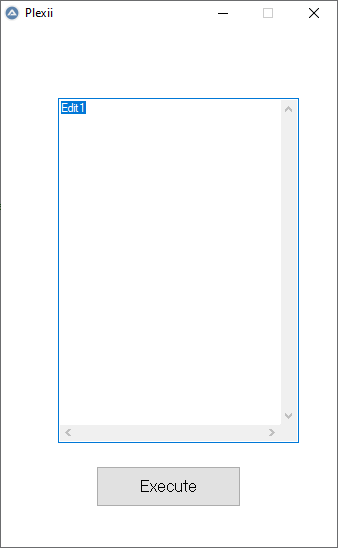

.thumb.png.0248efecd34cf68fde388d7358a7e8a6.png)