
About This File
zPlayer is a small but powerful, lightweight media player built on a dual-engine architecture. It combines the modern mpv engine for seamless, gapless 4K video playback with the native Windows legacy component (winmm.dll) to handle Audio CDs and MIDI files. Designed to be highly customizable, zPlayer offers a robust experience tailored to your exact preferences.
Key Features
- Zero Installation: A pure, single-file AutoIt script utilizing standard UDFs with no third-party dependencies.
- Universal Playback: Out-of-the-box support for most digital media formats without requiring external codecs.
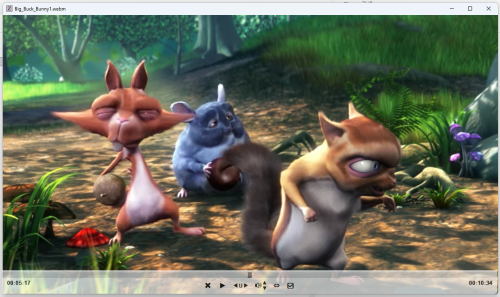
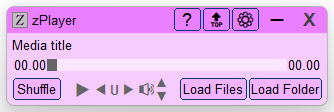
- Independent Video Window: A separate, minimalist video window paired with a clean, lightweight GUI for music.
- Versatile Loading: Easily load individual files, entire folders, or physical Audio CDs into your playlist.
- Marquee Style Display: Long filenames scroll in a smooth, continuous marquee style within the interface.
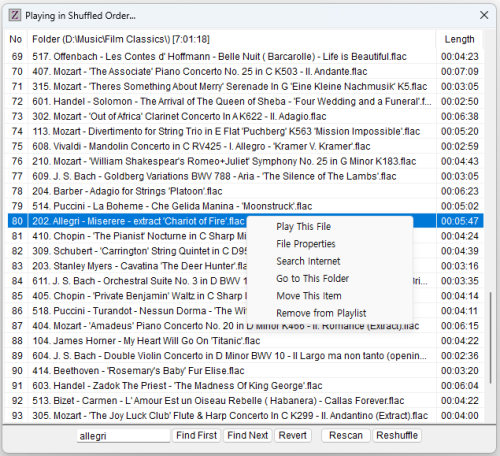
- Smart Playlists: Automatically generated playlists and easy-to-make custom playlists.
- Hidden Playlist: Automatically generates hidden playlists available on-demand in both shuffled and sorted formats.
- Rich Context Menus: Right-click items to Play, view File Properties, Search Internet, Open Folder Location, or Move/Remove playlist items.
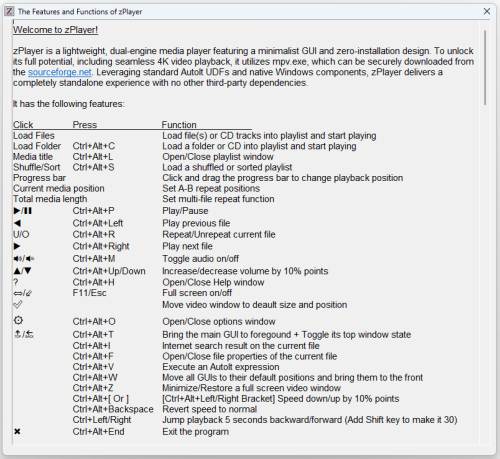
- Interactive UI & Hotkeys: Double-click to play, search inside playlists, and control almost every function via intuitive hotkeys.
- Playback Controls: Forward, backward, pause, and change folder.
- Advanced Repeat Modes: Supports precise A-B loop repeat, single-file repeat, and multi-file sequence repeat.
- Smart Volume Control: Easily adjust or mute volume; automatically unmutes the master audio device on startup.
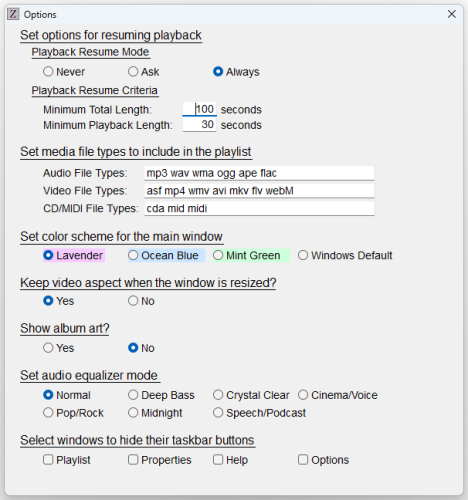
- Setup Options: File formamts, Resume playback environment, Color schemes, Audio equalizer modes, Hide taskbar buttons.
- Ultra-Efficient: Designed with a minimal footprint for exceptionally low CPU and memory usage.
Technical Information
- 64-bit Native: The script runs and compiles in x64 mode by default. To change this, simply comment out "#AutoIt3Wrapper_UseX64=Y".
- False Positive Prevention: The provided zPlayer.exe is compiled in x64 mode and verified clean by Windows Defender. Compiling to x86 may trigger false positives due to generic antivirus heuristics.
- Compatibility: Fully verified and optimized for Windows 10 and 11. A hardware GPU is highly recommended for optimal 4K video playback.
Edited by CYCho
What's New in Version 7.0.0.0
Released
Version 7.0.0.0 - July 17, 2026
Dual Playback Engines: Introduced a robust dual-engine system. It utilizes the modern mpv engine for mainstream media, and the native Windows `winmm.dll` component to handle Audio CDs and MIDI files.
Seamless 4K Playback: Leveraged mpv to support high-bitrate 4K video playback with seamless, gapless transitions between files.
Zero External Codecs: Eliminated the need for external codec installations—zPlayer now plays most popular audio and video formats out of the box.
Audio Equalizer: Added 7 distinct audio equalizer modes, fully customizable for user selection.
Album Art Support: Added an option to display embedded album art directly from the audio file's metadata.
Enhanced Hotkeys: Added 8 new single-character hotkeys that function instantly while the video window is focused.
Reference: Virustotal's security analysis