About This File
Why not create your own Icons from a picture ?
There are a few programs with the same goal, but when it comes to settings, it's very limited
and if your image is crooked or not centered, well you can't do much
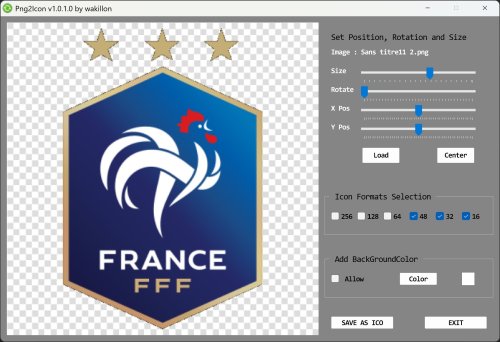
Png2Icon convert png, bmp, jpg, tiff and gif to Icon 32 bit
Load image file or Drag&Drop on the preview part and adjust position, size, rotation as you want
The transparency of PNGs is preserved but background Color can be also set
Select desired sizes (256, 128, 96, 64, 48, 40, 32, 24, 20, 16)
Press SaveAsIcon button and voila!
Edited by wakillon
What's New in Version 1.0.1.3
Released
Updated for support webp files (Thanks UEZ) and svg files
7z archive contains libraries for svg files conversion